Type of device* : Android tablet
Brand and version of the device: Galaxy Tab S8+
System** : Android 15 / OneUI Version 7.0 & Krita 5.2.16
* graphics tablet/display tablet/2-in-1 laptop/Android tablet
** Windows/Linux/Mac/Android, + version (you’ll find it in Help -> Show system information for bug reports)
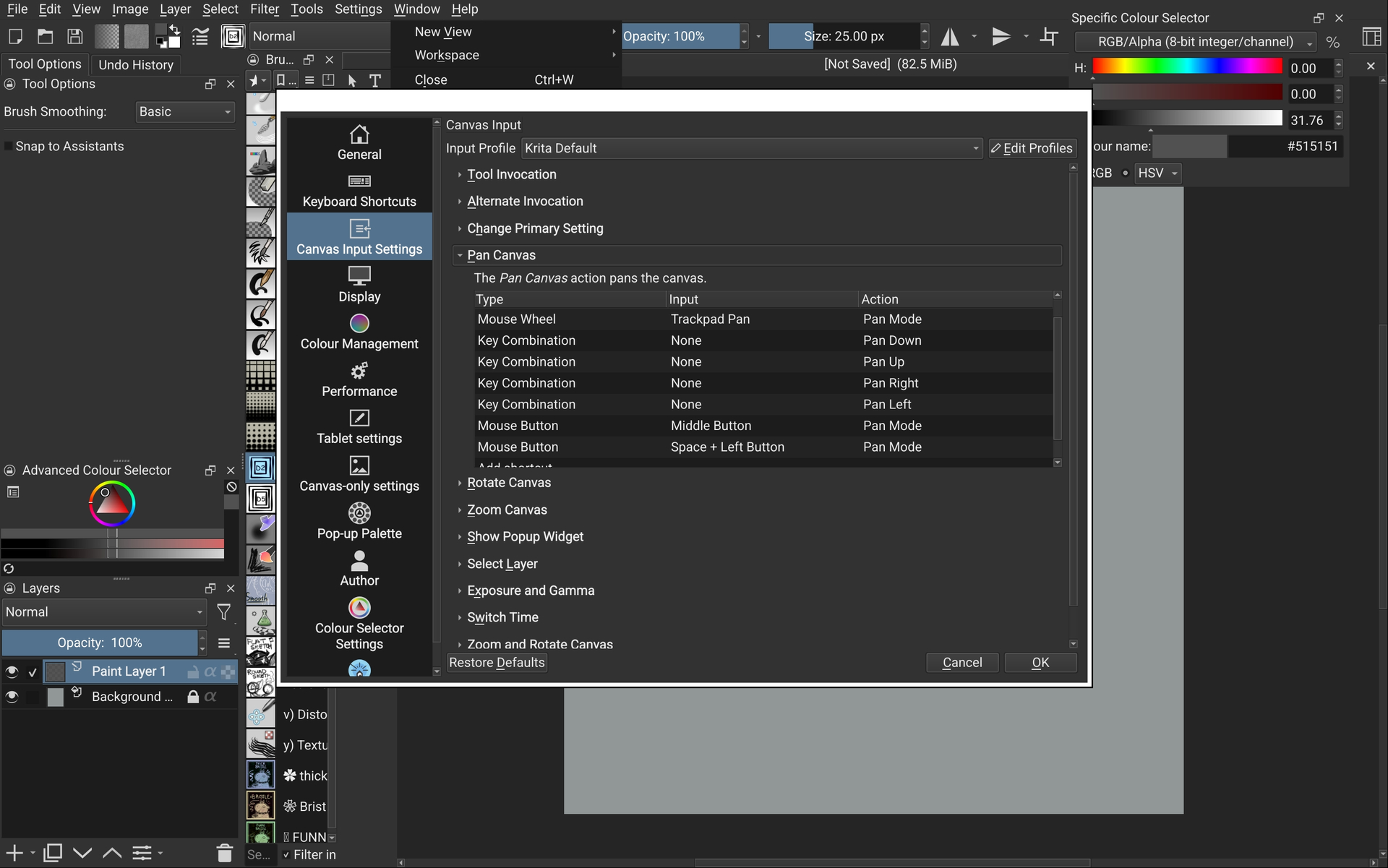
I’ve been happily using my Samsung tablet with Krita for 4 months, with a bluetooth keyboard for shortcuts and navigation. But on one random day (I suspect after an auto update from the google playstore) Krita suddenly stopped registering the spacebar, and I haven’t been able to pan around the canvas at all.
I’ve already tried several things like restarting Krita, restarting my tablet, updating my tablet software version, disconnecting + reconnecting my bluetooth keyboard, uninstalling + reinstalling Krita, clearing my keyboard cache, disabling Google Keyboard- (Which helped temporarily, but the problem immediately returned when I opened Kritra the next day) -using different bluetooth keyboards, changing the Canvas Input Settings, but now I’m out of options. I don’t know how to roll back the version, or if that’s even possible on android. But I cannot use Krita without the full use of my keyboard to navigate the canvas, so I haven’t been able to draw much of anything. Has anyone figured out a fix for this, or is it just a really unfortunate bug?
I’ve tried toggling between the Samsung Keyboard and Gboard before going into Krita the same way I did that one successful time, but no difference. I’ve since deleted Gboard just to cross it off the list of potential conflicts, and it’s still the same.
I had looked at this before, but concluded that it was that most keyboard applications are just hopelessly broken when you plug in a physical keyboard. As it explains in the bug, I even managed to teleport stuff I typed in one application into another because the keyboard app would steal everything I typed and then spew it out after a text input field got activated several minutes later in a totally different program.
The most reliable way to not have this happen seems to be to use a better keyboard application, for example Unexpected Keyboard seems to have no issues. For other keyboards applications, focusing a text field once sometimes makes them work temporarily, e.g. by double-clicking on the opacity slider.
Tried Unepected Keyboard as you mentioned, but it didn’t seem to change anything. Changed back to Samsung Keyboard and tried typing random garble into a layer label instead, and that was what brought panning back. So, problem solved (?)
It’s still strange to me because this has only recently been a problem, despite never changing my setup or the way I use Krita with my bluetooth keyboard. In fact, I used to have a different issue where typing to change the brush size/layer label/opacity would cause Krita to stop registering any tool and navigational shortcuts, requiring a restart of Krita to fix. Kind of seems reversed now, having to focus a text field in order to get it to register shortcuts.
Hrm, these keyboard issues are pretty mysterious because I can’t reproduce them myself no matter which device I throw them at, it seems to be very inconsistent. Which language is your device set to and what keyboard layout is it on the physical keyboard? Maybe that has something to do with it.
My device is set to English (UK) by default. The layout of the keyboard (Based on the enter key shape) is an English US layout, but has always corresponded to the UK layout when connected to my tablet without problems. I did also test the spacebar issue with a UK layout bluetooth keyboard, but neither differed in results.
I have the same issue. Just getting started in Krita. Spacebar can not be assigned to pan. I can click space bar multiple times and it will accept that but still wont work. I have ended up reassign H to be pan as a work around.