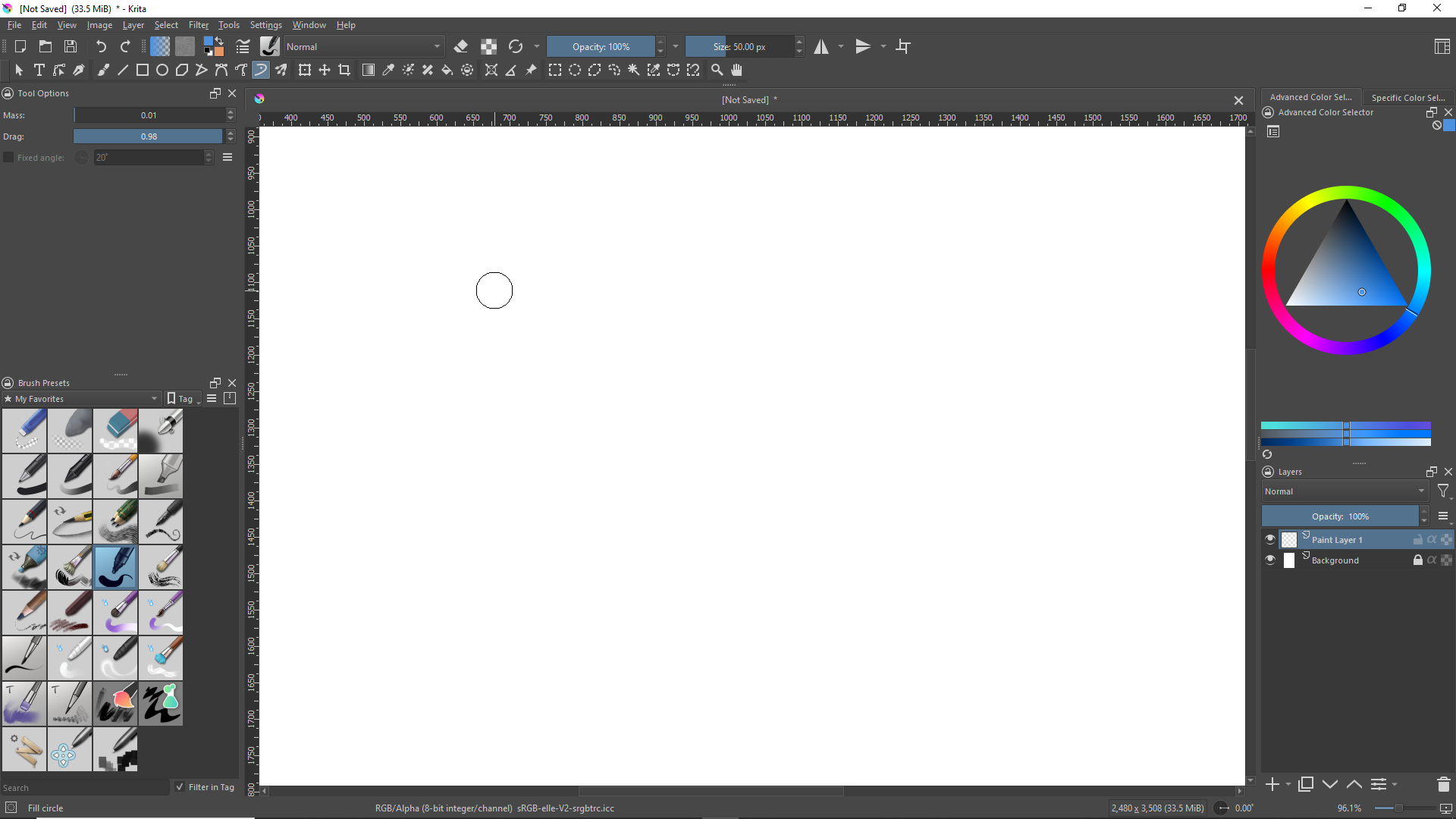
I don’t know what I did but the stabilizer is now turned on while using the dynamic brush. Specifically, the weighted option. There’s no way to turn it off in the tool options because the dynamic brush isn’t supposed to use the stablizer. I have no clue how to fix the issue except for exiting Krita and re-opening. There seems to be a delay from startup to the time the stabilizer switches on. Really weird issue.
Strokes seem to be normal for now but the ‘ring’ around the cursor is present even when the dynamic brush is selected. Trying to reproduce the problem now, but before the strokes were weighted too.
Cursor not showing up in the screenshot but there should be a small dot in the middle of the circle on screen.
Just to be certain you didn’t enabled Brush preview and cursor visibility at the same time? Meaning the circle you’re seeing isn’t a weighted stabilizer circle, but the brush itself?
This bug is easy to recreate, if you close a document with stabilization enabled for the Freehand Brush Tool it will apply Freehand Brush Tool options to Dynamic Brush Tool.
And removing them is the same process, disable stabilization on Freehand Brush Tool, close and reopen the program, now the Dynamic Brush Tool has no extra stabilization.
I’m using 5.3.0-prealpha (git fac6dc4)
I noticed a person complain about it on the discord and had come across this behavior before. I remember being able to fix it for myself so I figured I’d share what I know.