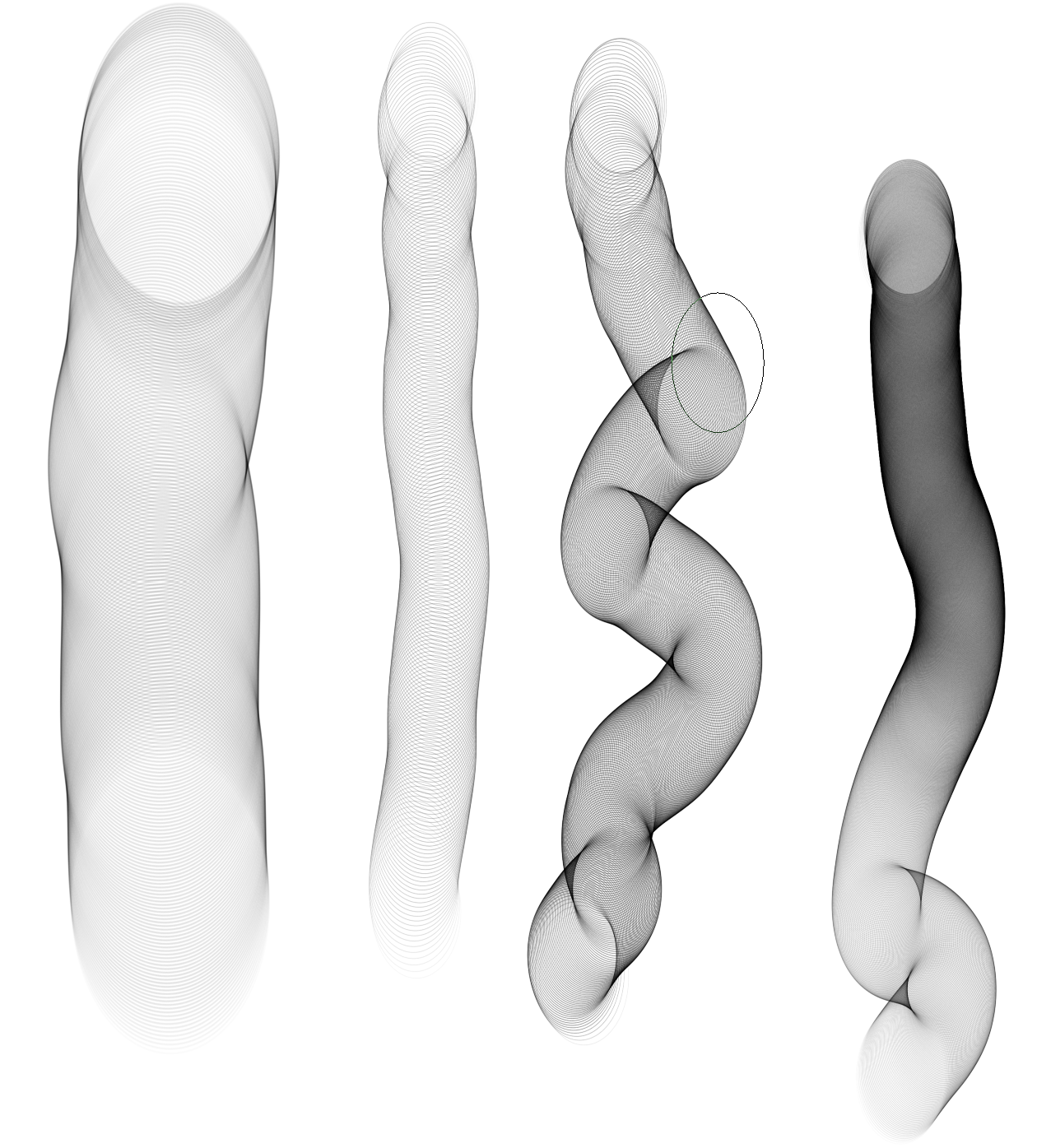
The heavier the pen, the thicker the stockings, the lighter the pen, the thinner the stockings.
Use the transform tool to adjust.
For example, use Liquify to adjust the edges so that the stroke edges align with the leg edges to create the visual effect of the edges of the stockings.
Use your imagination and use it.
I’m sorry, I just fixed the download link.
2026/03/08
I improved the stockings brush and it works better for me now.
Please let me know if the download link doesn’t work.
You can set the expiry time for the files you share to “Never”, so they stay in share and won’t be automatically deleted after a certain time.
Here is the brush:
In between, an often unreliable file hosting service:
And why don’t you use the download option I offer you directly above your post? It works, and I have put it online because the original poster had forgotten to set the expiry period of its file to “Never”.
On the download-page just click on Free Download (1MB/s) and in next dialog click on Slow speed (1MB/s) is fine to get the preset.
I haven’t heard any different. Download it from my cloud, the link can be found two postings above yours, and in case it does not work anymore, it would be fine if you can report it here, so we can see if it could be fixed (what I expect, if it really should be broken).
Hello, it seems like the brush is not working properly for me as it only draws a black oval and nothing more. Although i might be using the brush incorrectly
It works best using a pressure sensitive device, which usually will be a graphics tablet with stylus, or any of those two-in-one devices and Android tablets supporting pen pressure. The brush only works well with very light pen pressure.
A mouse is not advisable. To be able to paint with the mouse, you would have to make major adjustments to achieve even a halfway acceptable result, so it is not recommended - it just looks bad.
You have to use it in very large sizes.
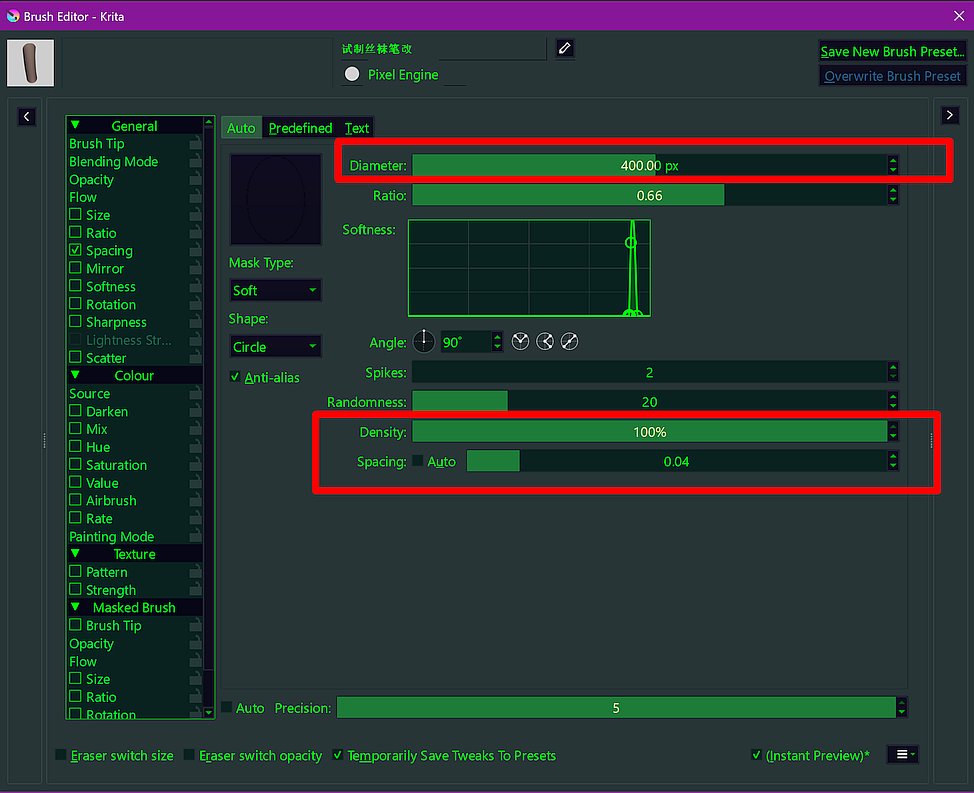
The fishnet pattern can be adjusted and varied using the pen pressure and the “spacing” in the brush editor, the brush engine. On the far left, it is set to 0.04 and the size of the brush tip is 800 pixels; the third “tube” from the left has a spacing of 0.25 at the original size of 400 pixels; on the far right, the spacing is set to “Auto” at the original size.


 Hello
Hello  Hello
Hello