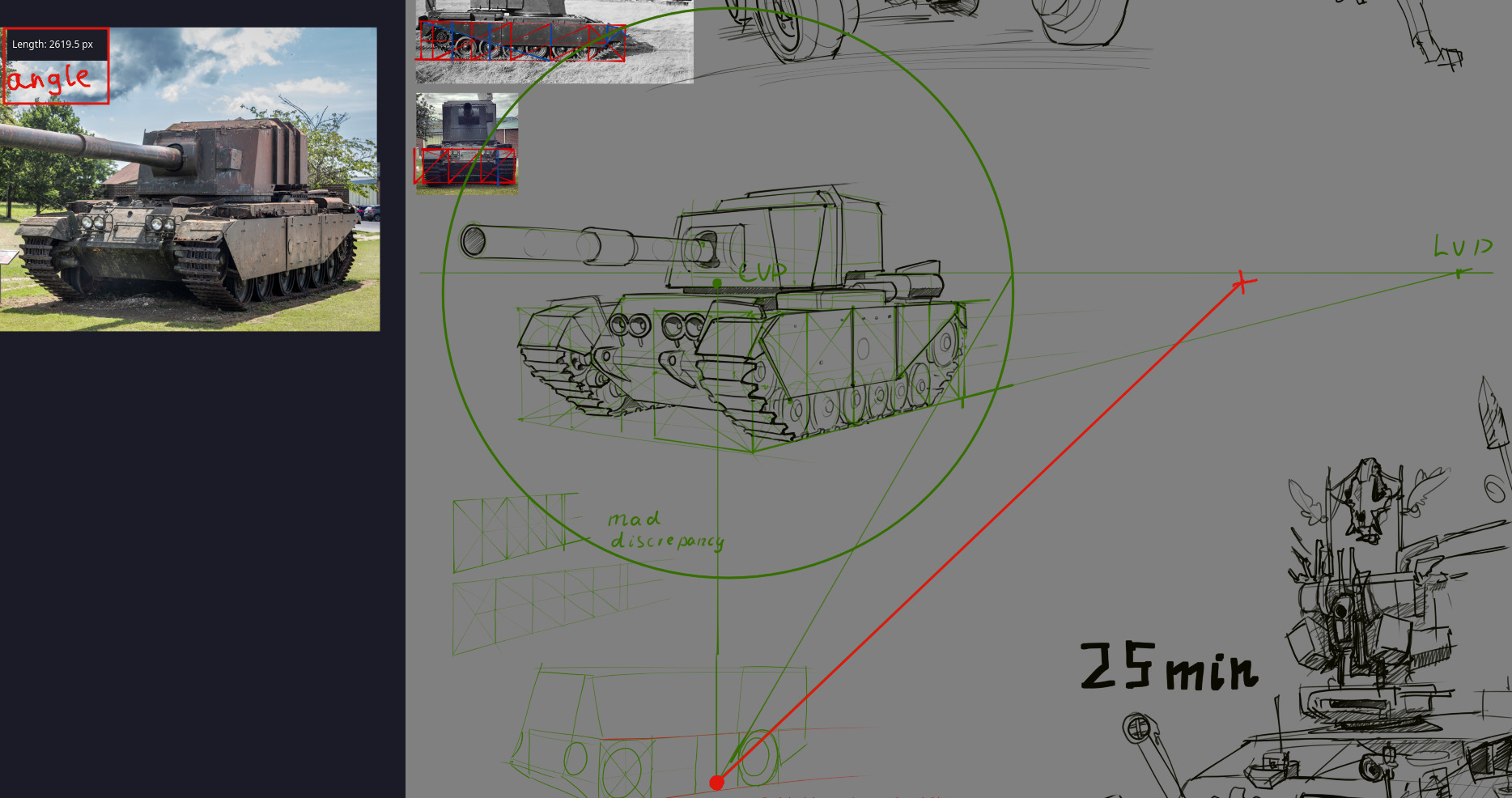
I would like to be able to change the angle that the Straight Line snaps to. I believe it’s currently snapping to 15 degree angle increments.
I use draw a lot in Orthographic Perspective for design work. It’s easier to move and re-use parts my drawing without worrying about perspective convergence. Thus, I have found Krita’s Straight Line snapping angles to be super useful, because it does allow me to draw lines that parallel and diagonal at few different angles. I would like to request that these snapping angles could be changed under the Tool Options or under Configure Krita. That would allow me to choose different ortho angles and work very fluidly with the straight line tool. I know I can use parallel ruler, but nevertheless I think this would be a good feature.
On a side note, the Bezier Curve Tool actually has this setting where Angle Snap can be specified manually. However, it only supports integers. I would like to have floating point accuracy because sometimes I need 11.25 degrees or 22.5 degrees.
In the Krita Next version, you can download Krita with the new feature that makes Line Tool snap to Assistants. So to get the Orthographic Perspective work nicely, you can either create assistants (Parallel Rulers in particular) or first use Grid (Settings → Dockers → Grids and Guides, use “Show Grids”, change from “Rectangle” to “Isometric”, then adjust angles, that will give you correct angles) and then create assistants based on that. Then go to Line Tool, check “Snap to Assistants”, and voila, you have custom angles (you don’t even have to use Shift for that).
Usually, you could also make creation of the assistant snap to the isometric grid, but I just tested it and there is something off about it - it seems wrong, I added it to my list of things to check.
It is a dev build though, none of the current final releases has this option for Line Tool. It’s not even in the stable builds but the nightly ones.
HOWEVER if you have assistants set up, you can just use Freehand Brush Tool with snapping to assistants. Line Tool is more convenient for me, and you did ask about Line Tool, but it should be doable just fine with the Freehand Brush Tool. Which you can do in any decently recent Krita version.
Who came with those numbers, really (But with assistants it works just fine).
Other than that… it wouldn’t be a bad thing to have, I guess.
11.25 and 22.5 I am just often using as a quarter 1/8 of a circle and a 1/16 of a circle. Or sometimes I draw on top of an orthographic screengrab from blender, in which the camera is at a somewhat random angle.
I would still be interested in this feature, since I look at the whole assistants workflow as a slightly more complicated step. I do use assistants but it’s like a separate function, so in order to keep it simple, it would be great if the Line Tool just had the same setting in Tool Options as the Bezier Curve Tool has, where you can specify Angle Snap, and make it with two floating points.
Another idea I had… I think it would be cool if there was like a smart snap feature where if you make a Line at any given angle then the next time you can use Shift to snap to that angle. So you could quickly draw parallel lines with this at any angle.
When making highly technical drawings with precise perspective grids It’s required to know line angles for your construction.
There is already an angle measurement tool, and the line tool already has a px length metric. Simply combine both and add an angle metric to the line tool’s pop-up context window (see top left in the image).
Otherwise I’m forced into the roundabout way of switching between angle and line tools back-and-forth
Your feature request was moved into a pre-existing request for the same feature. We try to keep identical features in a single topic so that developers and volunteers don’t have to hop around to read all the comments.
 (But with assistants it works just fine).