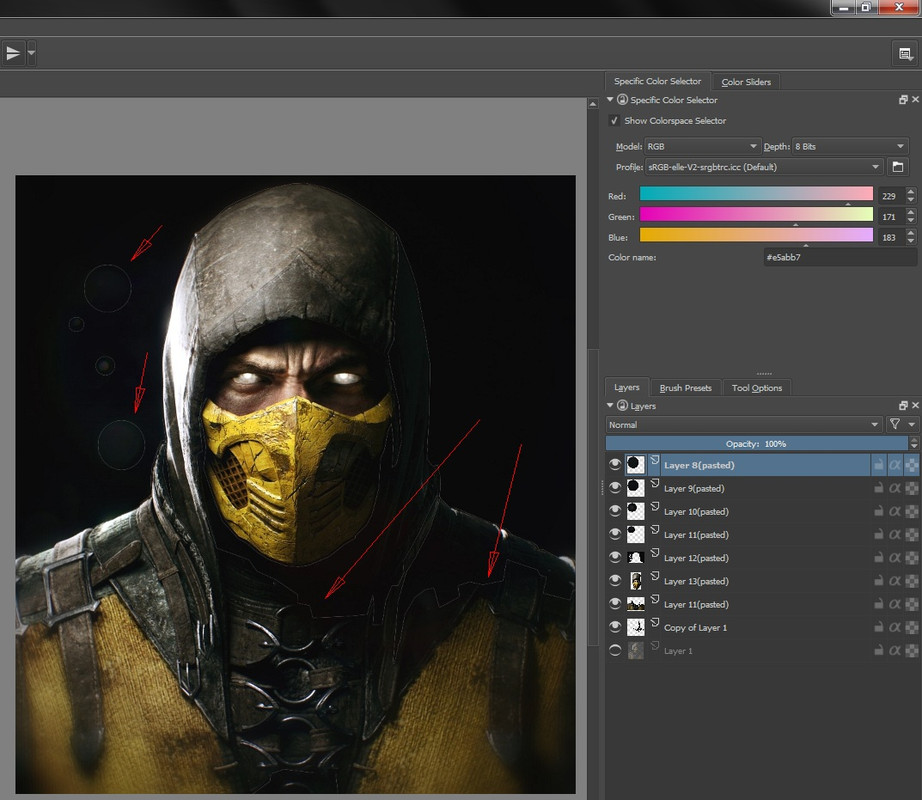
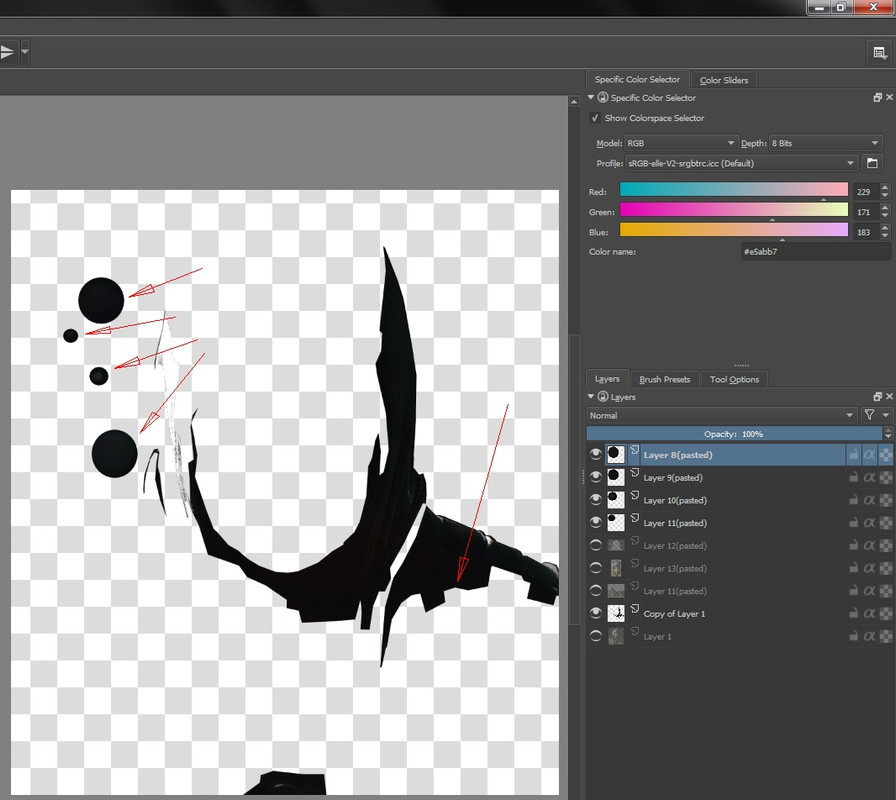
I couldn’t find where the RGB levels feature was. So I decided to try something else. Selecting the really dark to black parts and then ctrl-x and paste thrm to a new layer. Then at the end I can group the black parts and the colored parts sperately.
But then I get this. See where the red arrows point. This is where I selected in the picture and tben cut and then pasted to a new layer. But seeing the layers on top of eachother creates a visible line along where I selected and cut. Did Krita do a anti-aliasing thing when I cut?
I can’t figure out if I can still make this right and undo the anti-aliasing. And make it a hard cut. So it will dit precisely with yhe other layers. Hope this makes sense.
(you have to zoom in on your smartphone to see it)