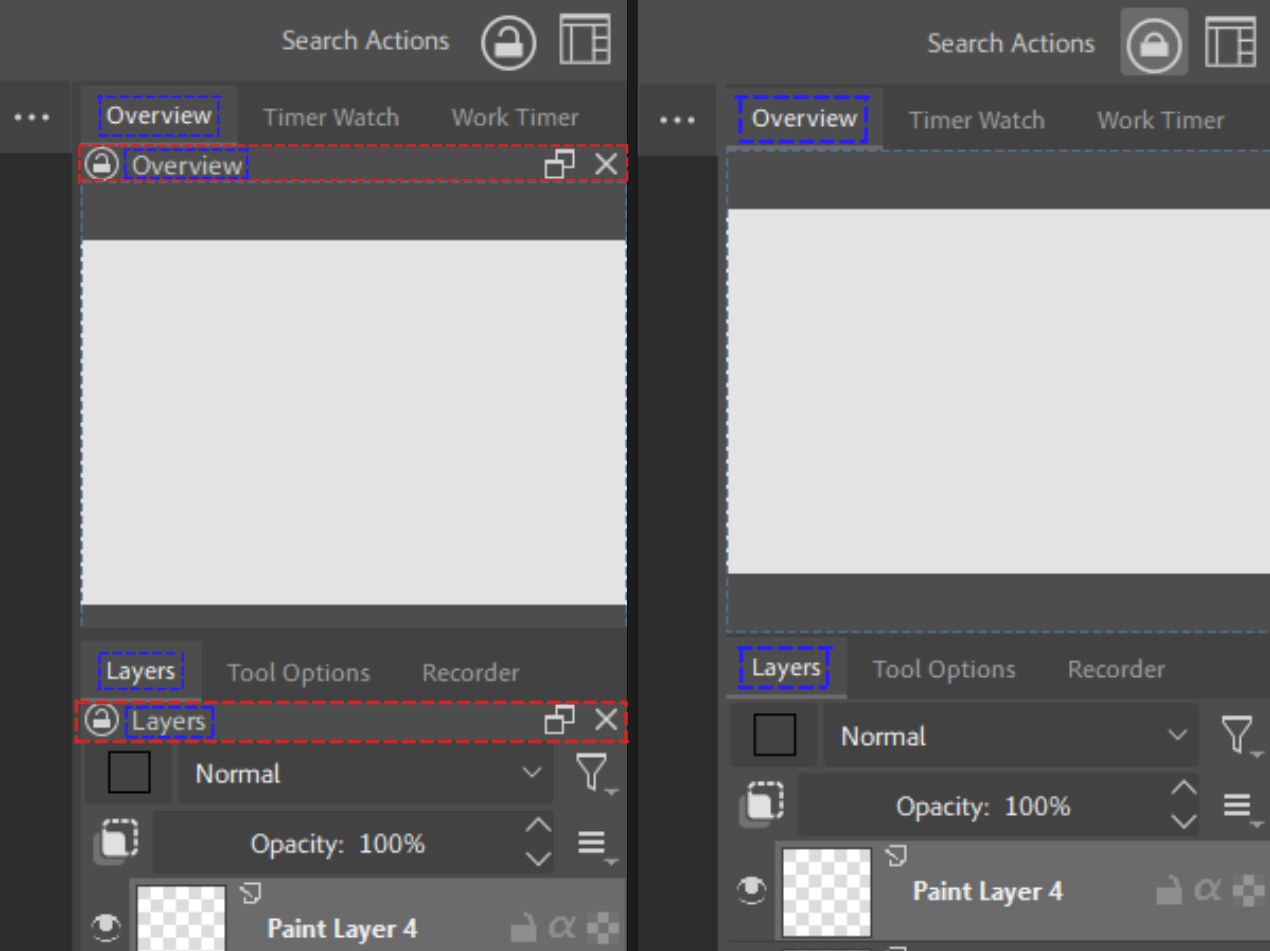
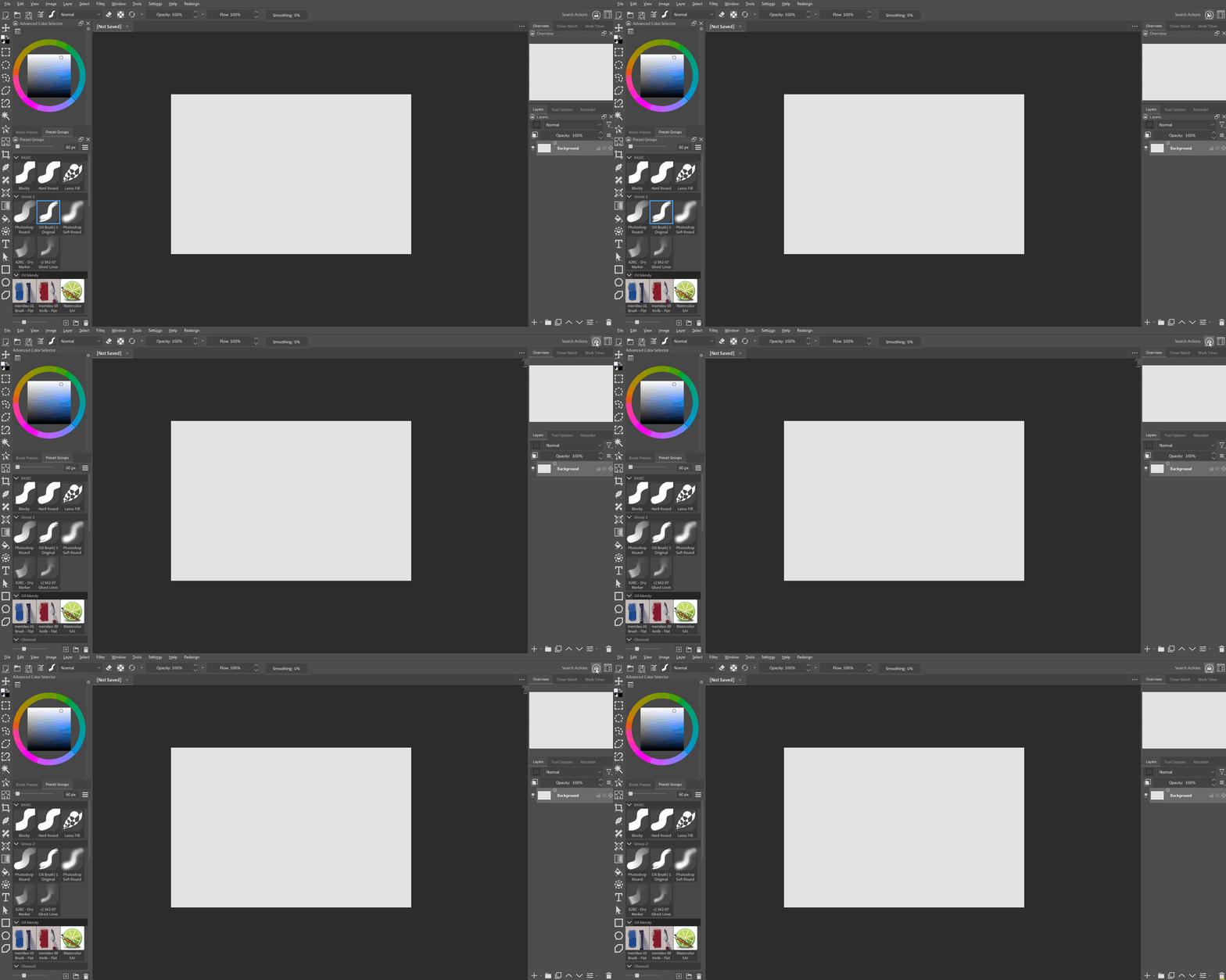
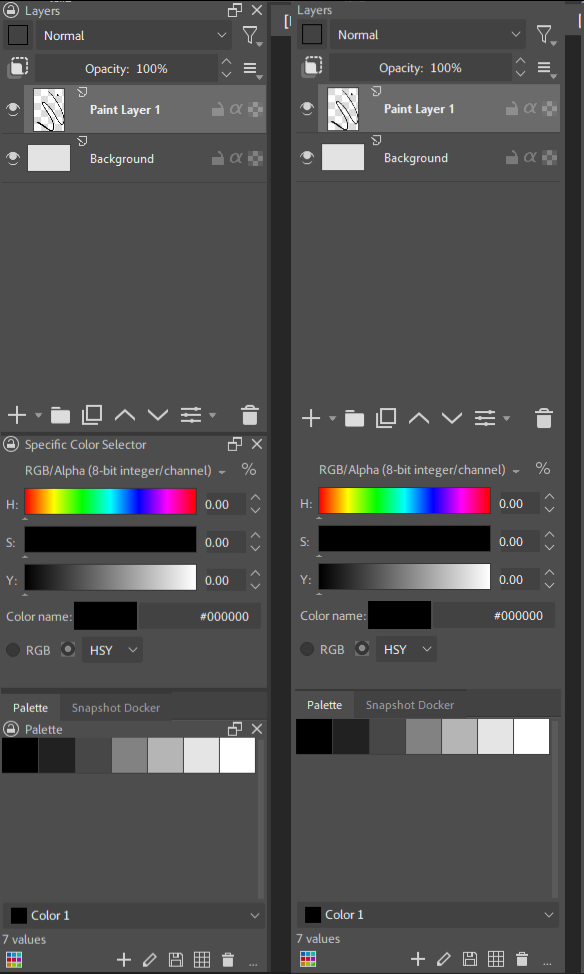
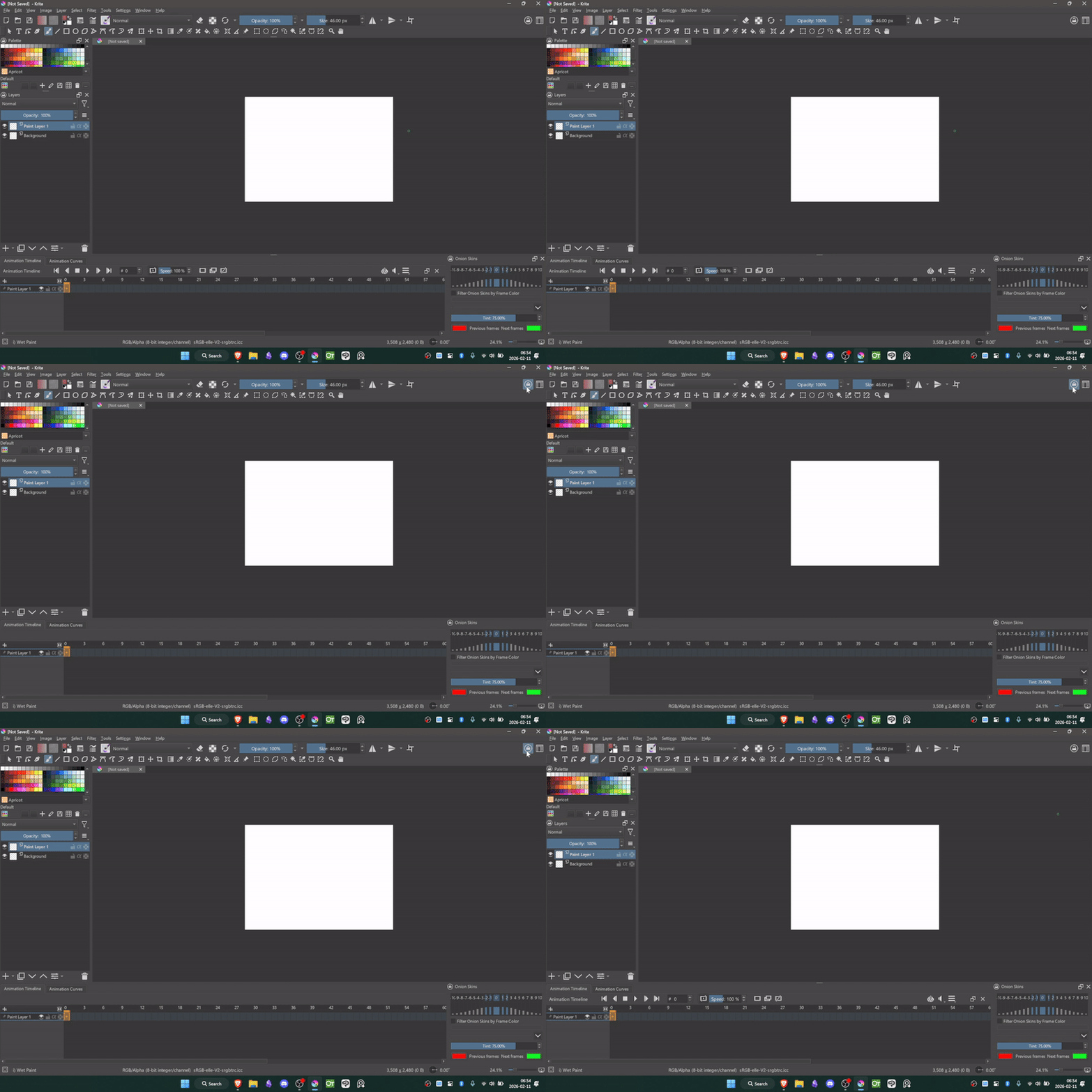
Super Docker Lock is Krita Python Plugin that allows users to lock all of their dockers from being closed or resized while hiding all docker titlebars for a cleaner UI.
This plugin is a fork of @general-avalanche-43’s Lock Docker Resize plugin.
Super Docker Lock combines the separate locking and visibility toggles into one button. Also this plugin is friendly to floating dockers as they will not be re-docked when the lock is toggled on.
After installing the plugin, add it to one of your toolbars and it will appear as a lock button. The plugin will remember if you left it locked or unlocked the next time you open Krita.
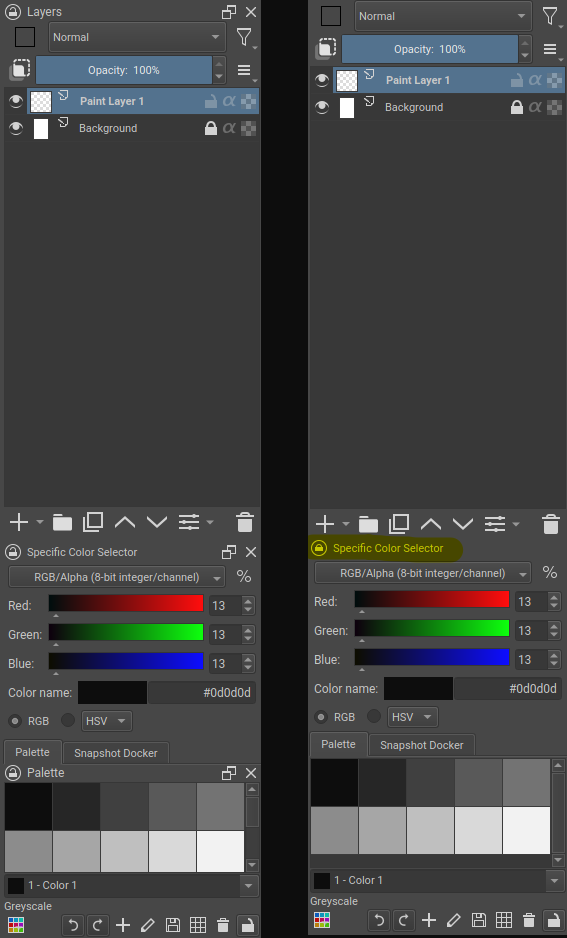
Great plugin, helps to unclutter the UI and leave only useful informations, great job ! I just had one tiny bug where the specific color selector didn’t hide properly, here’s a screen :
Sometimes, even the palette docker name won’t hide properly, but it’s happening randomly. Other than that, the plugin stays well active after relaunching krita with the locker on ! Good job, you’re probably the most active plugin dev right now and providing killer features !
That’s odd, I’m on Krita 5.2.14 and I tried to use the same setup as yours but I don’t get that bug. In case it might not be the plugin, try restarting your pc. If you’re on Krita 5.3 prealpha that might also be contributing to it
I’m also on 5.2.14, though I’m on Linux and using the appimage version. There’s maybe a conflict with another plugin. Later on today, I’ll reset all krita config files and will only reinstall this plugin to see if it solves my problem and will let you know.
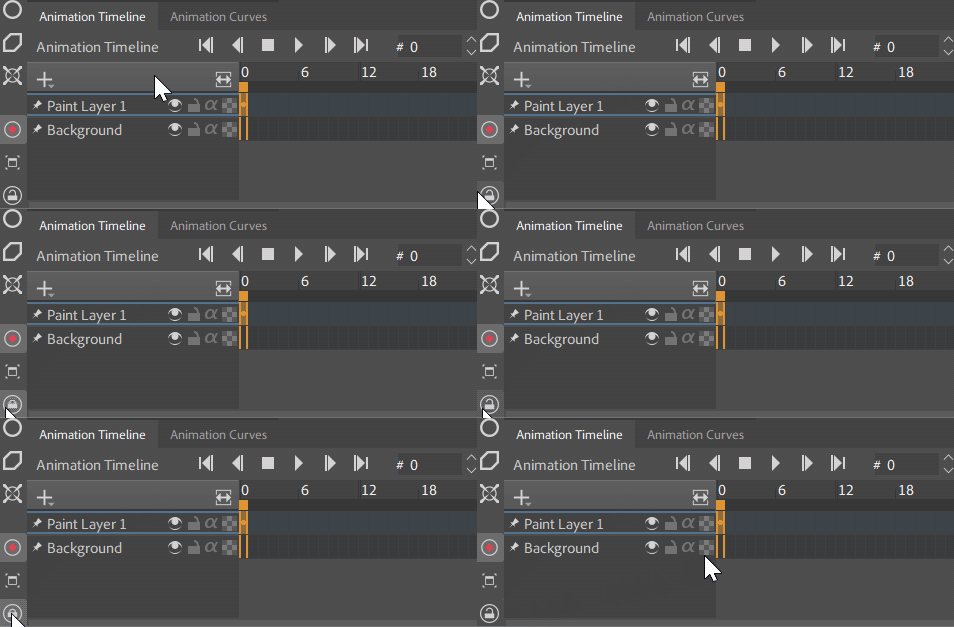
Hi tenzin, i’m facing a new bug. It seems that the plugin is hiding the whole toolbar from the animation timeline docker. Using krita 5.2.15 on windows 11. I disabled all other plugins to see if there are incompatibilities but without success !
Also, do you plan to update your plugins to qt6 before krita 5.3/6 release, or should I be sticking to 5.3 upon release ? Can’t live without them now …
#### old code in super_docker_lock/functions.py starting at line 222
...
def _set_title_bar_visible(dock_widget, visible):
    title_bar = dock_widget.titleBarWidget()
    if not title_bar:
        return
    ...
#### new replacement code
...
def _set_title_bar_visible(dock_widget, visible):
    title_bar = dock_widget.titleBarWidget()
    if not title_bar:
        return
    # Note: this does not fix the issue
    if (not visible) and (title_bar.metaObject().className() != 'KoDockWidgetTitleBar'):
        return  # only KoDockWidgetTitleBar widgets should be hidden
    ...
I tested the snippet and it does not work. The root issue is the fact that Animation Timeline and Animation Curves use KisUtilityTitleBar which has all the necessary buttons needed to use the dockers. This utility titlebar’s buttons only gets hidden by the plugin when the dockers are grouped, isolated Animation dockers are unaffected.
Hi w4ldurr, this is a bug that only occurs when the Animation dockers are grouped. It has been fixed in the newly released v.1.0.1 version of the plugin which you can download now.
Also, do you plan to update your plugins to qt6 before krita 5.3/6 release, or should I be sticking to 5.3 upon release ?
Stick to 5.3, I don’t intend to update my plugins to qt6 unless a future stable krita 6.x version has significant improvements/features and if migration to qt6 is forced.
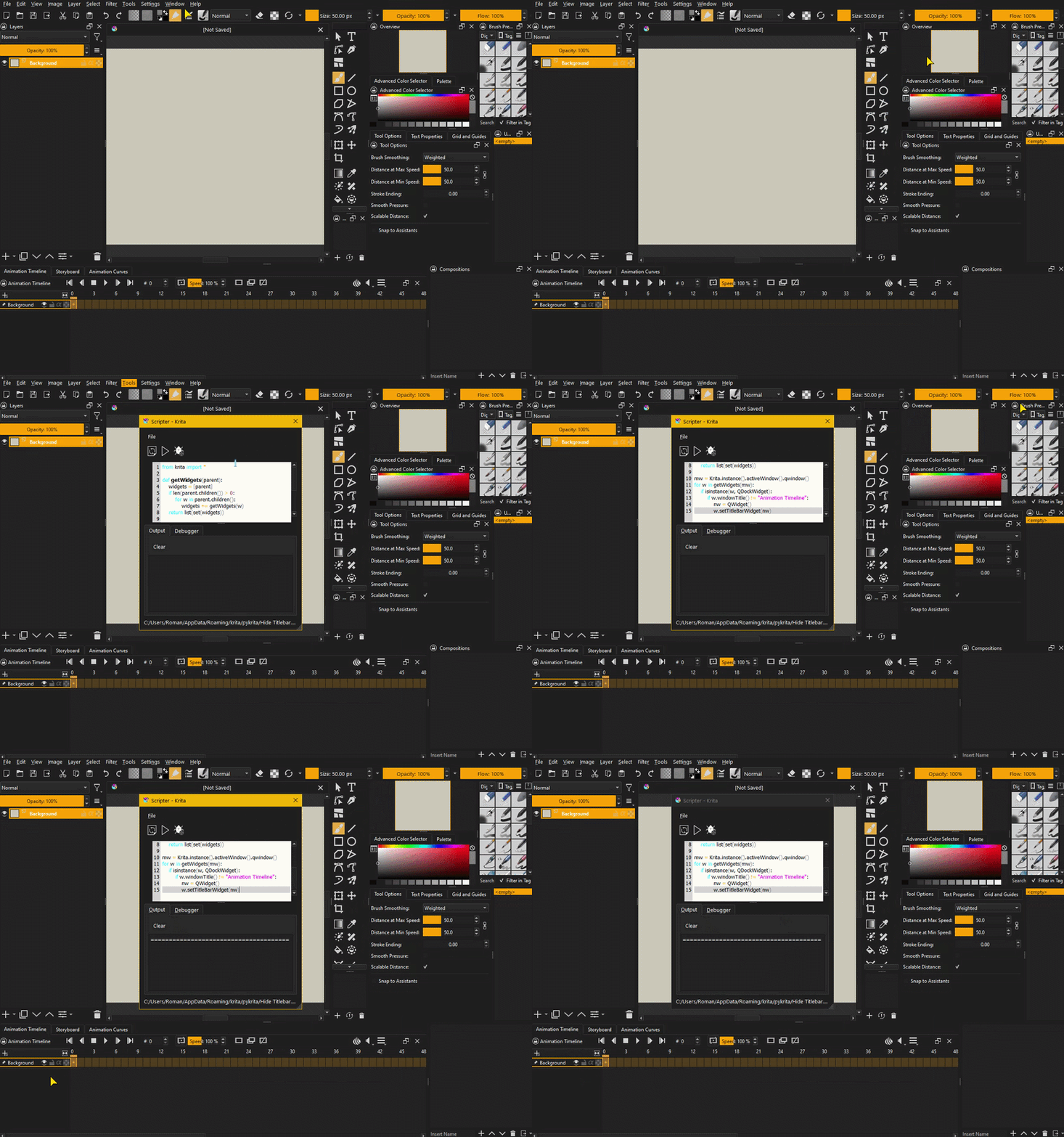
Hello! I used the “ShapesAndLayers” script, there was such a function for hiding titles, but in the new versions of Krita (5.3/6) it no longer works. So I started searching google to find a similar plugin. Ai search gave me 3 options: ShapesAndLayers, Super Docker Lock, and suggested lines of code to use in Scripter.
Surprisingly, it worked and it hid the titles, but there was the same problem with the animation timeline (I’m very far from programming). I went ahead and asked Deepseek to refine the code and add an exception for this docker. Of the several options, one worked. I’ve tested it on versions 5.2.16 / 5.3.1 / 6.0.1
Here is his code:
from krita import *

def getWidgets(parent):
    widgets = [parent]
    if len(parent.children()) > 0:
        for w in parent.children():
            widgets += getWidgets(w)
    return list(set(widgets))

mw = Krita.instance().activeWindow().qwindow()
for w in getWidgets(mw):
    if isinstance(w, QDockWidget):
        if w.windowTitle() != "Animation Timeline":
            nw = QWidget()
            w.setTitleBarWidget(nw)
On the downside, when starting Krita, you need to run the script manually every time. But this is the only solution for me at the moment.
Maybe this will help the author of this plugin somehow. Because it’s a really useful plugin for organizing your workspace.
Hi Lionet, thank you for sharing the code. I was surprised to see how efficient it was so I went ahead and integrated it into the plugin in the new update. Now you don’t have to run the script every time, enjoy!
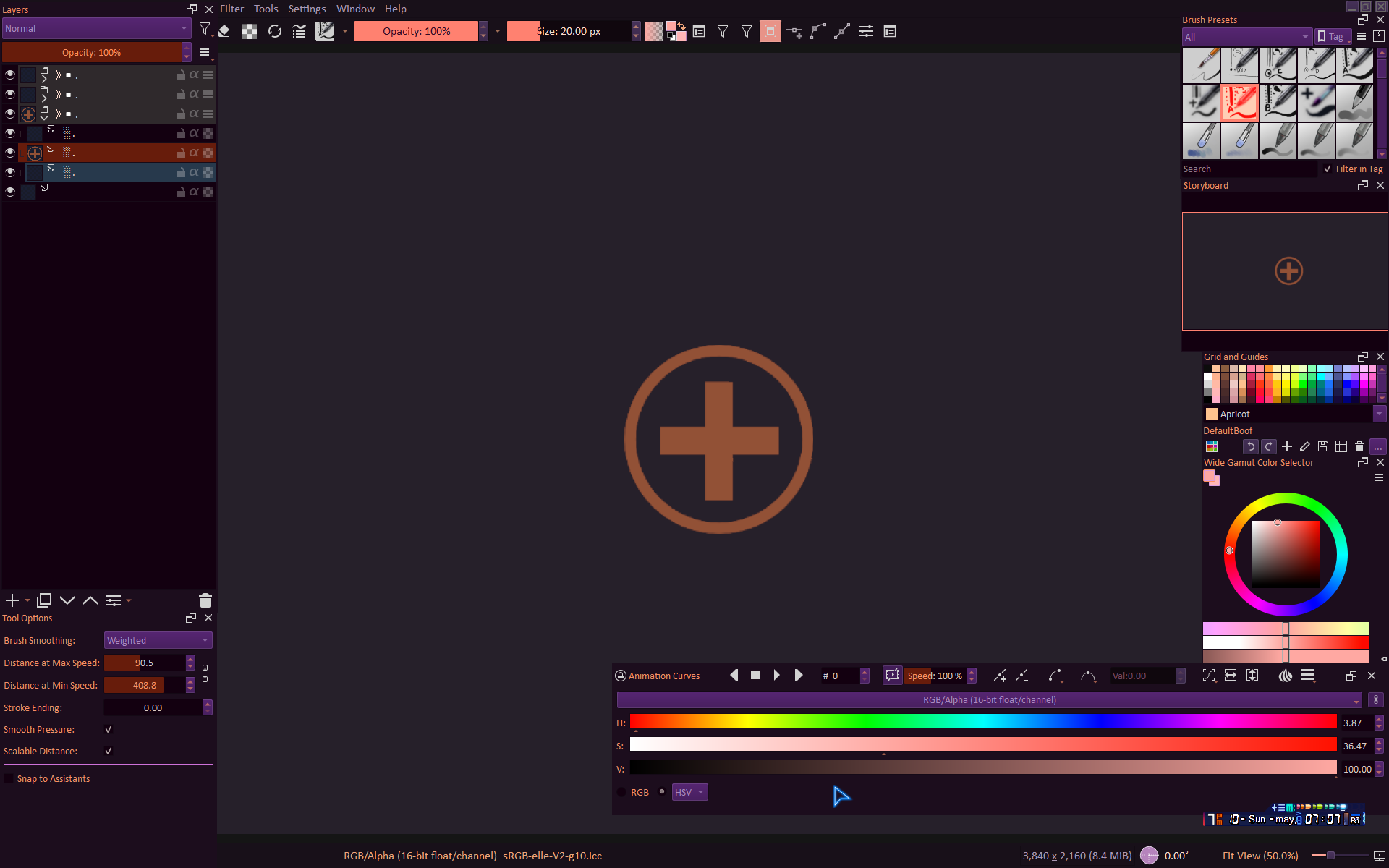
Uhm.. hi, I’ve installed it because of the prospect of locking sizes for dockers permanently, something I accidentally change every now and then, until I turned it on.. And then it didn’t do anything so I turned it off, and then on again
And all of a sudden, there was some animation stuff in the specific color picker???
That, was originally not nearly as wide in there since it was only the specific color picker with width to match the one over it - the wide gamut color selector
So what even happened, and how do I fix this?
I’m on Krita 6.0
Small update: It temporarily bugged the names of the dockers, so the Wide gamut color selector was instead the LUT manager thingie, and Layers was named Patterns instead - it went back to normal after I turned the script off