Type of device* : Graphics Tablet
Brand and version of the device: XPPen Deco Pro LW (Gen 2)
System** : Windows 11
* graphics tablet/display tablet/2-in-1 laptop/Android tablet
** Windows/Linux/Mac/Android, + version (you’ll find it in Help -> Show system information for bug reports)
Description of the issue (you can include screenshots):
Hi guys, new to the forum and just bought a pen tablet.
How do I properly setup the work area for my setup? I’ve experienced cursor jumping between the canvas and then UI over a line. However, this issue doesn’t happen in Photoshop.
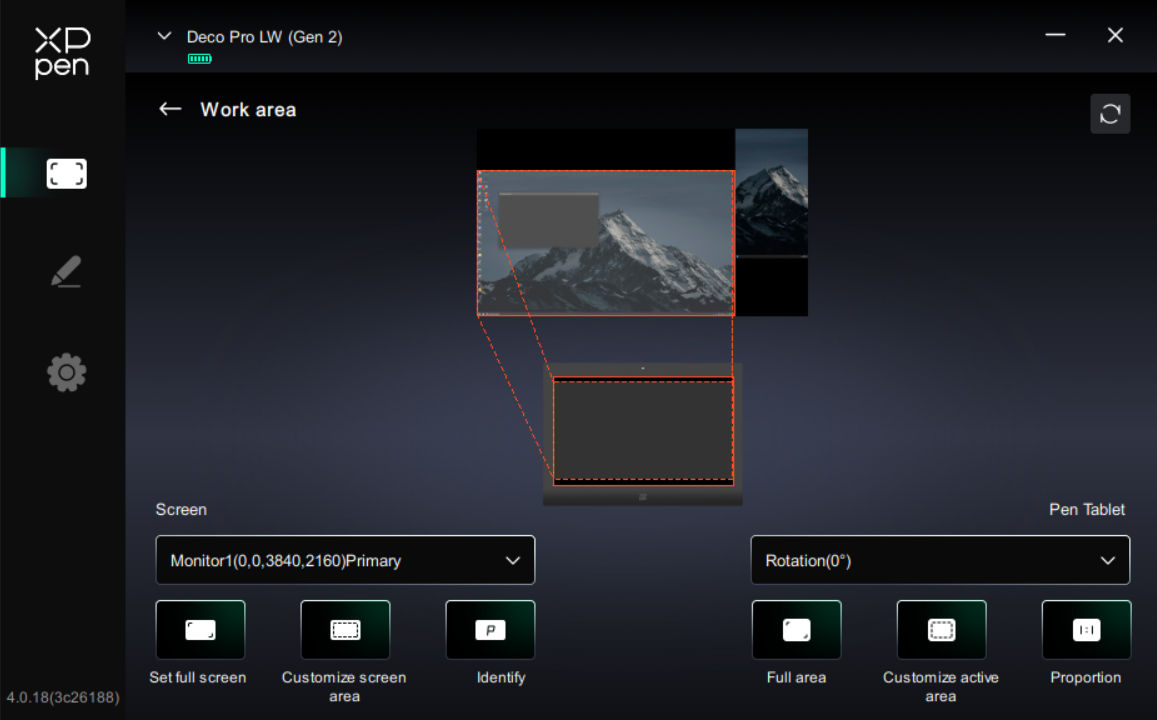
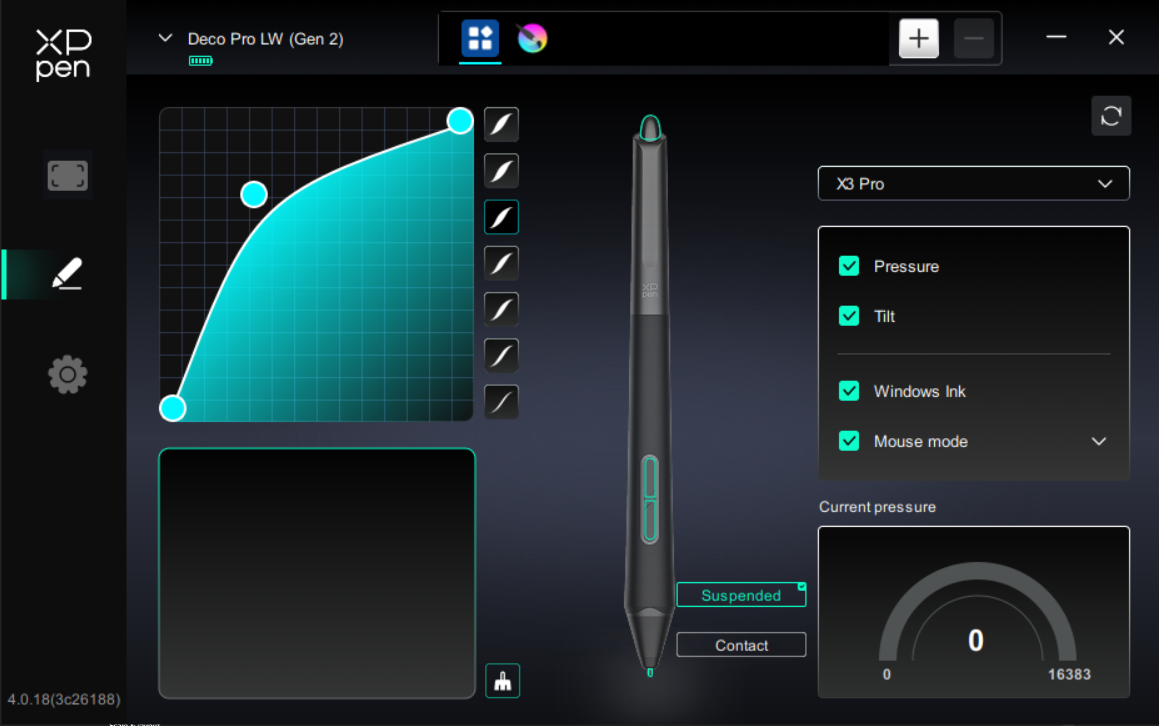
My monitor and pen setup layout in driver:
My monitor setup in windows:
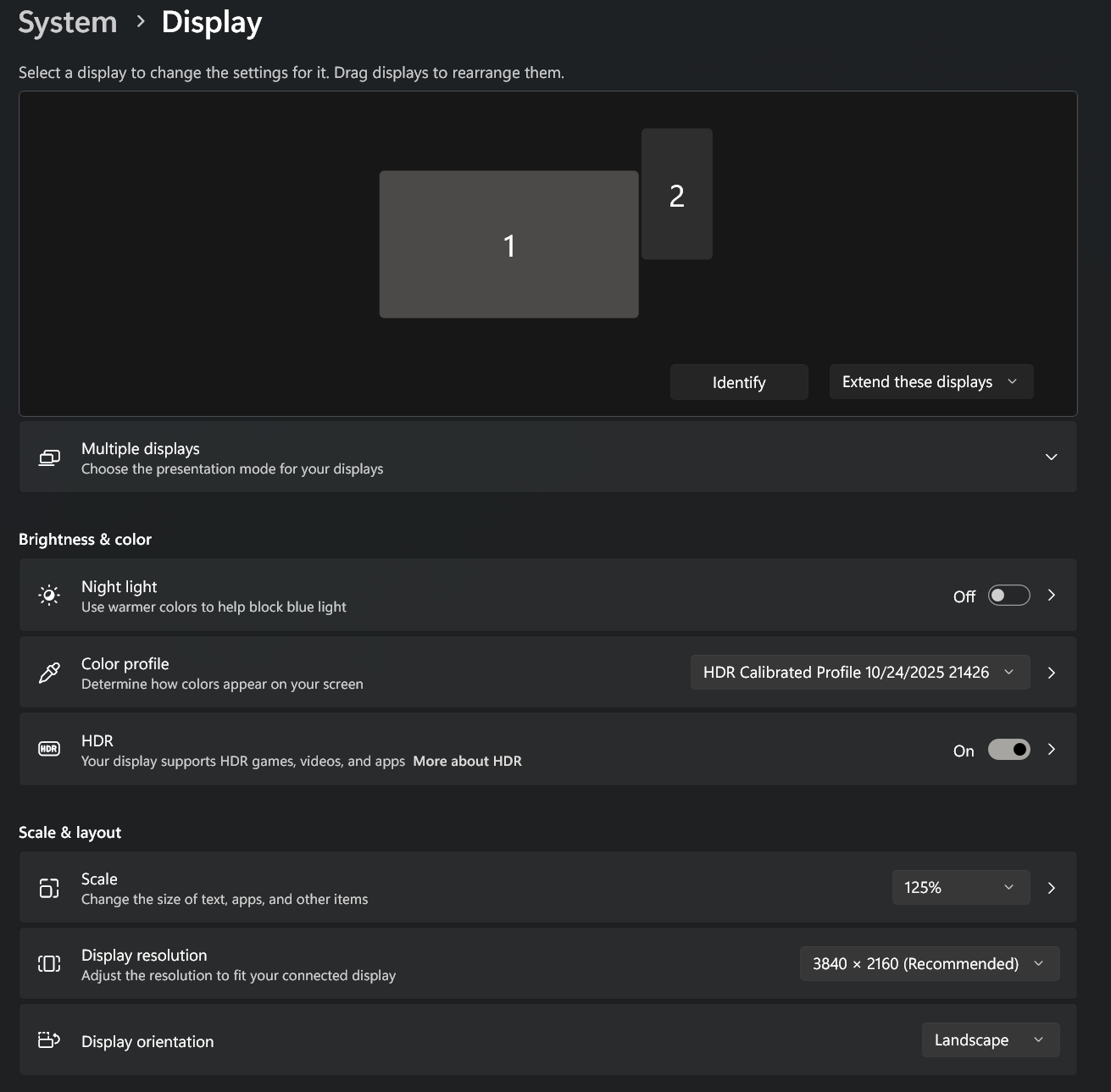
Monitor 1 is 3840x2160, Monitor 2 is 1080x1920, Scale is 125%. Scale is non-negotiable, my primary monitor is a 42" TV so scaling windows UI down will make everything too small and unreadable. And yes, they are positioned janky like that because I have my speakers standing on the sides of monitor 1 so monitor 2 needs to go up a bit.
Which Number should I input here? Because entering my Monitor 1 Resolution didn’t work, adding all the numbers between my 2 monitors also didn’t work. Also Windows 8 + Pointer Input didn’t work.
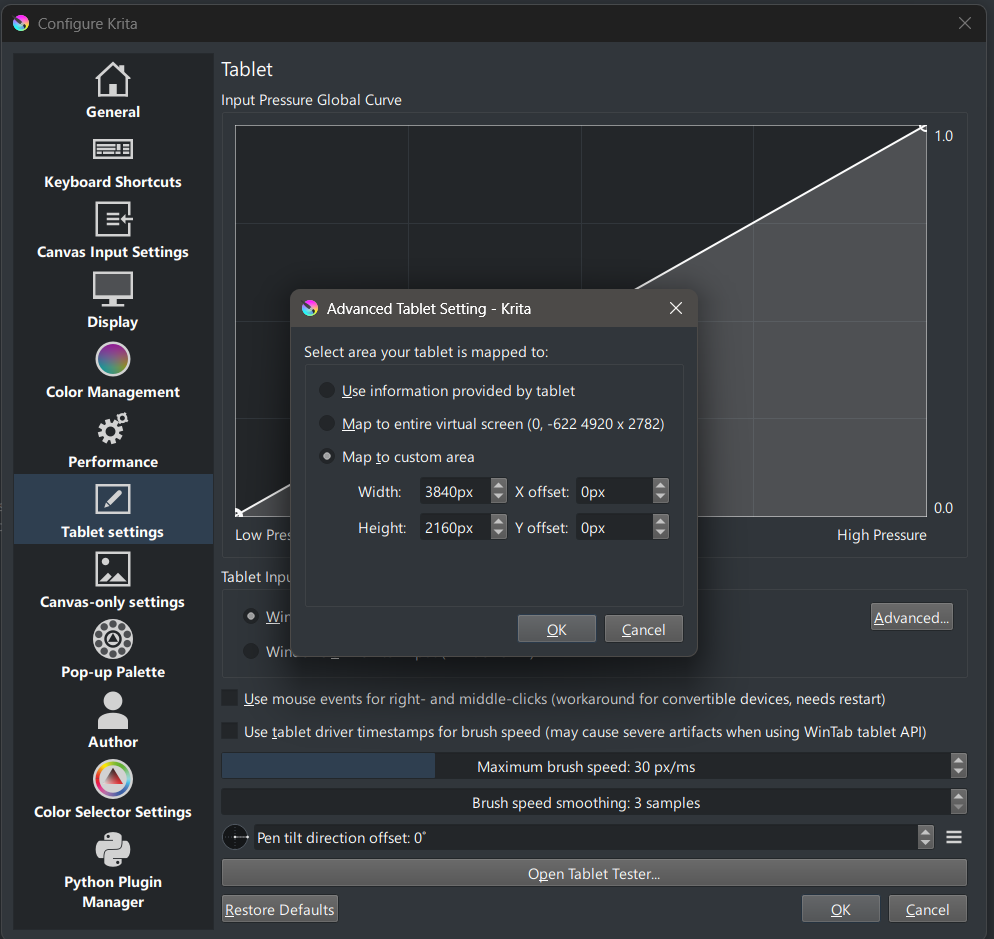
Thanks!