Oh, I see. Regardless, I’ll continue to use it and if I come across any new findings, I’d like to share them. Thank you for your help!
5.2.3 is mainly a bugfix release. That feature will be in the next feature release, 5.3.0.
@mikuma_poponta @YRH
Since the warning states the texture buffer is disabled on ANGLE even though the checkbox is checked, what happens if you switch to OpenGL and disable the texture buffer there?
(This issue is almost like the opposite of bug 398689, which involves the canvas partially disappearing when zooming in with texture buffer on (after scaling the canvas, on macOS).)
As for what changed between 5.2.2 and 5.2.3, maybe it’s related to the new build system? I can’t think of anything else that might’ve affected ANGLE or the canvas rendering.
In the state where OpenGL is used and the texture buffer checkbox is unchecked, no problems occur and it operates normally.
the animationplayer gets stuck after the first replay when sound is imported.
Works fine if no audio is involved
Addendum: interestingly only happens if using a file from 5.2.2 that already had audio imported. removing and re-importing fixed the issue
Addendum 2: replay still gets stuck if frames get selected manually it seems
@mikuma_poponta @YRH The canvas bug has been reported, confirmed, and marked as a release blocker: 488126 – For some reason, after updating 5.2.3, when zooming, the canvas display starts behaving in a weird way. When you zoom out a little, the drawn on the canvas fades, but when you zoom out a lot, it disappears altogether
@Feldiarts That sounds like bug 487371 – Play button stop working after using pause button when having audio imported or bug 478185 – [Animation/Audio] Playback doesn't work after scrubbing. .
Recently started to work with “subwindows” mode rather than default “tabs”. I had a few artworks for reference on the right window (with transform tool selected on that window) and my painting window on the left (with brush tool). I realized when I touched on the Right window with transform tool selected affected my Painting window in unexpected ways, such as seemingly making parts of the canvas look invisible or transparent(?). Not sure if this is a bug related to android specifically and if earlier versions of Krita had this
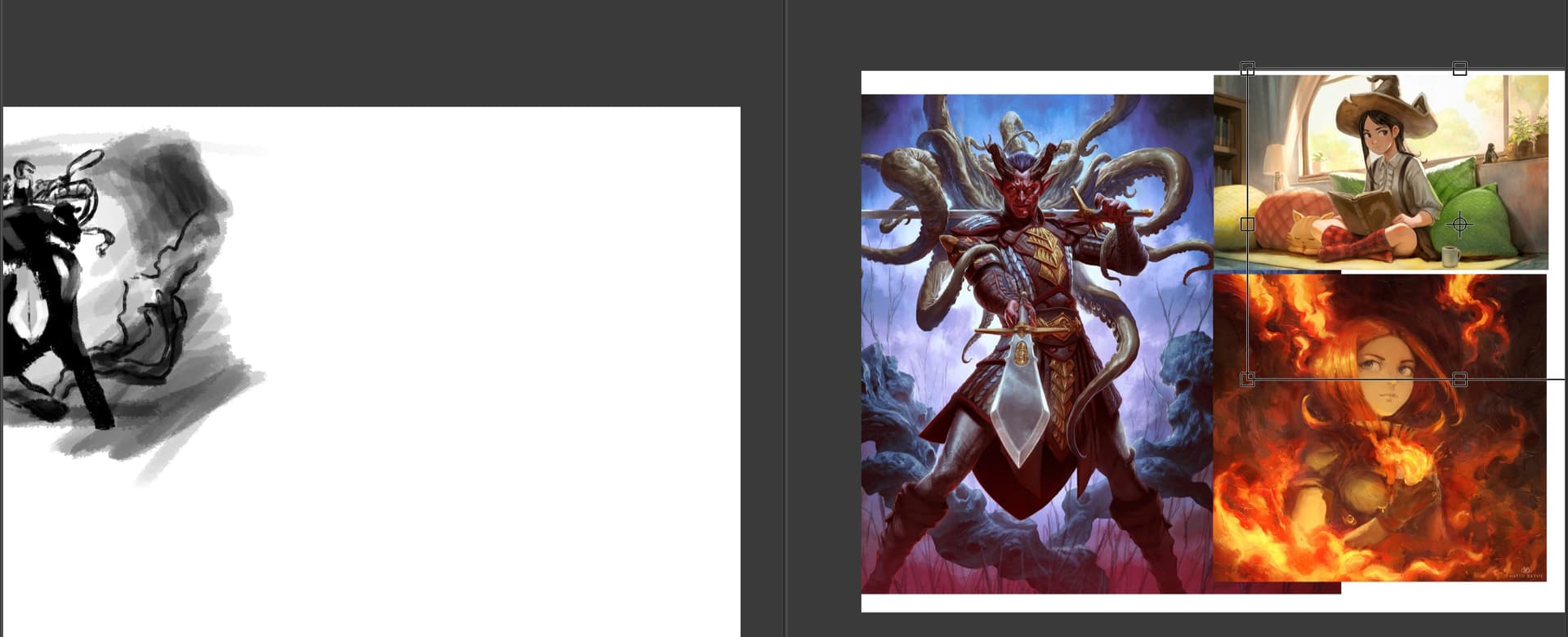
(Small Rectangle Outline missing)
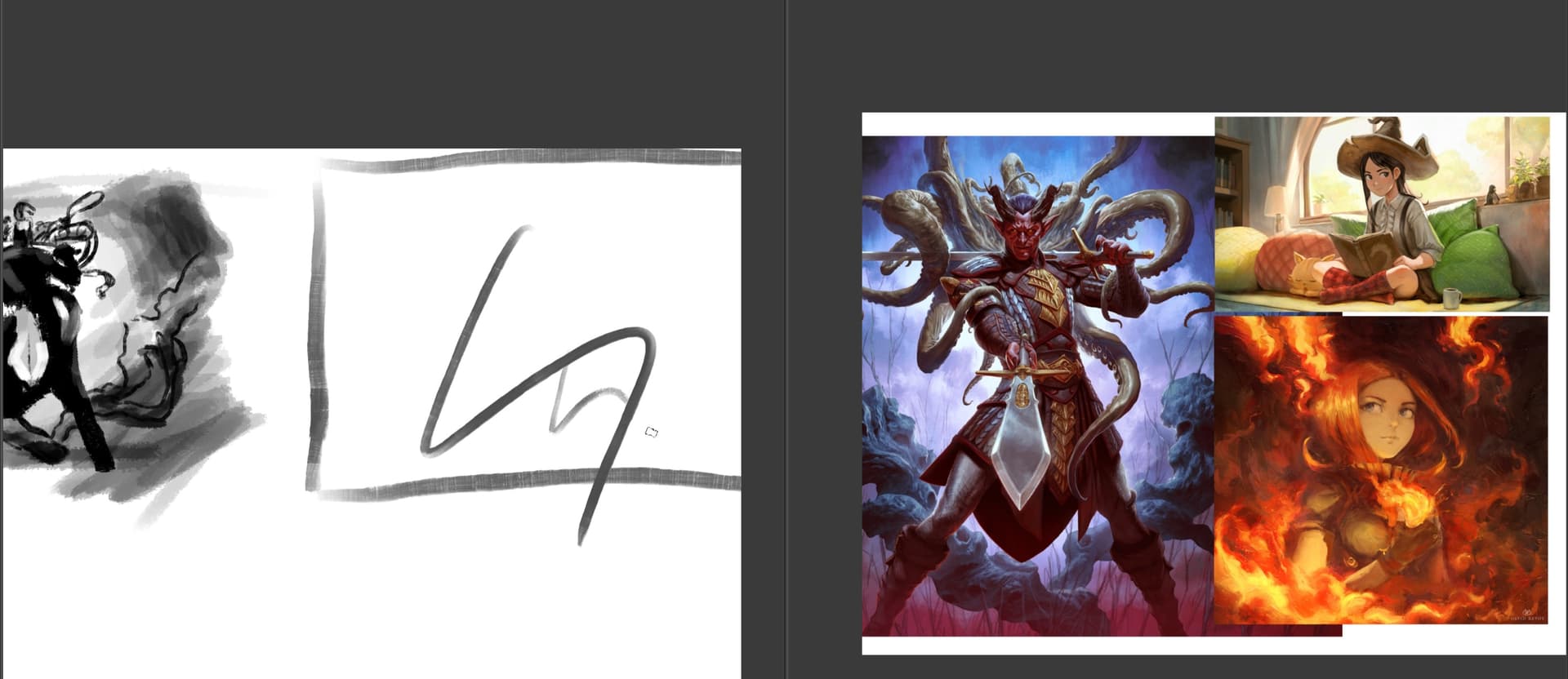
(Back to painting window, Rectangle Outline I drew is back)

(Part of the layer is transparent)
Forgot to say, this is on the Krita 5.2.3 (Beta 1)
This looks like a tile crash. Internal every image is subdivided in tiles and when the rendering of a tile crashes it leaves blank/empty squares. This is not good, to say the least. Better straight up report this on the bug tracker.
Okay I found the report a bug section under Help window in Krita, I’ll try to submit a bug report
 )
)
where is the new ui for the text?
The on canvas?
Those are available in 5.3 pre-alpha.
Hi
Found something strange introduced by commit 426f99638a1fa712a6d8ded0eb9a523ef160551b.
After this commit, execute the following script:
from krita import Document

import os.path

newDoc = Krita.instance().createDocument(500, 500, "Test", "RGBA", "U8", "", 300)
newDoc.saveAs(os.path.expanduser("~/test.kra"))
newDoc.close()
Generate the following warning (message print 3 times):
WARNING: the destination object of KisSynchronizedConnection has been destroyed during postponed delivery
WARNING: the destination object of KisSynchronizedConnection has been destroyed during postponed delivery
WARNING: the destination object of KisSynchronizedConnection has been destroyed during postponed delivery
Before commit, there’s no warnings.
I’ve tried to understand, but I’m not able to understand the relationship with Python API here (note: close an opened document from UI doesn’t generate warnings)
@dkazakov
I’ve created bug 488226 – Warning message when closing a document from Python API
The warning itself is not a problem, but I don’t know if it can be a source of other problem somewhere in Krita
Grum999
I used the beta last saturday on huion slate 10, android system. I didn’t notice any glitches. i also didn’t notice any weird glitches with saving, which was my gripe in the android system.
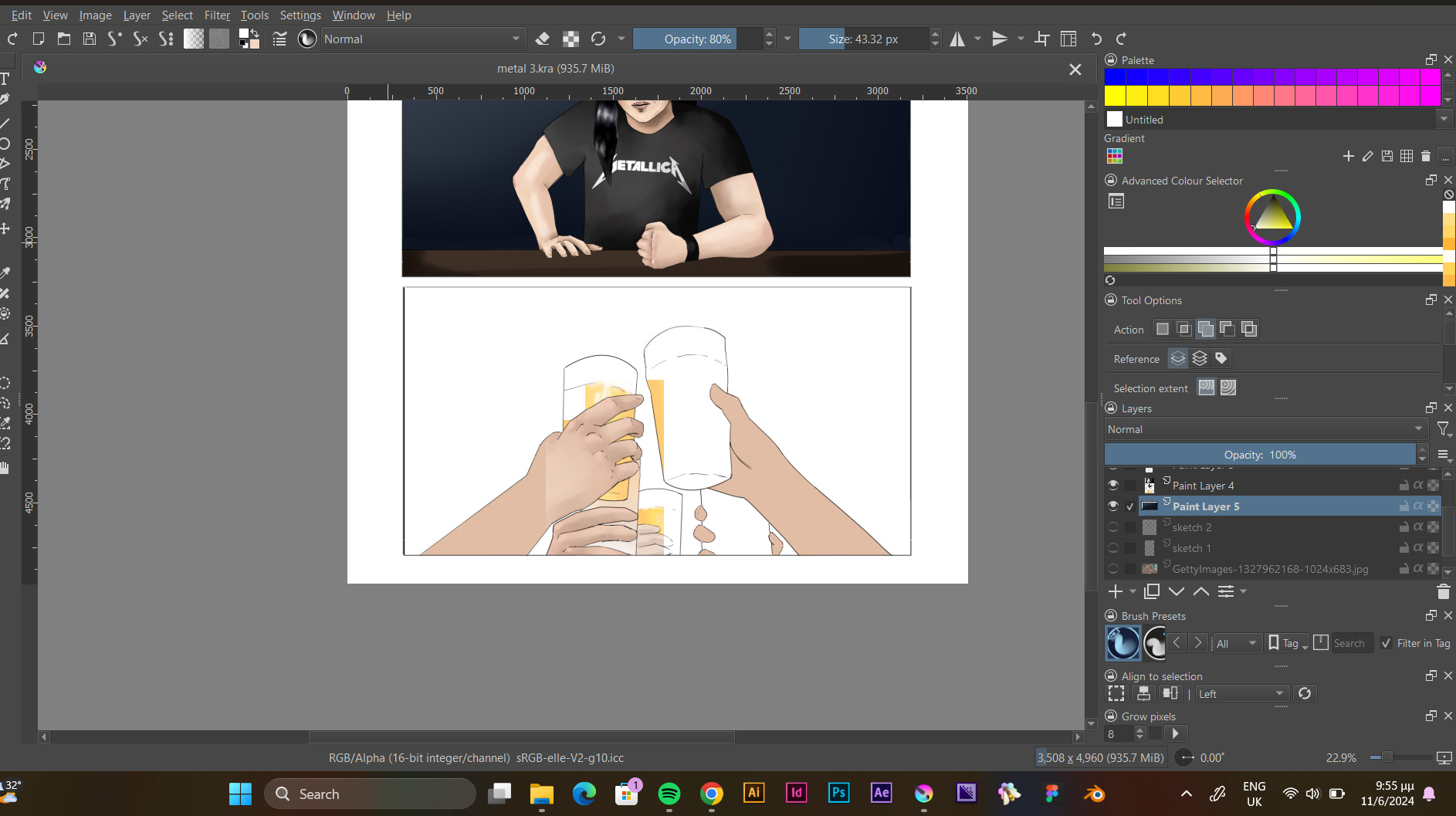
Hello @Aggeliki_Vrettou and welcome to the forum 
Does it show those problems with version 5.2.2?
Which operating system are you using?
Can you make the .kra file available for download via a link to a file sharing service?
Hey, there’s a high chance this is that zoom+ANGLE bug. I see you are using 16-bit color. Are you also using the canvas acceleration with ANGLE?
5.2.2 seems to work just fine.
Here’s the file:
I see no problem with Open GL using the Linux appimage.
As indicated by @YRH, are you using Windows with Angle selected in the Display settings with Canvas Acceleration enabled?
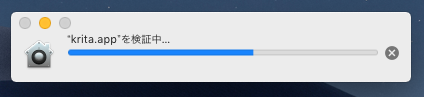
I see the same happening on Mojave. Still possible to open through Terminal:
/Applications/Krita-5.2.3-beta1.app/Contents/MacOS/krita
Or right-click the app bundle → Show Package Contents → Navigate to /Contents/MacOS/ → Drag the file krita to a Terminal window and press enter.
EDIT: Running xattr -d com.apple.quarantine [path to app bundle] works as well.
The build(and nightly builds) requires 10.14 Mojave or newer to run. (Should be mentioned if it’s a new requirement and not an error).
Opens without issue in macOS 14 Sonoma. 