Same thing as above, this isn’t something I can make happen, I need the files that cause this to look into it.
@Drawpile would you like this request for help to be posted as a site-wide banner again for a few days?
It wouldn’t hurt, I only have reports that some stuff doesn’t work, but not enough information to do anything about it.
Not your buddy. I’ve updated the expired links, they should work again now, thanks for letting me know.
i think if you had an animation file that we could download, that would help out a lot
You can use this animation file as a test: https://drive.proton.me/urls/DC7VB0TNM4#3nK3EIswbkuR
But I only have test files that I know are working, so unless there happen to be device-specific issues that somehow slipped through the previous testing with timelapse exporting, they’re probably not of much use. What I need is files that don’t work, which are reported to exist, but I don’t have them.
You can try to throw different audio files add it by clicking on the speaker icon in the animation timeline and choosing the option to add an audio track. I don’t have any relevant examples for audio, just ear-splitting sine waves that I used for easy comparison of the waveforms and random music tracks that are all copyrighted, none of which I could find any problems with.
I tested this on an emulated ARM64 Android 15 device with a few different audio files.
With two stereo Flac files, MP4 was fine with both H.264 and AV1. But with WebM/VP8, the audio was sped up. With the 44.1kHz Flac file, the video ends after around 3/4 the runtime, and with the 32kHz Flac file the video ends after about half the runtime. (It’s only a 4 second video, so just a rough estimate.)
With a 44.1kHz mono MP3 file and a 32kHz stereo Ogg Vorbis file, all three formats (MP4/H.264, MP4/AV1, WEBM/VP8) were complete static and the video runtime was around twice as long. The WebM videos end after the normal length, while the MP4s continue running for the extended length.
So something odd is definitely happening, but I’m not sure what.
Also, GIF works fine, since it doesn’t support audio.
thanks that i opened the thread and read that i wont have to update my Krita version to test it! i use 5.1.5 cuz 'twas the only one available on F-Droid when I was setting up my Tab. will definitely test and get back with feedback as i’ve LineageOS and my experience may vary from that of Google Android users.
but this is not true, i overwrite my files when i need to, from inside Krita. you just have to click on the file you want to overwrite when saving, not just to name it the same (in this case it will save with a number, aye). i can record a video if needed.
UPD: i most likely wont be able to test animation export as the way i do animation is different from what Krita offers and I cant make animation that way. like, i draw each frame on separate file or at least in separate layer groups, and timeframes just dont work for me.
Yes, you can overwrite files by using this one weird trick on some devices and some file providers that support it. The point is just supposed to be that Android file handling is annoying, telling the whole truth with all ifs and buts would take several paragraphs.
Thanks, this helped solve it I think.
The WEBM problem apparently caused by the Android media encoder just ignoring the parameters it’s given, it just creates a 48kHz track every time. That obviously leads to bogus results when feeding that track with mismatched data. Aside from MLT’s absent documentation, that was easy enough to fix by just resampling the input to something known good, which is 16 bit, 2 channel audio with 48kHz for WEBM and 44.1kHz for MP4.
The kinds of files as you described also let me reproduce the static noise. No clue what’s going, but the resampling seems to have fixed this problem as well, so I guess it doesn’t matter.
I’ve updated the download links above.
here i totally agree with you, i kinda ditched programming for android for now cuz of all the annoying stuff there lol.
All four of my previous test files exported to all three formats are now rendered correctly with the new build, along with a few other test files.
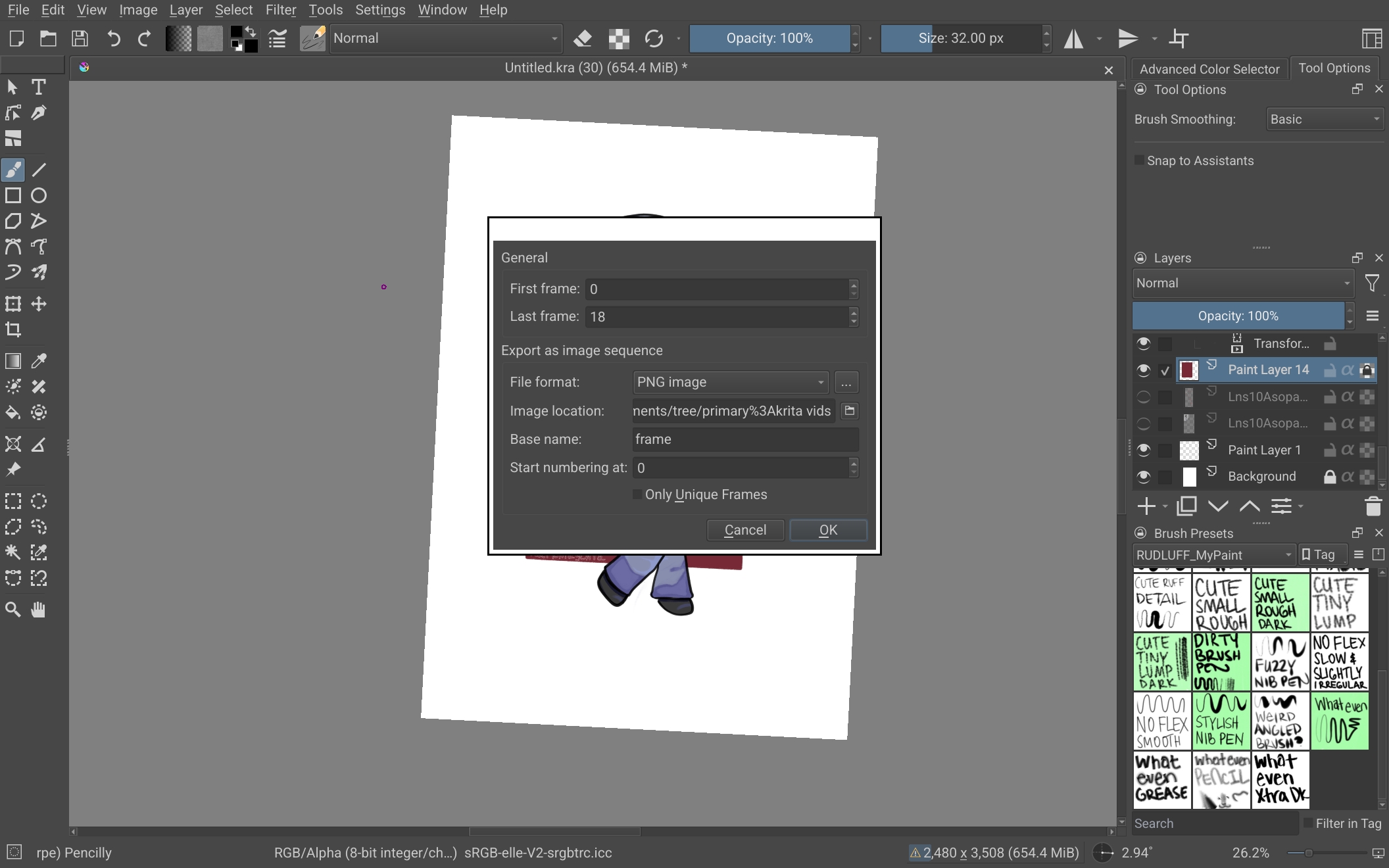
One other thing I noticed, the export filename always defaults to “Untitled”, which is a little annoying when bulk-exporting files like this. Would be nice to pre-fill that with the document filename at least, if possible.
And, not related to this MR, but the app icon for Krita Debug in the OS is the regular stable one and not the dev/next one? (It’s still the dev icon in Krita itself.)
Cool, thanks!
The file name code should be using the same code on desktop, so it may just be an issue of the weird Android content URIs. Or maybe I overlooked something. Either way, I’ll take another look.
And yeah, there’s no separate debug icon. You can see it in packaging/android/apk/flavors, the next directory has a patch manifest to make it use the ic_launcher_next icon, but the debug directory only changes the label in its patch and there does not exist an icon file it could be using. Creating one would be a matter of making analogous ic_launcher_debug files and amending the manifest patch accordingly.
Hi, that probably means you’re not running the correct thing. The version number in the splash screen should read 5.4.0-prealpha (git 32ce862). If you see anything else, you maybe didn’t install the APK linked in the post at the top. Or you installed it, but then ran your previous “Krita” application instead of the new “Krita Debug” application.
Oh, I tried to find the download when the link was down, and I guess I got the wrong one. But it works now, sorry for the troubles.
Fixed the file name thing. It was because the file dialog has a bit of an odd interface where you have to set the document path as the default directory, which will then intuit it’s not actually a directory and pull the file name out of it.
And it looks like the “next” icon is used inside of Krita for debug builds, so I also changed the application icon to use that now. I’ll update the download links once that’s done building. (Edit: builds are done, the download links at the top have been updated.)
Otherwise, the audio problems and the file name thing were the only issues reported, which should now be fixed. So unless anything else comes up, it should be ready.
This is now merged into the mainline, thanks everyone for testing!
We also decided that the animation and recording exports on Android will be included into Krita 5.3, rather than waiting until the 5.4 release. It won’t be in 5.3.3, since that release is already cut, but 5.3.4 should have it when it comes out. If you don’t want to wait until then, it will also show up in the Krita Plus nightly release in the coming days, which you can find when you scroll down on the downloads page of krita.org under “Krita Plus Nightly Builds”.
If you find further issues, post it in this thread, create a new thread or send me a direct message through the forum.
Is there any estimation on when 5.3.4 will be out?  How long is it usually between updates?
Thanks for making Krita work so well.