The Eye-Dropper tool text Colour Picker Not Working On Mac (M2)
I’m clicking on a colour on the canvas, but it’s not changing the text colour. I’m clicking SAVE, which works for actuating change of font selection, but no joy.
I’m currently only sure to not understand you - were my first thoughts.
A “Text Color Picker” was unknown to me, and color pickers are made to retrieve a color from a certain point I thought so far, but not to color something in the same moment and learned something new here.
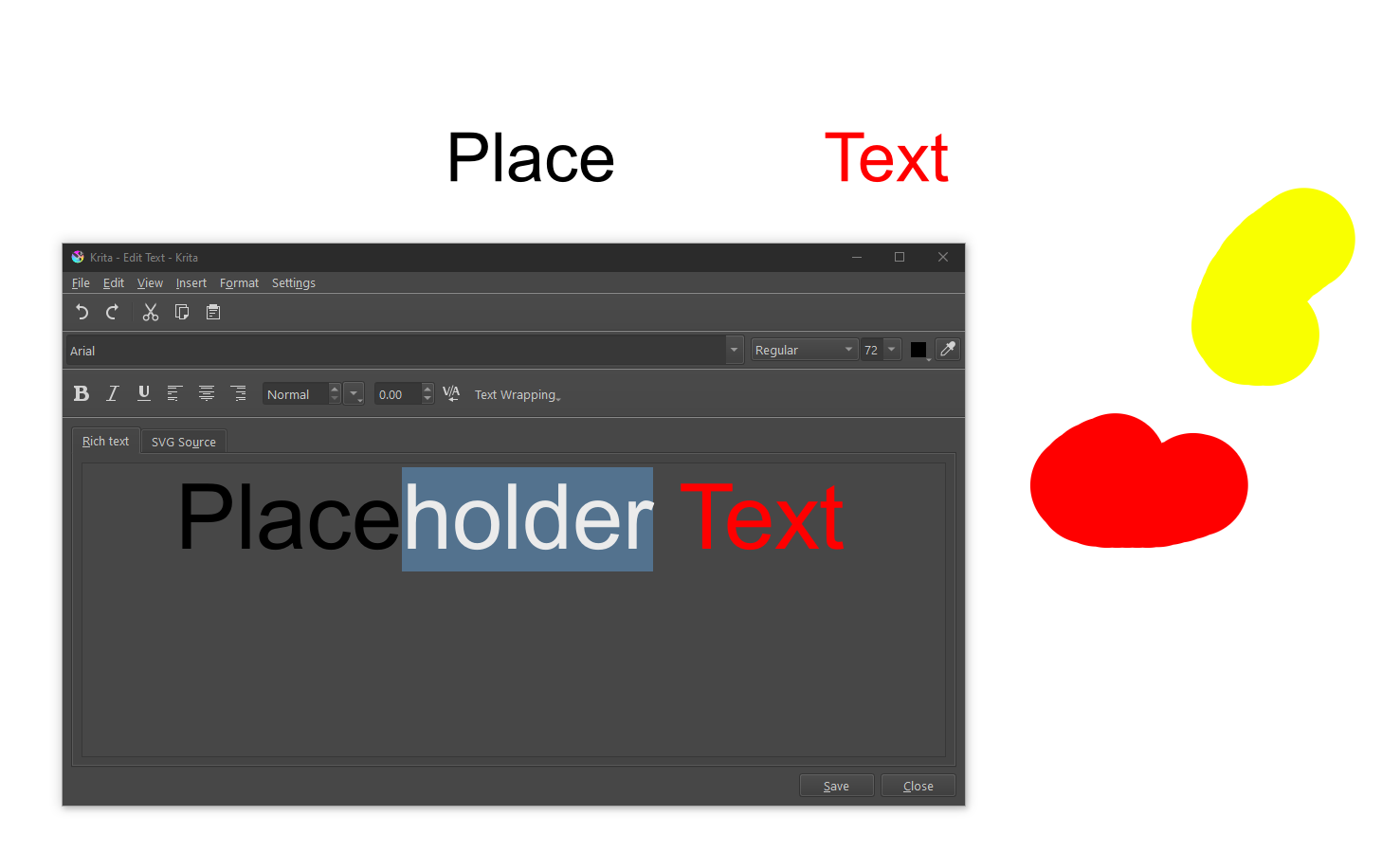
When you pick a color from somewhere with the color selector from Krita’s Text Tool, it does not automagically change the color from your whole text, only from the text you have selected in your editor, have you tried it that way? So, you must select the text whose color you want to change. Then it works at least for me.
More important as that your Mac has a M2 CPU is your macOS version number for us to know.
Another thing we need to know is the version of Krita you use, so at least the full three digits like 5.2.9 and in case you are using a nightly version of Krita it is a very good idea to also name the GIT-Number that is shown in brackets after the three digits.
Okay, I’m guessing you’ve selected “Edit Text” to open the Edit Text panel and are clicking on the Color Sample icon there? If so, there’s two things you need to consider. The first is that you need to be sure you actually select the text in the text box that you want to edit, because you can change the color of any one letter in the text field. So, you need to tell Krita which letters or words you’re trying to edit by selecting them. The second thing is the color sampler for this panel will only grab colors from the canvas itself. If you’re attempting to select a color from the work area (IE: The Color Sample Docker or the Palette Docker, it won’t work). The pigment must be on the canvas someplace.