So I’ve been trying to get into using textures etc more lately, I usually have such trouble with it that I end up drawing stuff manually which isn’t ideal. RN I’m essentially trying to add the dots from this helmet to the others.
So I started by trying to use the fill tool with patterns but all the dotted patterns had white backgrounds on them I didn’t need, in the end I tried making my own custom dots added it to the predefined list but for some reason Krita is refusing to select it or a bunch of the different textures present there.
Any ideas why?, thank you.
Also any just general vids or advice for custom textures/brushes etc, that’d help speed up work would be much appreciated.

1 Like
I would do it this way.
- Use a pattern with dots, or SeExpr dotted screentone
- Adjust Color To alpha (and get rid of all white color on a layer)
- Extract the pattern I want with the selection tool to a new layer
- Use the transform tool to adjust the angle
1 Like
Thanks!.
One thing I noticed is all the dotted patterns in Krita seem to be blurry?.
I needed something more crisp but when I added a new made one the fill tool refused to select it in patterns.
I haven’t checked the seExpr one, I assume that’s a gmic one?.
Yes it is blurry because pattern uses actual image (probably compressed with JPEG). And the image is upscaled - so interpolation causes it to blur.
SeExpr is the kind of Fill Layer you can use to write some sort of a shaders.
For your helm pattern there is existing SeExpr that you can tweak around
You need to make square image to it work properly though.
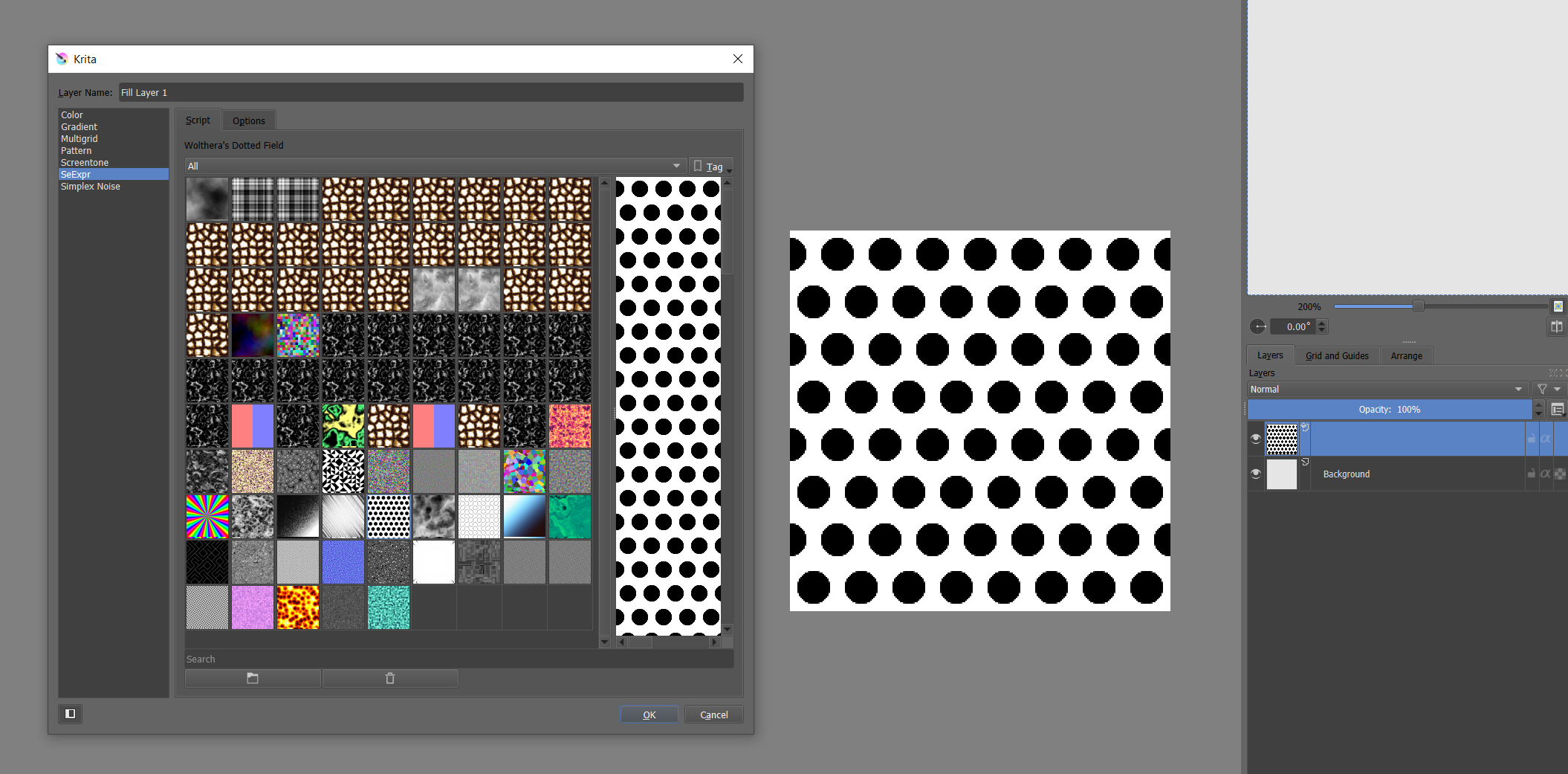
1 Like
Or btw. You can make a pattern with GMIC array filter.
Just make a new layer (in square image) with perfect circle filled with color. And apply Array Regular.
1 Like
thanks already sorted it but appreciated for future ref.
1 Like
This topic was automatically closed 15 days after the last reply. New replies are no longer allowed.