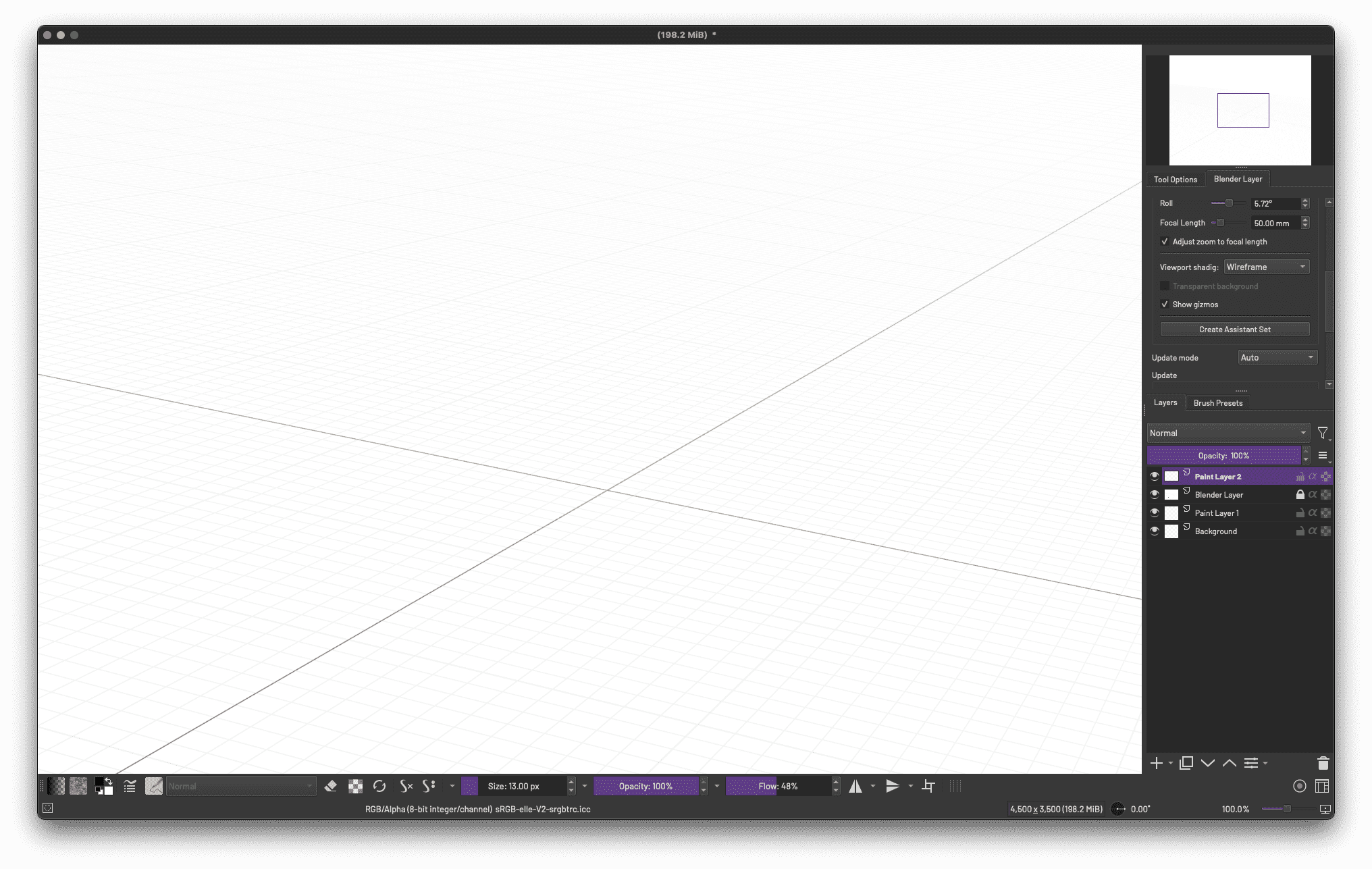
Whoa! lol I was playing around with that thing for the first time the other day. Great Googly Moogly.
I’d like to have a beer with whoever developed that thing. I ended up on YouTube with one of Ramon Miranda’s excellent videos on the subject and I’m still scratching my head lol
Perspective is one of the fundamentals of art and the tools we have in Krita saves us the trouble of having to really master it. This allows artists to focus on the other fundamentals of art such as Anatomy etc… Now with the ability (plugin) to have Blender inside Krita, there is another way to have Perspective. This is just a quick example. If you put in more time you can have custom setup in Blender and have it shown in Krita. Krita’s perspective tool has snapping, Blender layer no snapping.
Forgot where I read it but artists were discussing about the Assistant tool in Krita. Krita’s assistant tool is very powerful and has all you need but in practice it can be hard to use for some artists because the grid and points can be distracting. Those that have used SketchBook by Autodesk will know what I mean. Hopefully more can be improved in the future.
I used to use AutoCAD back in the day (we’re talking back in the days of DOS lol).
Anyway this Perspective tool is amazing but there’s definitely a learning curve. I had thought to use it for an illustration project but I found myself stumbling lol. I gave up. I was able to draw what I needed freehand.
It definitely seems aimed at structural/architectural drawing. Cityscapes and real estate sort of things. Mechanics… I don’t know, I’m sure the possibilities are endless. Would be a really nice tool for drawing Spider-Man comics lol We could use a better series of user videos to get over the hump.
You might be interested in QCAD (community [free] edition) or FreeCAD.
The assistant projection/construction lines are useful for determining the start and end points of the line tool and also vector nodes during the vector creation stage.
For vector editing they are not useful because the graphics is unstable in my experience.
I suppose they are painting assistants, not editing assistants.
Snapping to assistants is very useful for curved lines but can be tricky if you have many assistants.
I haven’t really used the Perspective Assistant tool yet because I haven’t really done any serious painting or drawing to test it out. But I have tried out many tools and softwares, and even read what others say about Krita’s assistant tool. The perspective tool in SketchBook by Autodesk is very intuitive and things just work as if nothing is there. My hope is that one day Krita will have something like that and much more. In the meantime, I’m guessing the developers are focusing on more important stuff.