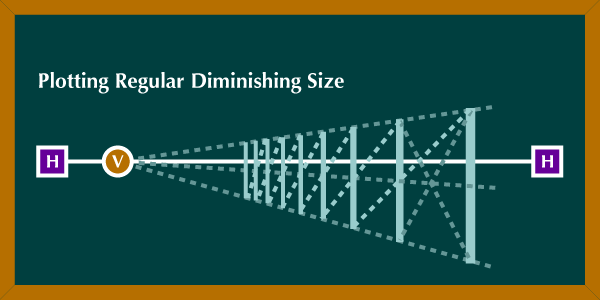
I understand how it works and I can do it in a small scale, but my problem is that I’m measuring everything by eye and it ends up looking kinda inaccurate/wonky, so I’m wondering if I can use any of the assistant tools in particular to help me achieve this effect of parallel vertical lines receding in the distance. Thanks to everyone in advance.
Your problem will be/become the exact measurement of the distances, otherwise you can do this with vanishing points and the parallel ruler. However, you can no longer reposition it exactly in the room afterward, it must fit immediately, because Krita does not really master the third dimension, it just seems that way, because you can turn and move everything, but it’s eyeballing and inaccurate.
I would quickly design this myself in a CAD program (I once trained as a technical draftsman), because there I simply enter the starting point, direction and distance as well as the distance between the parallel lines and the software draws the construct for me, and then I can then import the result into Krita. This also has the advantage that you can easily reconstruct it with different dimensions and orientations in space so that you can use it in other images and perspectives, you just change the dimensions.
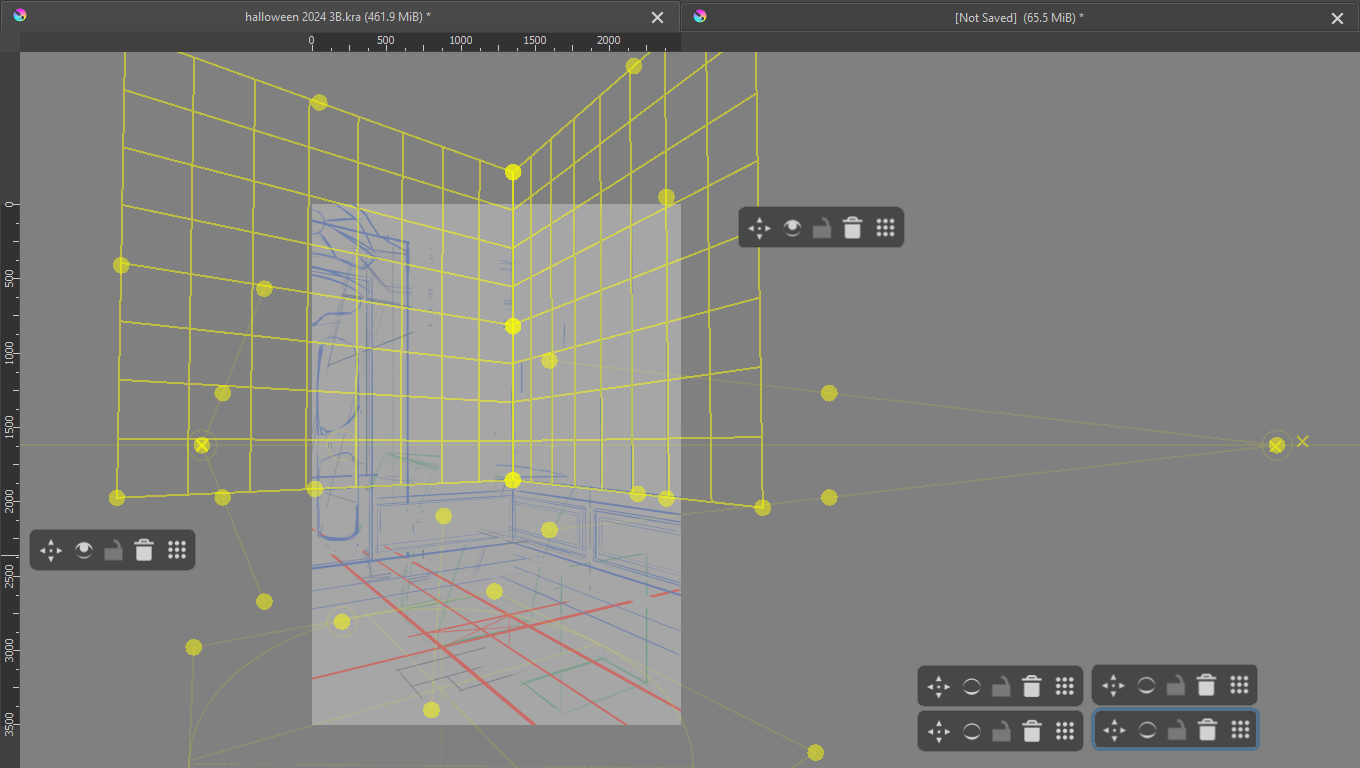
Thanks for the reply. After making the post I started fidgeting around and figured that I could combine the “2 point perspective” and “Perspective” tools to do this, though I don’t know if there is a more efficient way.
First establish the horizon and vanishing points with the “2- point perspective tool”, and then create a grid with the “Perspective” tool. If you move the corners of the grid you can see an X which represents the vanishing points of the grid; if you align it with the already present vanishing points of the 2 point perspective tool you can get a pretty good grid, though since you have to do it manually it won’t be 100% perfect.
In the attached image you can see the horizon line, vanishing points, and the X’s that belong to the grids. Again, I don’t know if it’s the best way to go about this, but it’s the one I found out on my own. Maybe there’s another?
If it’s not something that needs to be highly accurate, or you don’t need it repeatedly, and possibly in different perspectives, very different vanishing points and different distances between the parallels, then Krita’s assistant tools are more than sufficient (and I would work roughly by eyeballing). In addition, you won’t have to deal with CAD software, even if it has become very user-friendly these days.
For parallel vertical (or any angle) lines, I use a Parallel Ruler created off to the side of the canvas, then enable Snap to Assistants in the Tool Options docker.
For receding equal size panels, your first post shows the construction method.
It’s tedious and prone to manual positioning error but it works.
I haven’t tried using the Perspective (grid) assistant because I find it very fiddly to adjust.