At the moment, we still have some disputes on certain points. Although the center line is marked and displayed for you. However, it should be clarified that mainly it is ui / ux design, but not qt-development. Even where the interactive version is, it’s just a gdscript hack (for now). So for anyone who can repeat this on qt — we will be very happy to see it in Krita and how cool it in works!
4 steps:
-
Main change, the toolbar displays only those tools that can be used with the selected layer/mask. If something cannot be used, it is not displayed! In other words, the layer type defines a set of visible tools (such an virtual ‘workspace’ for paint, vector etc).
-
The next step is to combine tools into logical groups and select individual tools as subtypes of the group. This will significantly relieve work with toolbar.
-
Output options for a specific tool in the simplest linear form. Complex components are displayed as pop-up forms, where you can perform any number of actions, then move the cursor out of the form and/or click outside it (for touch screens). It’s working very well in Bender, for example.
-
Single hotkey for the group (cyclic selection) and unique/unified hotkeys for options within the group. Dmitry Kazakov believes that this is feasible for Krita. For example, this way we can use a single hotkey (for Example, “S”) to select any type of manual selections within a group.
(Two words more about selections. We propose dividing all selections into two groups: ‘manual selection’ S-hotkey and ‘automatic selection’ A-hotkey, and ‘deselect’ it with D-hotkey). It’s SAD but it’s well. :: )
It’s all 4 basic steps.
Separately, as an additional step, we can add customizability of the toolbar, where we enter a special configuration mode and can change the position of individual groups, add them or delete them. This can be useful for artists who have devices with a small screen.
Some points of design works:

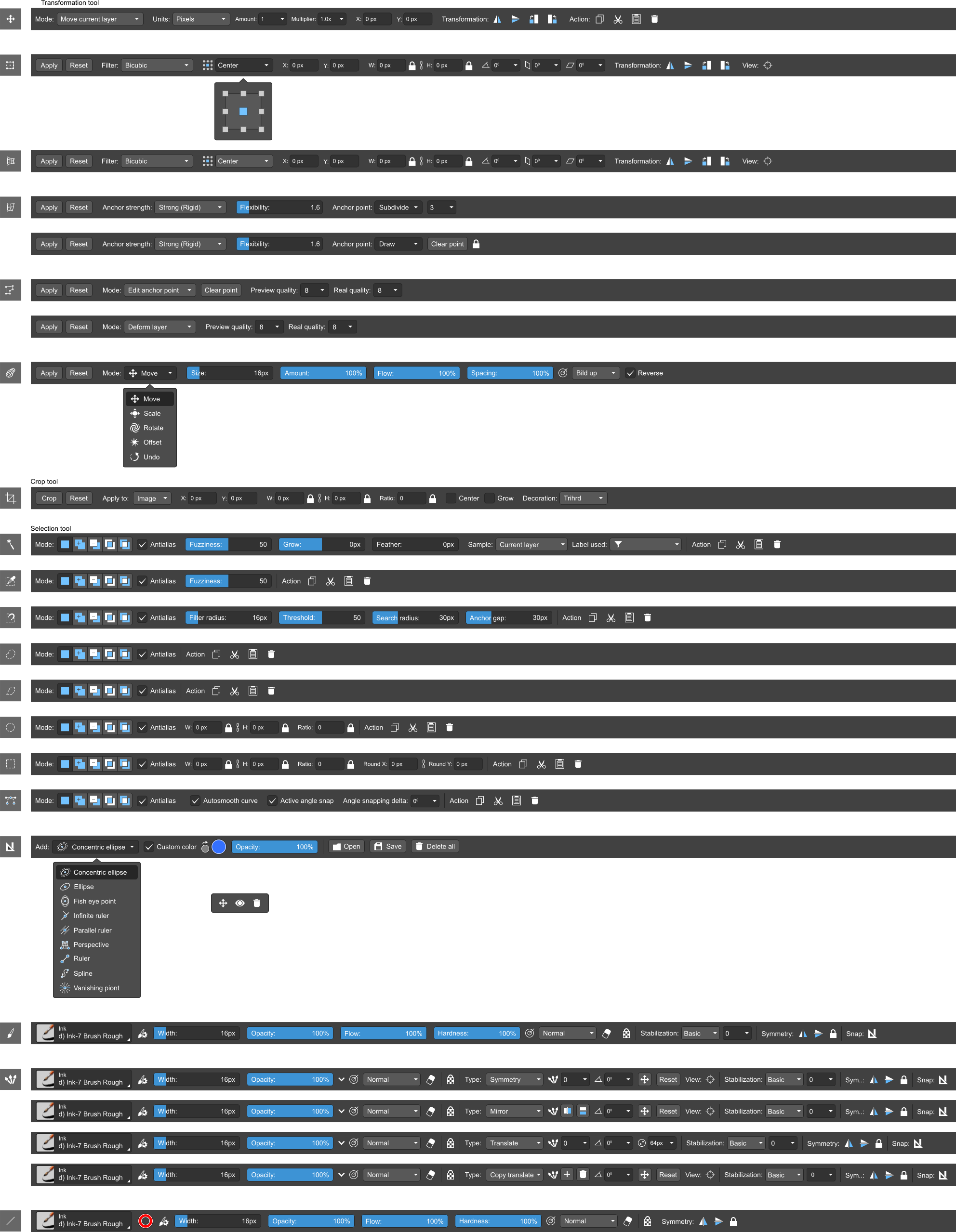
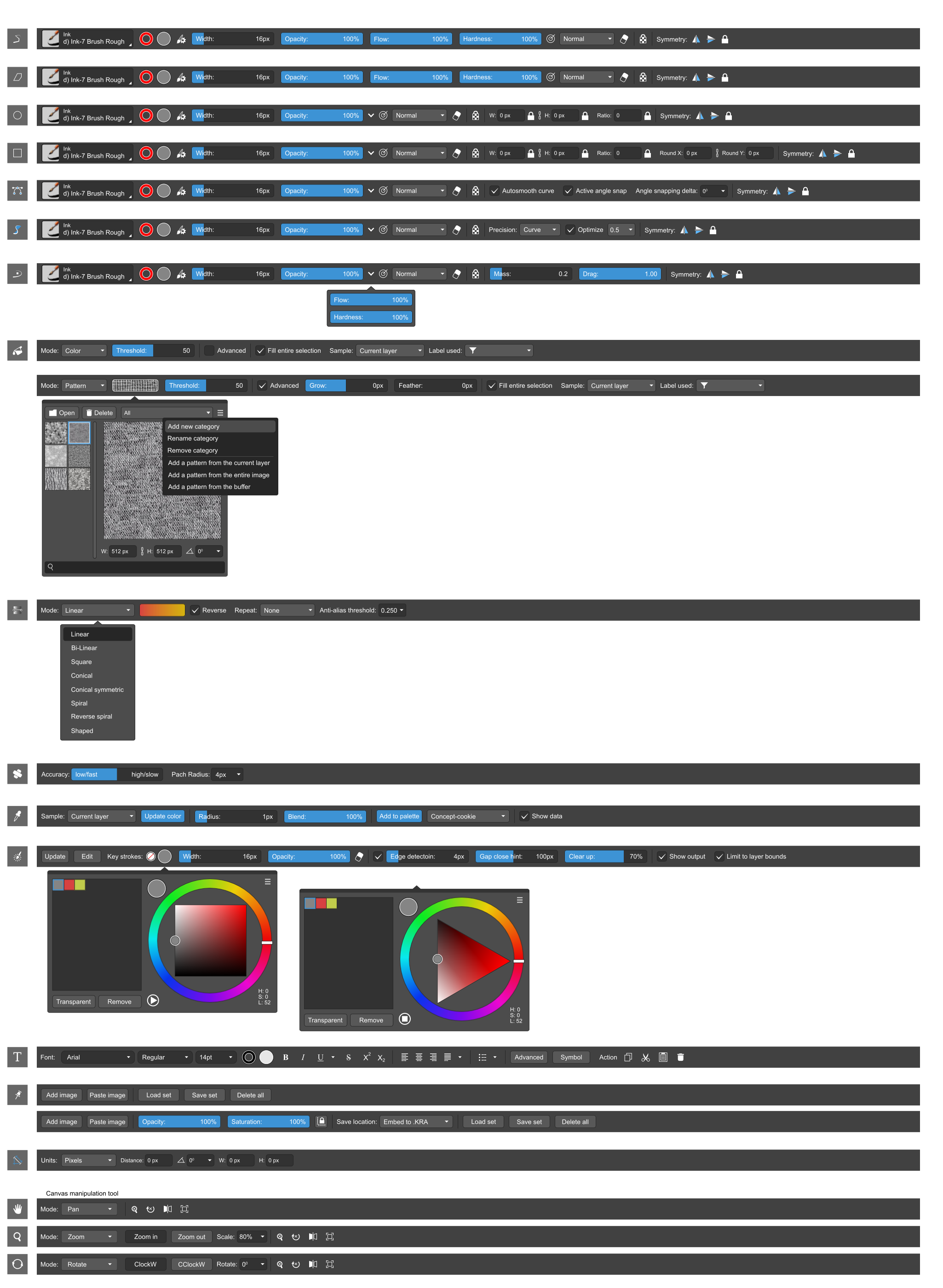
Note: not only the existing features are used. Only the user interface and the minimum necessary mechanics change. But in parallel, we add some arising things, no more 1-2% for now. Like canvas rotate mode for ‘canvas manipulations’ group.
Cheers! :: )