Oh ok I get you  .
.
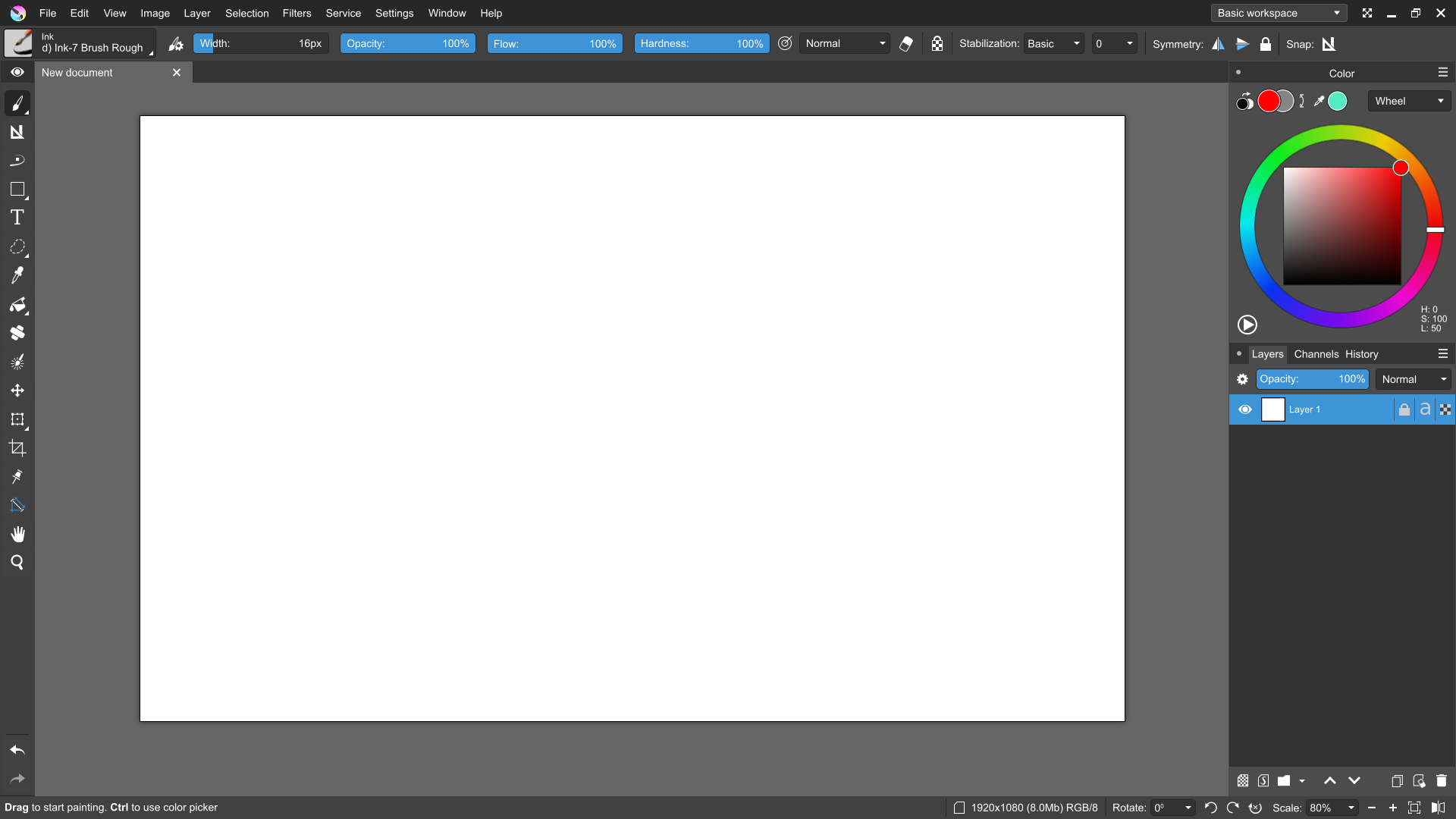
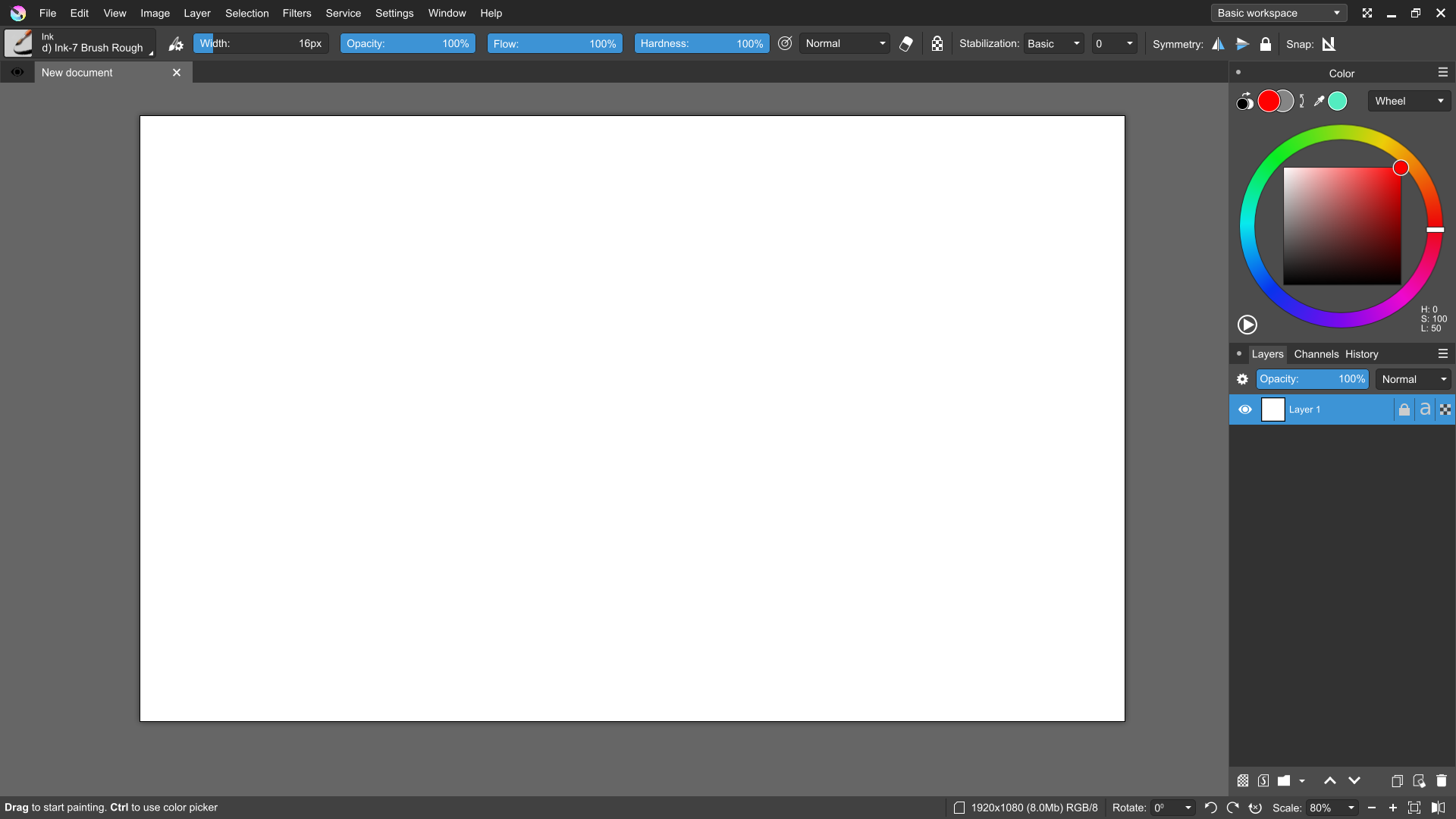
Very good news! Certainly a serious reworking is required.
We have (some stage) design for it! :: )
Preview:
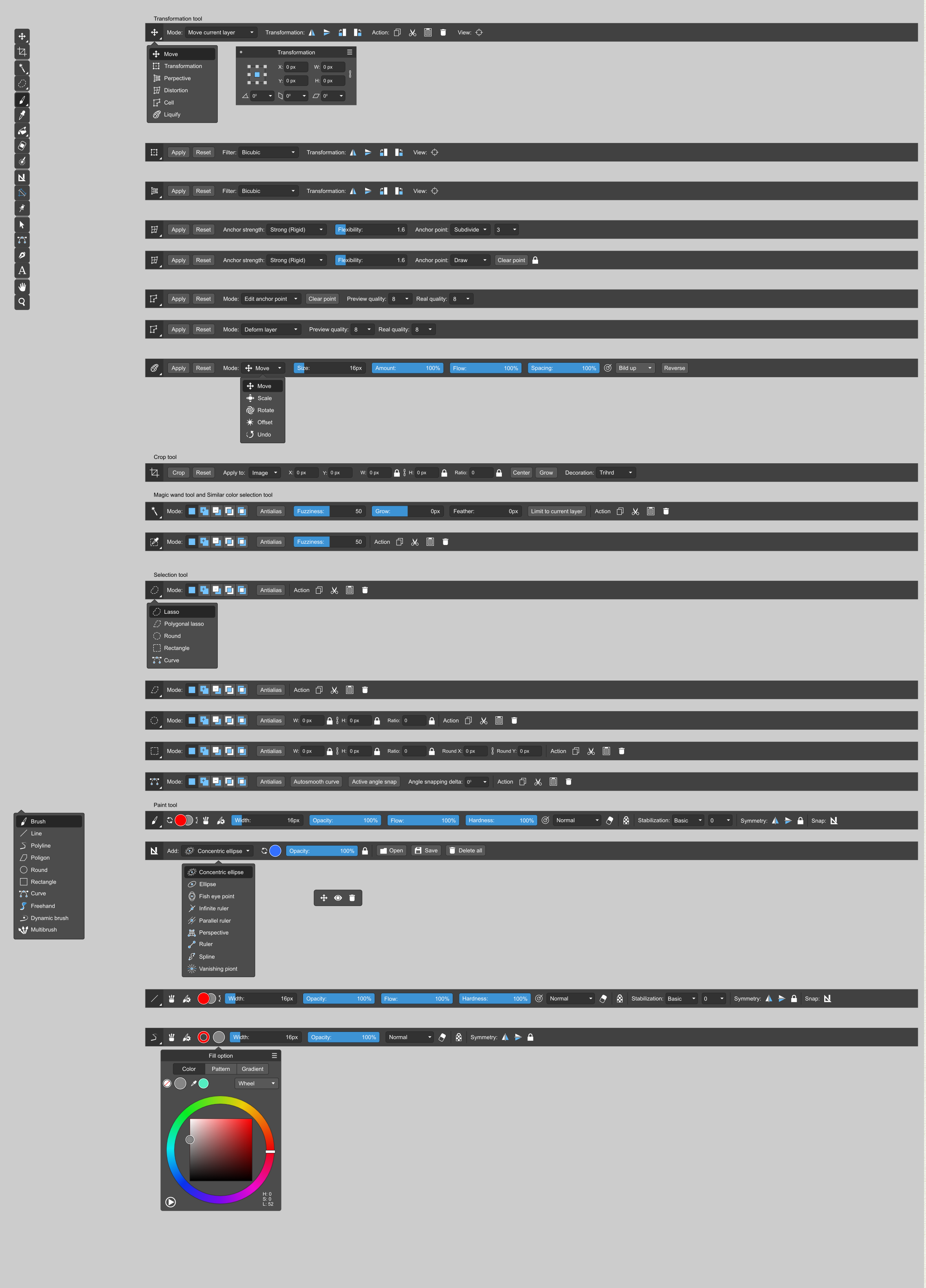
FullresPreview (in our public tg-channel for it) Telegram: Contact @krita_from_future if you interesting it. :: )
I see a lot of icons and UI work done here. I would suggest you to contribute these upstream. Is there something blocking in contribution?
This looks great! I would say for the toolbox, the names of the tools should be enclosed in the widget, and not have a transparent background. If the canvas is white, then you won’t be able to see anything.
Awesome work overall!
Looks excellent Alexey.
Sorry to say but I lost the code for the Toolbar-as-Tool-Options krita build, I have the notes for it though which gives me a pretty good idea how to code it again, but it would be from scratch. So I would be interested to see how you would revise the Toolbar-as-Tool-Options I presented in the video, as the code for them is lost anyway.
A couple of interesting discussions to have regarding Toolbar-as-Tool-Options:
- Reconciling the customizability of current toolbar with Toolbar-as-Tool-Options
- What to do with the current Tool Options docker. Does Toolbar-as-Tool-Options obsolete, compliment, or re-implement the Tool Options docker?
- A longshot: possibility for having even more specialized Krita Workspaces that streamline specific workflows and content production stages, given a sufficiently free-form and flexible Toolbar-as-Tool-Options. eg having multiple different Tool Options dispalyed at the same time.
Perhaps it is time to make a separate thread, but I’m calling “Not It!” and shirking that responsibility to someone else 
At the moment, we still have some disputes on certain points. Although the center line is marked and displayed for you. However, it should be clarified that mainly it is ui / ux design, but not qt-development. Even where the interactive version is, it’s just a gdscript hack (for now). So for anyone who can repeat this on qt — we will be very happy to see it in Krita and how cool it in works!
4 steps:
-
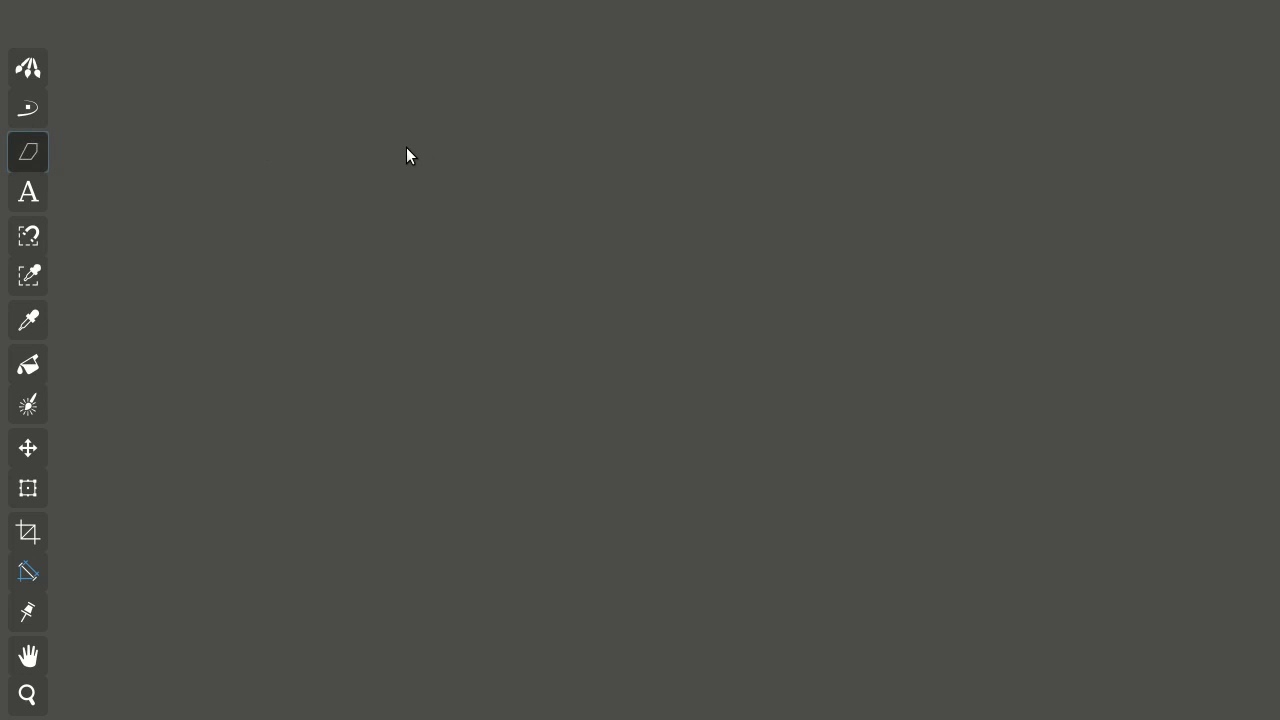
Main change, the toolbar displays only those tools that can be used with the selected layer/mask. If something cannot be used, it is not displayed! In other words, the layer type defines a set of visible tools (such an virtual ‘workspace’ for paint, vector etc).
-
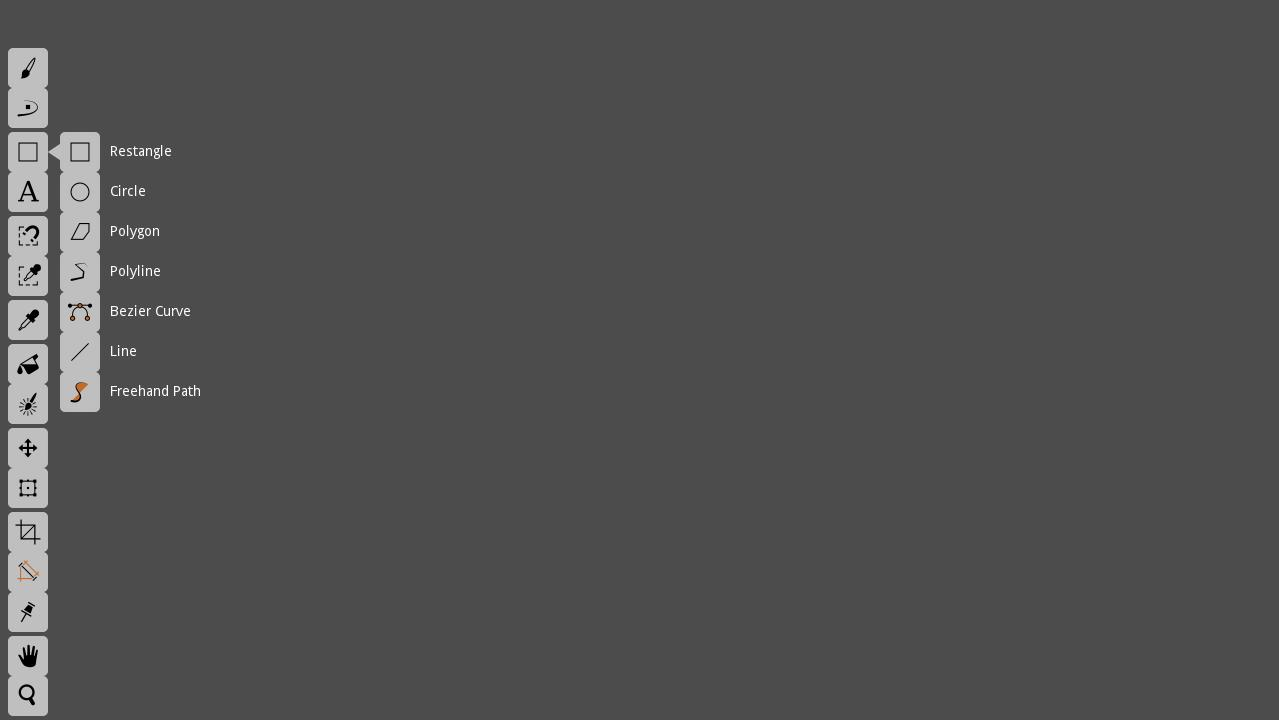
The next step is to combine tools into logical groups and select individual tools as subtypes of the group. This will significantly relieve work with toolbar.
-
Output options for a specific tool in the simplest linear form. Complex components are displayed as pop-up forms, where you can perform any number of actions, then move the cursor out of the form and/or click outside it (for touch screens). It’s working very well in Bender, for example.
-
Single hotkey for the group (cyclic selection) and unique/unified hotkeys for options within the group. Dmitry Kazakov believes that this is feasible for Krita. For example, this way we can use a single hotkey (for Example, “S”) to select any type of manual selections within a group.
(Two words more about selections. We propose dividing all selections into two groups: ‘manual selection’ S-hotkey and ‘automatic selection’ A-hotkey, and ‘deselect’ it with D-hotkey). It’s SAD but it’s well. :: )
It’s all 4 basic steps.
Separately, as an additional step, we can add customizability of the toolbar, where we enter a special configuration mode and can change the position of individual groups, add them or delete them. This can be useful for artists who have devices with a small screen.
Some points of design works:

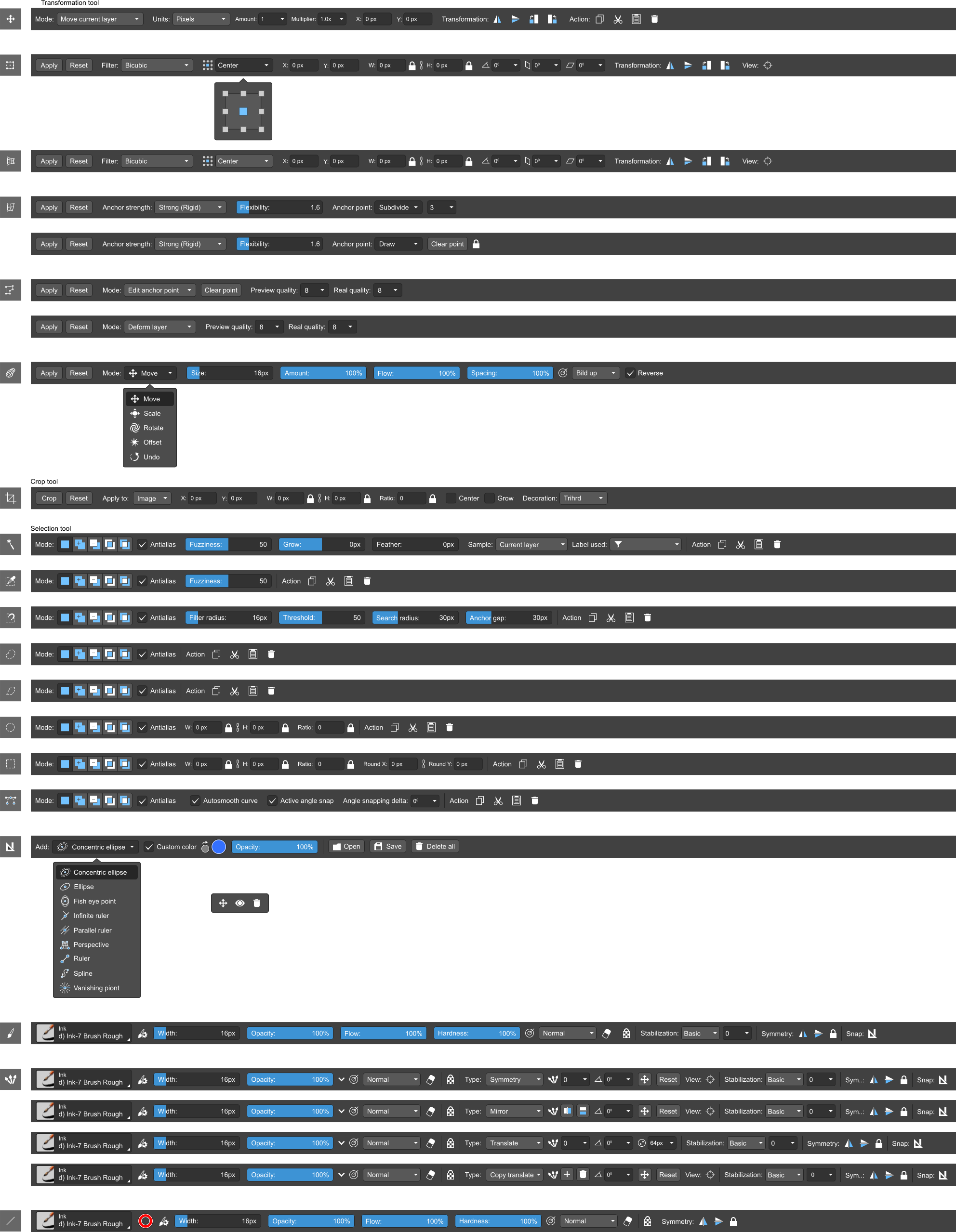
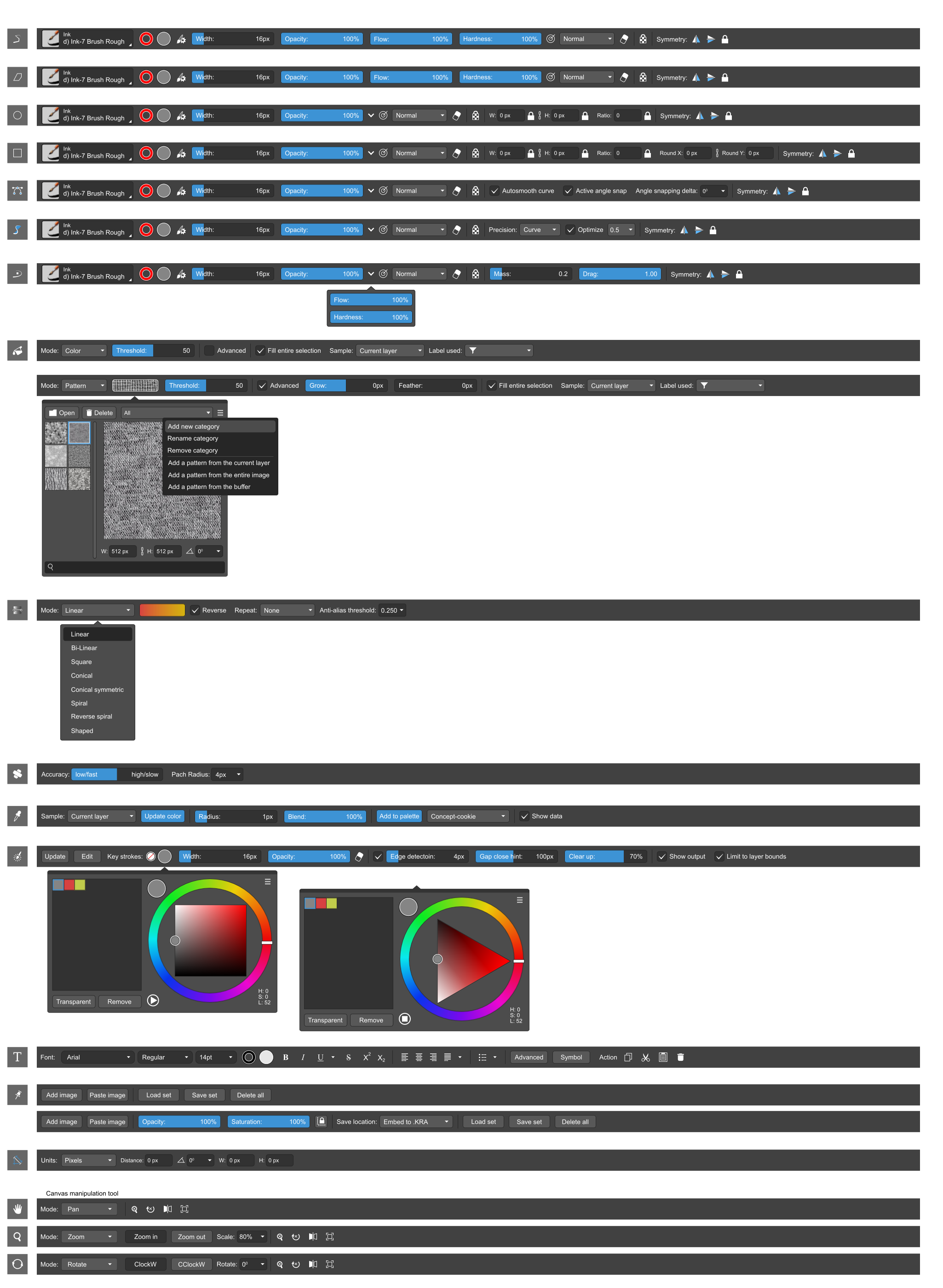
Note: not only the existing features are used. Only the user interface and the minimum necessary mechanics change. But in parallel, we add some arising things, no more 1-2% for now. Like canvas rotate mode for ‘canvas manipulations’ group.
Cheers! :: )
Looks great! I appreciate how much cleaner the toolbox and toolbar look now!
I wonder what are the multiple options on the multibrush for? Different configurations?
Would definitely need developers to look at how Qt could emulate this, I’m currently trying to figure out Qt, and it’s quite a handful (not to mention how complex Krita is)!
Keep up the awesome work!
Krita has all these multibrush types and another one — “snowflake”… lost in the design preview :: )
Yes, I also study Qt too (in free time), but don’t know how long it will take to be at good level!
Yep! :: )
Is that a special tool for users who get into a rage when Krita doesn’t behave exactly the way they expect? 
I would like a more convenient interface when working without hot keys. I have a tablet on windows and not a graph monitor, in addition there is a Samsung tab tablet with a stylus, the keyboard is somehow reluctant to drag it. Would love to add gestures to undo / redo by tapping with two fingers (cancel) and three fingers (vozvrat) as on Android and ios in the infinti Painter and Procreate programs. Also add a long tap to reflect the mirror image and a double tap with one finger to rotate the canvas to fit the screen size. If you find something else by gestures, please add it. And I also have problems with gesture resizing the canvas or u-turn, wildly blunt and exclusively when rotating gestures through the touch screen, when working through the keyboard or sliders in the interface, this is not. And I would like to more conveniently and accurately rotate the canvas with magnetization on the axes. At desire.
Хотелось бы более удобный интерфейс при работе без горячих клавишь. У меня планшет на windows а не граф монитор, кроме этого имеется Samsung tab планшет со стилусом, клавиатуру как-то к нему неохотно таскать. Очень хотелось бы добавления жестов отмены и возврата по касанию двумя пальцами (отмена) и тремя пальцами (везврат) как на Андроид и ios в программах infinti Painter и Прокриейт. Также добавить долгое касание для отражения зеркального и двойное косание одним пальцем для разворота холста по размеру экрана. Если что-то ещё найдёте по жестам, добавьте пожалуйста. И ещё у меня проблемы с жестовым изменением размера холста или разворот, дико тупить и исключительно при вращении жестами через сенсорный экран, при работе через клавиатуру или бегунки в интерфейсе этого нет. И хотелось бы более удобно и точно вращать холст с примагничиванием по осям. При желании.
It’s special tool for that — Krita: multibrush+mirror
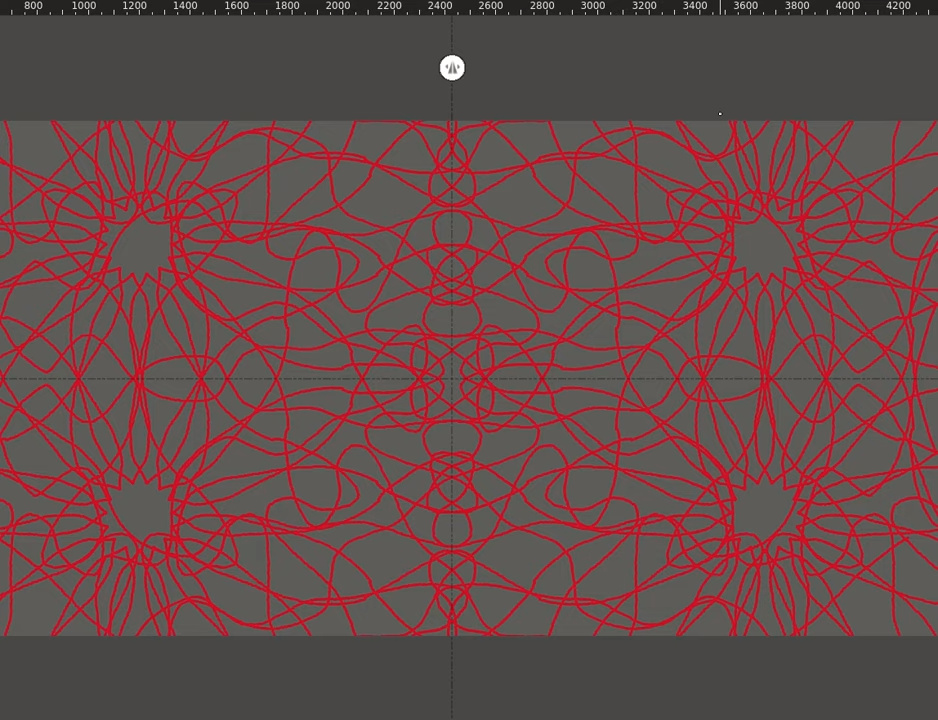
Да, я тоже хотел сделать такой интерфейс. Но по правде мы очень сильно скованы. Все это большой компромисс между новым внешним видом и старыми функциями. Но Я специально особое внимание уделил размеру элементов чтобы было как можно удобнее работать на графических мониторах и ноутбуках от 13 до 16 дюймов. Кроме того сейчас мы прорабатываем концепцию “упрощенного” полноэкранного режима работы, где будут собраны все основные инструменты рисования и будет много свободного места. Кроме того там должны быть мультитач функции.
Ah, I see! - So it uses hypnosis to calm them down? Smart! 
This is great work Alexey
The tools themselves are already aware of this, eg you’ll get a warning if you try to use the Freehand Brush on a Vector layer. I’m not sure the UX would be improved very much by adding layer-type-aware machinery to the Tool Options.
We can do a similar thing in Krita already. In my personal set up, I use “s” key as prefix for selection tools, so typing “s” followed by another hotkey activates a particular selection tool, it is a kind of chained hotkey. Emacs users will be famliiar with this.
My personal setup:
s + z = lasso
s + Z = polygonal
s + x = square
s + c = circle
Sorry for this post, but I’m starting to get a bit confused about the UI discussion. There are only 2 different mockups and I already don’t know what direction is going to be heading. The ‘Toolbox Docker Redesign’, the ‘Layer Docker Overall Redesign’, both or none?
I feel that this mockup is too much inspired by Affinity software (Photo and Design). For me it is not Krita, it is a different thing. In my humble opinion, Krita has already many distinctive features and workspace that would be a mistake to change it completely. For me, the reference/starting point should always be Krita as it is today, and the UI must evolve from it, and not try to clone Adobe or Affinity, just because we find them cool. Krita is it’s own thing.
I know this mockup must have taken a lot of time and passion, and I’m sure there is A TON of work involved, so this is why I feel kind of bad making this post and sharing my thoughts. But this is what I feel.
I have to agree with @oliver, not to mention that it must take such an insane amount of work that will end up basically being a different program. I think smaller more incremental steps are the way to go here.
From the project maintainer’s point of view: I really like seeing all the enthousiasm and creativity. I love it when people start hacking around and experimenting. I’ve been watching these threads with interest and have tried to keep from interfering because, well, it’s too easy to think that everything has been tried before just because I’ve been working on Krita for about eighteen years.
But when it comes to UX design, looks aren’t everything. It’s workflow that’s most important. So here are a couple of notes:
-
We used to have autohiding buttons in the toolbar and that mechanism is still present, but we don’t use it any more because people kept asking where their tools disappeared to. Having every tool always visible and in the same place is also better for muscle memory.
-
I don’t really like, or rather, really don’t like buttons that change, like having a long click open a menu of related tools and then with a click change the current tool for another tool. A toolbox like that would be fine as a plugin, but it won’t replace the normal toolbox.
-
The biggest problem in Krita currently is the tool option docker. It’s hard to find, hard to access, hard to keep everything visible. Even if it’s a dropdown from the top toolbar the workflow is bad. And of course we’ve been aware of this for ages. The problem is the same for all traditional image applications, and there are only a few solutions: put the options in a panel like it is now, put the options in a toolbar, put the options in an on-canvas popup or HUD.
-
The layer docker is a really difficult thing to change. The current design took months to nail down, and there are some very specific requirements (shouldn’t be too wide, the structure of the image should be immediately clear and so on).
-
When it comes to a mobile UI, we’ll probably have to go back to Krita Sketch/Krita Gemini and look at how we can create a completely new user interface using more modern QML.
I’d like to say that I understand both sides here.
This full redesign as a whole is a ton of great work. I can’t say how much it resembles Affinity and Photoshop, as I haven’t used any non-open source drawing app yet, but I think it’s modern and krita enough - it respects current design in many ways. There are things I don’t really like (like big toolbar, or the RMB popup), but overall it contains a lot of great ideas and references for people who would want to make some tries on UI changes.
But I don’t see krita changing to this design in a whole, especially in one huge update. We aren’t like blender which had a ton of human and budget resources for that, and had quite a clumsy interface in the first place. We have dedicated, great programmers there, but can’t afford for so much work to be done. And even if current UI may seem a bit obsolete sometimes, it actually is quite stable, so gradual tweaks and enhancements are way more possible to be done.
Currently the UI redesign implementation is going much better than I ever expected. @slightlyangrydodo already have a merge on this color picker background, his python Qt tweaks are great, as I downloaded and checked that (do you want me to upload somewhere my change of @Kapyia code? I have just made that one column without transparency, maybe somebody would like it more this way).
This toolbox implementation is also going quite nice as both Kapyia and @fullerhill_art seem to have some nice progress, though we still not decided how we want to have it in krita at the end.
Maybe some of those people would be keen to help with the topbar next? It seems like the most interesting change here, which could be done expanding the current docker instead of changing everything at once. I think that somebody on IRC even said that he had a working prototype, and would try to code it again. I think those designs here could be very useful in this job. But there is still customization to be talked about. Maybe the easiest way for now would be to have two things in the topbar (even right now we have 'file ’ and ‘brushes and stuff’). Meybe we could have a general part of a docker with fhose save, open buttons which would always be there and user could add there all of the current buttons and sliders, and a context sensitive part, which for now wouldn’t be customizable, and would change as shown in the design (though maybe a bit less variants at the beginning  )
)
Anyway its worth some discussion, and I would create a separate thread for topbar redesign.
Regarding the @Kapyia’s code, we are working in different branches, as he’s focusing more in the toolbox and I’m focusing on the theme, so you should talk with him directly.
I’m currently battle testing it by using it in my daily driver. Only after we iron out a lot of quirks will I publicly recommend the usage of the plugin