I forgot to mention that Ctrl+Shift+drag (after click) gives both effects.
You don’t need to read the manual, just try Ctrl, Shift, Alt (and combination) modifier on any tool to see what they do 
Then try to remember the effects …
It would be great to add this little triangle and gap like on Dmitry’s design 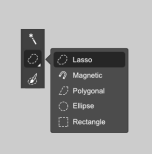
Besides, in our discussions we arrived to that’s:
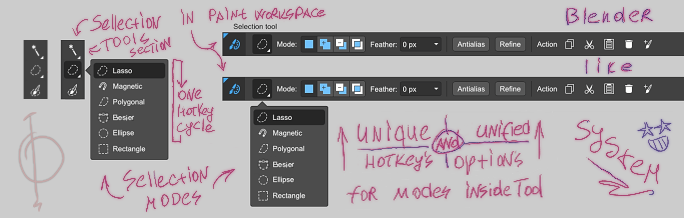
Hopefully that makes things more intuitive..
Interesting, where were these discussions posted? Are there any more…
Cheers
The mock shows tool options being incorporated on the the top toolbar Am I correct?
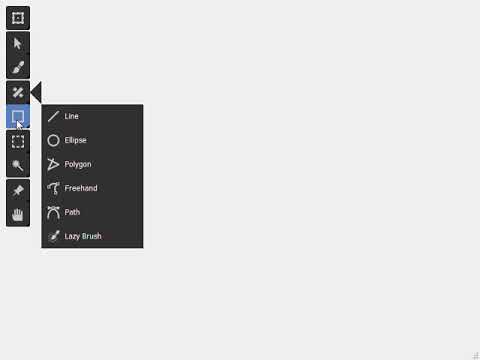
Well I’ve tried to add in the triangle like @Alexey requested; at the moment it doesn’t seem to reposition on the where the active subtools are, and I’m stumped as to why.
@hellozee, any insight? I’m not experienced in Github, but I’ve forked your code and added my changes there. Are you able to see that? I’m also not too experienced at coding, so it might be a simple fix!
How are you setting the position of the triangle and the menu? What are their respective rectangles?
Here are my edits: https://github.com/hellozee/blender-toolbox-qt/compare/master...tubaca:tubaca-edits
The triangle/arrow is based on the top left corner of the menu, and is made of QPoints which are drawn as a polygon. I’ve tried moving the arrow paint function to different spots, but it crashes the viewer.
I don’t think what I’ve done is right, but at the moment I can’t find too many alternatives. Any help is appreciated thank you!
Update: I managed to solve it; the coordinates had wrongly been assigned as static constants  .
.
I’m now using the python extension we’re developing, and I also noticed that if I change the workspace of the main Krita Window that it does not follow it around. That makes sense, but I can only use the detached window if I want the transparency. Any solutions to this that you can think of, @Kapyia?
Also, sorry for my absence, but I had a lot on my plate for these last few days, I’ll get back to it tomorrow!
Don’t apologise for being absent dude, you’re entitled to having a personal life  !
!
It depends on what you are talking about. I can create a new interface design. But I am not a programmer and I can’t assemble it. In addition, to make changes to the interface, you need to understand what we are doing.
Will it be a minor change or a global change in interface? I just can’t understand what exactly will happen with the krita interface. If global, then in the beginning you need to make a new general concept and then work out the details. Go from general to particular. If you neglect the general concept and immediately make the details, then nothing good will come of it.
And in the end, English is not my native language and I communicate with you through Google translator. So maybe not all of my words are correctly translated.
It’s a private discussion about the GUI and graphics for now.
Also we have telegram channel (rus.lang.) about own nodes based graphics vector editor. It’s in early stages, we planning publish some notes about it soon.
Yes, that’s right. This is a linear representation of the tool parameters. And tool-based spaces ideology for hotkeys. Since they are currently experiencing usability problems.
Okay. I think discussion about the tool option docker integration into the toolbar can be separate discussion. it seems that the mock you have created have some presumptions and research behind them. Can you share those in separate thread? It would be nice to understand what problem the current tool option docker has and also about other things in the UI.
To the best of my knowledge there’s nothing that can really be done about it. It’s not a property of the Toolbox itself, but rather a property of the entire docker system. The canvas shrinks to make room for the dockers around it. Maybe things can be tweaked in C++ to make the canvas render “behind” the entire docker system instead of in the center of it, but that sounds like it might be a very big task.
For what its worth, I’m currently working on some python code to lock the toolbox to the side of the current View. It’s been a fair bit of experimenting to get it to work with sub-windows (works for Tabs-mode as well), but I think it’s okay where it’s at right now:
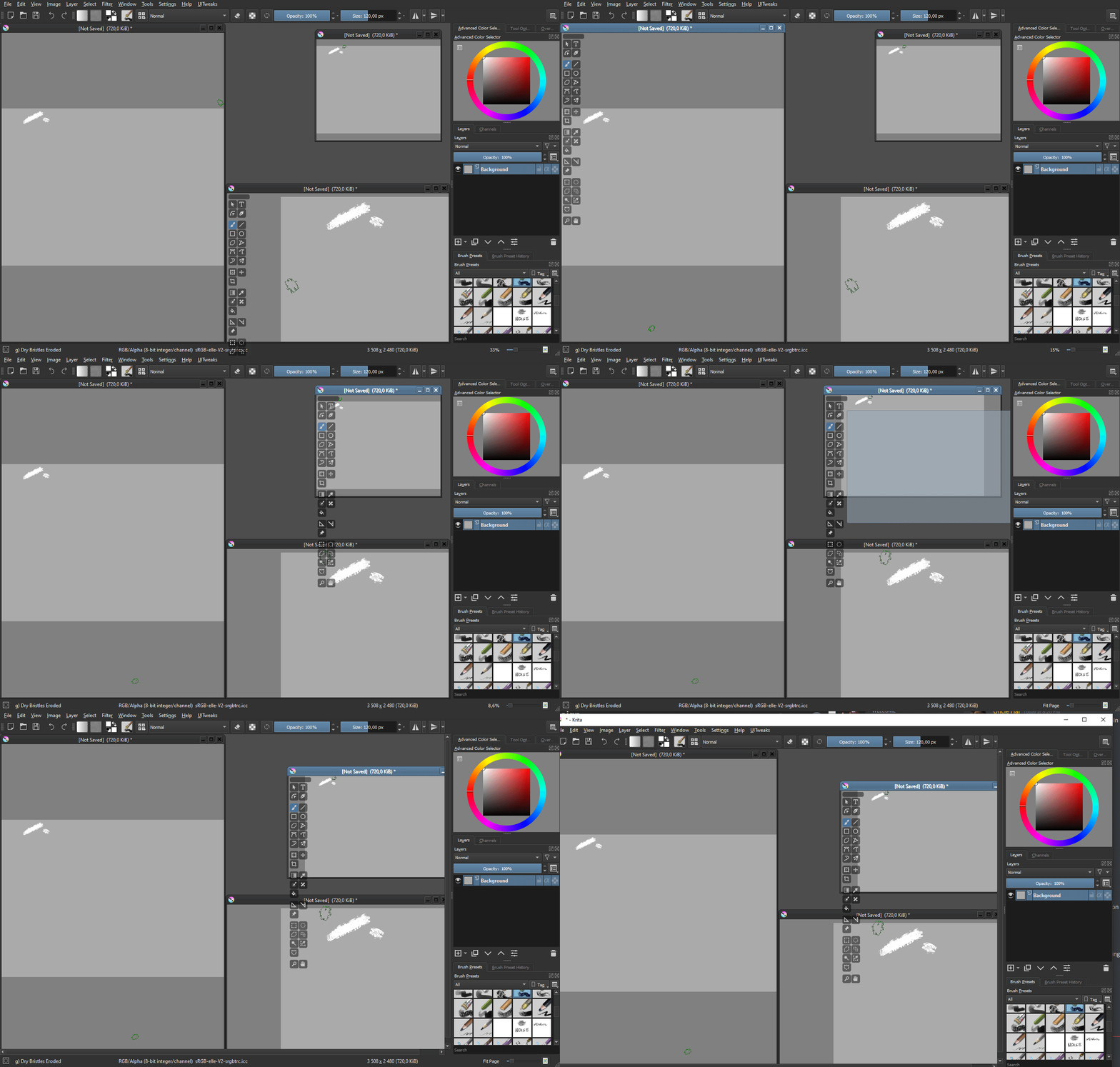
Onto the issue of the docker not shrinking when the View gets smaller than itself…
Yes, this is reasonable.
Note: the main problem is a fat empty spaces inside the options docker. https://youtu.be/Y_Dw5ts-bZ8
In general, project can follow the path of the Blender and give a linear horizontal representation parallel the vertical one.
P.S. Give an alternative and get more feedback from people. This looks like a good way and universal paradigm. Yes, Krita’s not have a lot resources like Blender but Blender not always had them and always actively looking for ways to get them with small team, volunteers, students and active management. And we see the results of this now…
Yes. Integrating the Tool Options docker into the Toolbar is 100% possible from a programming perspective, but a complete implementation needs very very careful UI/UX design work done for every Tool that Krita offers. I attempted to do exactly this last year but I did not know how to re-design many of the Tool Options widgets to fit the Toolbar form factor, but I made a start on it which you can see video of here:
This video is a real personal Krita build from a year ago that I don’t use anymore. IIRC all of the Toolbar widgets I managed to implement actually works.
At that time I called it Context Sensitive Toolbar because unlike the current Toolbar, this new one is supposed to change depending on the current Tool that is selected (ie the context).
IMO even the current Tool Options UI/UX isn’t that great, and might need to be re-designed from scratch. The problematic Tools Options widget UIs I noted at that time were:
- Transform Tool
- Select Shapes Tool
Some widget UIs were really easy to adapt into the Toolbar
- Reference Image Tool
- Assistant Tool
- Freehand Brush Tool
- etc
Some seem easy but are kinda a tight squeeze, this is the Colorize Mask Toolbar I came up with:
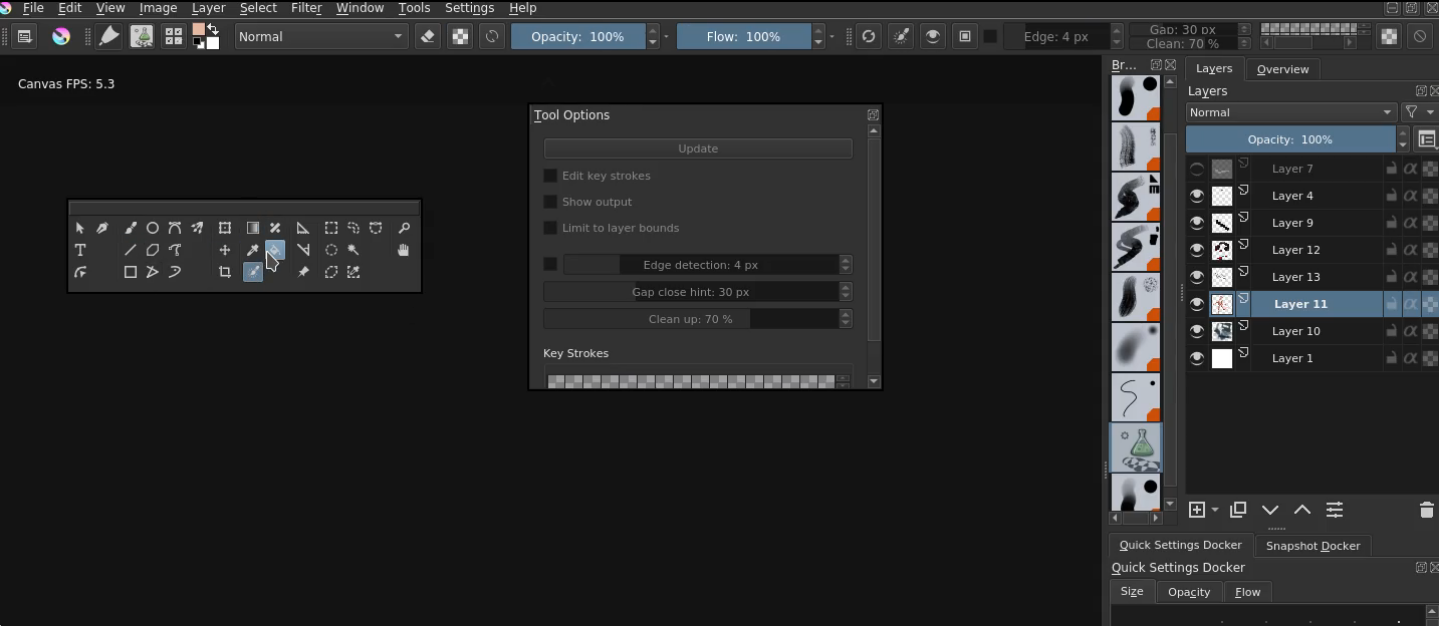
If anyone is interested in undertaking the work of redesigning every single Tool Options widgets UI, it needs to be in a separate thread.
Some things to keep in mind about the design:
- Ideally should utilize documented Qt widgets
- Krita also implements some custom versions of known Qt widgets, would be worth documenting the options for a UI designer
- Some Tool Options docker UIs are a mess and might be worth redesigning from scratch for the Toolbar
You could use a QPainterPath to draw shapes. It should be something like,
QPainterPath path;
path.moveTo(pt1);
path.lineTo(pt2);
path.lineTo(pt3);
painter.fillPath(path, brush);
Hi @anon19567522, long time no see, 
Could you drop an MR over Gitlab so that other’s could look at?
@anon19567522 Looks promising! Having the tool options change given the tool would be an awesome feature, especially when brush functions aren’t being used!
That’s along the lines of what I did  , anyway it’s fixed now.
My current problem is that the triangle is highlighted when the mouse is over the subTools, but I want it to revert to base colour if the first subTool doesn’t contain the mouse. I’m trying to find the part of code where the highlighted subTool is connected to the mouse position, but so far no luck…
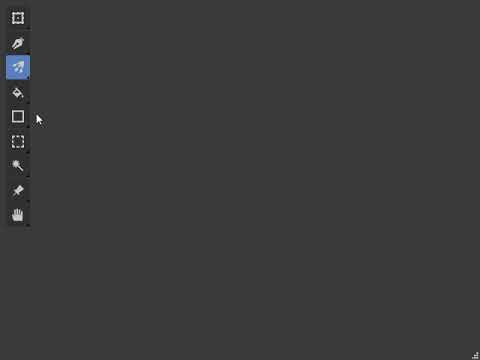
Fixed the triangle issue now, attempted to incorporate a ‘horizontal’ mode, which is a struggle with me trying to understand what each code block does .
I don’t know if this can be recreated as a python plugin? That might help to see this working in Krita, but I don’t know if that’s possible  .
.
Cheers