Hi everyone!!
I would like to ask you a question, I thank anyone who can help me in advance.
I work a lot on paper.
I wanted to know if there was a tutorial in the forum that explained how to transfer a sketch digitally to Krita, without having to redraw it in the program.
Use the sketch directly.
Sorry for my bad english (I use google translate).
Perhaps this helps Common Workflows — Krita Manual 5.2.0 documentation
It really depends how clean your sketch is and how you want to work with it further.
1 Like
thanks Takiro.
take a look and see if it can help me.

I tried to follow the advice on this article.
but as for pencil drawing, he only recommends using layers to increase contrast.
but it becomes too fake if you increase it too much.
while if you increase it a little, the lines are barely visible.
for the rest the article talks about sketches made in blue pen.

Perhaps you can post an example sketch because it’s hard to imagine what stage your drawing is already and then we need to know what you plan to do with it later since that can change some steps. Depending on how rough the sketch is you probably don’t get around to trace it again, there isn’t rally a way to make outlines from a sketch automatically.
You are right.
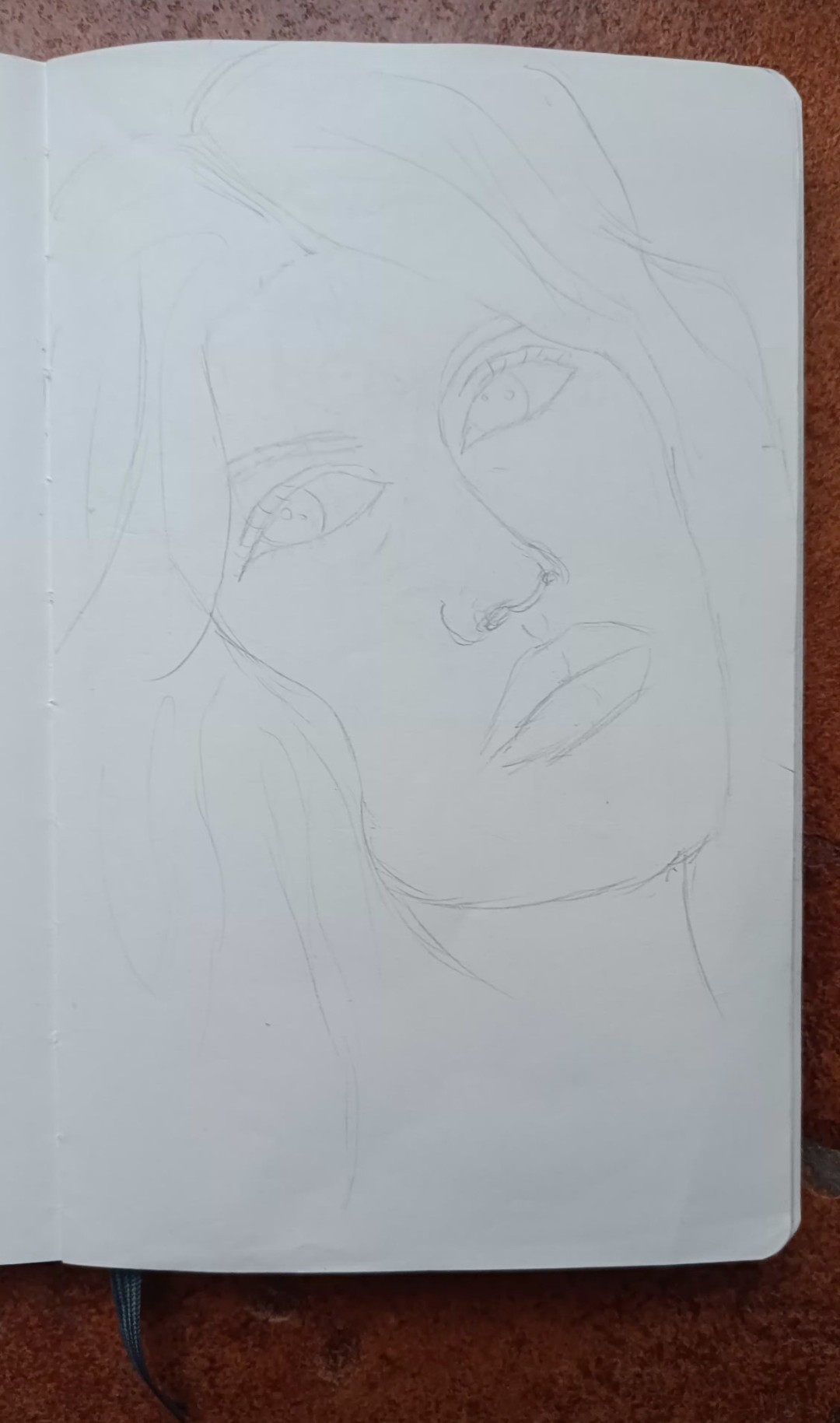
the sketch in question is this.
I would like to leave the line that way without having to do it again.
every time I have the notebook and I’m out and about, I have to redraw it and therefore I’m doing the same job twice. I would like to avoid it if possible.
There is also a section about using the gradient map. Maybe it is what you’re looking for.
1 Like
This won’t help you with your current issue, but may be an idea for the future:
In case you can afford it, it may be an idea to get an Android tablet, just a cheap and simple one nothing special or something like E-Paper (or however this digital “paper” is called) that is also a kind of Android driven tablet, but capable of running Krita. So a device in the size of your notebook and up to 2 cm thick. That would allow you to sketch everywhere and back home you just need to copy it over to your PC and have the full power of that to finish your sketches. And no more hassle to get it into your PC.
Michelist
1 Like
These are absolutely terrible for anything but reading just text. They can only do black and white (not even grayscale except maybe by dithering) and are really unresponsive. For e-Readers nice, for anything else, not.
1 Like
Good to know, thank you for the heads-up!
I only remember that someone in the forum once wrote about their experience with such a device running Krita, but can’t remember the details.
Michelist
1 Like
Could you send me the link please 
thanks Michelist In fact I was thinking of getting an Apple i Pad.
so I can feel comfortable even when I’m out. but I like the pencil line on the notepad and you don’t lose your hand in the traditional way. because whether we like it or not, they are two different methods of drawing.
thanks takiro for the explanation
I can not find it, so I will write it down 
So I have a sketch:
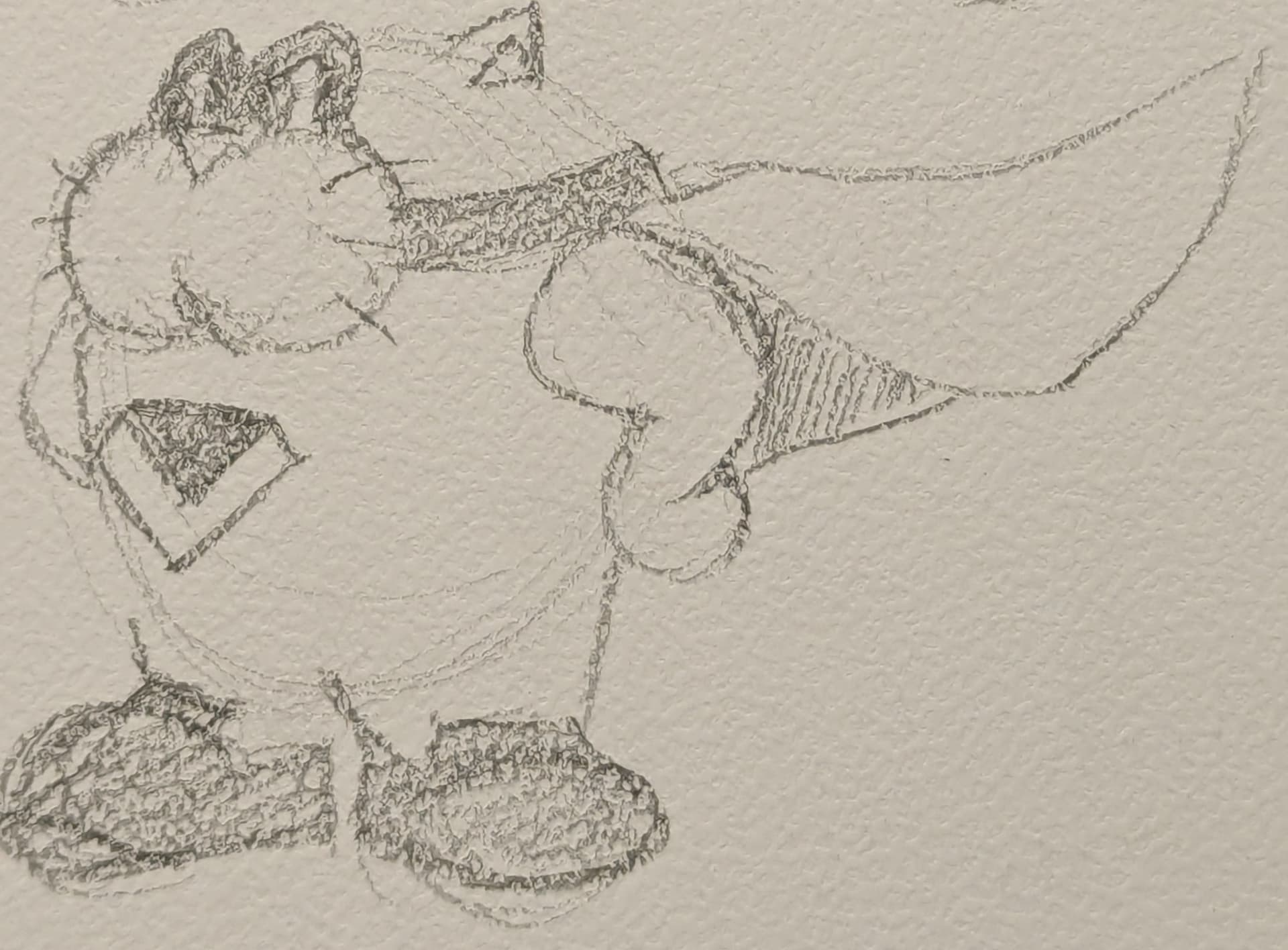
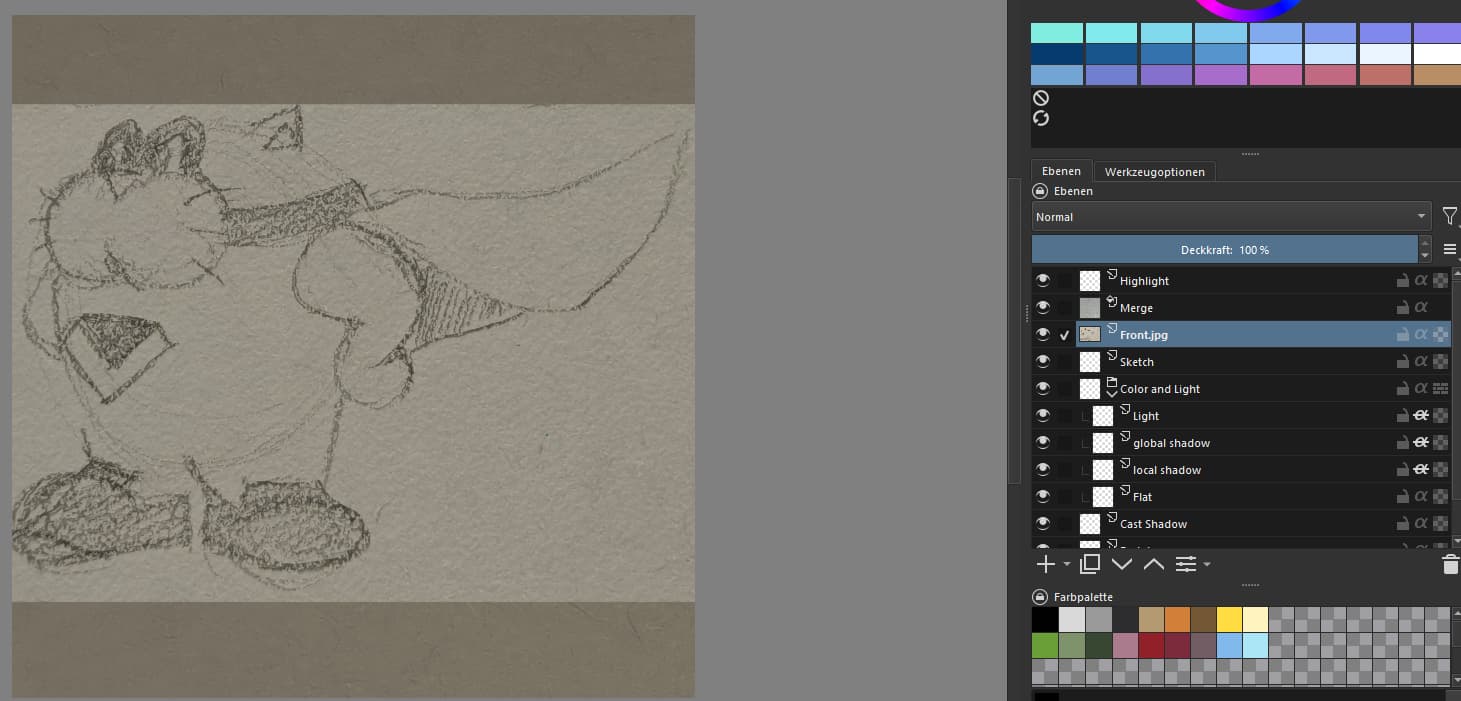
I open a new document and import as paint layer.
Now I add a filter:
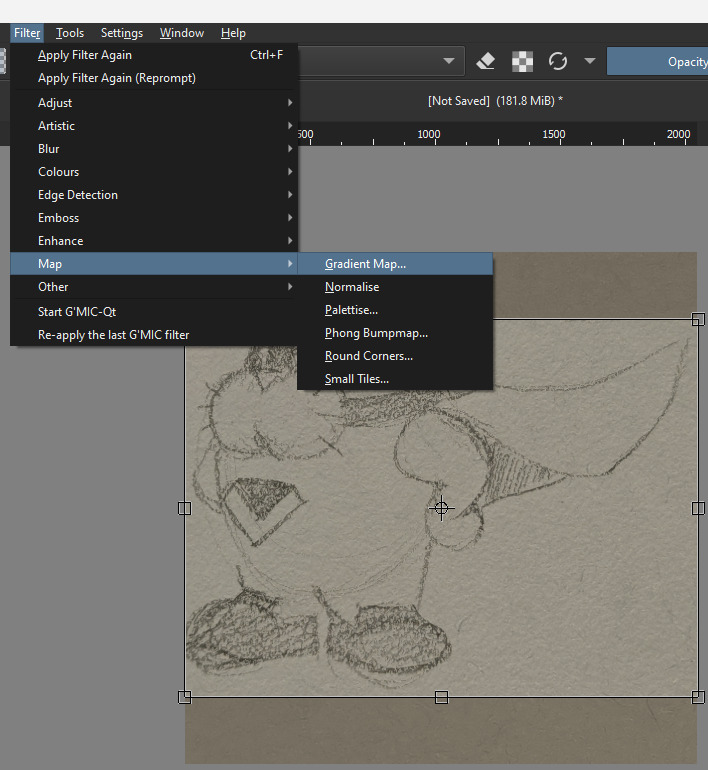
I use the “Foreground to Transparent” gradient. And pull the right pointer until I am satisfied with the preview ( here ca.74% ). If I am not satisfied with my lines, I can pull the left pointer to the right, but here it is enough.
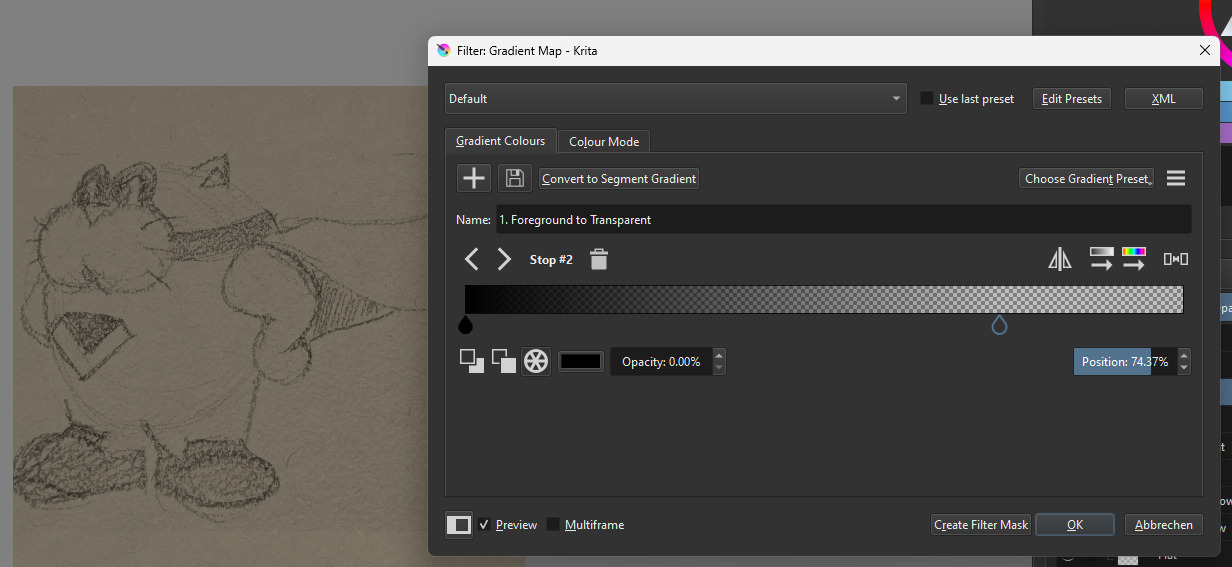
And done! I can now refine my sketch or start drawing.
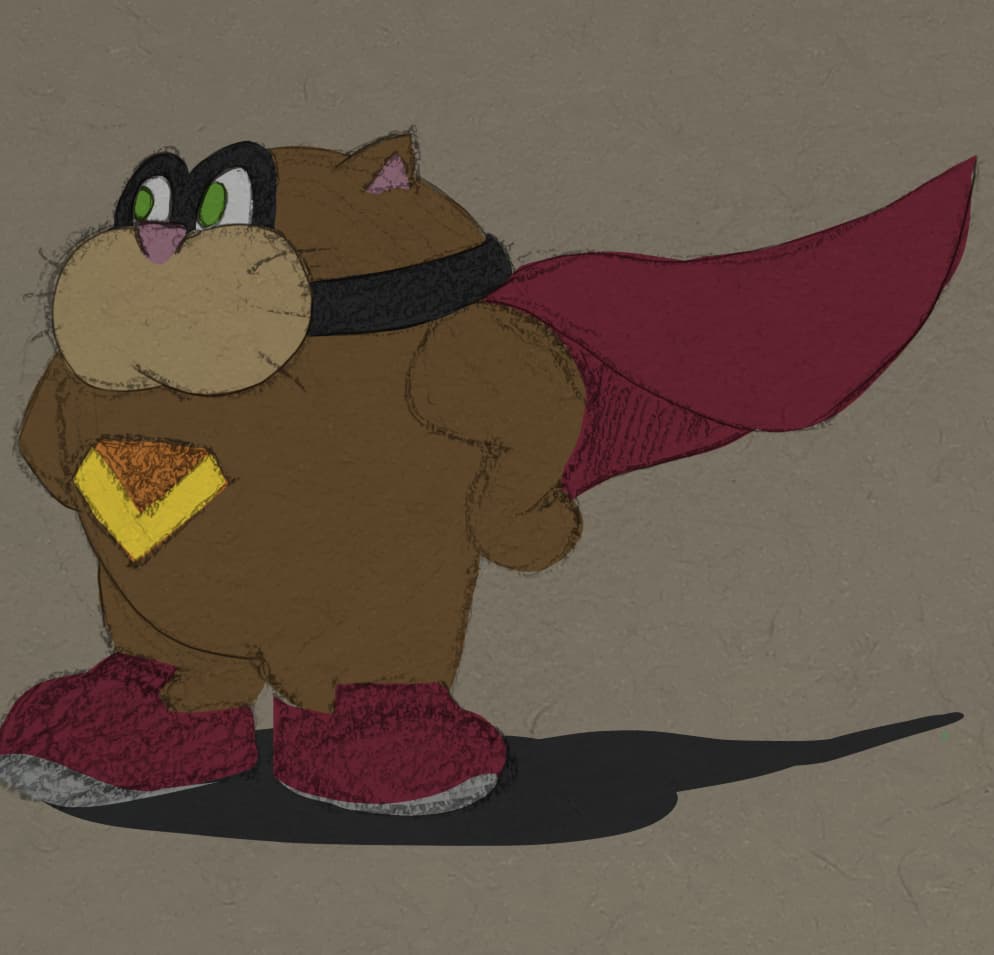
2 Likes
Many thanks BeARToys
I had never thought of using the gradient map in this way.
It actually makes logical sense.
Transforms white into Alpha making it transparent and leaving black.
Again, thank you so much for your help.
I proceed to experiment
hi! i like to digitalize my sketches alot too, what i do is i normally email myself the drawing and then i lower opacity and digitalize. if your sketch is too light, then i’d suggest going in with a darker pencil in the sketchbook and then digitalize it (i.e, a 2b pencil instead of an hb).
my digitalizing workflow is just import a sketch, lower opacity to 50, line art, and then turn off the sketch layer. i treat my traditional sketch in krita like a digital sketch.
hope this helps sorta
1 Like
thank you so much charetchi for your help.
If you have a printer that can scan your drawings at home(public libraries usually have them too, but I’m not sure if they will let you), that’s usually a good option. I digitalise my drawings often, and I typically scan as that will read the drawing and clear away any bumps better than I can. Next, import it to Krita and mess with the lines, I guess.
1 Like
This topic was automatically closed 4 days after the last reply. New replies are no longer allowed.