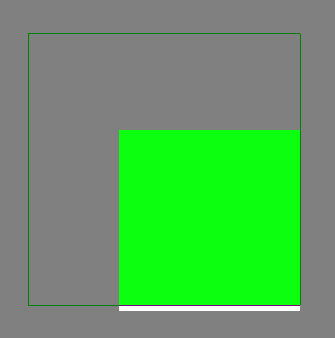
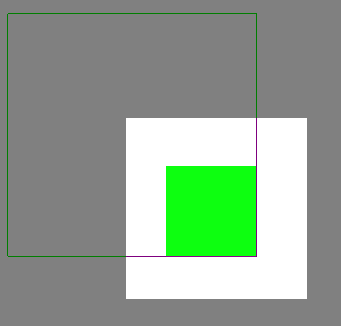
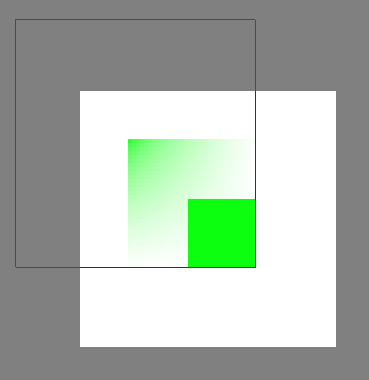
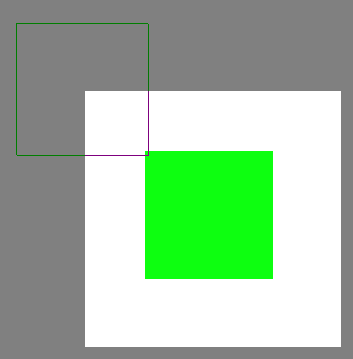
Transform mask acts strange after resize.
Steps to reproduce:
- Create a new file (e.g. 32*32)
- Add a new layer
- Paint a pixel somewhere using the pixel art brush (e.g. a green pixel in the top left corner)
- Add a transform mask to the layer
- Resize the transform mask to the size of the image using the Transform Tool
- Move the transform mask using the Move Tool
Expected result:
The whole image is filled with the one color I painted in the 3rd step.
Actual result:
The transform layer is invisible + some other bugs may occur (wrong size of the layer or extra resize)

System information
Krita
Version: 4.2.8
Languages: ru, en_US
Hidpi: true
Qt
Version (compiled): 5.12.5
Version (loaded): 5.12.5
OS Information
Build ABI: x86_64-little_endian-lp64
Build CPU: x86_64
CPU: x86_64
Kernel Type: linux
Kernel Version: 4.15.0-72-generic
Pretty Productname: Ubuntu 16.04.6 LTS
Product Type: ubuntu
Product Version: 16.04
OpenGL Info
Vendor: “Intel Open Source Technology Center”
Renderer: "Mesa DRI Intel(R) Sandybridge Mobile "
Version: “3.0 Mesa 18.0.5”
Shading language: “1.30”
Requested format: QSurfaceFormat(version 3.0, options QFlagsQSurfaceFormat::FormatOption(DeprecatedFunctions), depthBufferSize 24, redBufferSize 8, greenBufferSize 8, blueBufferSize 8, alphaBufferSize 8, stencilBufferSize 8, samples -1, swapBehavior QSurfaceFormat::DoubleBuffer, swapInterval 0, colorSpace QSurfaceFormat::DefaultColorSpace, profile QSurfaceFormat::CompatibilityProfile)
Current format: QSurfaceFormat(version 3.0, options QFlagsQSurfaceFormat::FormatOption(DeprecatedFunctions), depthBufferSize 24, redBufferSize 8, greenBufferSize 8, blueBufferSize 8, alphaBufferSize 8, stencilBufferSize 8, samples -1, swapBehavior QSurfaceFormat::DoubleBuffer, swapInterval 0, colorSpace QSurfaceFormat::DefaultColorSpace, profile QSurfaceFormat::NoProfile)
Version: 3.0
Supports deprecated functions true
is OpenGL ES: false
QPA OpenGL Detection Info
supportsDesktopGL: true
supportsOpenGLES: true
isQtPreferOpenGLES: false
Hardware Information
GPU Acceleration: auto
Memory: 3839 Mb
Number of Cores: 2
Swap Location: /tmp
Current Settings
Current Swap Location: /tmp
Undo Enabled: 1
Undo Stack Limit: 30
Use OpenGL: 1
Use OpenGL Texture Buffer: 1
Use AMD Vectorization Workaround: 0
Canvas State: OPENGL_SUCCESS
Autosave Interval: 60
Use Backup Files: 1
Number of Backups Kept: 1
Backup File Suffix: ~
Backup Location: Same Folder as the File
Use Win8 Pointer Input: 0
Use RightMiddleTabletButton Workaround: 0
Levels of Detail Enabled: 0
Use Zip64: 0