whenever i try to downsize a layer using the transform tool, the image loses its sharpness and becomes more blurry and has a bunch of half shaded pixels around it and becomes super grainy. is there any way to make the layer shaper after i make it smaller and turn it into clean 1x1 pixels? i know there is a pixelize filter, but the smallest it can go is 2x2 pixels.
1 Like
Hello @celcius and welcome to the forum 
When you’ve selected the Transform Tool for use, look in the Tool Options docker and set the Filter to be Nearest Neighbour:
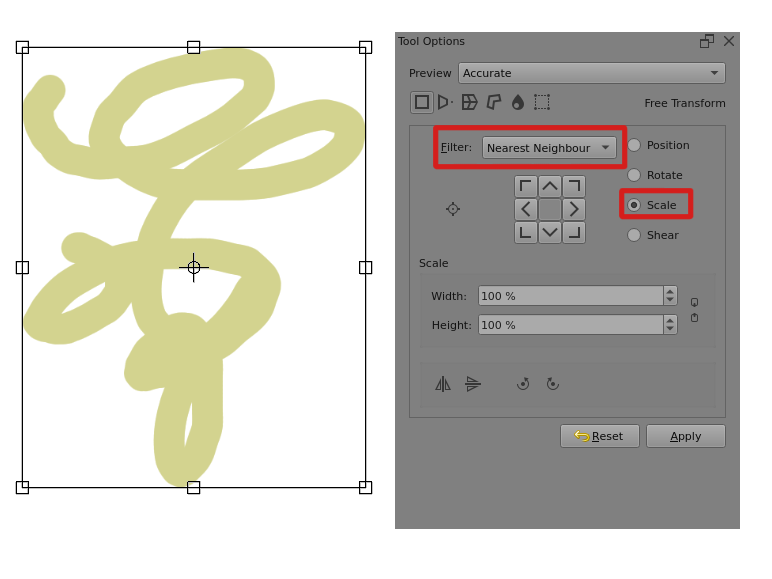
Then do the corner dragging to scale by eye.
Or select Scale in the Tool Options docker to give Scale value/slider controls to enable scaling by an exact amount.
The Tool Options docker is very useful (I’d say essential) and shares a docker location with the Advanced Colour Selector if you’re using the Default workspace layout. Just click its tab to show it.
You may need to drag the docker panel edges, using the line of small dots on the middle of the panel boundaries to show all of a tool’s Tool Docker contents.
Edit:Add: I’ve changed the title of your topic to clarify what the problem is.
1 Like
I ‘got lost’ in making an illustrative screenshot and forgot about the second part:
You could try Filter → Adjust → Cross Channel Adjustment Curves and set the Alpha channel to drive the Alpha channel:
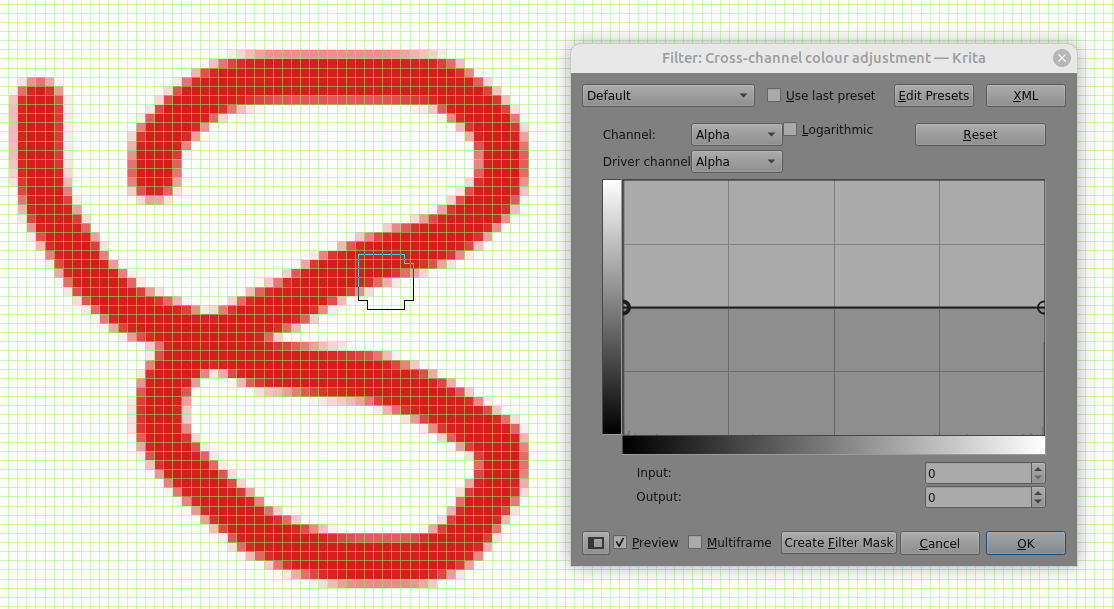
Then click and drag anywhere alontgthe straight line ‘curve’ to drag it to the top left corner. That will make any alpha value greater than zero to be 1.
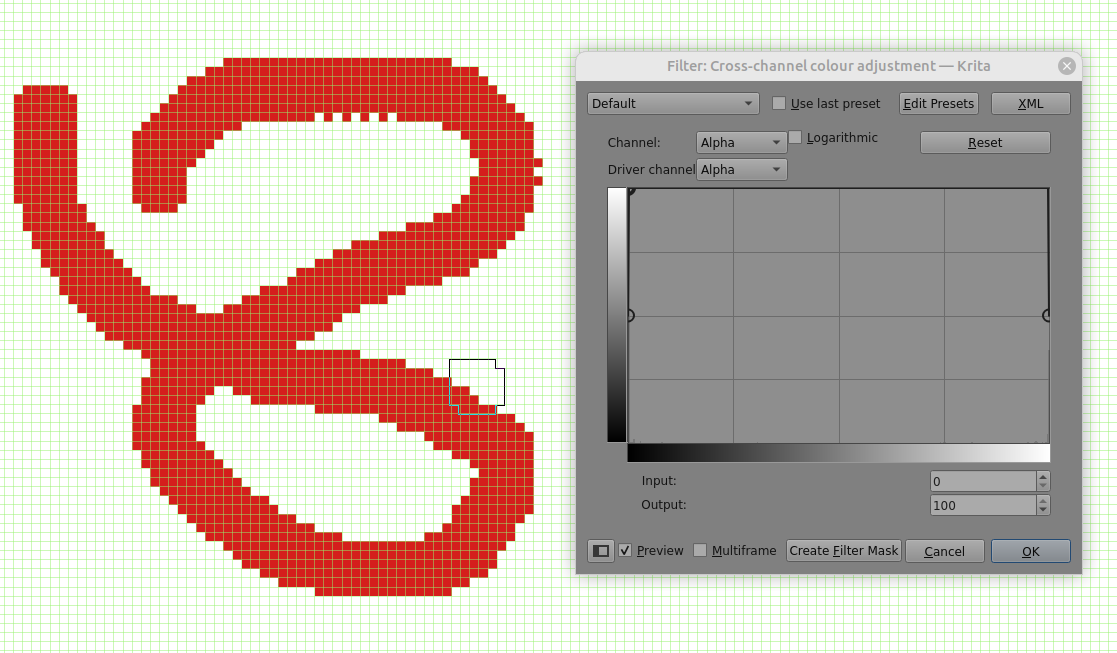
That may or may not be suitable for you because it does tend to make any lines look wider.
1 Like
Hello,
II think your image is in its original resolution before resizing.the transform tool with “Nearest Neighbor” selected as the interpolation method. This preserves hard edges and pixel details. You can apply a “Pixelize” filter if needed, but note it typically starts at 2x2 pixels, which may not suit all needs perfectly.
This topic was automatically closed 4 days after the last reply. New replies are no longer allowed.