Hello again.
I guess this is more complicated than it seems, yet it would be great to have translucid background (or perhaps retractable dockers) on the sides so the canvas can be less visually restrained, especially if someone is using a 4:3 monitor.
Well, here’s an image that explains it better.
Thank you.
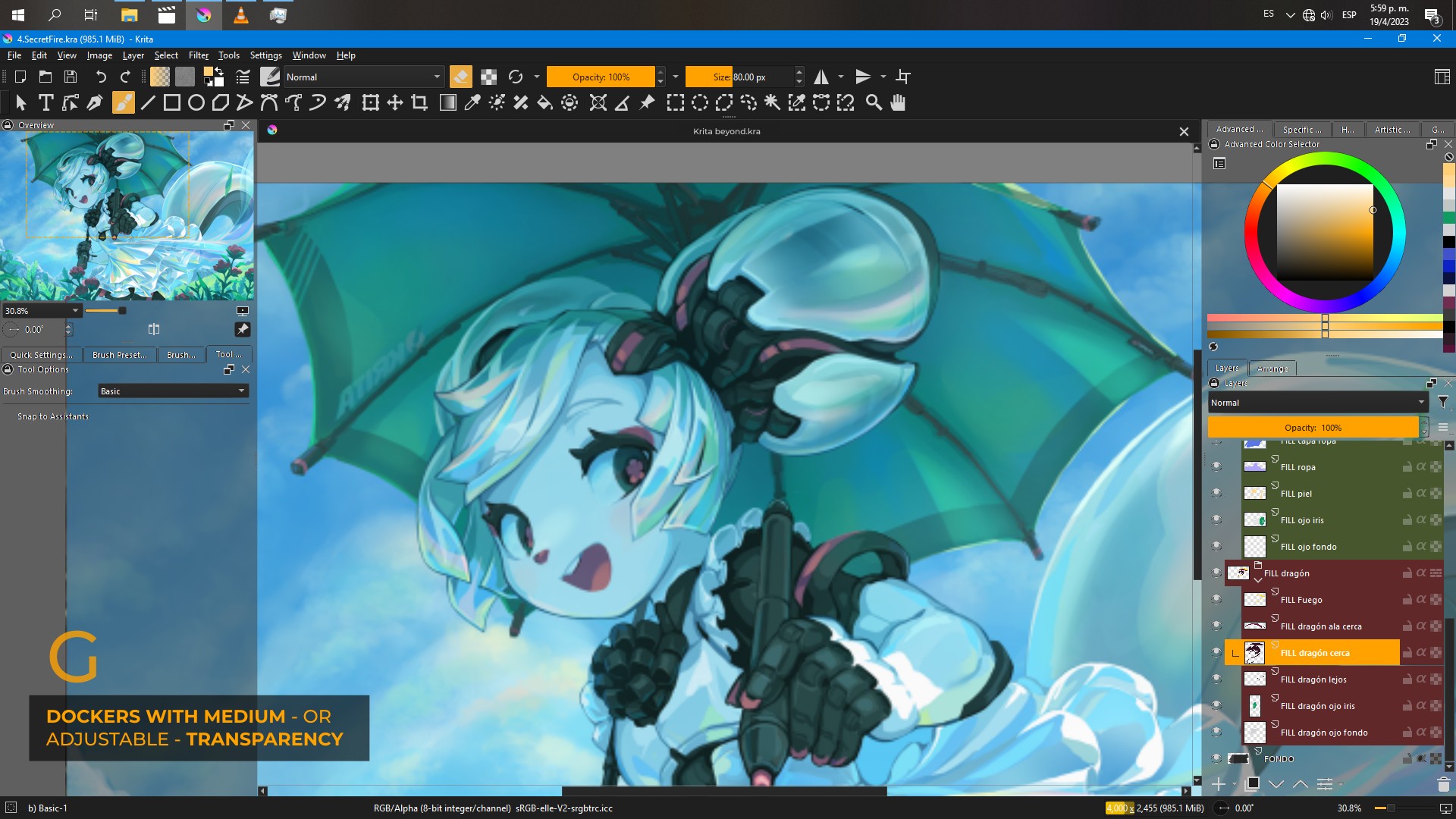
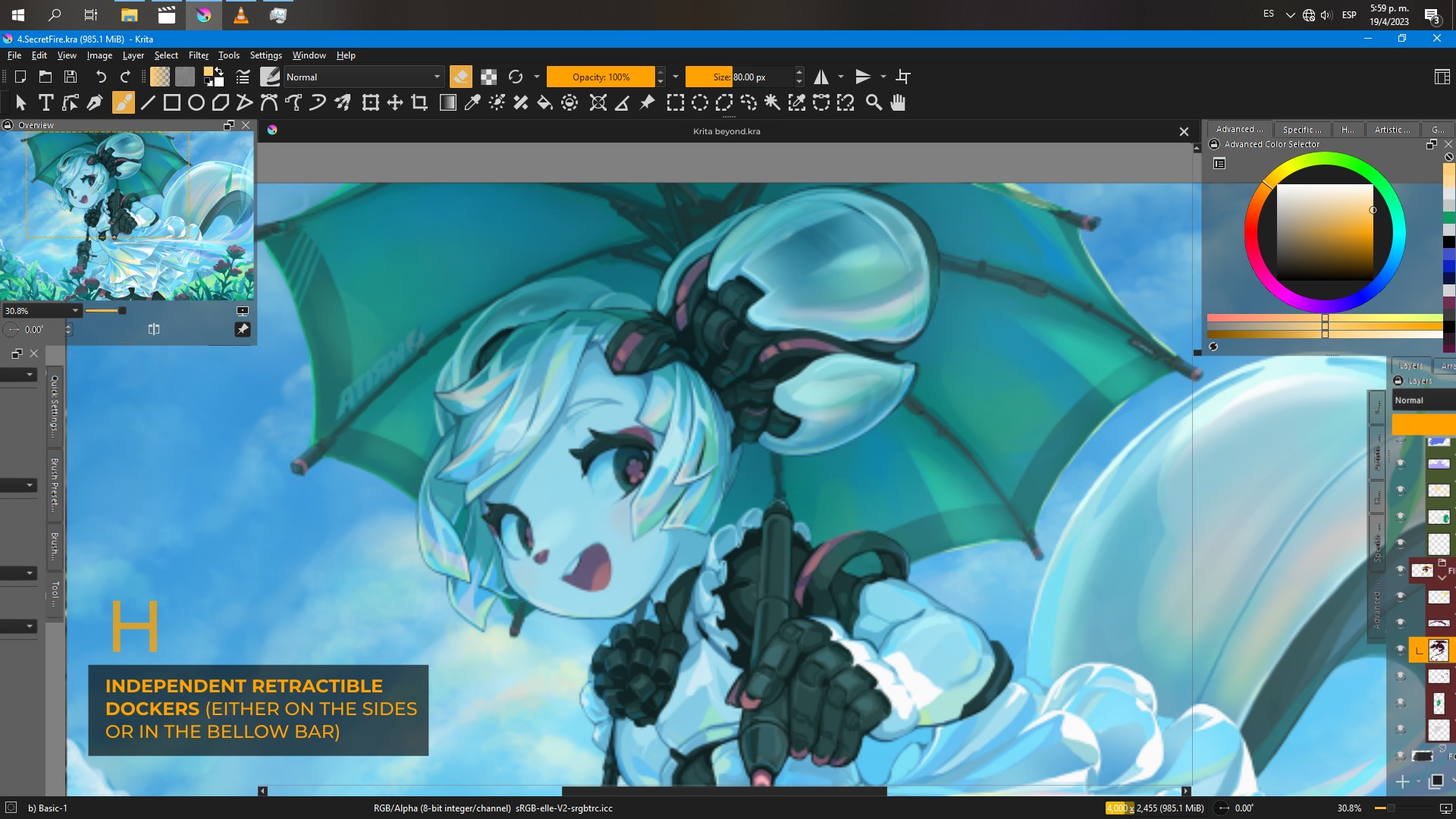
I have seen this once from a user that is currently on a hiatus, makes an unknown period of holidays from the forum, so this is possible. If it is easy, I don’t know.
If the two very new plugins from @freyalupen can achieve this too, I don’t know, but it may be worth to check it out if they are.
You’ll find them here:
And here:
But if they can do the trick, you have to find out by yourself.
Michelist
Setting widget opacity can’t be done with themes; I don’t think it can be done with stylesheets, but I am not too sure.
Making floating dockers transparent can be done with a script like this:
from krita import *

dockers = Krita().activeWindow().dockers()

for docker in dockers:
    # 1.0 = opaque, 0.0 = transparent
    docker.setWindowOpacity(.9)
But making docked dockers transparent would be something entirely different, since normally there is nothing behind them to show.
Thank you very much @Michelist . I’ll investigate.
Wow, thank you a lot for all the description. I’ll try it.