Well, the core issue is just what it says above.
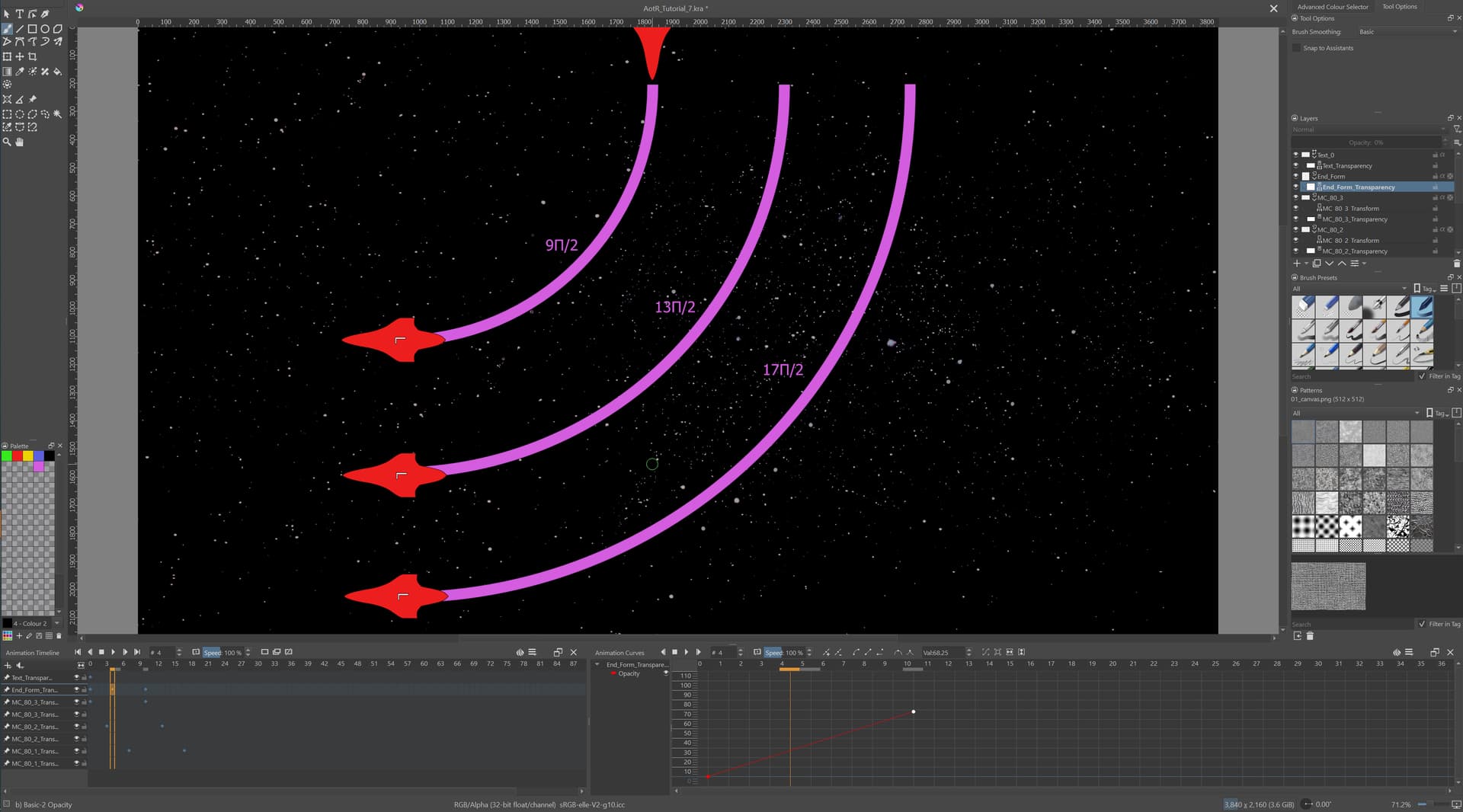
I followed the instruction in the docs, so create a transparency mask for nonempty layer, go to the animation tl and curves dockers, create a line w/ 2 or more keyframes, set the values aaaaaand nothing happenes. Translation animations work fine.
Krita 5.1.1. Here’s a screenshot. The bottom three ship silhouettes should be transparent.
Plz halp.
You have a misunderstanding about what does what here.
To vary the opacity of an entire frame of an animated paint layer, as time progesses, you apply Opacity Keyframes to the frames of that layer by using the Animation Curves docker.
Here they are in the Animation Curves docker:

When you create them in the Animation Curves docker, they will be indicated by a small diamond icon on the frames of the Timeline:

Then, the opacity of each entire keyframe (and intermediate Held frames) will be determined by the Animation Curves docker curve/line.
A Transparency Mask controls the opacity of each individual pixel of its parent layer by means of its individual greyscale pixel values.
A Transparency Mask does not have an alpha channel (it’s simple greyscale) so you can’t control/change its opacity.
An animated Transparency Mask can be used to make animated local transparency variations of its parent layer by means of its greyscale image content.
To do that, you treat it exactly like a paint layer in terms of animating its content, where you paint greyscale values on it.
3 Likes
You animate a paint layer with a transformation mask, but you can’t add a mask onto a mask. Is it possible to have something appear through spline animations with a gradient?
I don’t know what you mean by ‘spline animations with a gradient’.
It would be a good idea to create a new topic for this because it’s about a very different thing.
When you do that, please explain your questions and ideas in more detail and also show illustrative images and screenshots if possible.
1 Like
This topic was automatically closed 3 days after the last reply. New replies are no longer allowed.