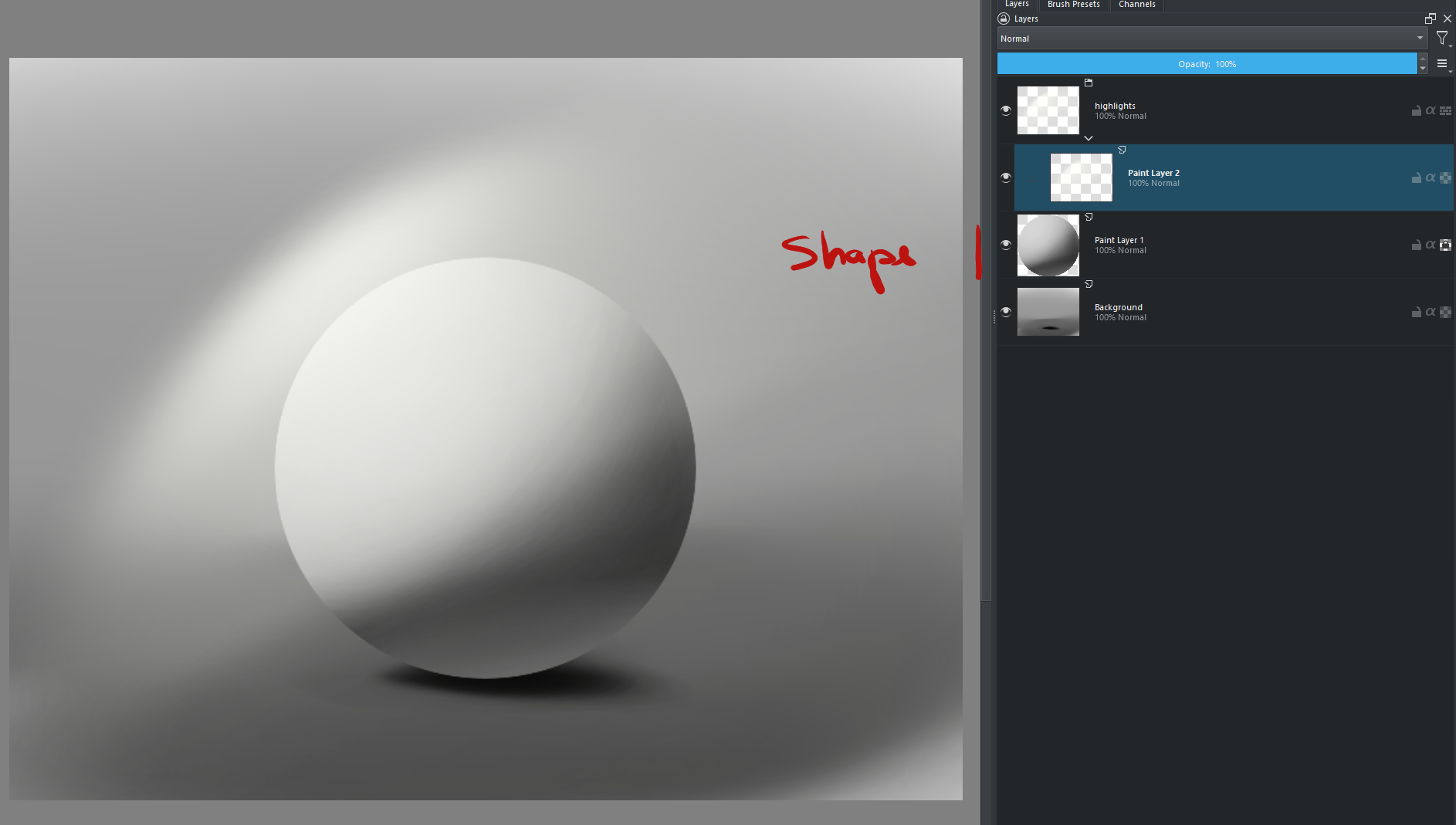
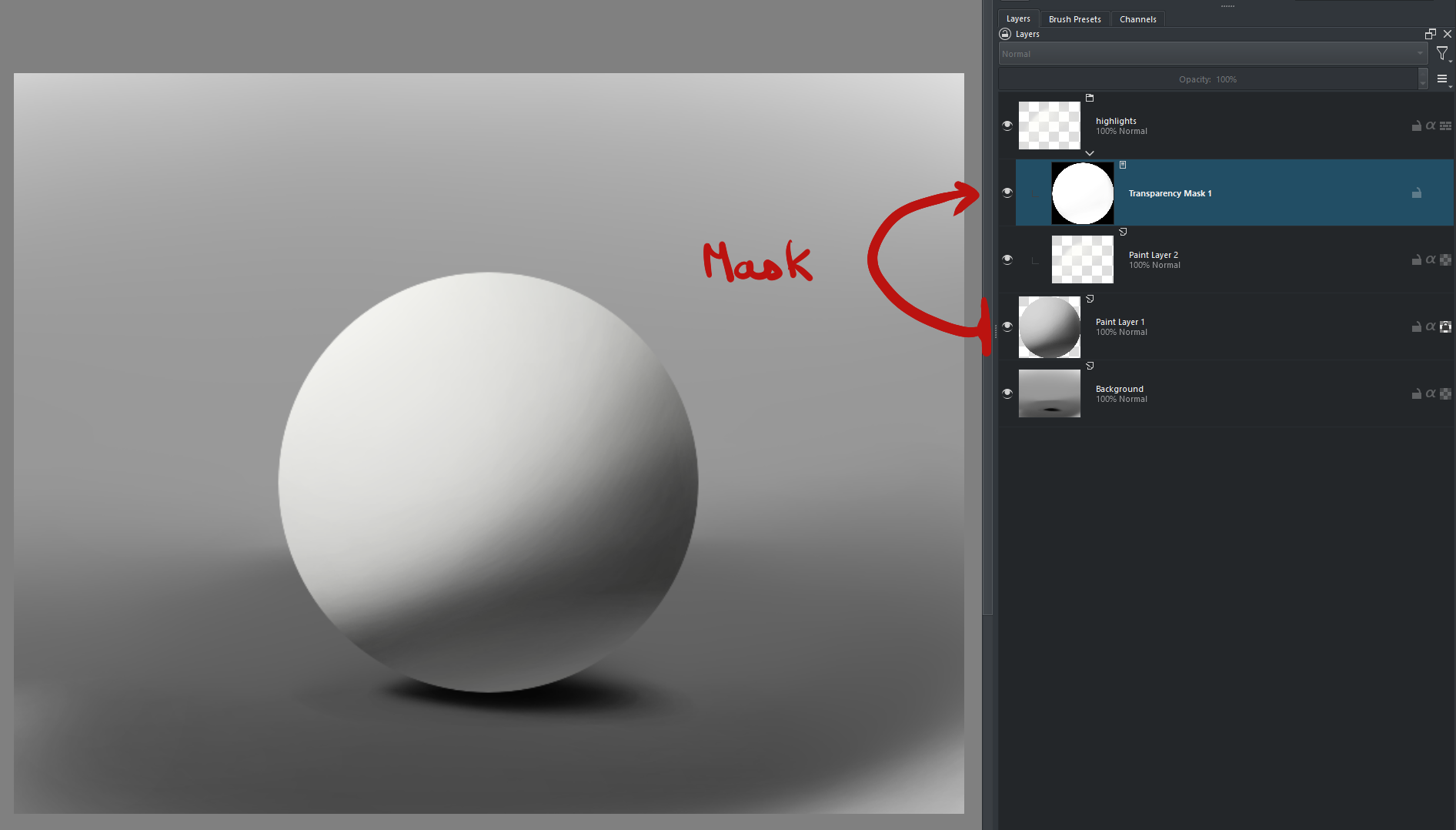
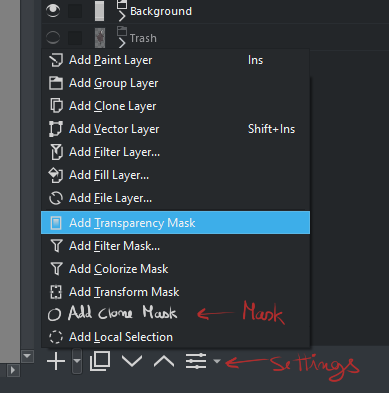
A transparency mask that would work like a clone layer.
A new transparency mask layer to use another layer from the layer stack as the pixel source. so changing that layer would affect and update all masks connected to it.
Implementation
This could go in two ways:
method A - you need the source to be black and white too with no alpha to just carry over the info.
method B - it would use transparency as black and not transparent pixels would shade into white. converting pixel objects into masks internally before applying it.
I think method B would be the way to carry more ease of use and significance for most cases I can imagine in my head. but method A would be more simple to implement and faster but not very useful for users I imagine. but maybe still usable.
Refutation arguments to the proposal
you could argue that you can just clone and convert and then you have you mask the same way. however in there lays a problem that this tries to solve. what if that shape changes your trying to mask because your still working on the art. if the shape changes you need to do a whole new cycle of duplication’s and converts with the correct black and white code to have it updated on all folders.
you can also argue you should have better layer structure to affect things top down correctly. but the problem there is the fact that is usually not feasible as most humans don’t lay perfectly in a top down order concerning masks.
Conclusion
I think it is safe to say that this solution breaks the linearity of the layer stack by carrying over the information of one layer to affect other groups as they may be overlaping a object above and or below the layer stack. But most of all to update things without the need of constant updating layers into a repetitive cycle of operations just to update the masks.
Illustrations for easy comprehension
This is a very simplified situation but displays the situation is a very elemental state. there are ways to solve this situation in particular with operations, but this does not try to take their place but to solve situation where those options are not viable due to the complexity of the project as it grows.
If this mask is able to update with the current active frame it will be super useful as it will allow updates as it changes form even during animation. For the illustration example I could animate the light and not worry about the light going over the shape of the body.
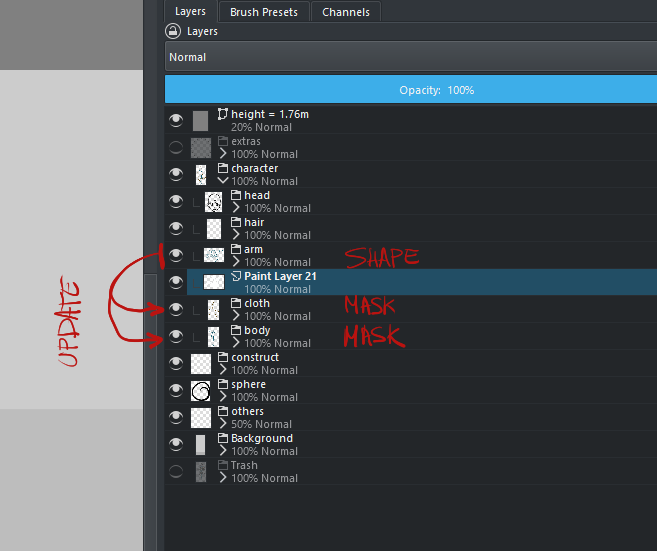
Real Application
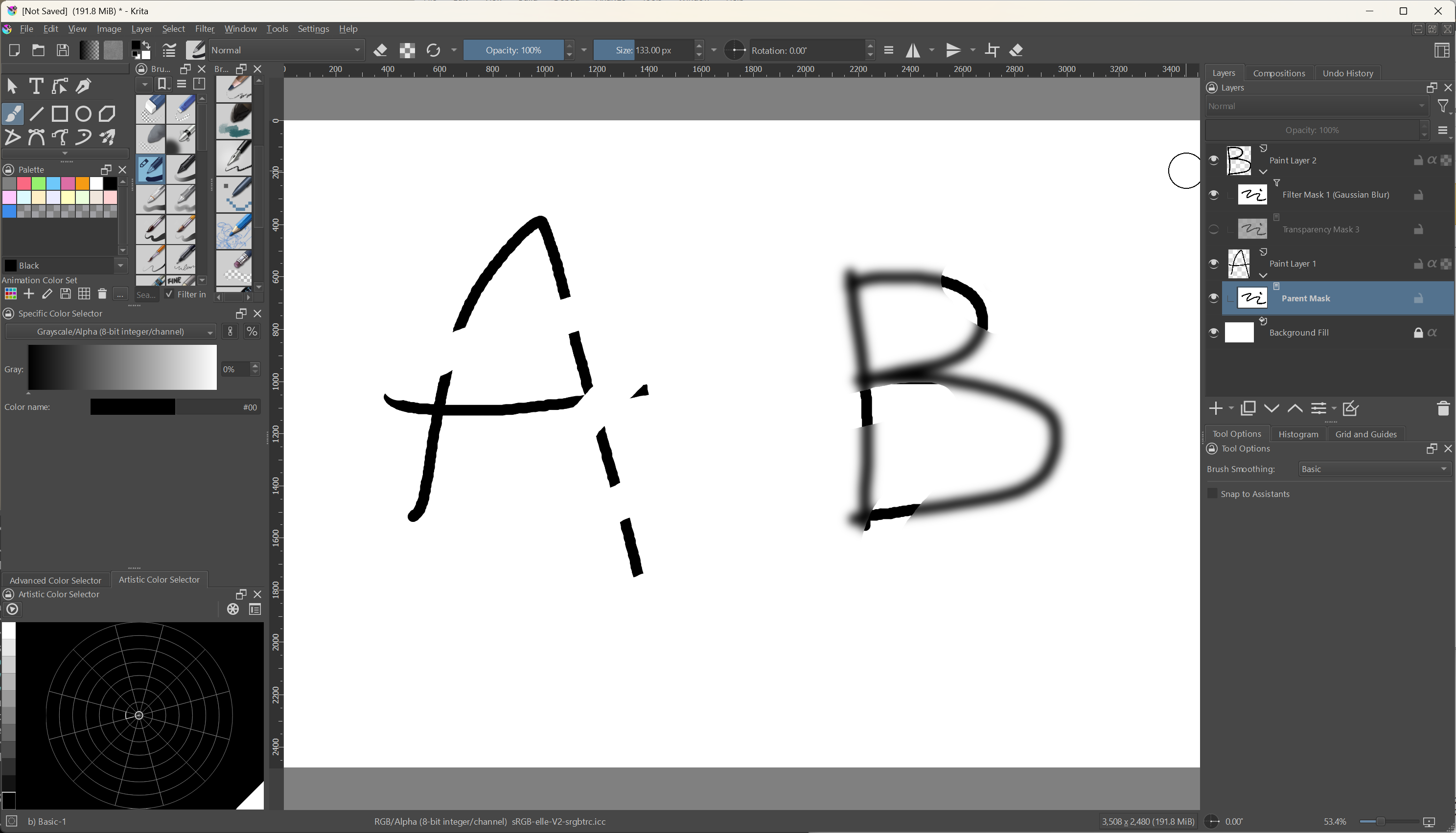
In this case I need the same mask applied to two groups underneath
I too found myself in a situation a few times where I found myself wanting to use another layer as input for a mask, so it updates when another layer changes. Currently I work around it by using a clone layer in combination with alpha inheritance somehow, but it’s cumbersome and has limitations.
Only layer based programs like “after effects” has it. on node based compositing it is like trivial to execute because it is non linear to composite.
Since a node composite system is not something anyone wants I thought the after effects solution would be the cooler one to suggest.
For Krita I feel only masks is my big issue with this so I presented it only targeting transparency masks. But if someone has another inside I imagine it could be expanded to be more broad and modular in usage since there are so many mask types. I did not actually think about those situations.
This has been one of my workflow issues for quite a while that I can’t seem to shake off unless I lower my layer count but I am not that good yet.
I have also encountered this situation where I use file layer for various components and more often I wish that krita had ability to use other layer as input for transparency mask. So I have voted for this feature thanks for creating this feature request
Yeah, I think this could be easily generalized to all masks, which work exactly the same way underneath – there’s an 8-bit single channel layer that determines the opacity or strength of the mask’s effect.
No promises, but I’ll take a look at it when I have a moment.
As you can see, the layer “B” doesn’t update on its own because normally masks can only affect their parent. In this case, the bottom mask of layer “A” is the source shared by the other two masks.
It should be doable, but I’m not sure what the ideal UI should be for it. Probably need to show it in properties or somewhere which other mask is the parent. Another option would be using a B&W 8-bit paint layer as the source, perhaps.
I’d appreciate it if someone could design the UI/UX for this feature.
Also, this trivially extends to other types of masks, e.g. a filter with blur:
I would love some updates to the transparency mask feature. I’d like to pick the source of transparency or even use gray channel from another layer too. I’d call it alpha-clone mask.
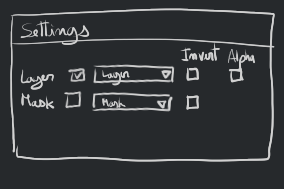
Here’s the source that might be useful, if copying from a color layer, I’d get the choices of:
Perceptual Luminosity
Alpha Information from the Color Layer
Multiplied Luminosity and Alpha
And in the case of one-channel layer/mask. It’s just a straight-forward copy.
And also to keep the option of being able to paint on it to erase alpha.
I have something in mind, I will try to create a mockup in today or tomorrow.
I was thinking along these lines
User right clicks on a normal layer and then in the convert menu there will be a option “Convert to reusable transparency mask” (this will be distinct from the existing “convert to transparency mask”)
The layer is then marked as the parent in the back end, in the UI the eye icon is replaced with a mask icon " [o] " or an icon will be shown besides the name indicating that this is a parent mask type layer.
This layer will not be taken into account when compositing the stack. This layer can be arranged anywhere on the layer stack or put into group etc.
User can add filters on top of this layer to non destructively edit the parent mask layer. For example having the mask with halftone filter or blurring the mask with gaussian blur.
right clicking will show “edit this parent mask” option. Choosing this option the layer can be shown in isolation mode where the user can paint in grayscale on this layer.
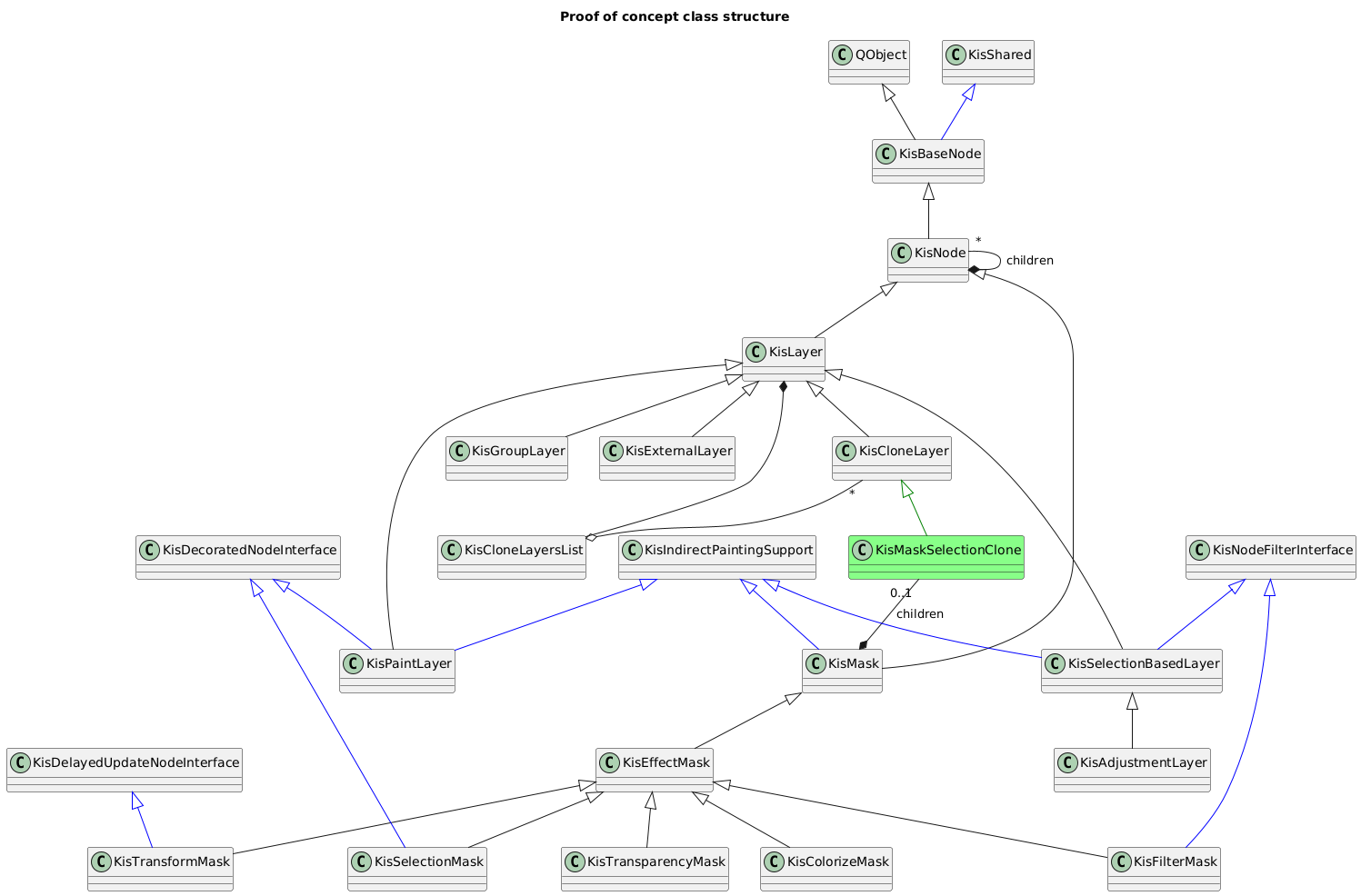
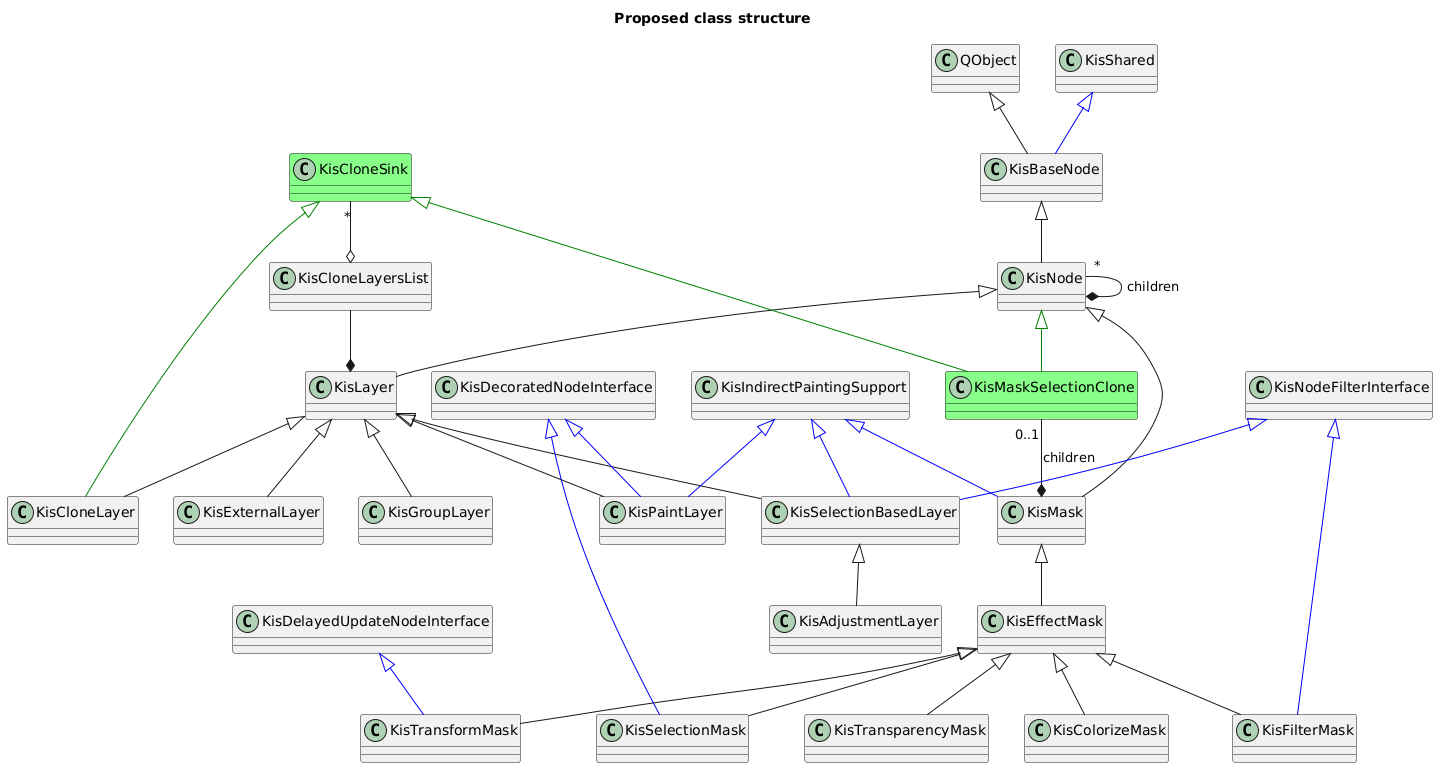
I’ve implemented a proof of concept: Implement clone node from a layer into a mask proof of concept (8c22dedd) · Commits · Daniil Zakirullin / Krita · GitLab .
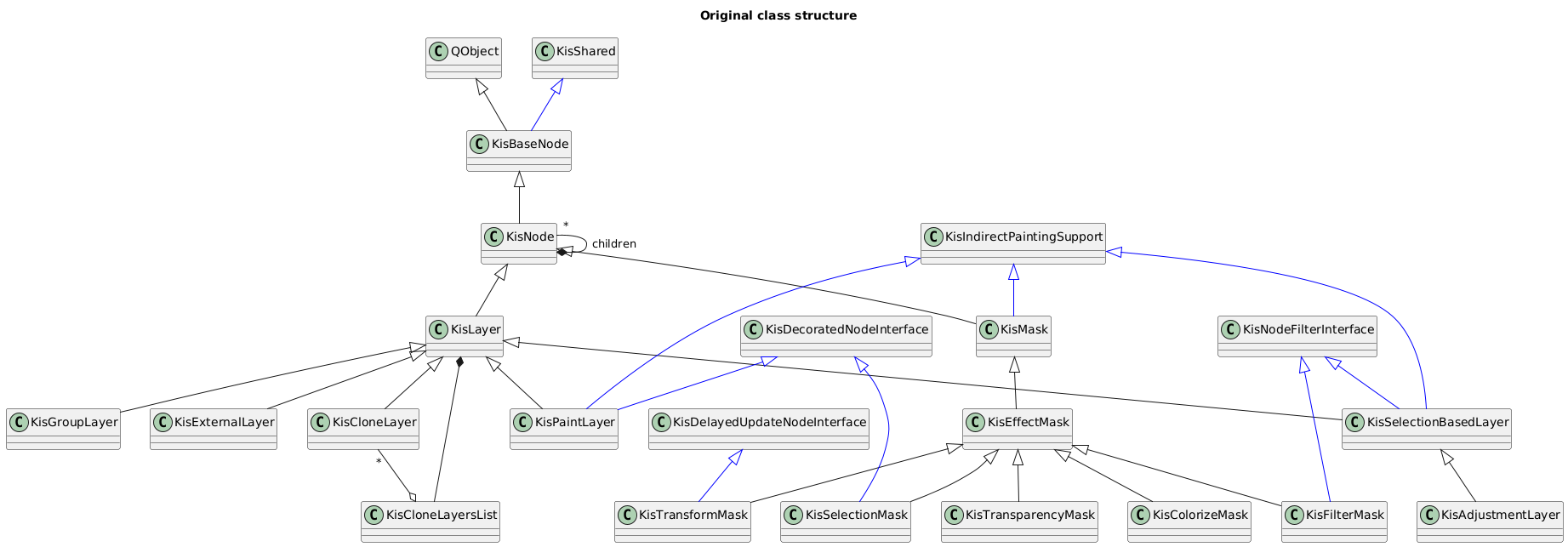
To leverage the existing functionality, I’ve inherited the class for clone layers to make an item for the layer tree that can be put inside masks that replaces the mask’s bitmap. Maybe it is also worth to make a common base class for the layer tree elements that clone contents from layers to inherit both clone layer and the new mask attribute from, so that it is not considered a layer.