I am new to Krita (I mean brand new) and I need help! I’d love to import some drawings to touch up in color. I tried importing my work as PDF and was told that it doesn’t support this format. Then I converted to JPG and was told “The file format cannot be parced.” I am working on a Samsung Galaxy Tab S5e.
Does anyone have an idea of how I can upload my files to Krita? Must I convert to yet another type of file?
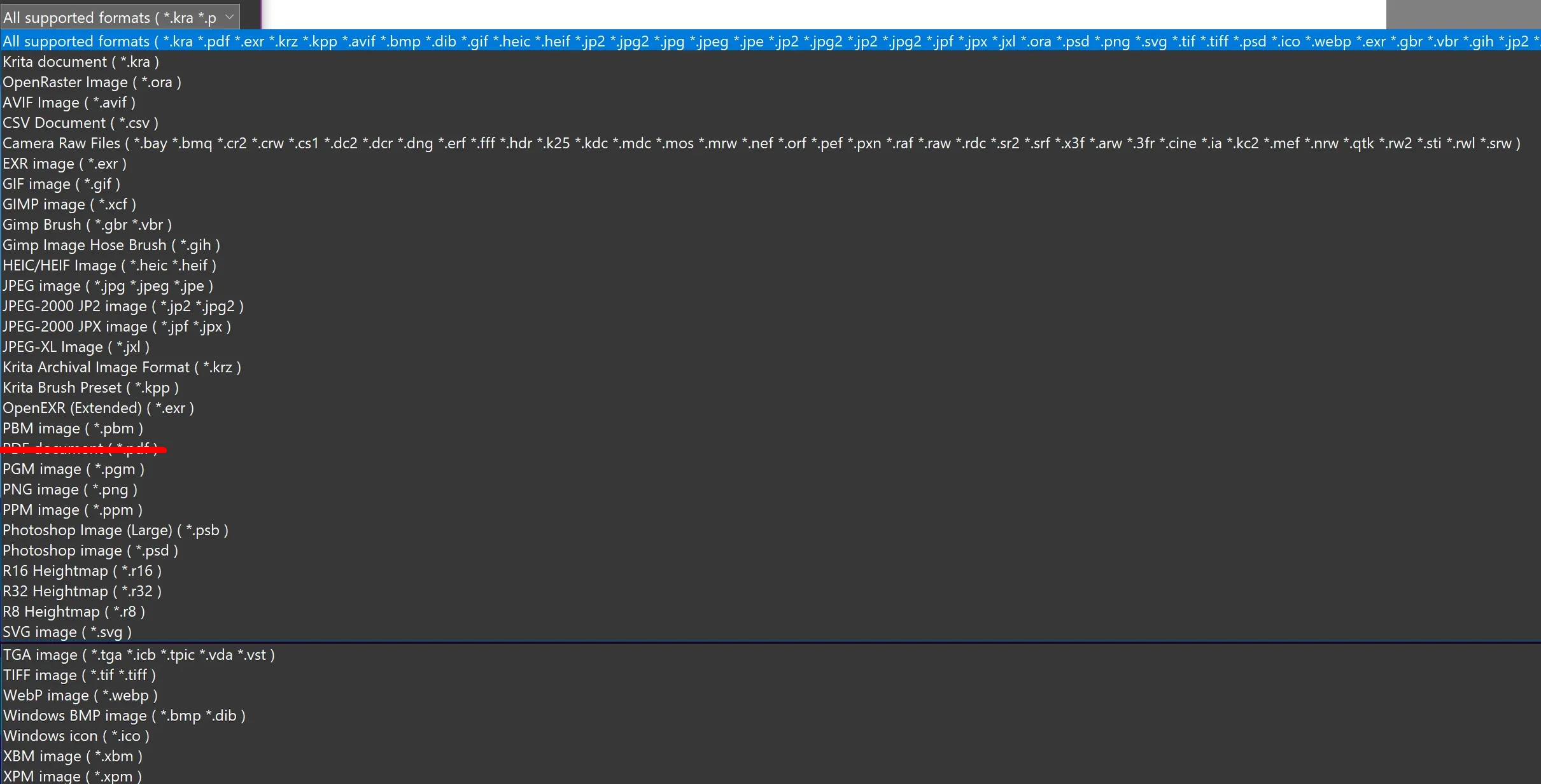
Krita can import JPG as well as PNG and tons of other formats via File → Open, see my screenshot. But you should convert to PNG if possible or if it really has to be JPG/JPEG then convert it with 100% quality and use the best possible options, because JPG is a lossy format per definition. With PDF, I’m currently not sure if my Krita shows it because of a plugin I installed, if that is the case, you can’t use it because Krita Android can’t use plugins.
So, I guess your converter has an issue or your conversion used wrong parameters. If you can, then use PNG (or WEBP with lossless settings, but there you need to know what you must set up) with PNG you can’t make much wrong.
These are the available formats Krita can open (with PDF, I’m not sure, so I “deleted” it, but you should test it via File → Open):
I believe only the desktop version of Krita supports PDF import.
How did you convert the PDF, did you only rename the file and changed the file extension? That’s not a conversion. Perhaps you can find a tool that can turn it into a PNG, that would be the optimal image format.
Krita runs locally on your device, you don’t upload or download anything from or to it. You can open and import files though, as well as save and export them to your device.
If you can open/display the .pdf file on android, you could use the android screenshot utility to make a .png or .jpg of each page and then open/import those into krita.
The message on Android that says “cannot be parsed” usually* means Android is preventing Krita from accessing the folder. I know the words don’t make sense but if you use your file manager to move the jpg file into the downloads folder, you should be able to access it easily.
Let us know if that helped.
edit
I should have said often, not usually. This might be a Samsung thing as it seems to be those of us who use Galaxy tablets experience it.
 Hello
Hello