Hello everyone!
It is that time of the year, and I come with a new tutorial for you all! Today we will cover each brush family in the “Metallics by Draneria” bundle. If you are low on ideas and inspiration on how to use them, this guide is here to fix that (。•̀ᴗ-)✧
🎉 News 🎉
- We reached our goal on Ko-Fi, Metallics 2.0 is on the horizon (ノ゜▽゜)ノ I am grateful to every single person who contributed.
As a thank you, later tonight everyone who helped us reach this goal gets an extra (7) metallic brushes!! Just some experiments for you to enjoy, even if they didn’t make the final cut 
I felt this was only right, because you guys supported me out of kindness and appreciation when I didn’t have anything tangible to give in exchange. Speaking of which…
- The
 subscription tiers are officially open for business!
Right now you can get yourself 2 new bundles:
- (11) Acrylics Prerelease 2.0 brushes (you can download 1.0 for free btw!)

- ✦ (9) Encaustics Prerelease 1.0 brushes

- The (7) Metallics brushes are also available at a higher tier for any superfans xD
- ✦ …and more to come!
This is for anyone who’d like support me further to keep things free, and get lots of extra stuff and early access in return Treat yourself! It is christmas afterall ( ✧≖‿ゝ≖)
Now without further ado, let’s get into the tour.
✧(•̀ᴗ•́)✧
💎 Why Read? 💎
- You’ll learn how to make the most out of each brush group
- ✦ I spent way too long making pretty demo gifs for your viewing pleasure xD
- There lots of inspiration for metallics effects in digital art!
🔍 This Guide Covers.... 🔍
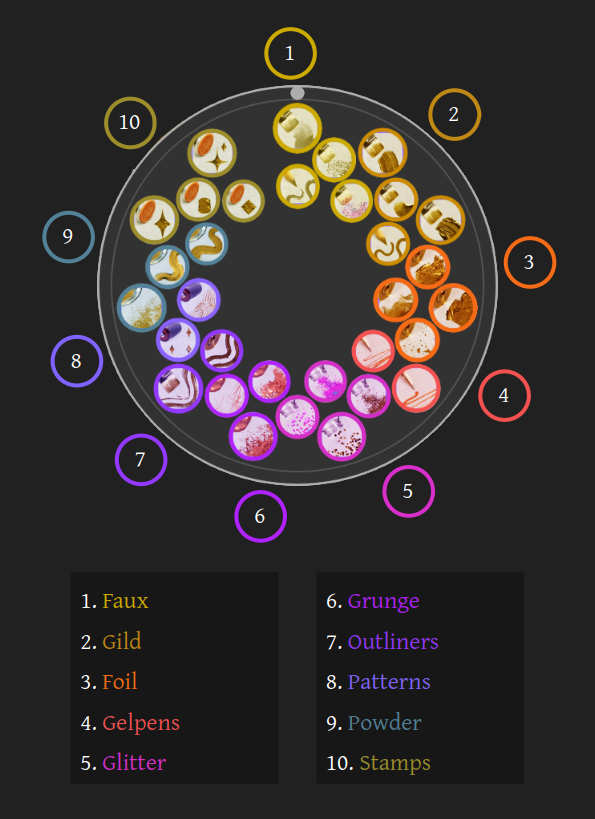
…A little bit of what each brush group can do and how to use them!
Note: this tutorial assumes you are comfortable using Krita, so it won’t cover basic or beginner info.
🔧 The Toolbox 🔧
-
Krita 5.2+ ✦ The painting software!
-
Metallics by Draneria ✦ Definitely needed for this tutorial.
🎀 Previous Tutorials 🎀
💃 Topics! (Click to Read) 💃
▫️ 1. • Faux
Grainy • ⁛ • Versatile • ⁛ • Kitsch
 Ideas
Ideas
A variety of fake-metallic brushes!
- The detailer gives hard, scratchy lines, and the glaze adds softness. You can combo them both as a mini-sketching kit.
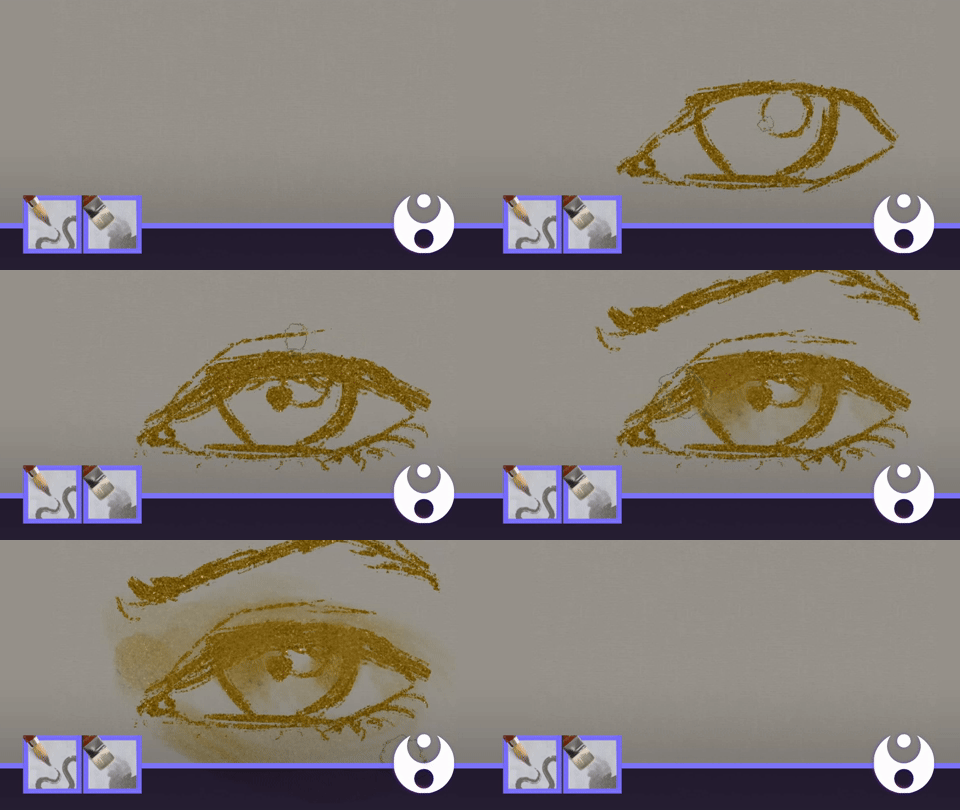
Demonstrates: Dra) Metallic: Brush - Faux, Detailer and Glaze
- Switch your layer mode to “overlay” and use them to add texture to your work!
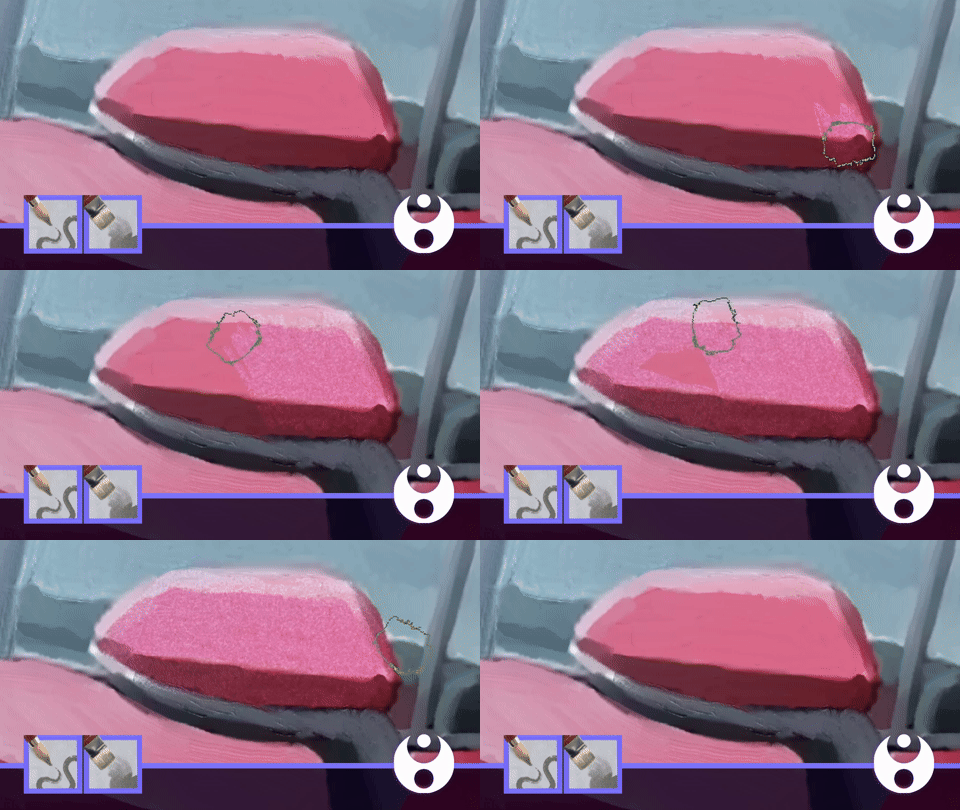
Demonstrates: Dra) Metallic: Brush - Faux, Detailer
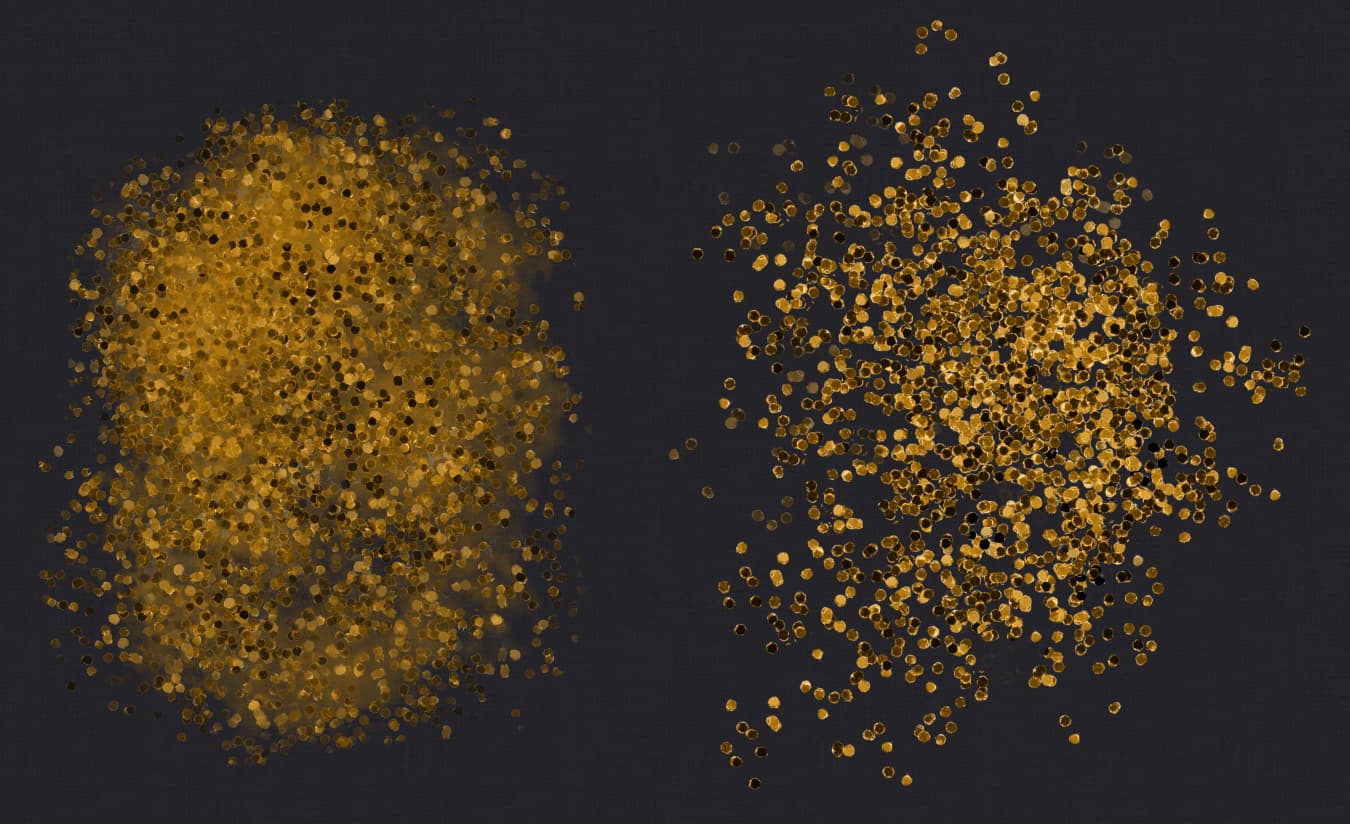
- The watery brush can be used for a glitter-based fill with a softer finish then the “spill” and “sprinkle” brushes.
Here’s a comparison:
For example, you can use it to decorate gesture or fashion sketches.
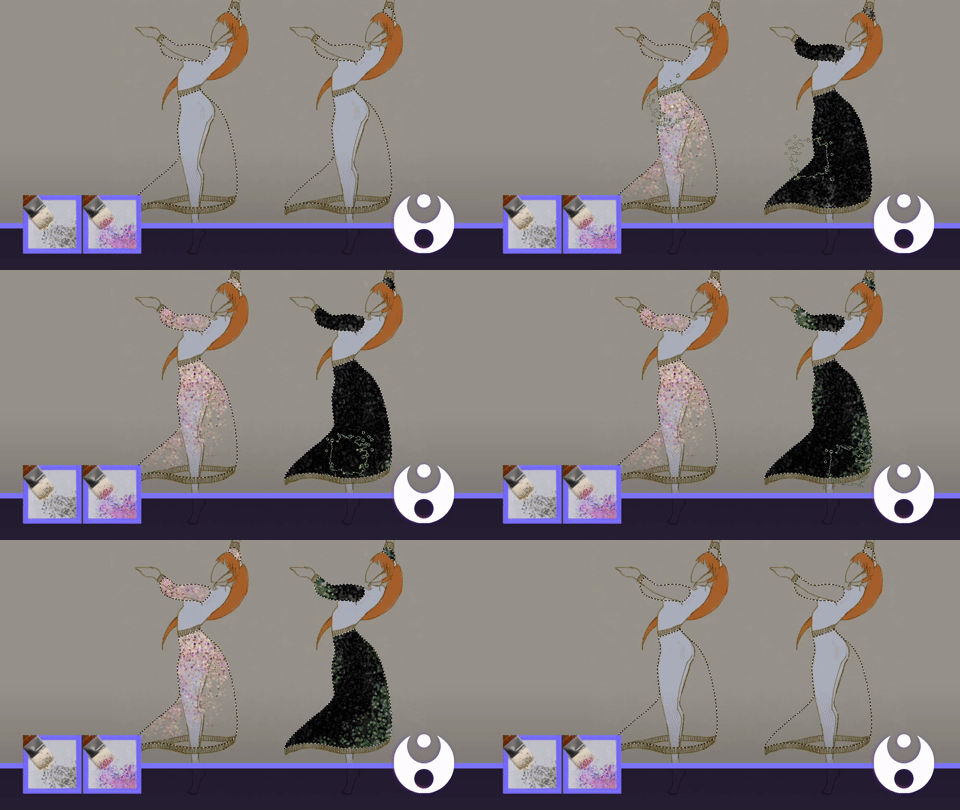
Demonstrates: Dra) Metallic; Brush - Faux, Watery
🔸 2. Gild
Glamorous • ⁛ • Impasto • ⁛ • Silky
High-quality modern paint aesthetics to have fun with 
Ideas
- One option is to combine the metal effect with “normal” brushes to add material variety.
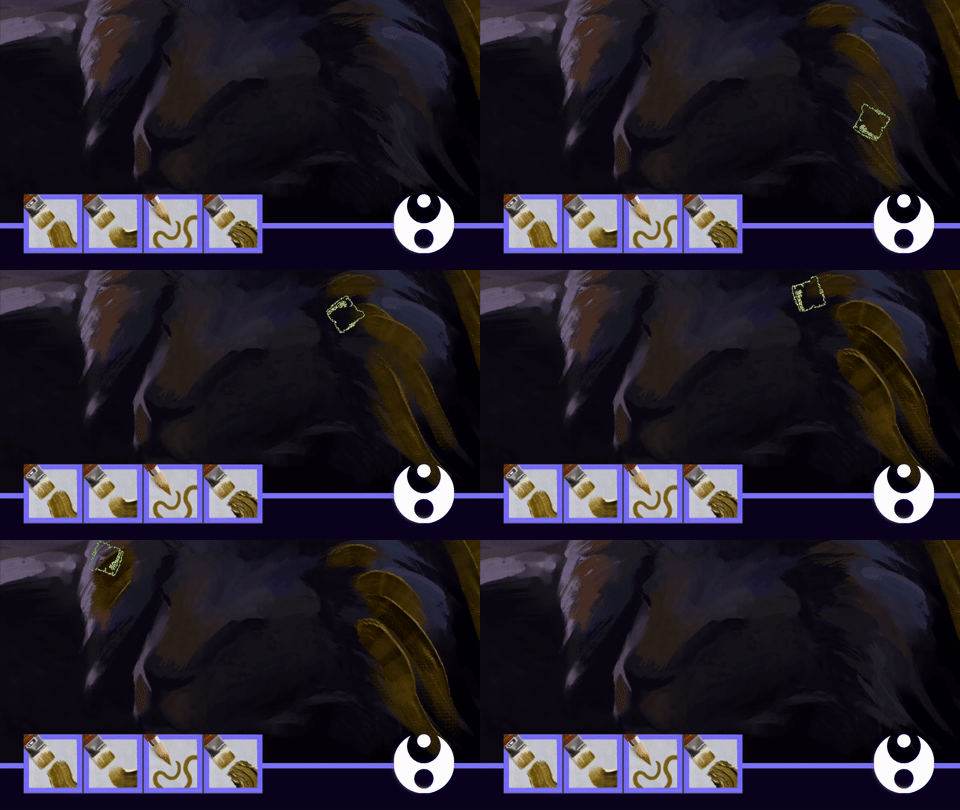
Demonstrates: Dra) Metallic; Brush - Gild, Canvas
- Even though they were inspired by medieval gilding, you can paint sci-fi (or anything) and use unconventional metallic tones too.
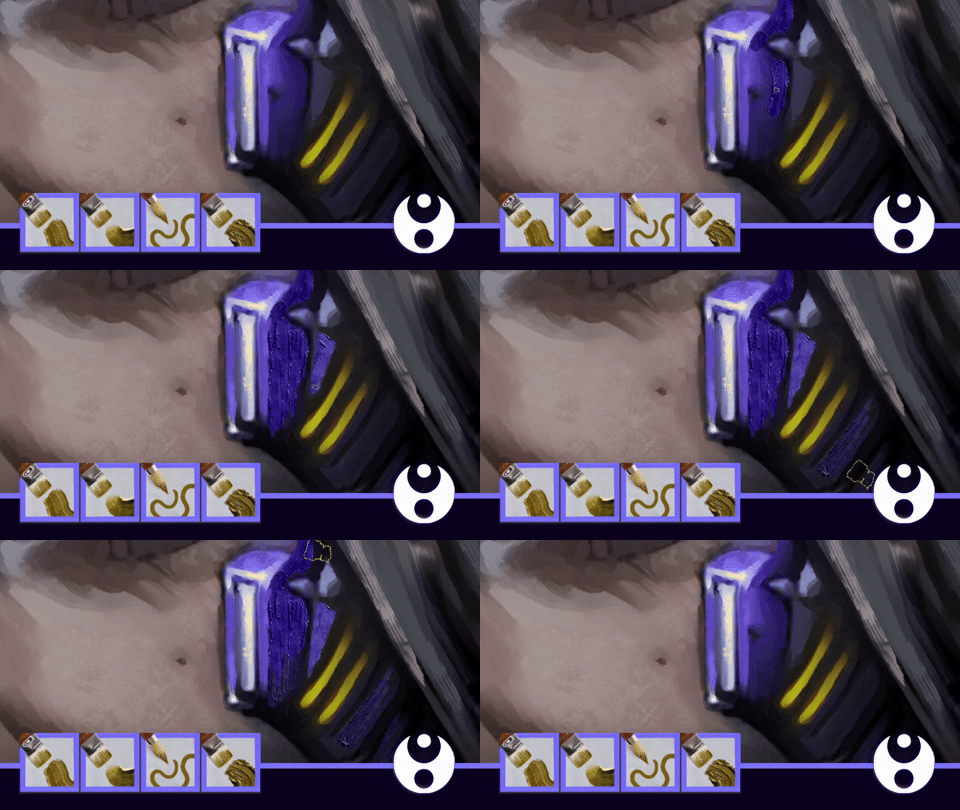
Demonstrates: Dra) Metallic; Brush - Gild, Lumpy
- Also you can make interesting metallic assets for use in posters, illustrations, overlays and so on!
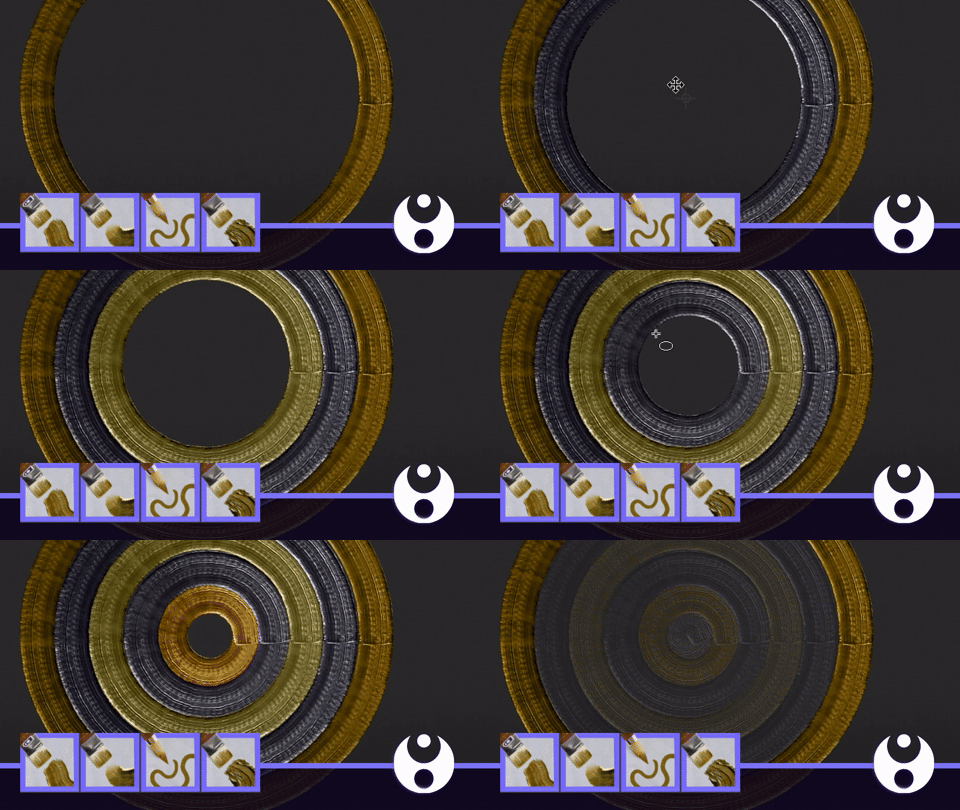
Demonstrates: Dra) Metallic; Brush - Gild, Basic
▪️ 3. • Foil
Shiny • ⁛ • Fill • ⁛ • Weathered
For all your gold-leaf needs \╭◜◝ ᵕ ◜◝╮/
Ideas
- You can switch on “wrap around mode” and hold down or dab your mouse to generate fast, seamless metallic textures.
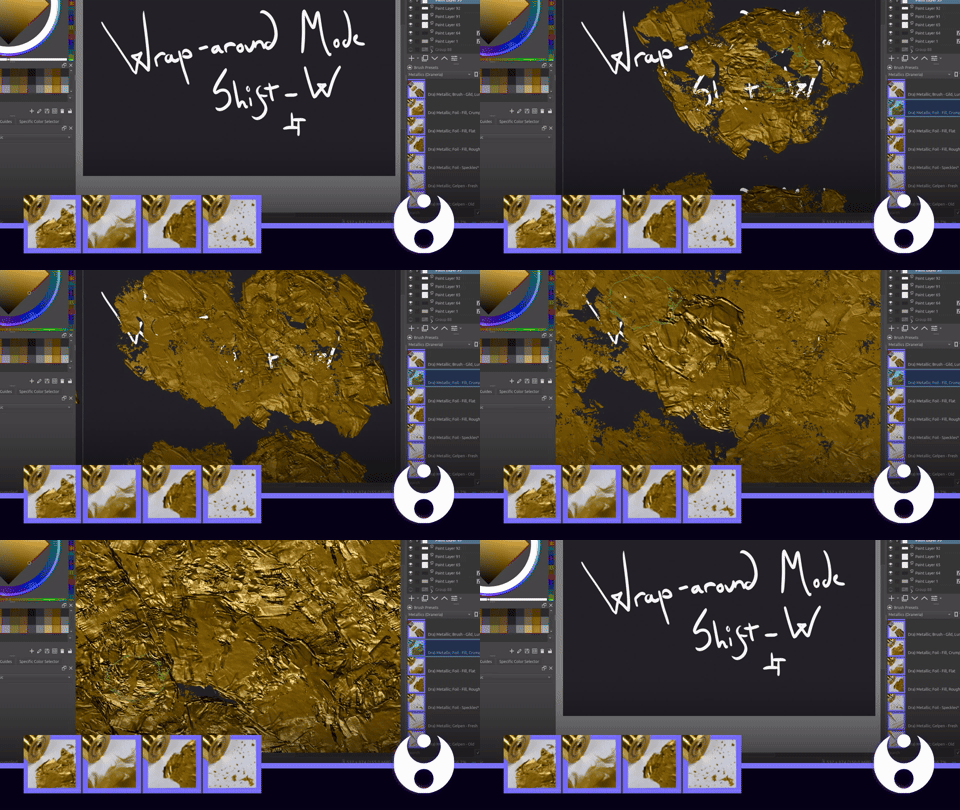
Demonstrates: Dra) Metallic: Foil - Fill, Crumpled
Seamless textures can be made with all the brushes by the way, not just foil!
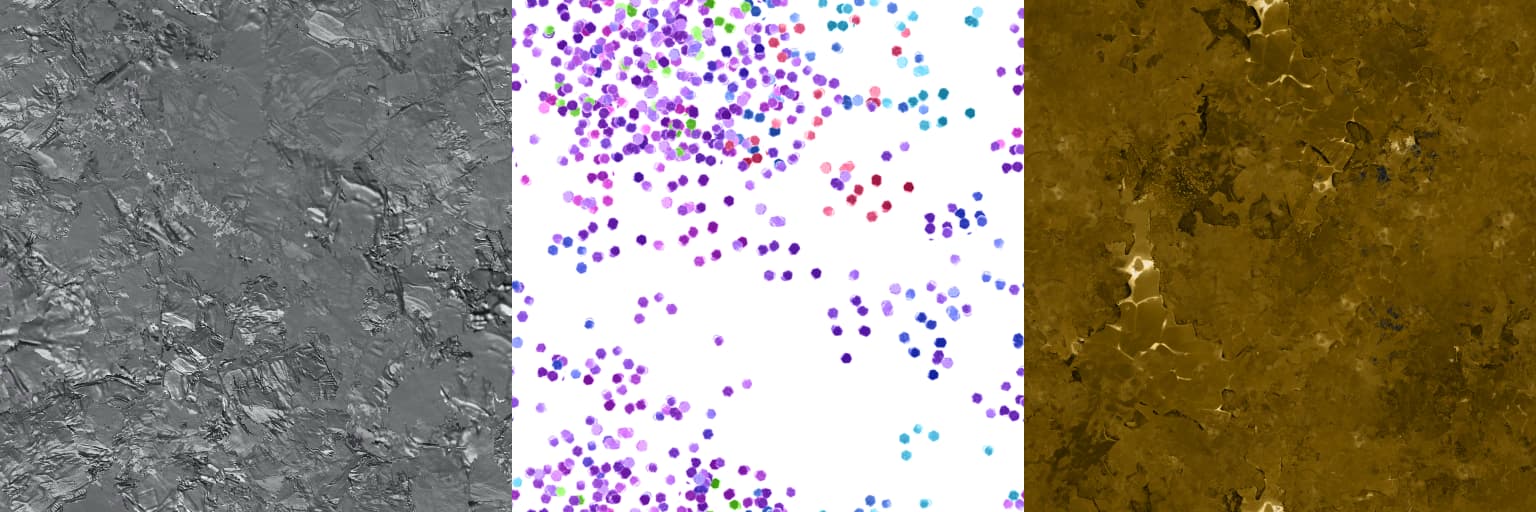
- Like the “gild” brushes, you can also paint with foil, especially paired with rough textures.
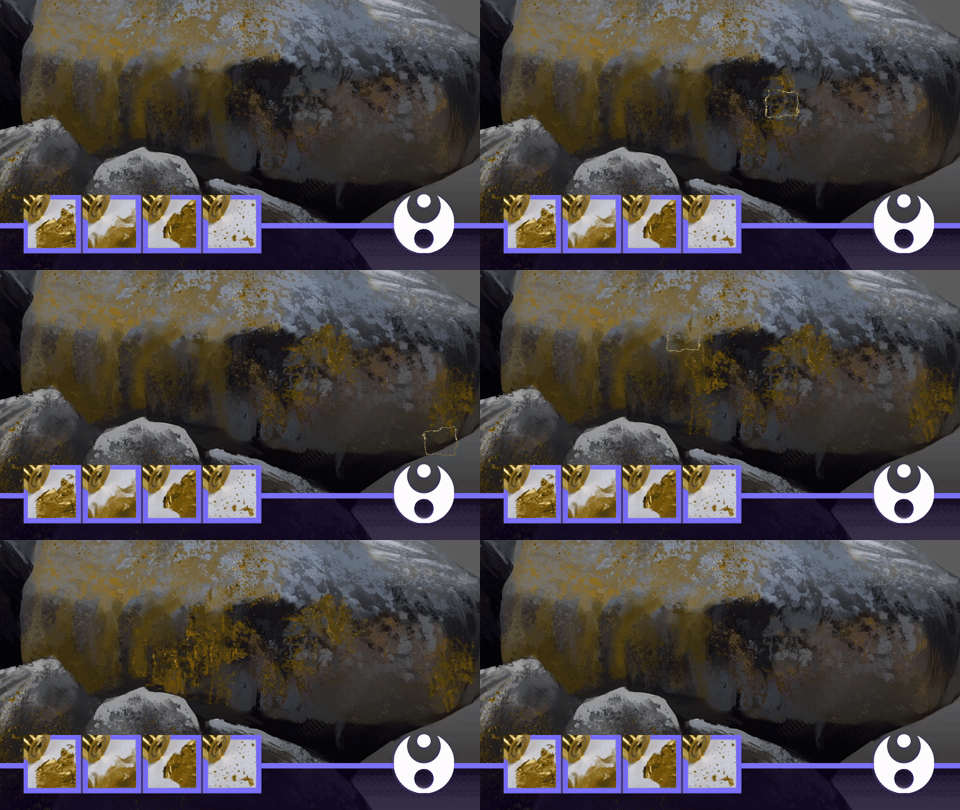
Demonstrates: Dra) Metallic: Foil - Fill, Rough
▫️ 4. Gelpens
Playful • ⁛ • Sketchy • ⁛ • Sparkles
Can’t have a metallics set without these bad boys!
Ideas
- Gelpens are naturally good for drawing (ノ◕ヮ◕)ノ*:・゚
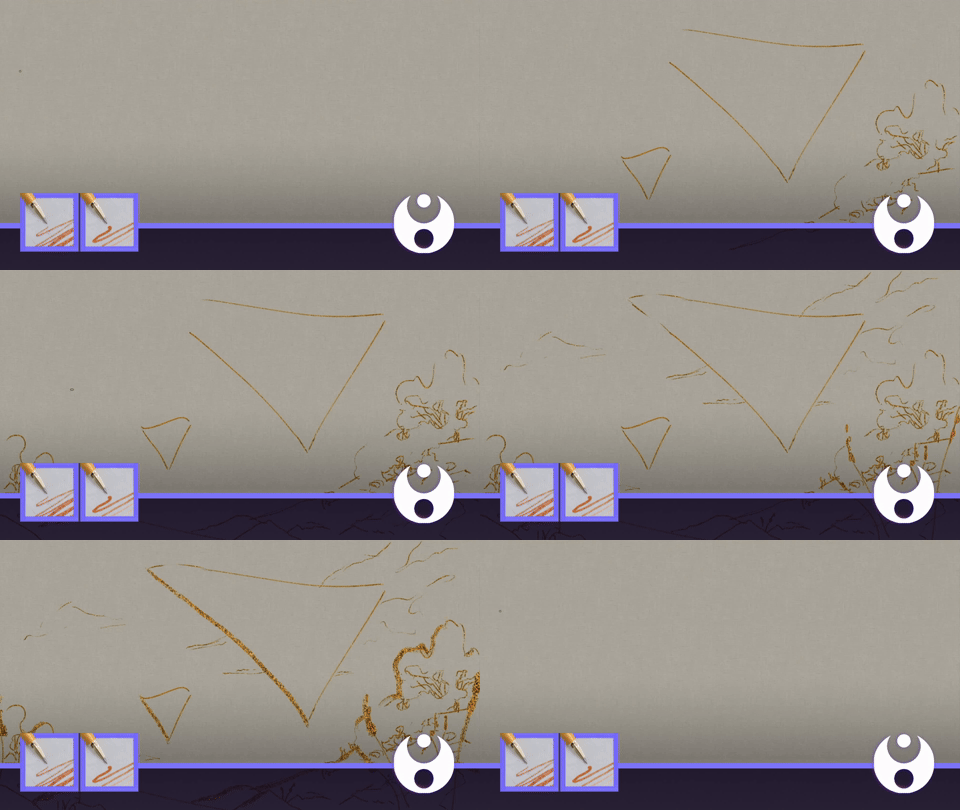
- The size can also be altered for different aesthetics.
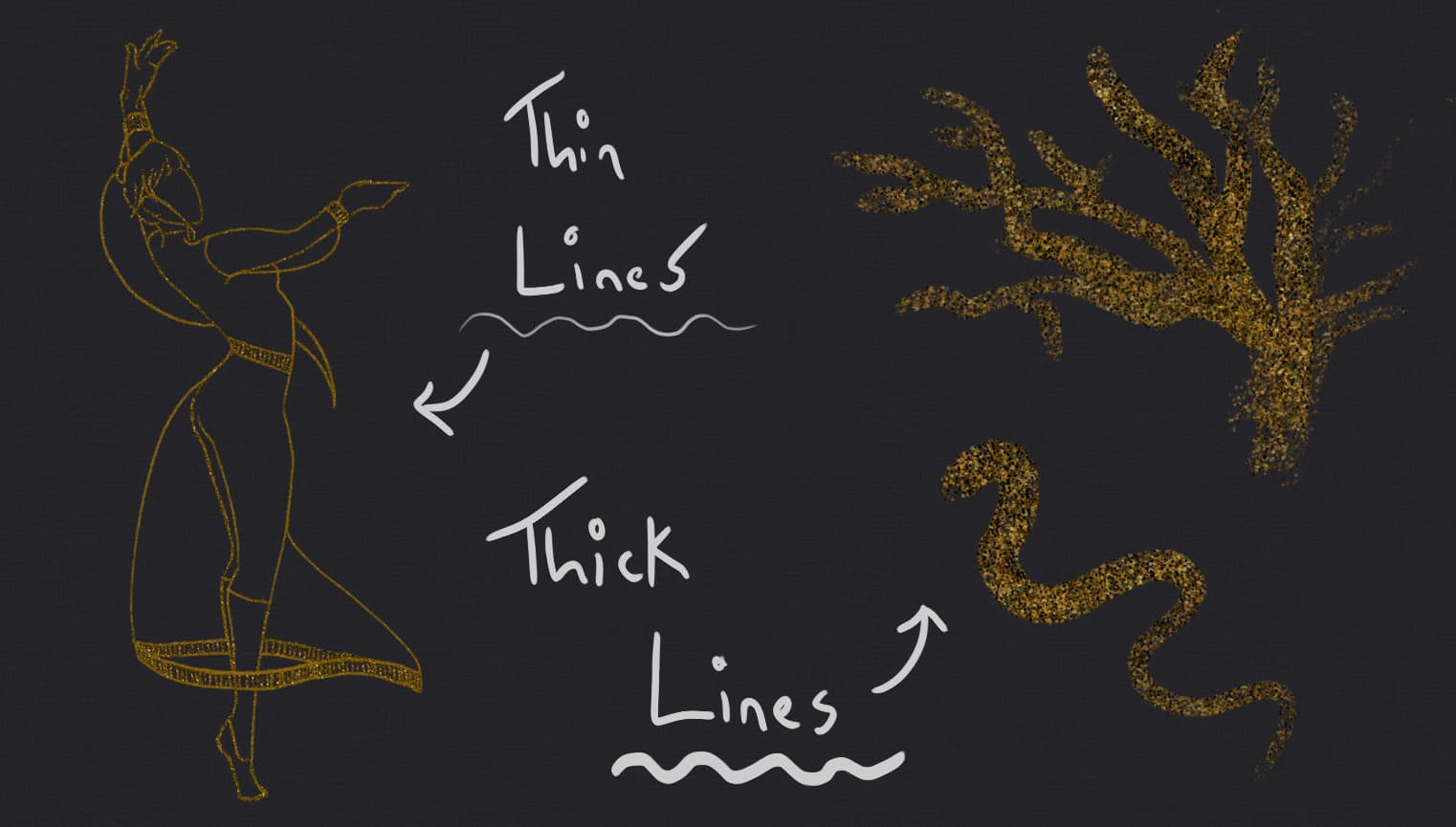
If you want to see a talented artist use these gelpens, have a look at this sketch by AuraPodlunnitsa!
🔸 5. • Glitter
Messy • ⁛ • Fun • ⁛ • Noisy
Bringing a kindergarten classroom to your digital canvas.
Ideas
- You can use glitter as a fill for vector shapes, such as text.
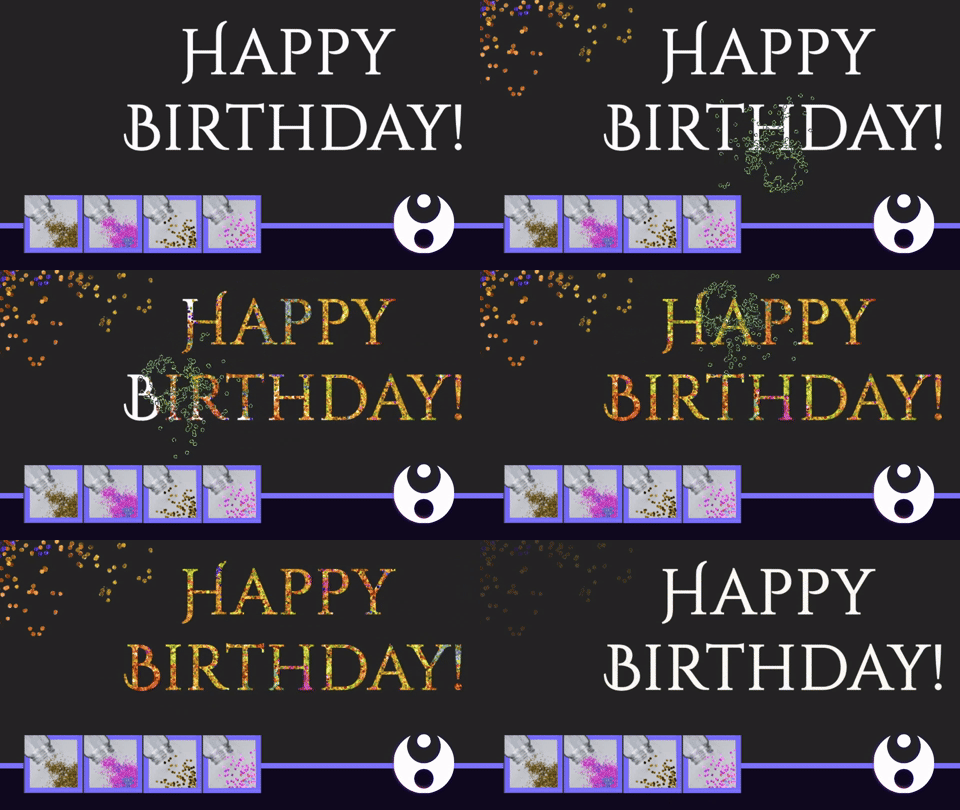
Demonstrates: Dra) Metallic; Glitter - Sprinkles (Colourful)
- Using your transform tool, you can switch to perspective mode to add glitter into the scene as a 3D object!
(This image was provided by Steve.Improvethis - Thank you!)
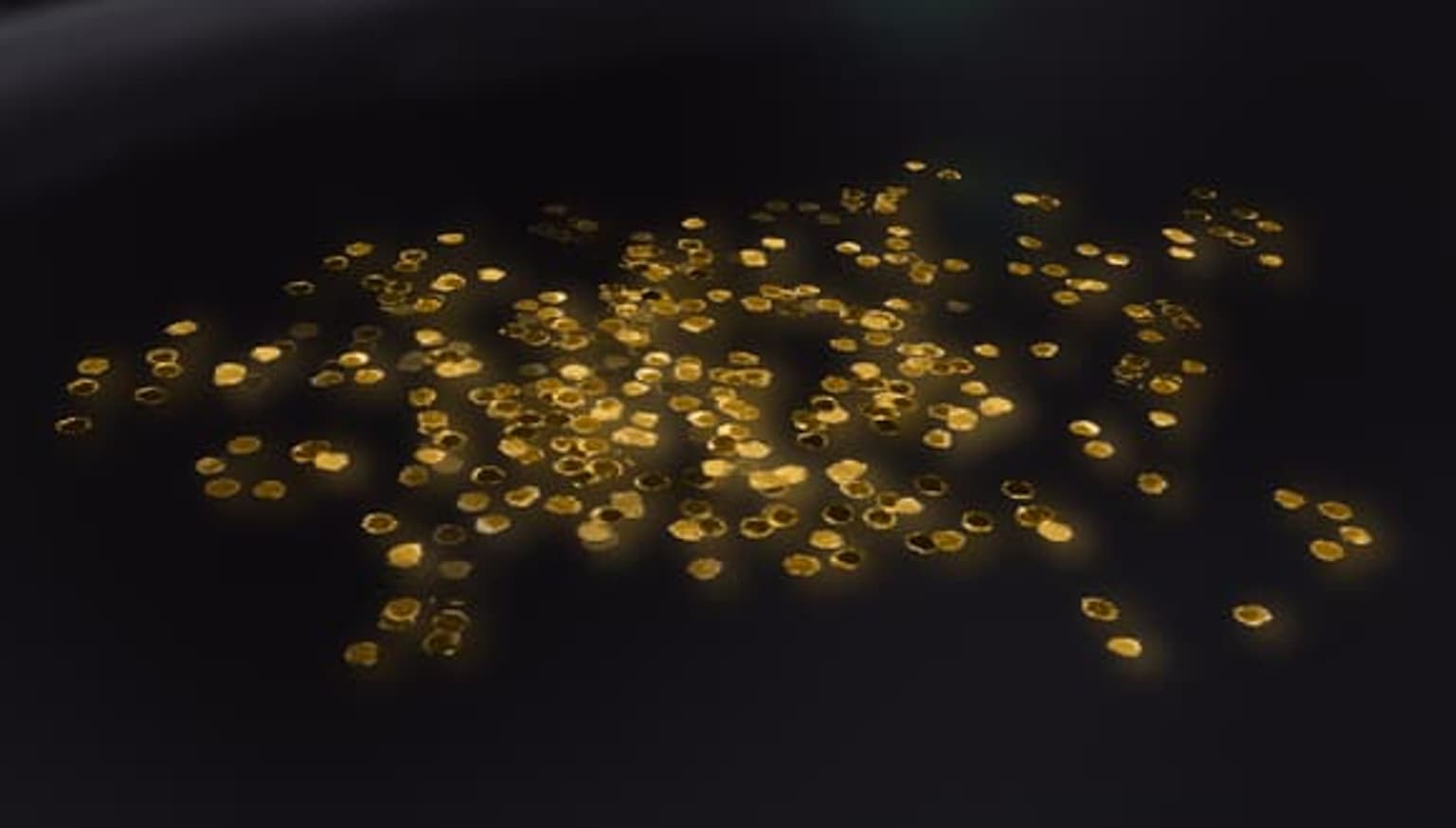
Demonstrates: Dra) Metallic; Glitter - Sprinkles
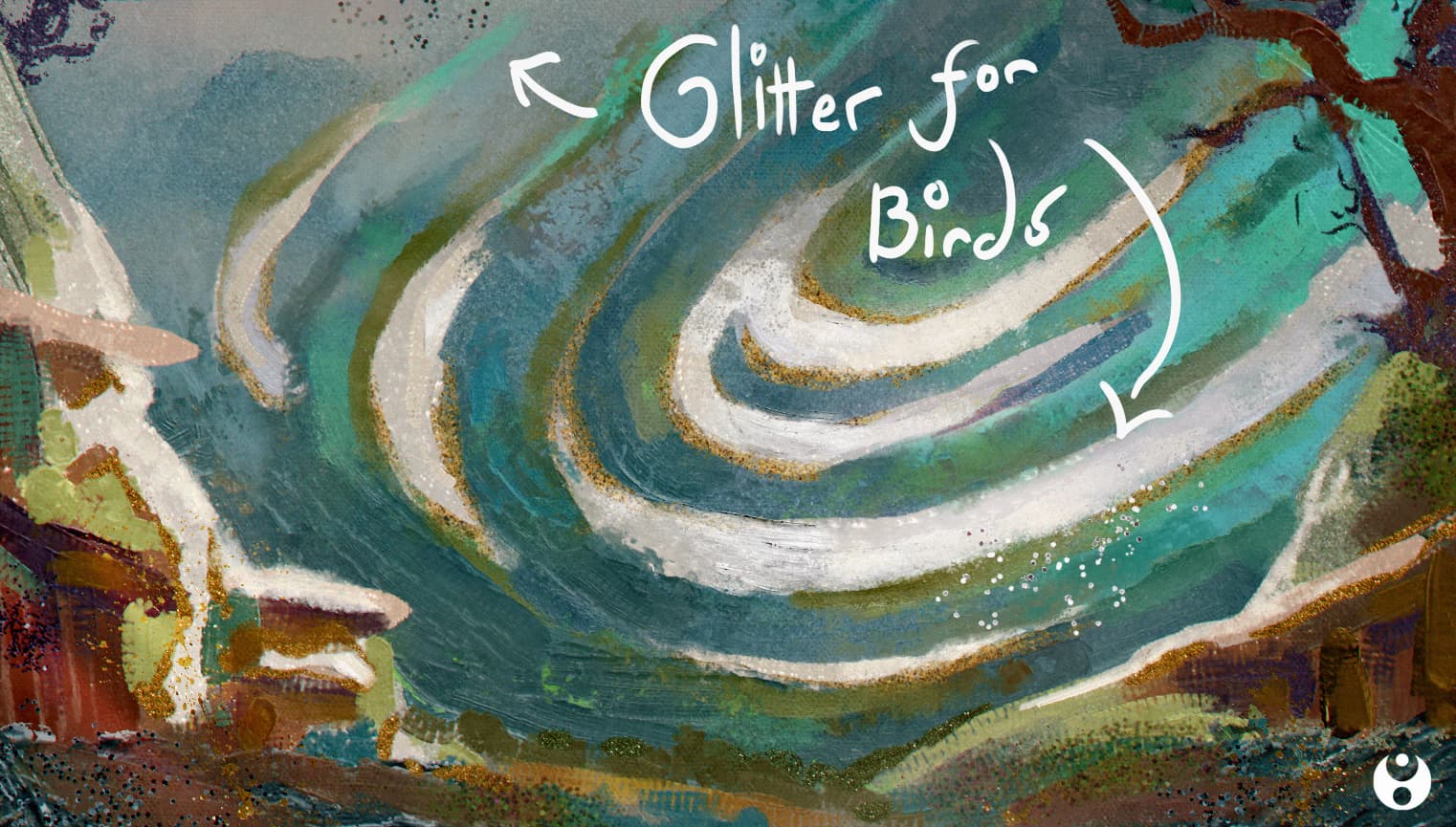
- You can also use glitter as a type of traditional medium when you need dots and speckles e.g. stars, or birds - as can be seen below:
▪️ 6. Grunge
Realism • ⁛ • Lush • ⁛ • Aged
Proper metal textures, made especially for our concept artists 
Ideas
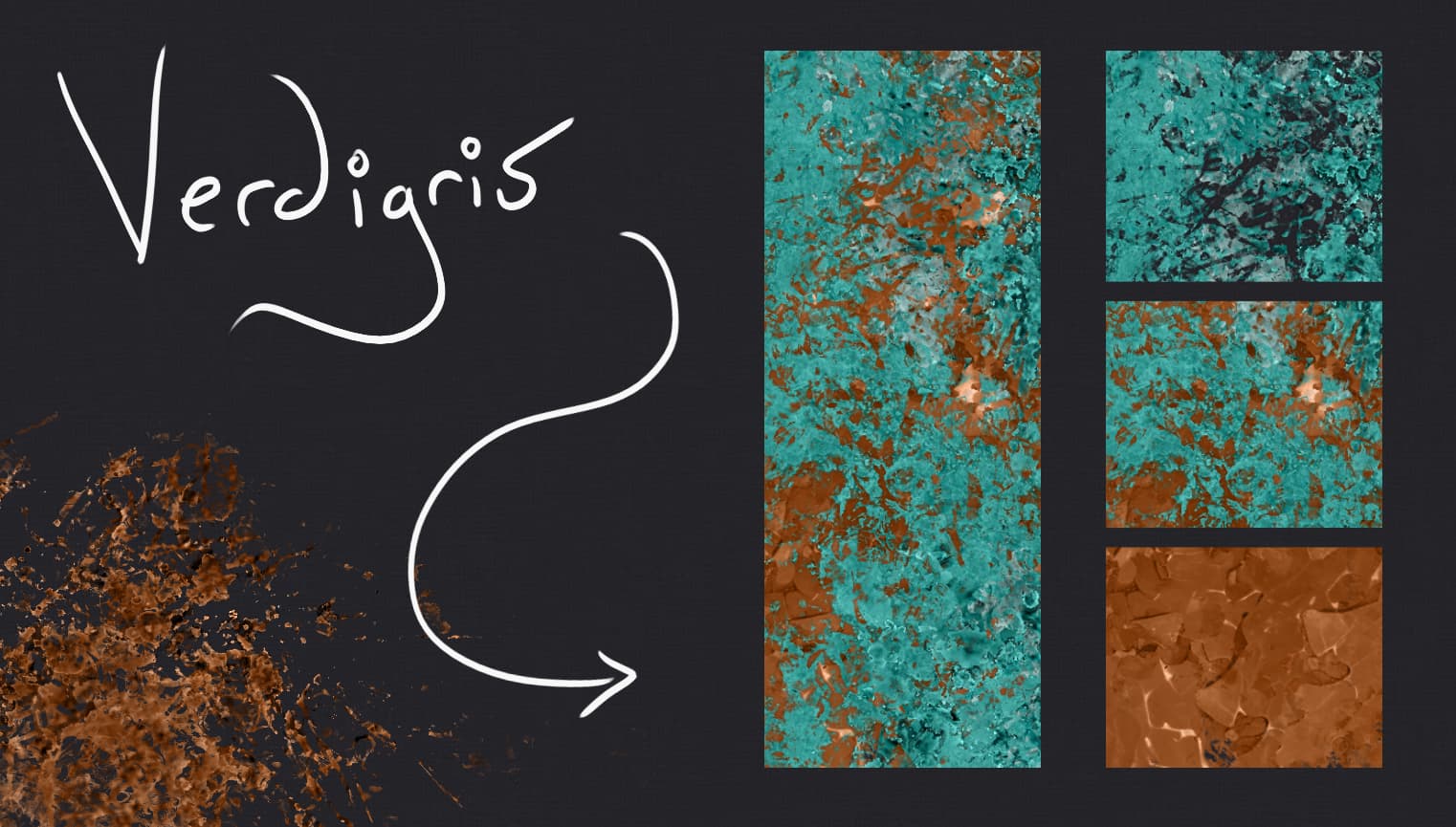
- You can combine brushes to make new metallic materials, such as copper verdigris.
- Like with the “Faux” brushes, you can switch your layer to “overlay” for texture.
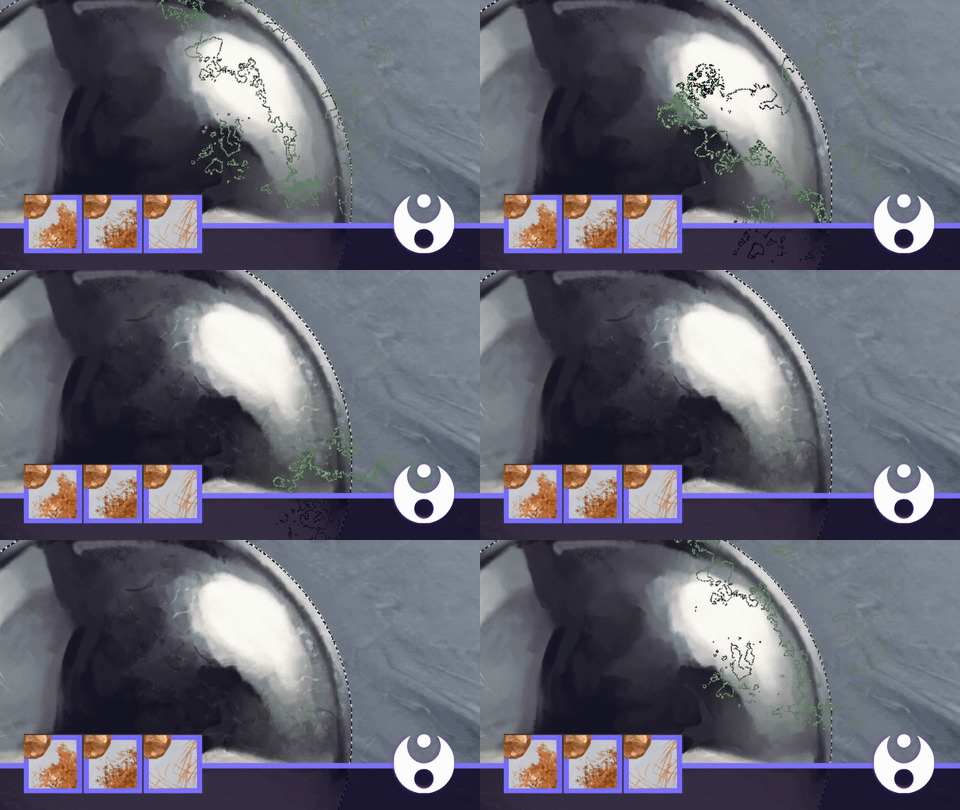
Demonstrates: Dra) Metallic: Grunge - Hammered
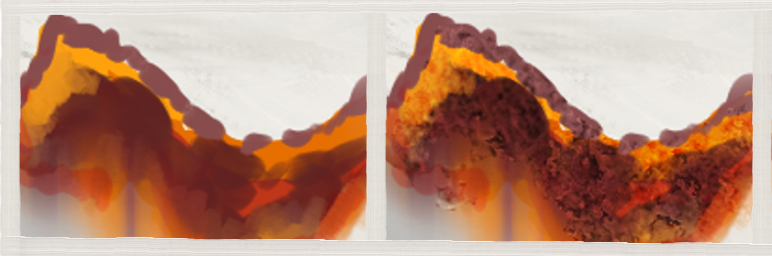
The rust brush can be used similarly:
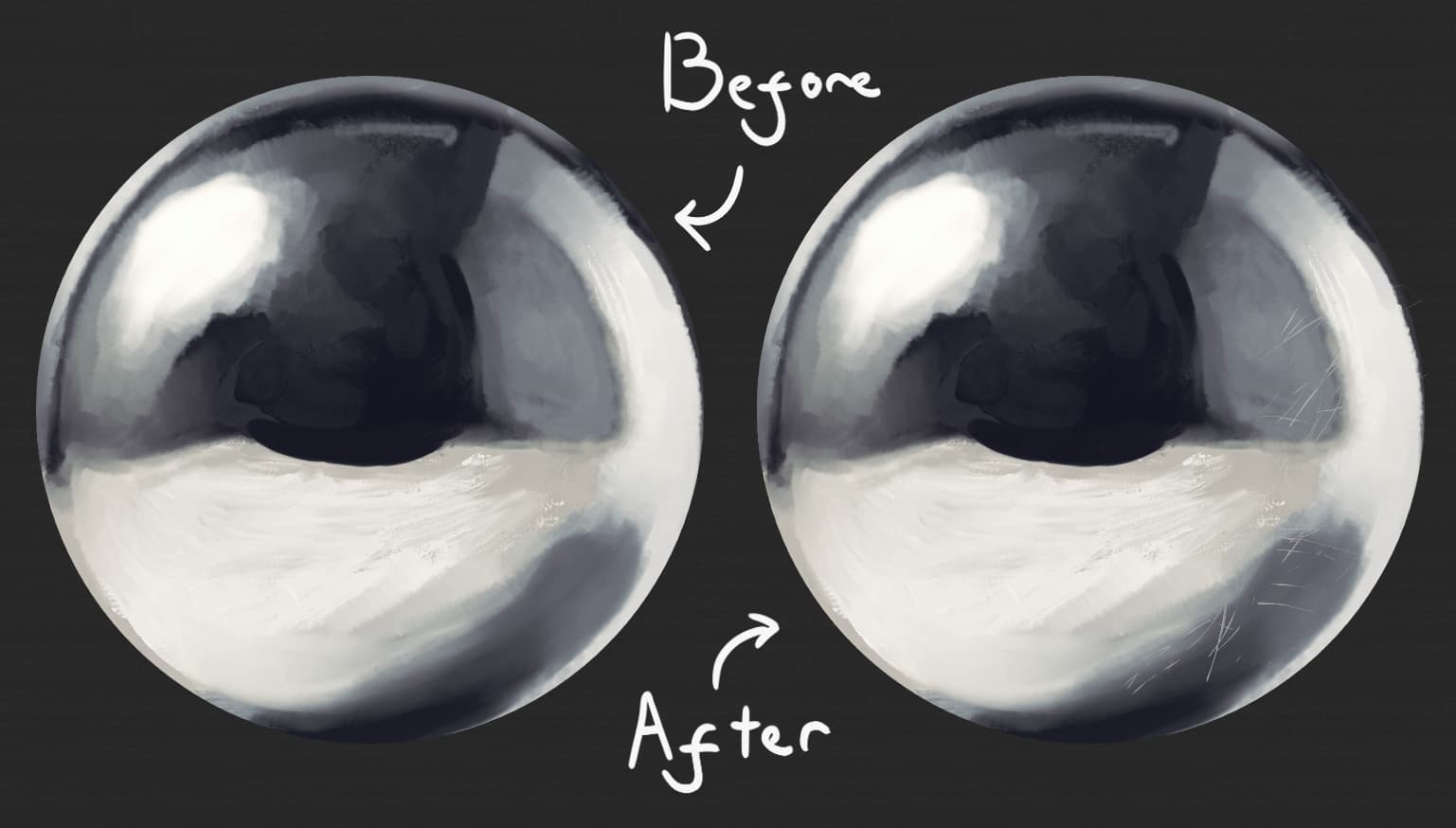
- The “scratches” brush can be used directly ontop of metal, no need for “overlay” mode.
▫️ 7. • Outliners
Specialised • ⁛ • Utility • ⁛ • Glossy
I use these more often then I thought I would tbh
Ideas
- You can use these brushes to turn your art into illustrative pieces by adding borders.
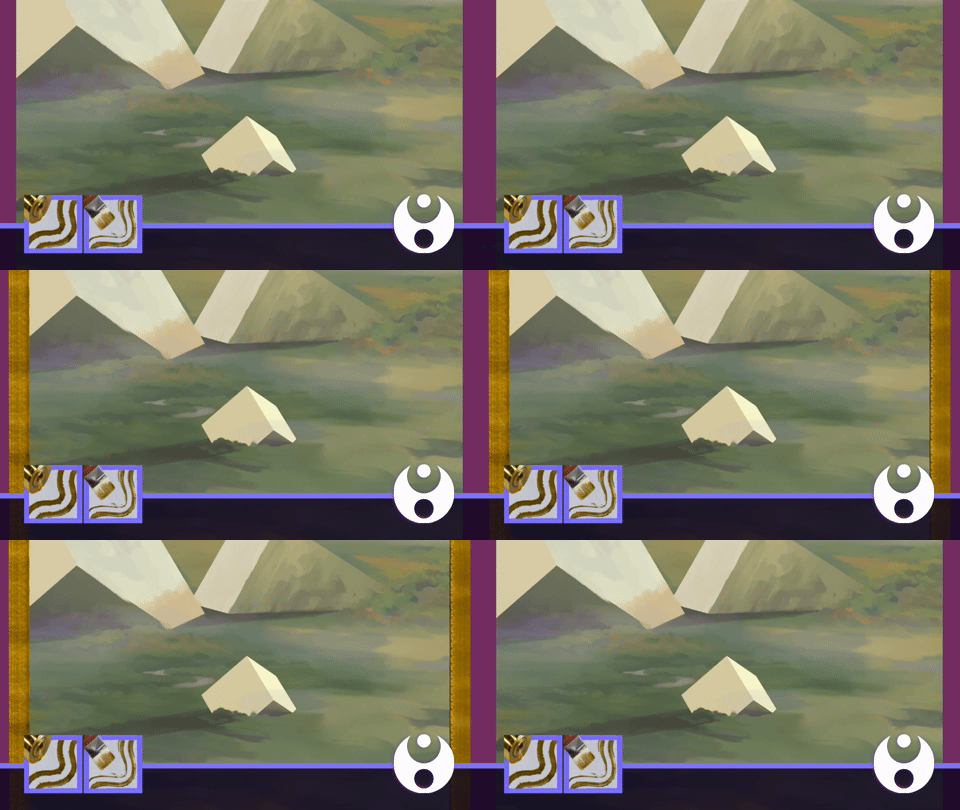
Demonstrates: Dra) Metallic; Outliner - Foil
- Also, they can be used to upgrade backgrounds and embellish finished studies!
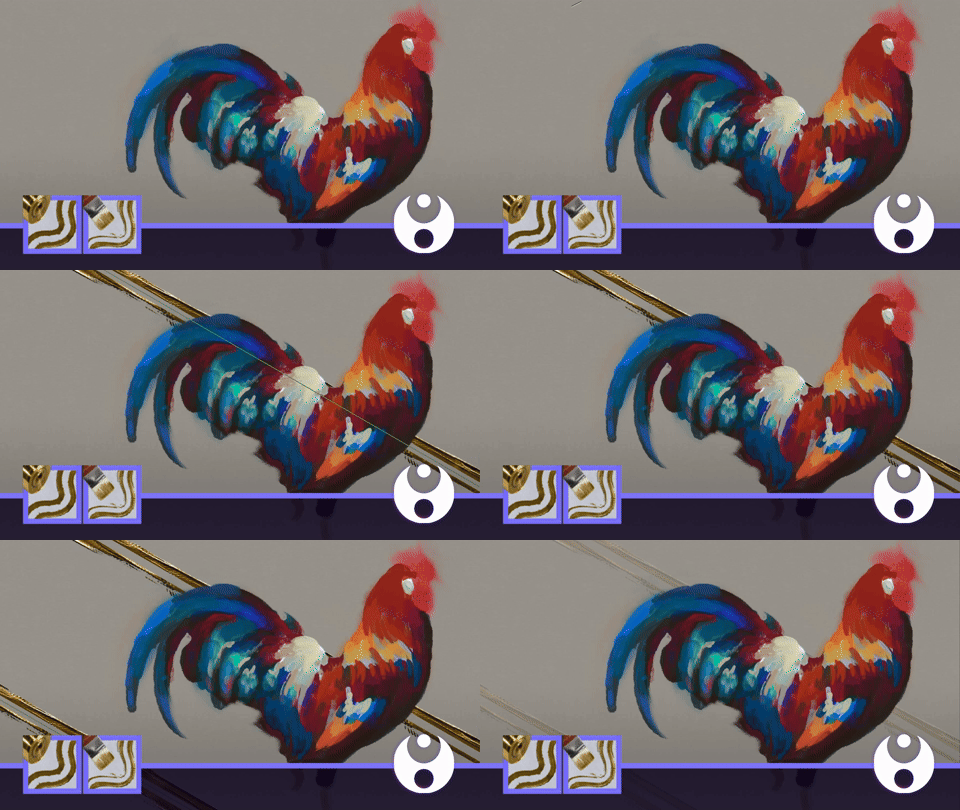
Demonstrates: Dra) Metallic; Outliner - Brush
🔸 8. Patterns
Foil • ⁛ • Handmade • ⁛ • Deco
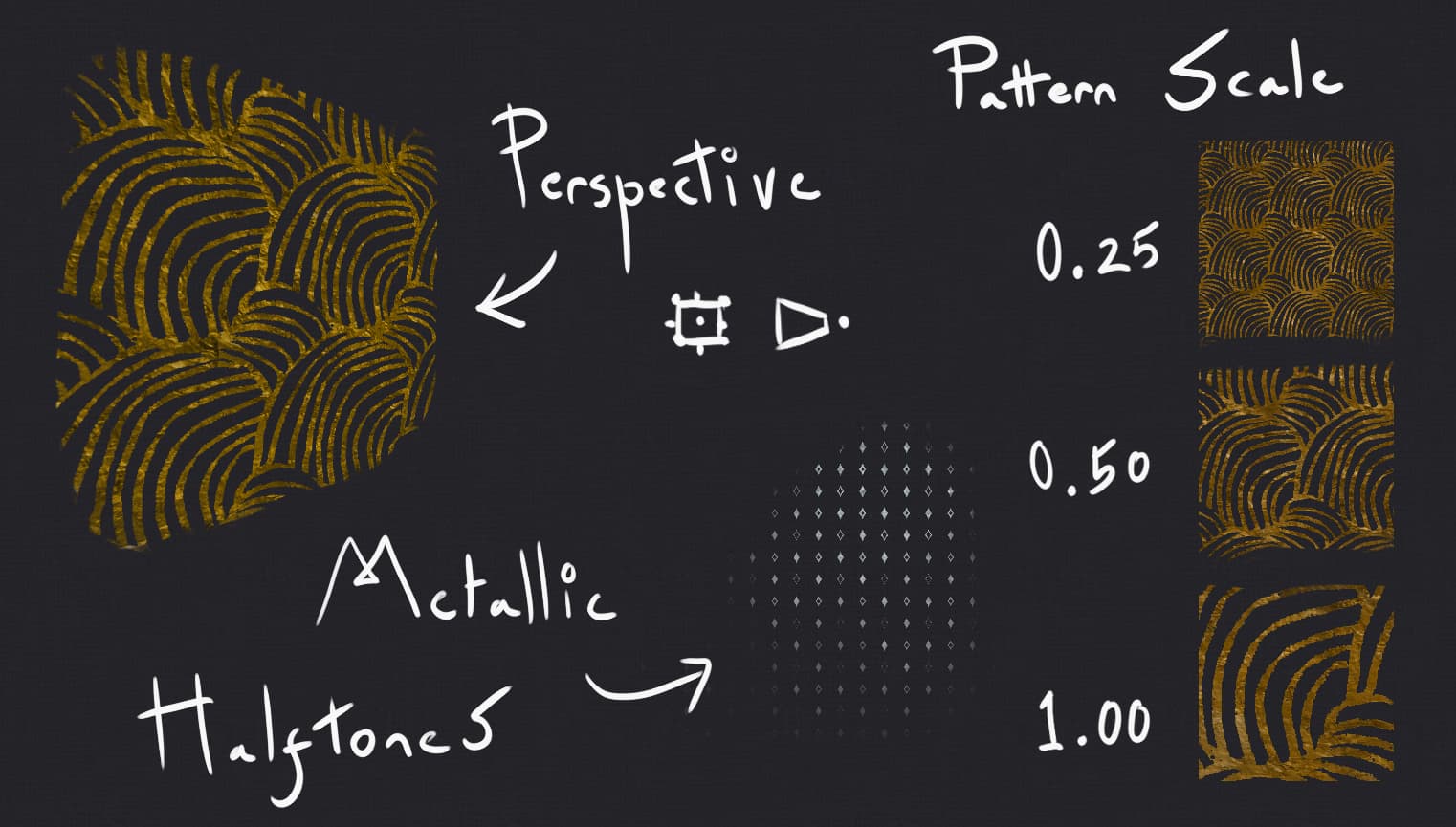
A go to resource if you like to add flat designs to your work. For example, I noticed this is how clothes are done in Ukiyo-e art - the waves were also inspired by that movement.
Ideas
- You can adjust the pattern size in the “brush settings” to make halftones and other results.
- Also, you can use the “perspective mode” in the transform tool to plaster it onto walls and floors.
- The pattern brushes can also be used to make pretty designs

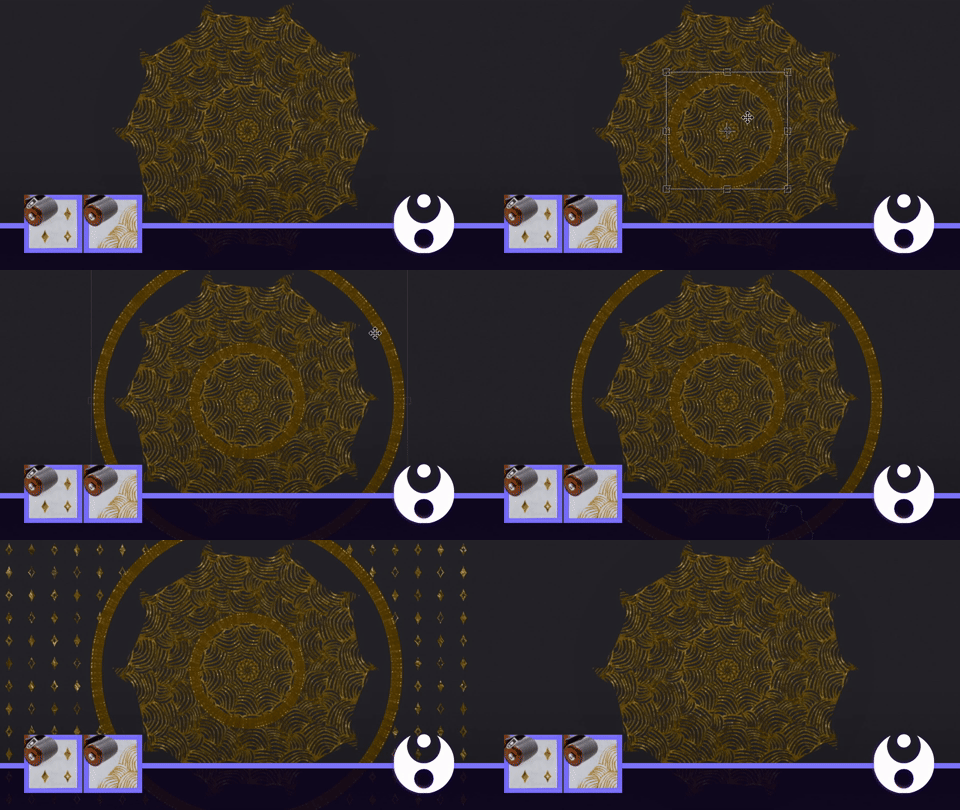
Demonstrates: Dra) Metallic; Pattern - Waves and Diamonds | Dra) Metallic; Brush - Gild, Detailer
(By the way, the circle in the gif above was made with the “kaleidoscope (symmetry)” G’MIC filter.)
▪️ 9. • Powder
Shimmer • ⁛ • Paints • ⁛ • Velvety
These are a lot like the gild/faux brushes! However, they are “made” from fine metal flakes, rather then just emulating high or low-quality paint.
Ideas
- Therefore, they make good metallic paint textures for collage-style illustrations.
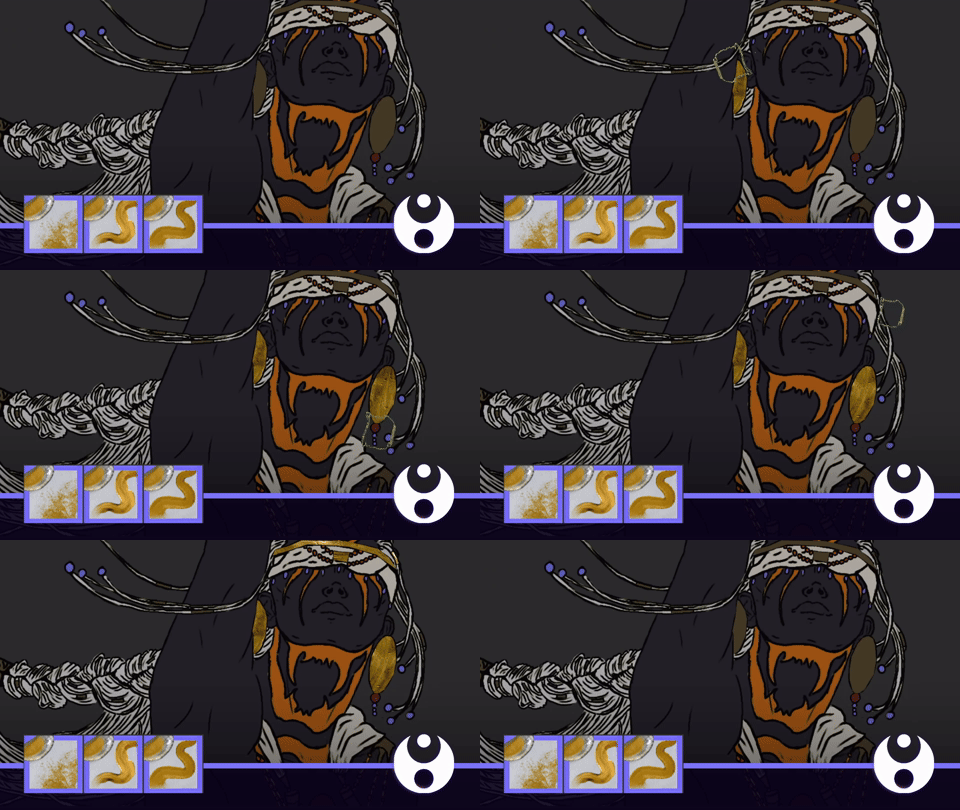
Demonstrates: Dra) Metallic; Powder - Shell, Precise
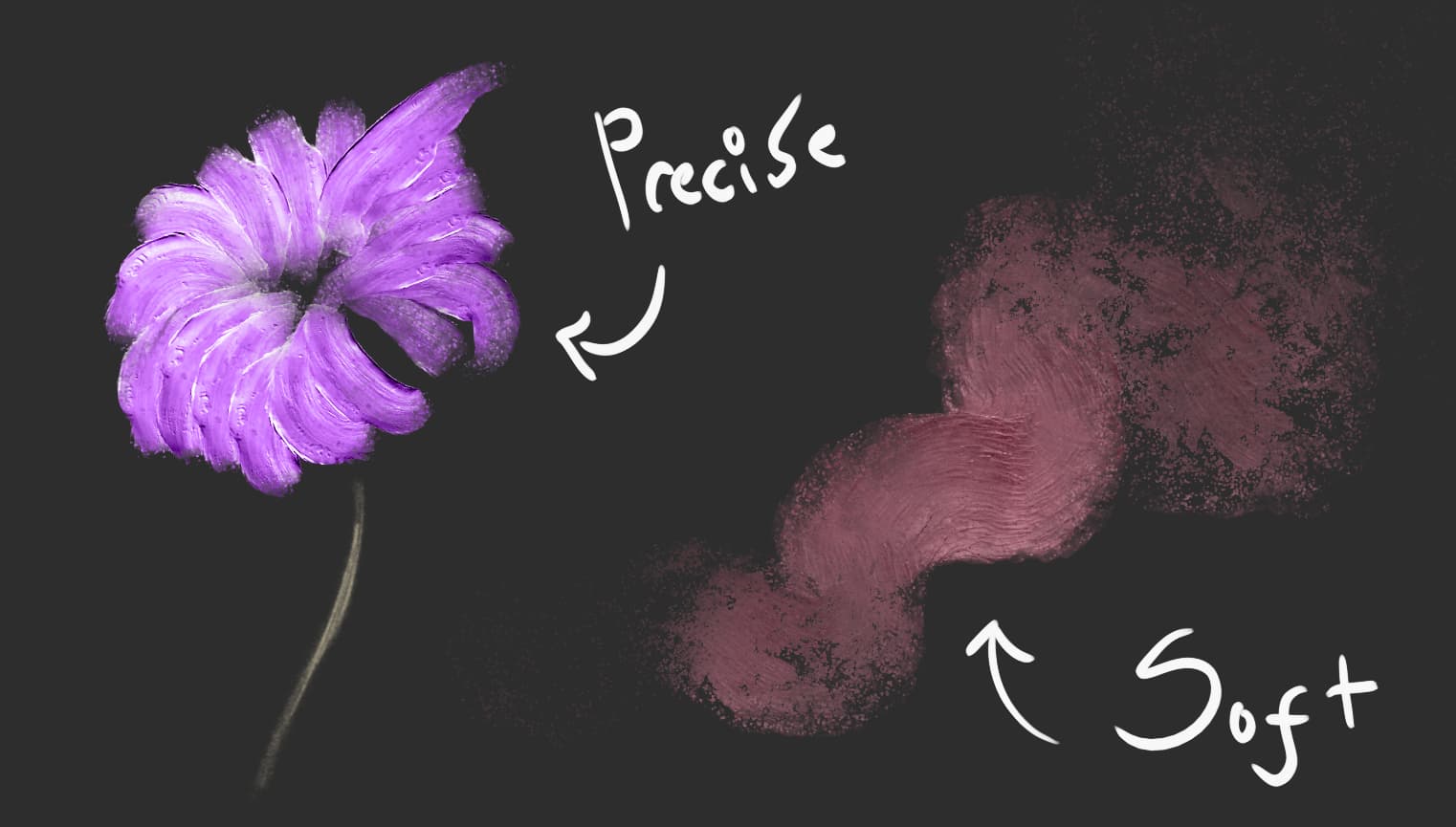
- You can also paint with them, and you aren’t limited to “traditional” metallic colours either btw
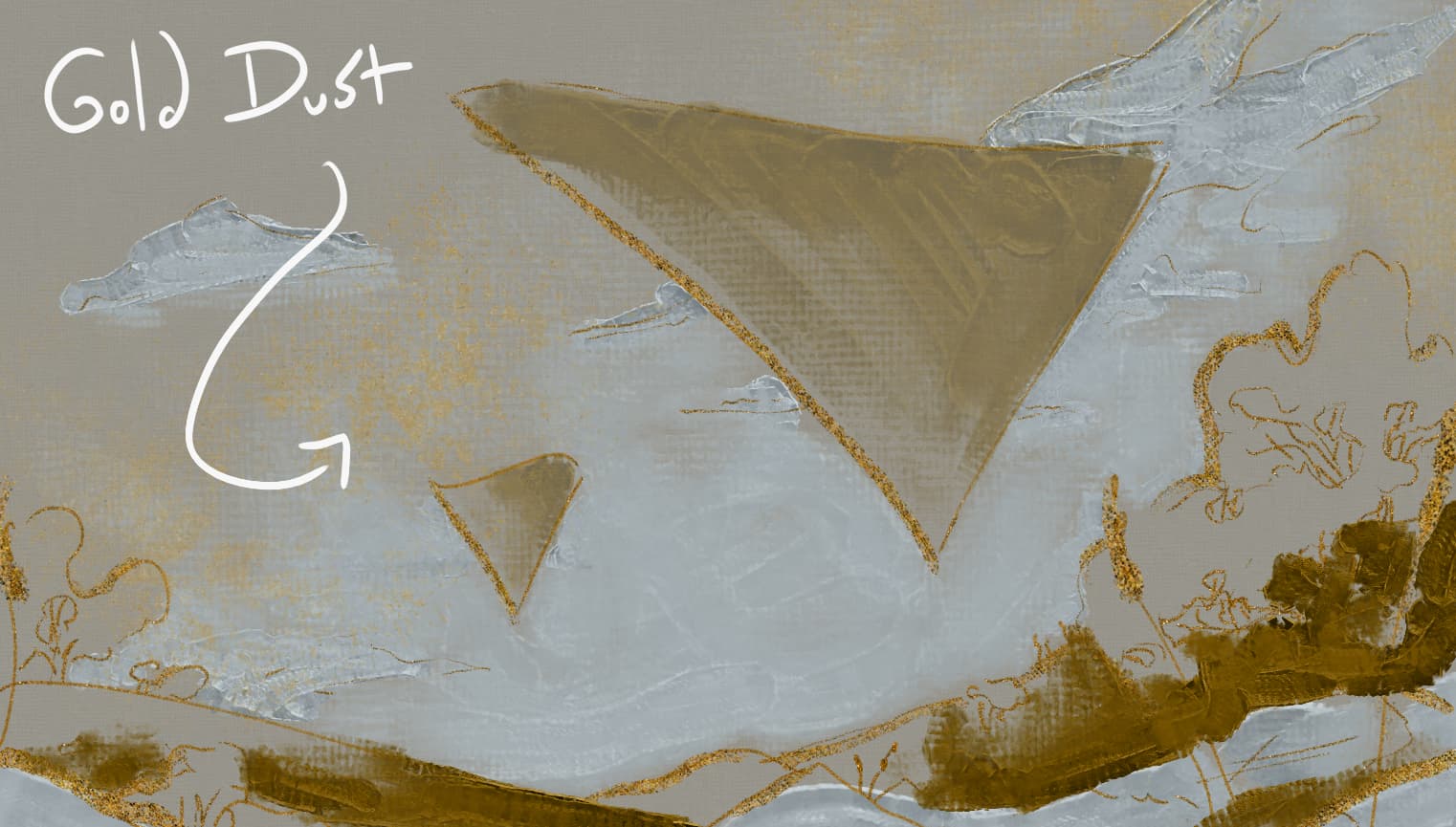
- The dust powder is pretty specialised, but it’s good for very gentle effects. It’s hard to spot but in the image below I used it to enhance the cold-toned clouds by surrounding them with warmer hues of gold.
▫️ 10. Stamps
Minimalist • ⁛ • Lustrous • ⁛ • Symbolism
Honestly, half the reason I made this bundle was so I just so I could add tarot style metallic effects to my art xD and thus the stamp brushes were born 
Ideas
-
I’m fond of the star one, and I used it to make a seamless background you can see live on the bundles own Itch.io Page!
-
Like with the outliner brushes, you can enhance your art with illustrative effects.
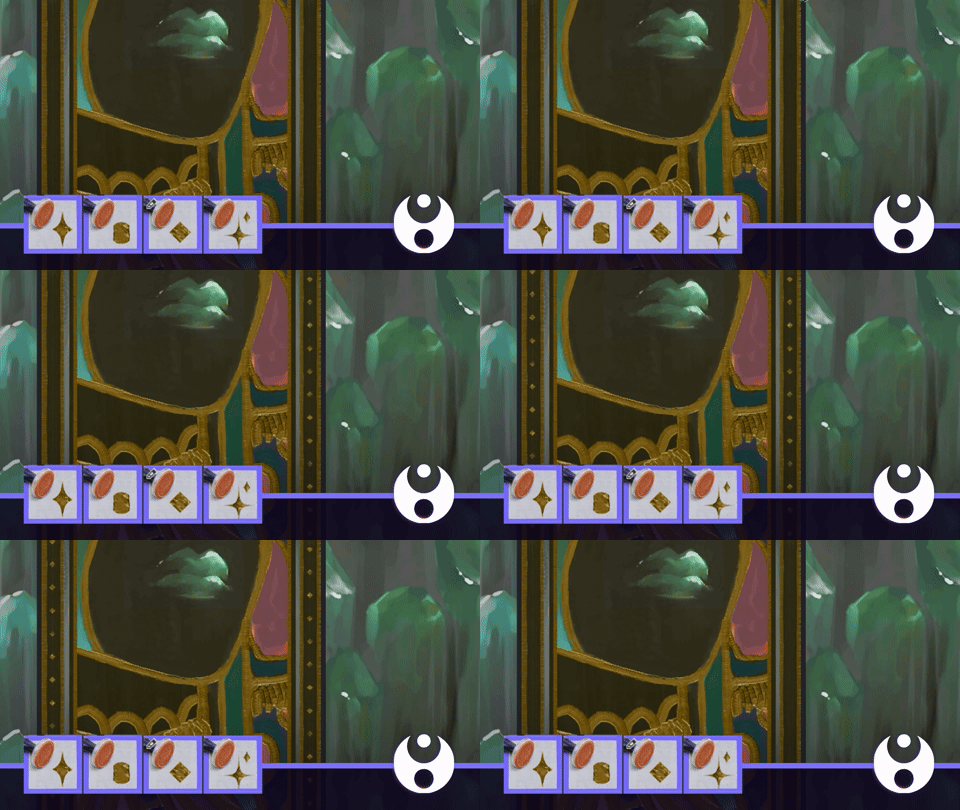
Demonstrates: Dra) Metallic: Stamp - Diamonds
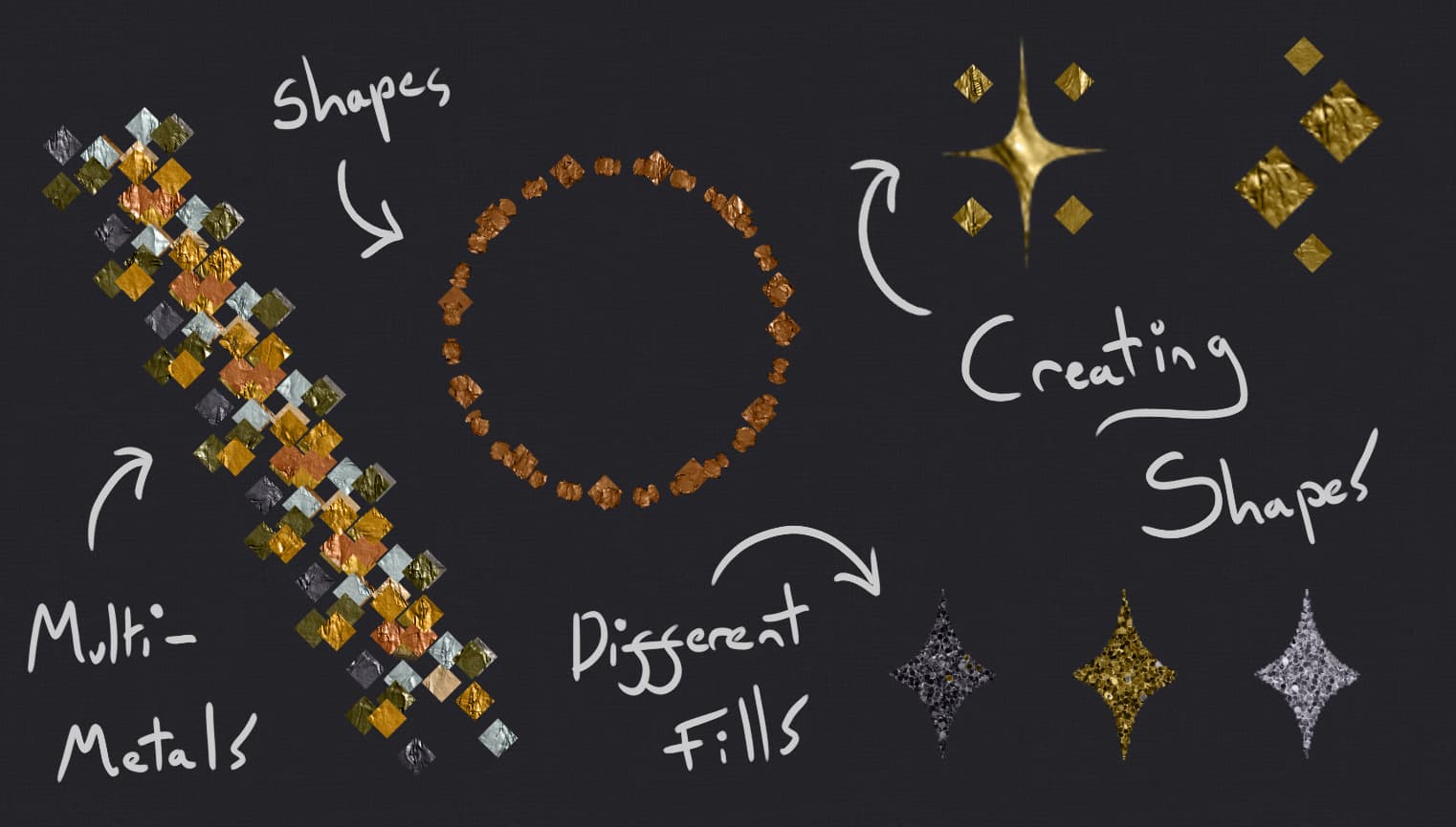
- You can also use vector shapes or combine them, mix metals, and even replace the fill with something different (like glitter)!
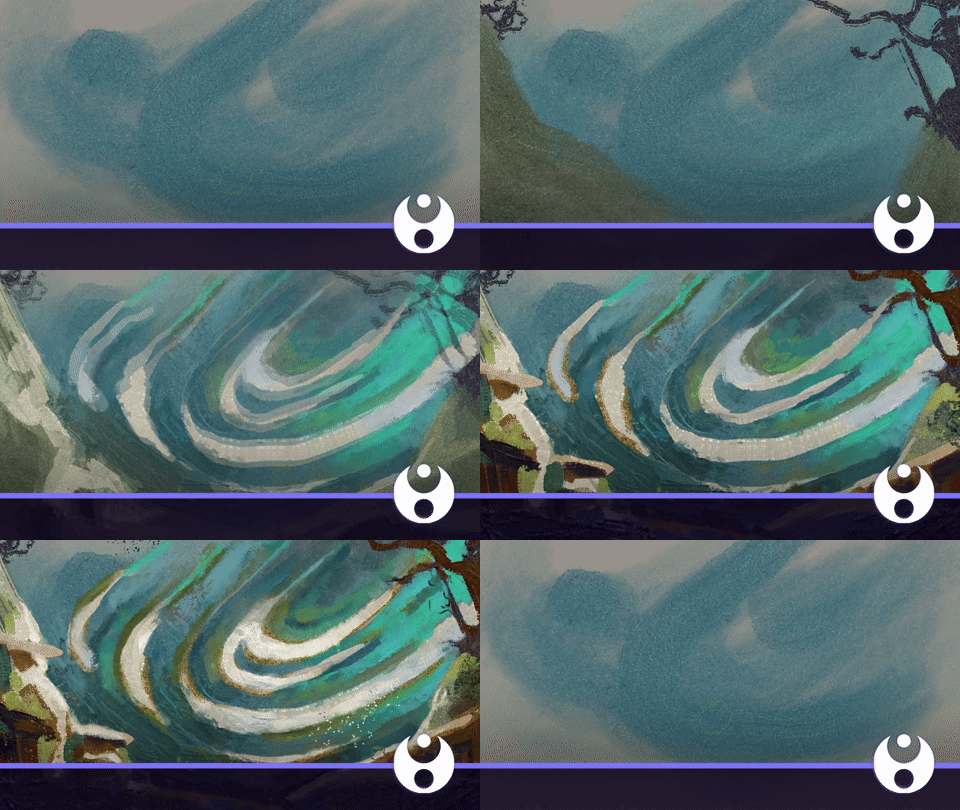
I wasn’t sure where to put this, but as a proof-of-concept I also did a little speedpaint using everything and whatever colours I felt like xD So metallic brushes aren’t even limited to metal, you can do whatever you like with them!
Thank you for reading  Do you guys have a favourite section? I really did spend too long making this tour, but I’m proud \\\٩( ‘ω’ )و ////
If you have any questions, corrections or things I’ve missed - let me know, and I wish everyone a lovely festive season!
P.S I could use a hand (*´・д・)ノ More advanced tutorials are desired, but I don't know exactly what the people want xD
 Have Your Say!
- More post-processing tips like “shadow boosting”
- Advanced Krita tool tech
- General tutorials on how to improve my art skills
- Making art inspired by (X) artists’ aesthetic
- I want to explore G’MIC (filters)
- I’m not sure what I want…
- My deepest desire isn’t listed :c (please write in comments!)
- Actually, I’d just love more brushes!
🖼 Link Library 🖼
This section has all the links posted in the tutorial.
- Krita 5.2+ - Painting Software
- Metallics by Draneria - Main Brushes
- Mastering Colours - Previous tutorial
- Acrylics Prerelease 1.0 - New(ish) bundle, simpler pack of acrylic-esque ones.
- Ko-Fi Subscription - You can sub for even more brushes if the previous ones aren’t enough to satisfy your hunger ( ✧≖‿ゝ≖)
🔱 Content Disclaimers 🔱
All images, gifs and videos uploaded in this tutorial are my own work.
Exception’s include:
Card Design, by @steve.improvthis (partial section). The full artwork is here.
Written permission was received from the artist to include part of their work in this tutorial (screenshot available upon request - please dont delete! lol). All rights reserved to the original artist.
This tutorial also links to work by @AureliaLeta, but this art was not directly uploaded!
