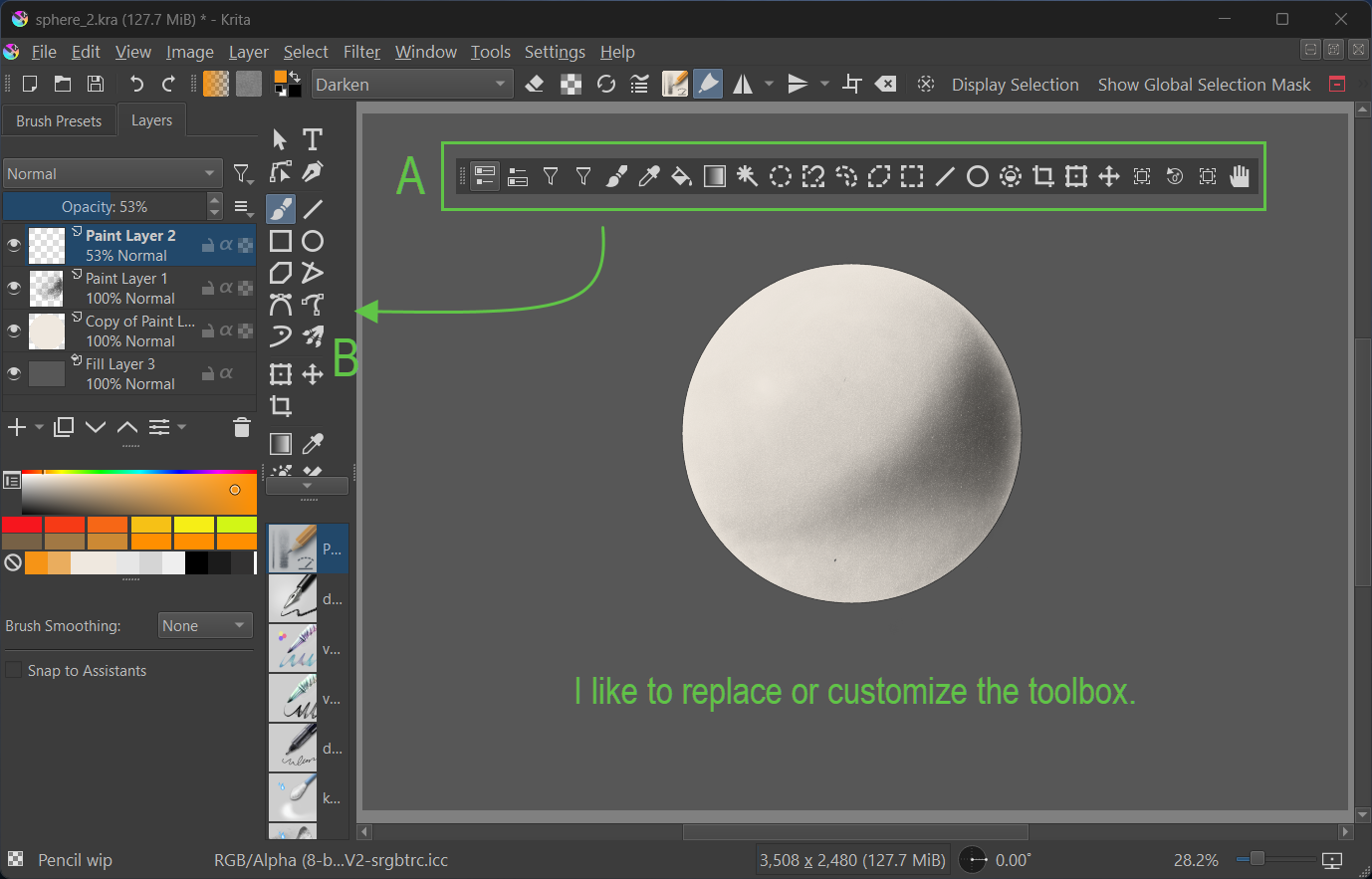
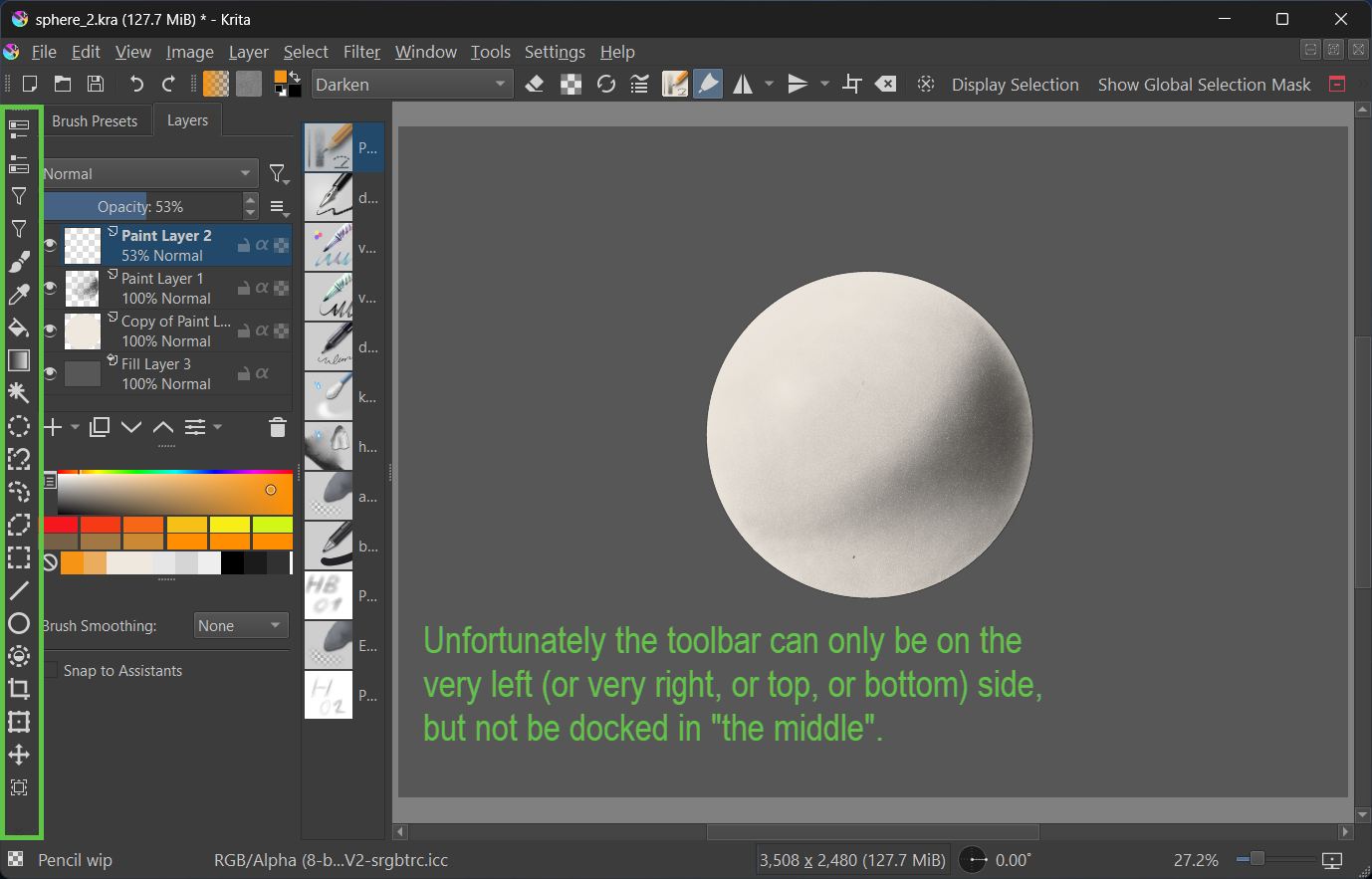
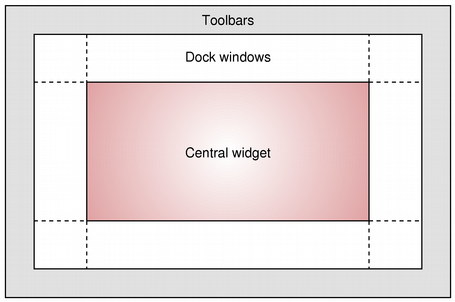
This diagram is from the PyQt5 docs, the toolbars (QToolBar) apparently only go within the area indicated.
Scripting/plugins is the only way. I tried moving the items in the toolbar to a new dockwidget, but it broke in weird ways most of the time, I think it’s due to the type of items in the toolbar (qpushbutton, qtoolbutton, qframe, custom qwidgets), and I’m going to guess some of them are not designed to function in dockwidgets. For example in just toolbars using the regular configure toolbar window, you can’t add the same brush slider to another toolbar, it breaks (last I checked anyway). There is probably a few users here who know exactly why this stuff is how it is 
I think in your example it can work, they look to be either qtoolbutton or qpushbutton. It is possible to create duplicates of the items in the toolbar (maybe add the icon), and “connect” them to the action associated with each item.
I also tried setting my “BrushesAndStuff” toolbar to vertical orientation (while floating), and it seemed become unusable so I set it back quickly  (I managed to lose my toolbar earlier but I managed to find it again it had collapsed to 0 width…). My main toolbar contains the brush sliders and buttons that create those popup windows like patterns, so maybe it would work with a toolbar without those…
I am pretty certain what you are asking is possible, it requires a script to create a new docker (dockwidget) or a plugin that creates it when Krita loads.
Here is an example where we filter for only qpushbutton and qtoolbutton, its added to a dockwidget. I’m guessing the toolbox docker has a custom titlebar (the bit you grab and move around), and the whole styling and right click context menu is implemented. So some more work is needed on this

Here is a script written by Mistral (le chat), modify the name of the toolbar that is being searched for. It will produce something similar to this that will be dockable anywhere, but the layout is vertical currently. I’mm sure this can be changed, and it could change based on which dockwidgetarea it is in.
from PyQt5.QtWidgets import QDockWidget, QWidget, QVBoxLayout, QToolBar, QAction, QToolButton, QPushButton
from PyQt5.QtCore import Qt
from krita import *

inst = Krita.instance()
win = inst.activeWindow()
qmwin = win.qwindow()
toolbar = qmwin.findChild(QToolBar, "BrushesAndStuff")

def create_dockable_toolbox(dock_area=Qt.LeftDockWidgetArea):
    if toolbar:
        dock_widget = QDockWidget("New Dockable ToolBox", qmwin)
        dock_widget.setObjectName("NewDockableToolBox")  # Set an object name for the dock widget
        dock_widget.setMinimumSize(20, 20)

        # Set allowed areas for the dock widget
        dock_widget.setAllowedAreas(Qt.AllDockWidgetAreas)

        dock_content = QWidget()
        layout = QVBoxLayout(dock_content)

        # Iterate over actions and create duplicates of QToolButton or QPushButton widgets
        for action in toolbar.actions():
            widget = toolbar.widgetForAction(action)

            if isinstance(widget, (QToolButton, QPushButton)):
                # Create a new widget of the same type
                if isinstance(widget, QToolButton):
                    new_widget = QToolButton(dock_content)
                else:
                    new_widget = QPushButton(dock_content)

                # Copy properties from the original widget
                new_widget.setText(widget.text())
                new_widget.setToolTip(widget.toolTip())
                new_widget.setIcon(widget.icon())

                # Copy stylesheet if available
                if widget.styleSheet():
                    new_widget.setStyleSheet(widget.styleSheet())

                # Connect the clicked signal to the action's trigger
                new_widget.clicked.connect(action.trigger)

                # Add the new widget to the layout
                layout.addWidget(new_widget)

        dock_widget.setWidget(dock_content)
        qmwin.addDockWidget(dock_area, dock_widget)

# Example usage: Dock to the right
create_dockable_toolbox(Qt.RightDockWidgetArea)