I’ve been using Krita for a while with no issues, but as of recently I’ve been unable to see thumbnails for new .kra files in my file browser. I’ve tried multiple browsers and they’ve each had the same issue.
I have a custom thumbnailer file in ~/.local/share/thumbnailers as specified by this Krita Thumbnails in Ubuntu 24.04 (how to) post, and as far as I can tell, all my .kra files are being identified as the correct MIME type, but no luck. I’m running Debian 13 with Niri as a window manager.
Has anyone had similar issues before, or know a possible fix?
I have went from Kubuntu 25.04, then 25.10 to 26.04 LTS (all with Dolphin) and have never had thumbnails for Krita. I don’t know if I don’t have the thumbnails created or not, as the file chooser that appears when using Krita has no “Icons” view mode button and pressing “Ctrl”+1 doesn’t help. And trying the thumbnailer script above didn’t help either. This also happens in Libre Office for me.
I will say that pre-GIMP3.2, I didn’t have a thumbnail there either. Now GIMP3.2, I have a small thumbnail beside the filename, but still no way to make them large enough to see what they are.
Have you tried this one, which works on any distro? →
Alternatively you can try if the old Dolphin fix will do it again → open the dolphinrc in the ~/.config folder and remove the [PreviewSettings] section and restart dolphin, that usually always did the trick back then.
Sounds like the thumbnails were working before, but then stopped?
One thing to verify is that the command being run in the thumbnailer file is actually working as expected. It’s possible unzip was removed at some point, or… something! (I haven’t used Debian in a while, but when I was on Debian testing things like that would happen from time to time )
The command (at least in my thumbnailer) is:
"unzip -p \"%i\" preview.png > %o"
When I try this on a test kra file (test.kra, below) it outputs a valid png (which is what would be used for the thumbnail):
unzip -p test.kra preview.png > test-out.png
…I’m then able to open up test-out.png and all seems fine.
If you run (something like) the above and get an error or something, that could point you in the right
direction!
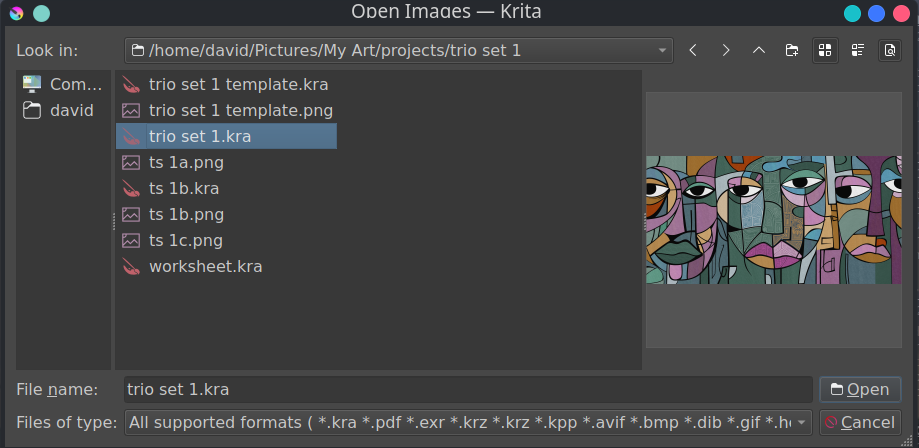
I seem to have thumbnails, but the file chooser through Krita seems to not show them. I only get options of 'detail" and “list”, with the ability to preview. If I am in Dolphin, I see the preview thumbnails, but going through Krita, just system icons. I can right click a .kra file in the file chooser Krita is using and get the preview. The preview below is the .kra file
I think they’re talking about the Ubuntu file browser, the Krita/QT file browser is a bit different.
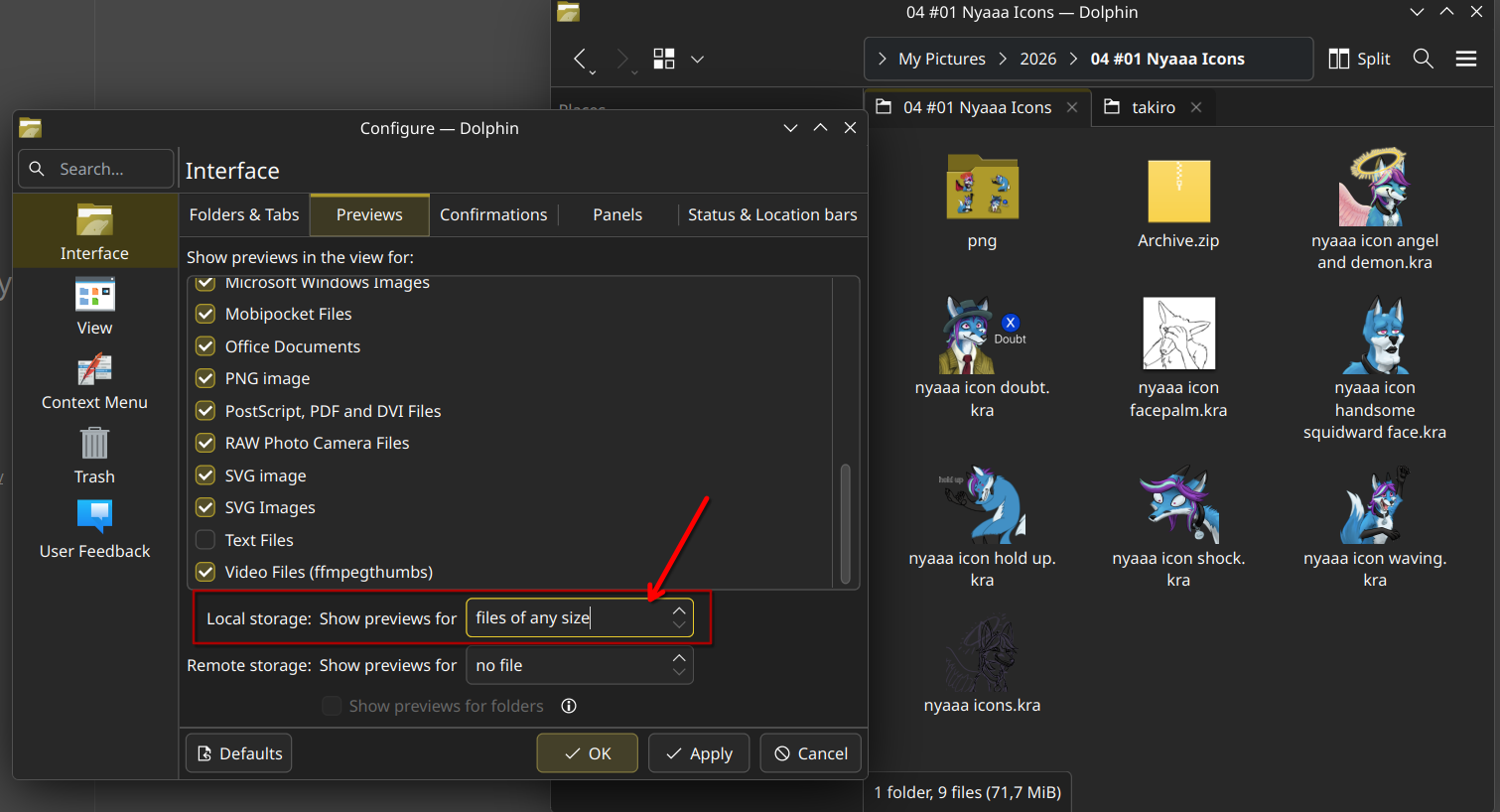
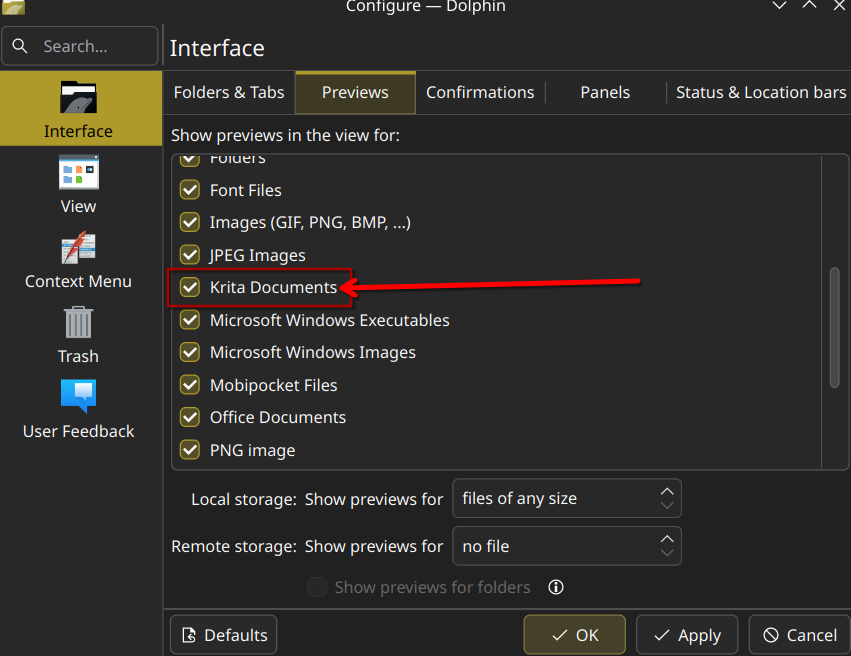
For the OS file browser (depending on which one it is) there might be a setting like here in my dolphin that only loads thumbnails for files of certain sizes. Make sure it is set to “any size”,
Hi @Sciman101, at some point earlier in the year the thumbnailer just stopped working suddenly after an update, it caught me off-guard as well. Unfortunately, I don’t remember how I exactly fixed it and I’m no longer on Ubuntu to check what I did.
If I recall vaguely correctly, the problem is described here:
However, I’m surprised the fix wasn’t rolled out yet. Did you try updating the system and removing old failed thumbnails cache?
Sorry for the late response- I appreciate everyone’s feedback, I found that installing Dolphin just fixed it for some reason, with the thumbnails even visible in Nautilus/Thunar. I’ll probably try that for a bit and see how it goes!
 Hello
Hello  )
)