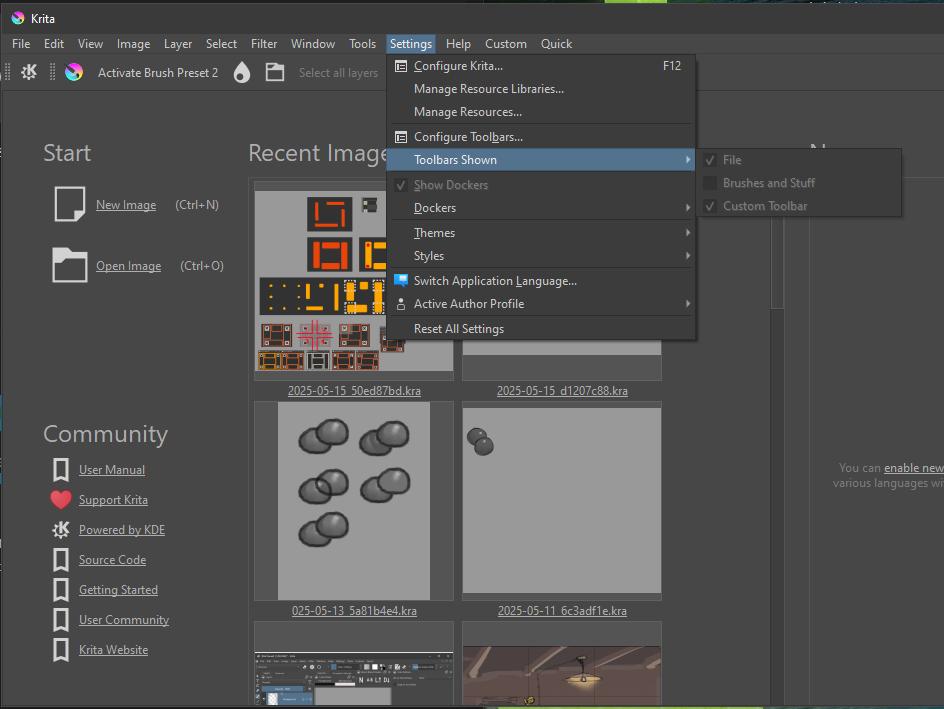
It might be floating somewhere visible with 0 width, I had this before and I may have gotten lucky fixing it when I try added 1 action to it (configure toolbars), then trying to resize the toolbar and the whole thing reappeared. Little bit sad to say I prefer not messing with the toolbars Currently I have 2 only visible on the welcome screen, not sure how how that happened, but at least BrushesAndStuff works Good practice to have some of these files backed up.
Confirmed that the floating toolbar disappears on restart, and modifying the toolbar with Configure Toolbars causes it to reappear where I left it.
For some reason the toolbar’s updatesEnabled is false, which causes it to not receive paint events. This script causes it to appear, if the floated toolbar was File (‘mainToolBar’):
from krita import *

Krita.instance().activeWindow().qwindow().findChild(QToolBar,'mainToolBar').setUpdatesEnabled(True)
The reason using a backup .xmlgui file does nothing is because the .xmlgui file is not modified by floating the toolbar. But when you remove and re-add the toolbar to the file it presumably causes it to reload simliar to modifying it with Configure Toolbars.
It’s a bit confusing because they seem to show up there when Krita loads, but disappear when a document is loaded When the document is loaded, BrushesAndStuff toolbar appears (and is now ticked) but now the others are hidden… If I tick the others, they still don’t show up. To make them visible it seems adding an action in configure toolbars refreshes them or something. At least I can add some actions to the welcome screen if I wanted:ok_hand:
 Currently I have 2 only visible on the welcome screen, not sure how how that happened, but at least BrushesAndStuff works
  Good practice to have some of these files backed up.
 When the document is loaded, BrushesAndStuff toolbar appears (and is now ticked) but now the others are hidden… If I tick the others, they still don’t show up. To make them visible it seems adding an action in configure toolbars refreshes them or something. At least I can add some actions to the welcome screen if I wanted:ok_hand: