I like the smart canvas that has been made available. It made me think about how to better simulate painting on a canvas.
The Problem =============
I created a set of brushes that have the same texture and the same scale, so as I paint it feels like they are painting on the same surface. And I have an alternate version of the same brush with the canvas texture inverted so I can paint the dips in the canvas a darker color, then switch brushes and color and paint the peaks of the texture a lighter color. It gives a traditional effect, but it’s a lot of work to be creating the brushes, and sometimes confusing to switch colors AND brushes, and paint back and forth. Wax on, wax off. Also, I’d like to be able to change the texture scale for each project… but that would mean redoing all of my brushes on every project. So, I have to commit to that one canvas texture and scale.
The Solution =========
What might be cool is if you could have a check box option on your brushes for “universal texture”. Any brush that you have that option selected will automatically assume the texture and scale of your smart canvas. This way we can have our favorite custom brushes, but we are not limited to one canvas texture.
Users would be able to upload any image, scale it, do some levels, and crop it however they like, then hit “register as canvas”, and all their brushes (with universal texture selected) will inherit the alpha of that base image as a texture.
Maybe make a UI button and/or keyboard shortcut to toggle “invert texture”, that can even be coupled with toggling foreground and background color if you so choose.
This is a huge feature request, I know. But, this would set Krita above Photoshop, Clip Studio, and any other “stamp” based software with this feature. It could be a game-changer.
So, from what I understand you want relative texture scaling, so that the texture is always the same size relative to the canvas size and not (like it is now) when you have a smaller canvas the textures get too large (or the other way around).
Not necessarily relative to the canvas size. Imagine the canvas was a photo of a wall. I could load it, scale it, do some levels, and crop it however I like. It doesn’t matter what size the canvas is, but then I could “register as canvas”, and all my brushes (with universal texture selected) will inherit the alpha of that base image as a texture.
I think Krita already has something like that but it only works for brushes that actually have textures enabled.
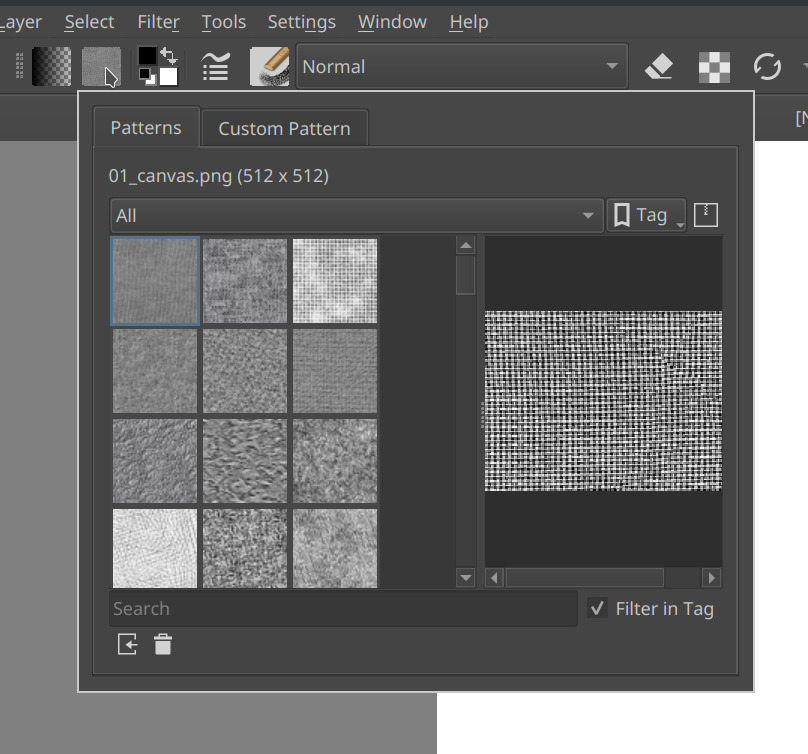
It’s the button next to the gradient selection.
I think that is the “pattern fill” tool. It fills patterns onto layers. I don’t think it interacts with your brushes. If there is a feature to universally change your brush textures, and texture scale, I don’t see it.
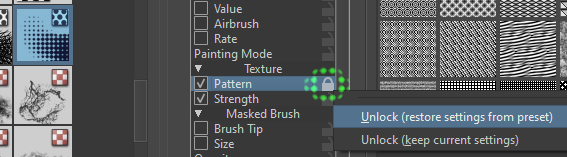
Have you considered the possibility of “global lock” of the brush parameter in the “Brush Editor”? This function translates the setting to all brushes that use the same parameter. This also applies to the textures embedded in the brush. RMB to activate the context menu on the “lock”. I understand that this is not exactly what you want, but you may find it useful.
Options for a global canvas texture is something that every paint/draw-oriented software should have. For a good example how this is done, check out Rebelle - there the canvas texture is in addition to and independant from the brush texture. I think Artrage has something similar, other apps probably too.
Global lock is an interesting feature. I just tried it. I got excited and then immediately disappointed because it broke all of my wet brushes. The problem is that it carries over the pattern settings like texturing mode, brightness, contrast, neutral point, random offset, and invert from one brush preset and transfers it to all of my brushes. I can’t even choose a subset of brushes this applies to. It either affects every brush, or none of them. I have a variety of settings that I use like some thick wet brushes, some dry brushes that lay down a lot of paint, and some dry brushes that just speckle a texture on.
I locked pattern on a very scratchy dry brush, and now all of my wet brushes are scratchy dry brushes. If I lock it on a brush that lays down more paint, then I lose my scratchy brushes. So if I use this feature I lose any diversity I’ve created with my brushes. My brushes all look the same, but with different brush tips. It would be perfect if I could just lock the texture itself, and the texture scale, but leave the rest of the parameters unlocked. And, of couse, it would be vital to be able to choose which brushes to apply this to because of the different brush engines, some brushes will break if you change the texture. I want a universal texture to mostly apply to my dry brushes. Thanks for letting me know about this, but I doubt I will find a use case for this.
@Yuri_B
I tried the workaround you suggested. Thank you!
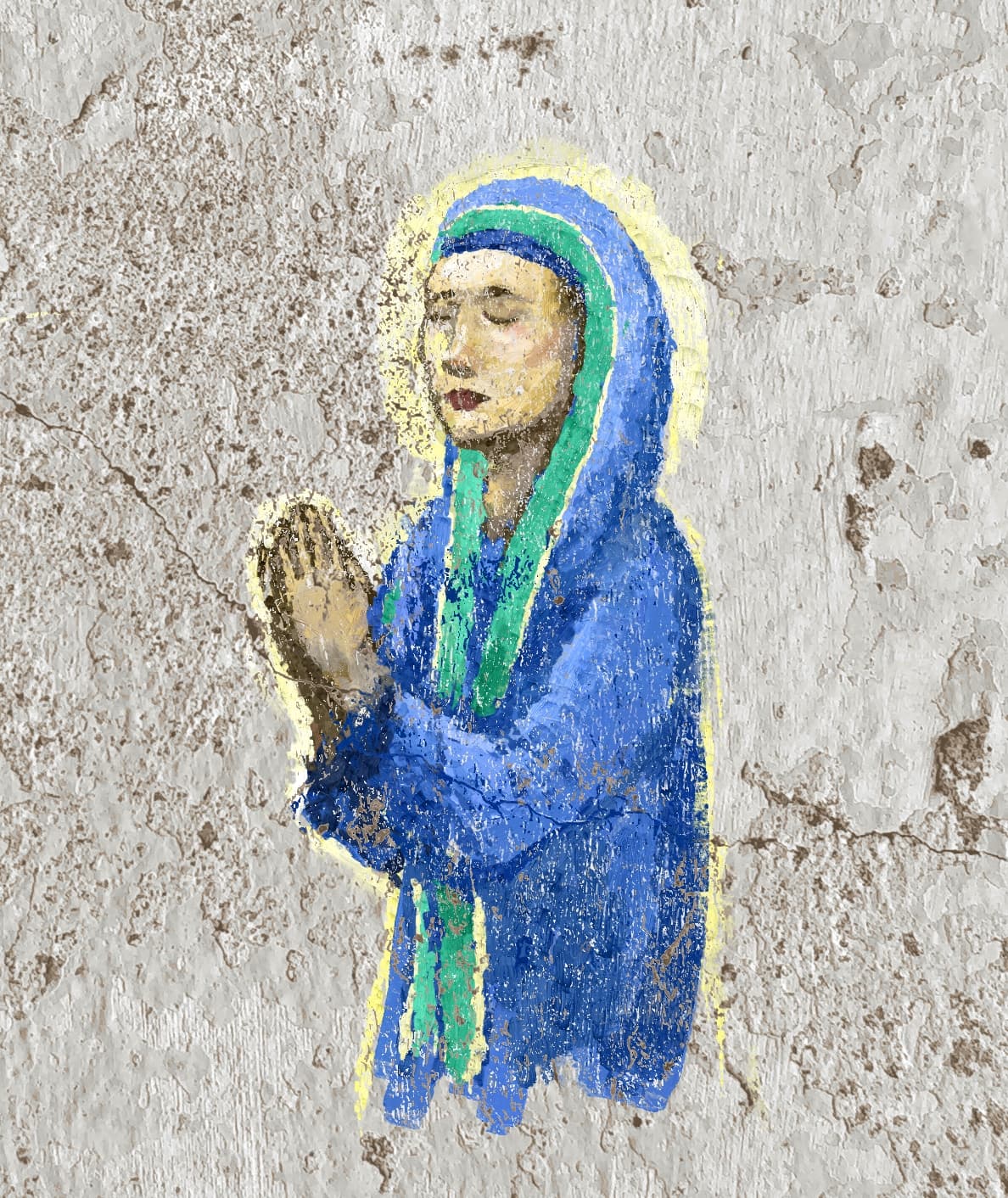
I used the “similar color selection” tool to extract the dips, and made a clipping mask. Then another selection for the brightest part of the texture, and put that on top to show the wearing away of the paint. It’s a lot of steps, but in the end, a nice effect.
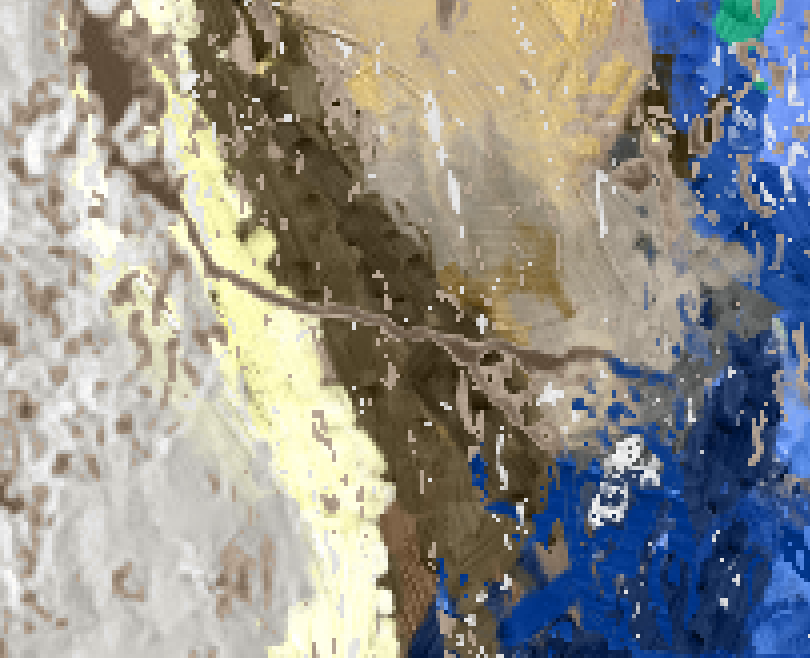
The problem with this approach is my selections have hard edges. Some of the cut offs for my mask have a lighter value than my paint, and it creates weird strokes around the masked out parts.
I’m sure I could put some kind of feathering on the selections, but every step of refinement to create realism just makes the whole process more tedious, and less likely that I’m going to start using it consistently. I still think it would be a cool thing to have universal textures native to the software. I think it would unlock a lot of possibilities for a lot of artists. It’s one thing to have a guy on a forum with a tedious workaround. It’s another thing for a software to have a native function that’s intuitive.