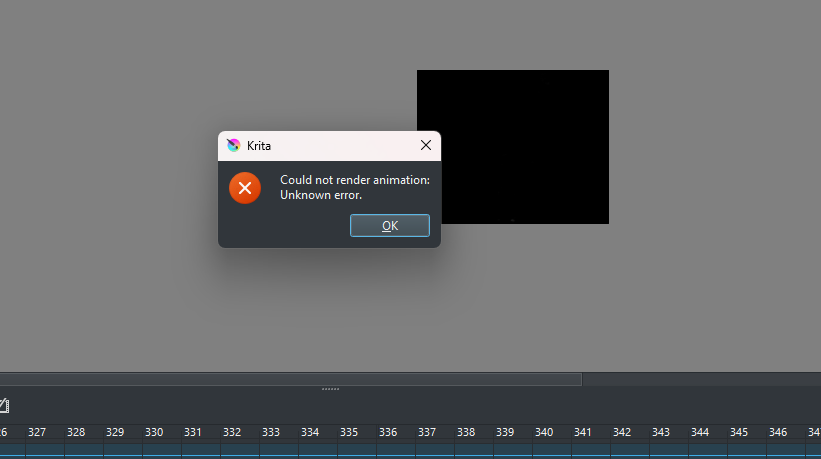
 if anyone knows what to do I’d appreciate it!!
I’m trying to export a wip of a short animation I’m working on (like 16 seconds) and it keeps telling me there’s an unknown error while exporting. I’ve tried everything- downloading the latest version of krita, trying to download it in all sorts of ways, copied the frames to a different document, but nothing seems to work if anyone knows what to do I’d appreciate it!!
if anyone knows what to do I’d appreciate it!!
A shot in the dark, because not enough information like OS, version of Krita, dimensions, etc., so the standard information we need to be able to help … … a screenshot of your export settings …
Reduce the dimensions below 2000 by 2000 pixels.
Michelist
There are two stages to rendering an animation.
The first is the ‘export’ of the intermediate .png frame images, even if you haven’t asked for them.
You can see the progress bar as they are exported.
The second is the ‘rendering’ of the animated file by ffmpeg. That also has a progress bar which appears when it is happening.
Do you see those two stages?
If you select ‘Export as image sequence’ in the Render Animation options window, does the image sequence get correctly saved in the Image Location folder?
Are you using the built-in FFmpeg location or are you using an external ffmpeg?
If the ‘Export as image sequence’ Image location or the ‘Export as video’ Video location is a location that is monitored and backed up by OneDrive or any type of live file sync/backup utility then there can be problems.
1 Like
I don’t believe any of the locations are backed up by one drive, and for reference all of my other animations export just fine (and I assume they all have the same settings) but this one is giving me trouble for some reason. here’s what it looks like when i export though: (also the first part always works fine and I see the loading bar, it’s the second stage that’s getting messed up)
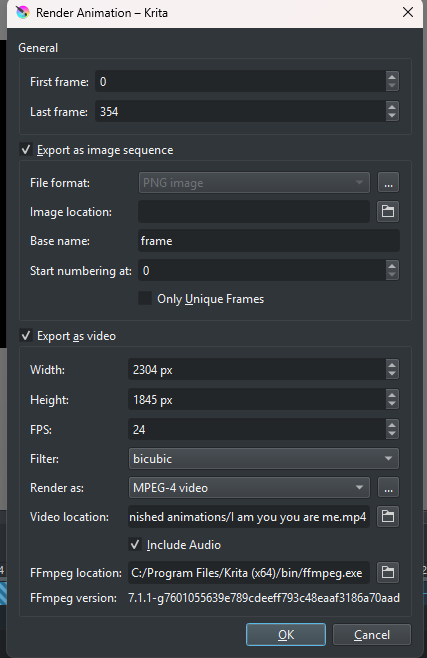
As already mentioned, reduce its size, here I would try 2000 by 1602 pixels, see if it then can be rendered.
Michelist
it still does not work (I’d tried that out before sending this, I should have mentioned that which was entirely my bad)
Oh I figured it out!!! All I had to do was remove the audio- I’m not sure why it wasn’t working before, but re- attaching it afterwards won’t be too difficult. Still thank you for your help!!
2 Likes
If other animations are ok apart from one in particular then there must be something different about that one - an audio track in this case it seems.
Try using .wav vs .mp3 and vice versa.
Also, the rendering log file, by ffmpeg, should be in the same folder as the video location so you can try reading that to see what if any error messages are produced.
1 Like
yess I ended up checkiing on that audio file in particular, and it had been corrupted  so i got a new one and it’s working just fine
2 Likes
This topic was automatically closed 4 days after the last reply. New replies are no longer allowed.