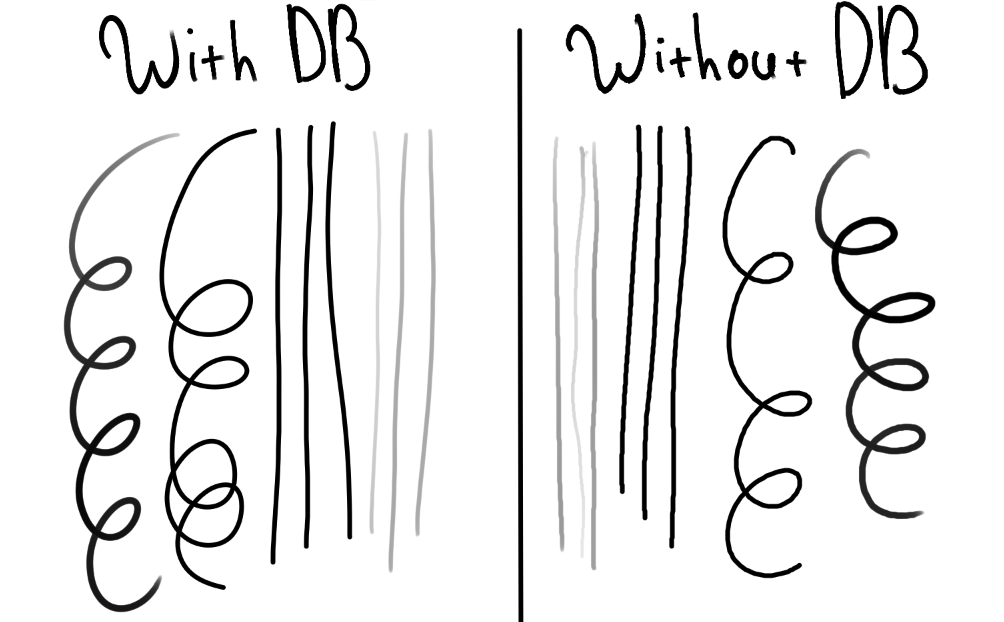
Description of the issue:
(I’m honestly not sure if I chose the right topic for this one, I’m using this website for the first time, so I’m really really sorry if I’m wrong)
After using dynamic brush for a while I’ve noticed that my free hand brush lines then started to look very shaky. I’ve tried re-installing both tablet drivers and krita itself but… well… nothing seems to work. I’ve also noticed that after some time lines have got even curvier (but kinda smaller somehow??), which… seems even more unusual. I know the problem on the picture doesn’t look like a big deal, but it really makes lining process more difficult. I ran out of ideas on how i can fix it or is it even fixable now
(p.s. the image below was taken after a month of using krita with this bug, curves used to look much more visible before. Also DB means dynamic brush)
I’m curious to know if you’ve ever used Krita’s tablet tester to make sure the drivers on your device and your tablet are communicating well.
It’s in Configure Krita - Tablet settings - at the bottom of the window, Tablet tester. After making a few strokes with varying pressure, you should see text output that confirms the stylus is registering and shows some percent variations.
And do you have the Input Api in Tablet settings on the same setting as your tablet? i.e. either both are set on Windows Ink or both have it turned off. Not having them match can make some wobbly lines (although yours don’t look that bad).