When I use TAB, some things in the interface fall into place.
For example, in the first image it is what I normally use, in the second image it is out of place

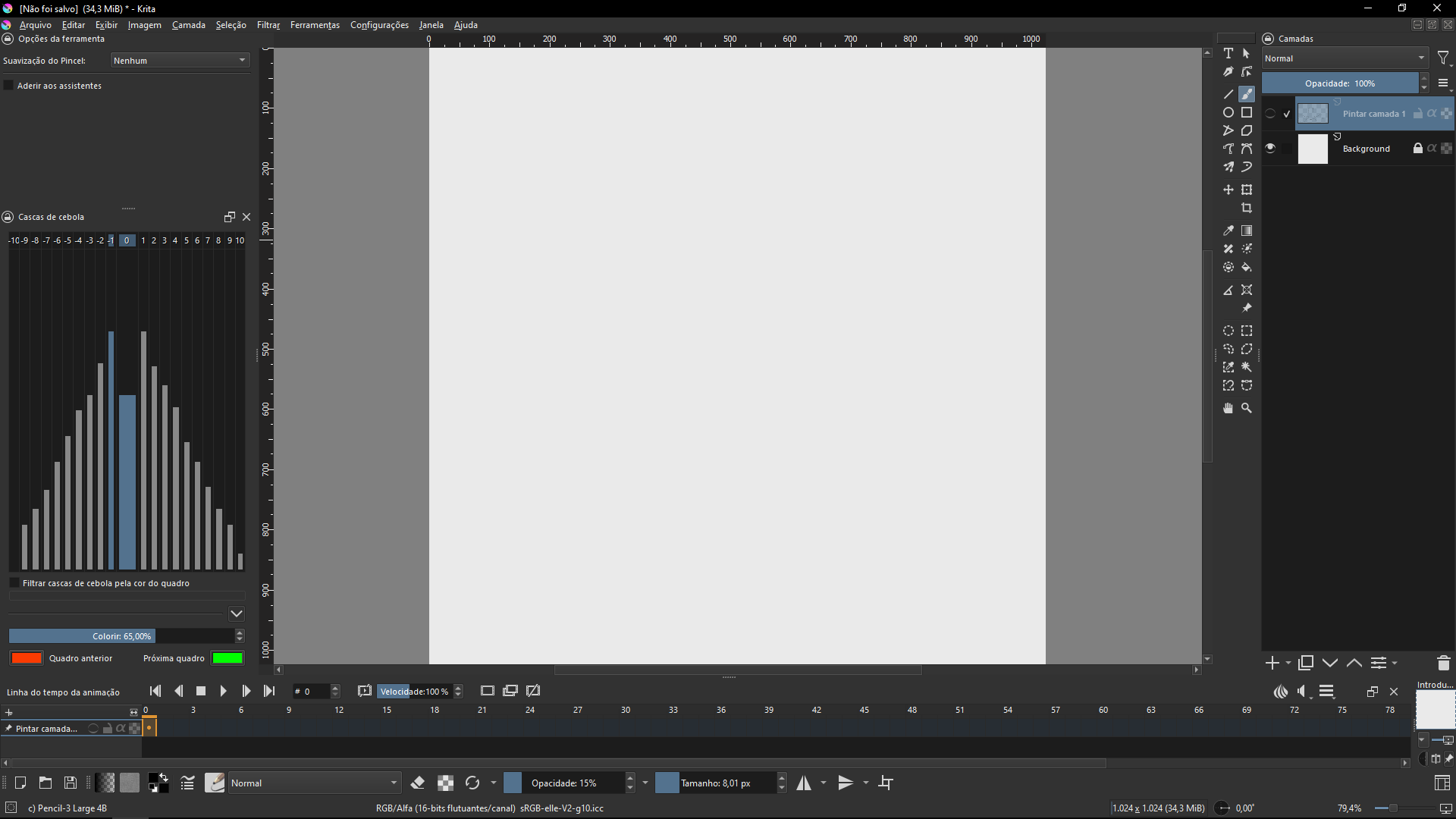
I have no idea about what I can do to fix it
When I use TAB, some things in the interface fall into place.
For example, in the first image it is what I normally use, in the second image it is out of place
I have no idea about what I can do to fix it
The purpose of using the Tab key is to toggle the removal of most of the user Interface to give as much canvas area as you want/need.
What are your settings for Settings → Configure Krita → Canavs-only settings?
Here are mine:
Its mine too!
Sorry my weak english, is not my native language
But the problem is when im drawing [Image 1], this happens [Image 2]. Do you have an idea about how can I fix it?
I misunderstood what was happening here. I’ve changed the title of your topic.
Which version of krita are you using and where did you get it from ?
Which version of Windows are you using?
Ah, thanks! c:
Im using the last version, I get it from Steam.
Im using Windows 10
This topic was automatically closed 30 days after the last reply. New replies are no longer allowed.


