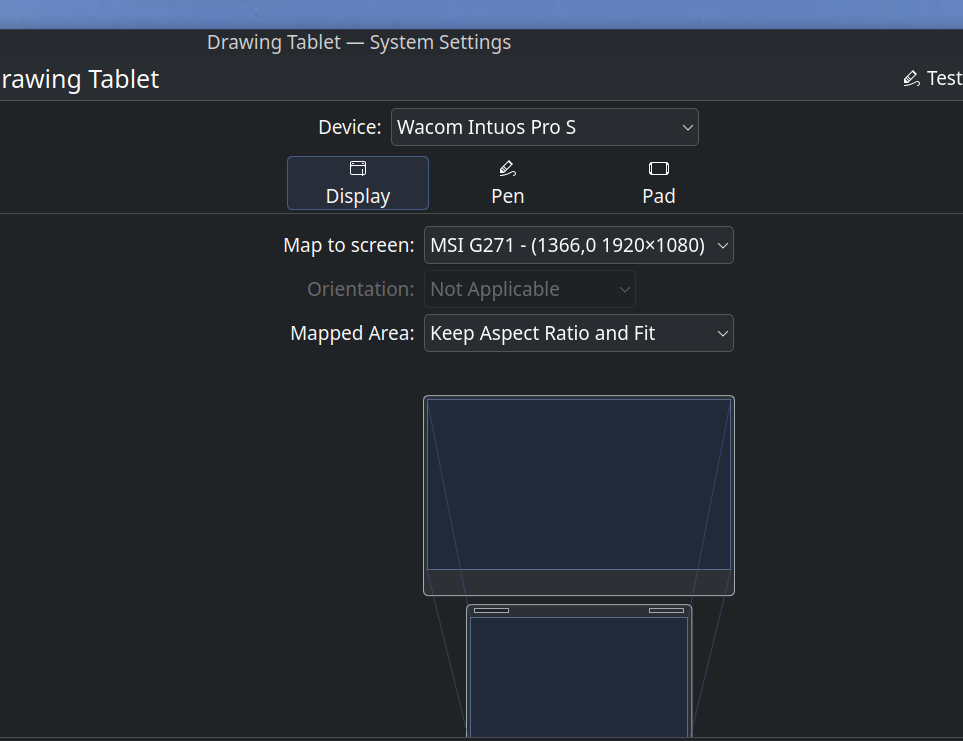
Just hoping there are a few out there who use a similar tablet. I wanted a pen tablet that supported tilt, so I got a new Intuos Pro 2025 to pair with Kubuntu 25.10. I have gotten everything to work with the configuration settings I have (upgraded from a Intuos), it even had the name in the drop down. The Pro has a wheel, but my configuration settings do not show anywhere to set anything up. My questions are: Am I needing to update some driver/ software again for it to show a wheel? Am I going to have to wait until the Wacom/ Linux Project gives me the ability to set up the wheel? Or am I going to have to call it a dead zone? Thanks
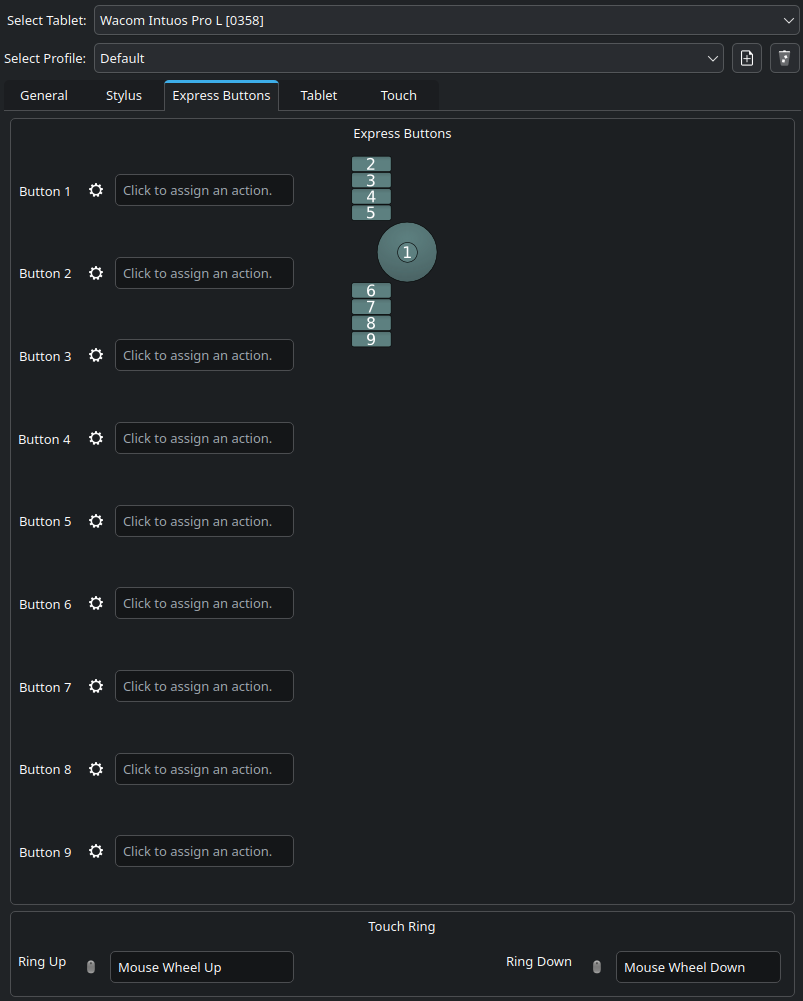
I know the wheel feature on linux has always been a bit of a dead zone for me, either on ubuntu, mint or opensuse tumbleweed, either with my intuos4 or my intuos pro ( 2017) While on windows you can set up 4 different actions for the wheel, on linux, you can only have one action. If you can’t right now, it’s probably because the intuos pro 2025 isn’t supported yet, but even when it’ll be, you shouldn’t expect as much freedom as the official drivers on windows and mac. I have to say though that under linux, my tablet is slightly more responsive, the stroke slightly more precise and the pen pressure a bit smoother than under windows ! Here is a screen to show you how I can set up the intuos pro 2017 under opensuse tumbleweed kde plasma, notice that even the touch ring center button that is used to switch between action is now a simple express button !
2 Likes
The general “all purpose” driver Wayland offers also isn’t on par with the old wacom specific setup tool that runs on X11 graphics server. That’s why there are very little options to begin with.
1 Like
upgrading from the normal intuos 2018, where I had only the four buttons across the top, I am satisfied with just having the 5 buttons on the pad. I do have a extra button on the pen and felt the wheel was going to be an extra bonus. I guess I will just wait and hope they develop a better set-up tool, whoever that might be. I have my tilt support and my buttons work. So it Goes
Thanks
I can not tell how it will perform, but it is always worth to try the driver supplied by OpenTabletDriver, if your tablet belongs to the supported models. Many users find them superior to the native Linux drivers other brands offer for their tablets.
Michelist
1 Like
Thanks, but after following your link, the only thing not supported yet there, is the wheel. I am going to bookmark that link and keep a eye on it.
1 Like
This topic was automatically closed 30 days after the last reply. New replies are no longer allowed.