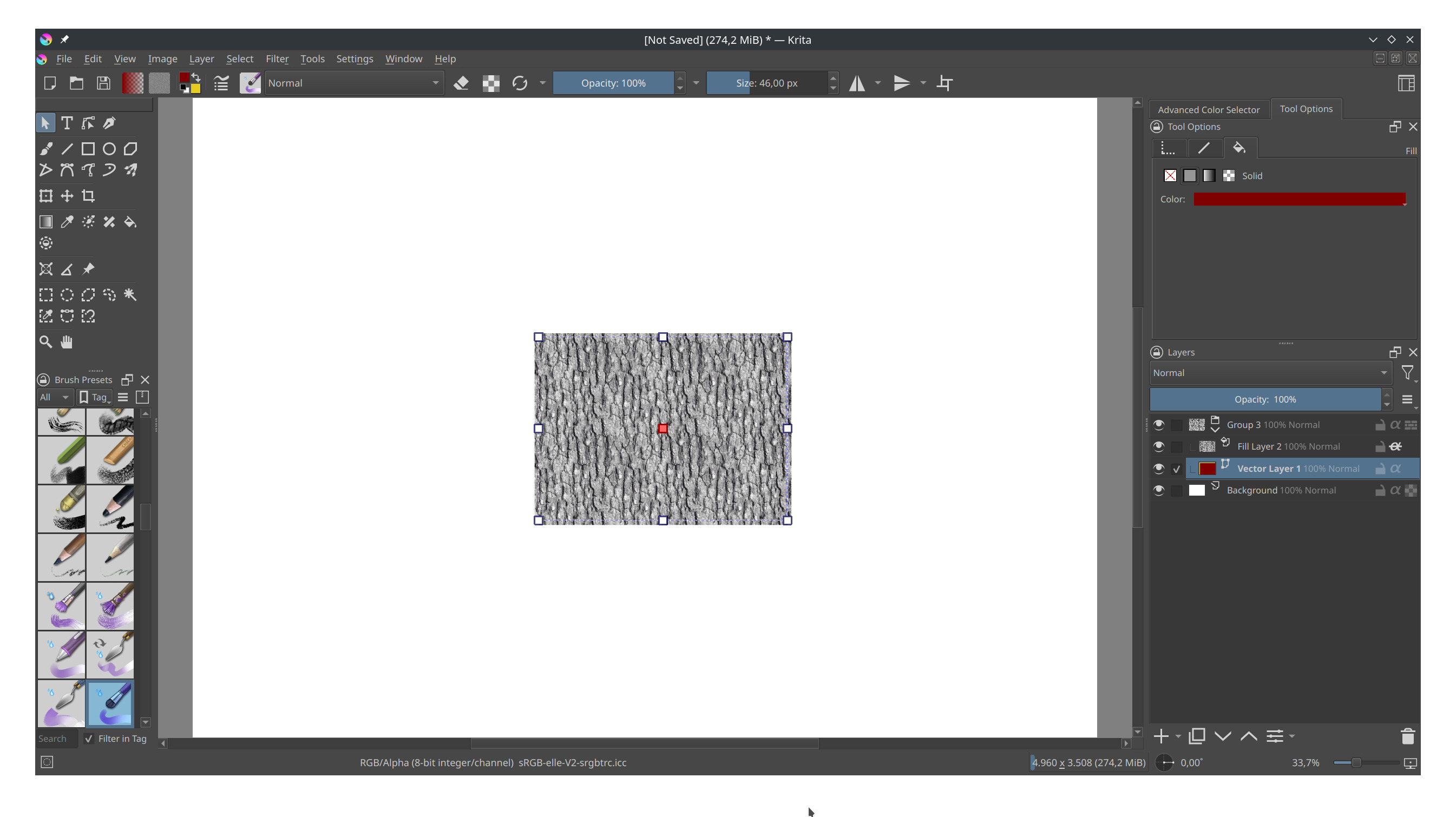
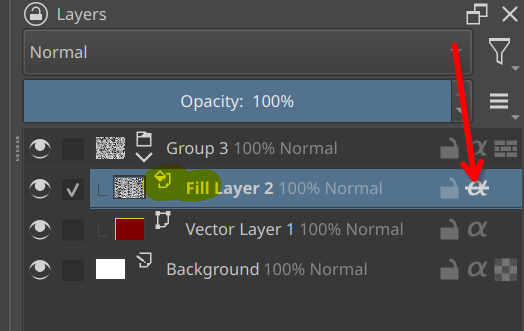
As far as I know, vector objects in Krita only support flat colors and maybe gradients but that’s it. No textures, no patterns. You can work around ut by having the texture on a different layer set to inherent alpha.
If you think about it more carefully, you should realize why it can’t work.
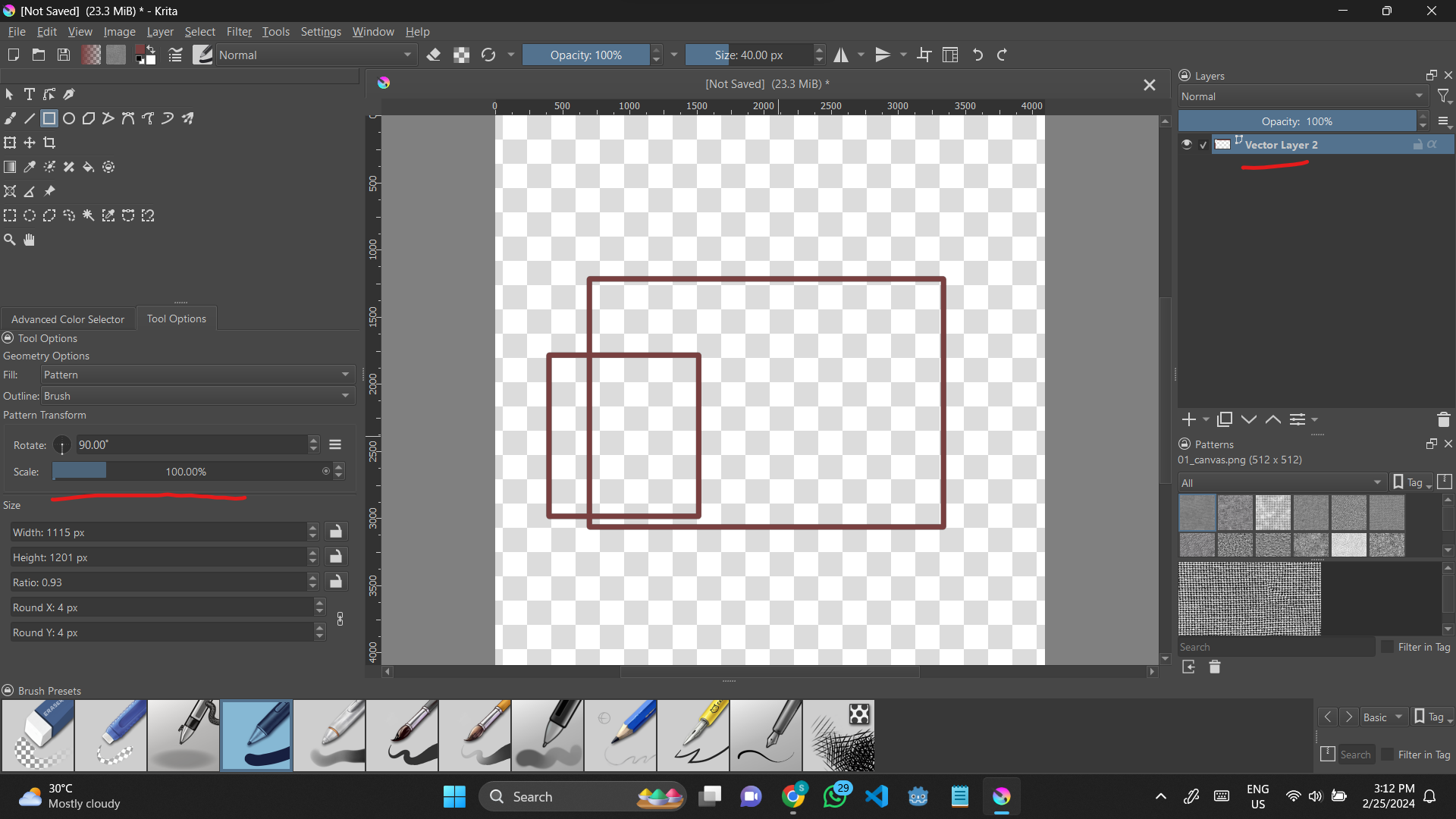
The fill options fill pixel-based raster graphics, if it’s not a solid color you want to fill with, it can’t work, the patterns in Krita’s pattern docker are pixel graphics and not vector objects.
By the way, it is the most stupid action in Krita to re-install Krita if something does not work. In more than 99.99% of all cases, this won’t work.
That is because the settings you want to overwrite are NOT in Krita’s installation folder, but in your user folder, and in case your resources, e.g. brush-tips, presets, patterns, etc., are the cause, these are also not in your installation folder and won’t be overwritten too.
Yeah I know, but I thought that maybe the textures themselves were missing. Stupid of me to not check, but the texture for the patterns themselves are fine. I wasn’t thinking too hard.
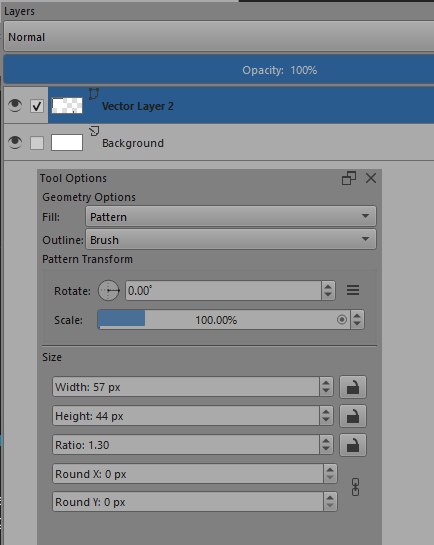
Yes, so they should be greyed out.
This is a relatively minor UI bug and should be reported on the formal bug tracker: https://bugs.kde.org/ (Sign up and login are needed.)
Can you report this bug as Component: Documentation then post a link to the completed bug report in a reply to this topic.
So I just tried it in Krita myself and when you select the shapes wit the Edit Shape tool after it was created, it also has no option to fill with pattern, only Fill, Gradient, None and Mesh are available. So It’s probably the manual that is wrong here too.
however thers no corresponding option that could be selected. The available options are None, Fill, Gradient and Mesh Gradient. Selecting any of them removes the pattern with no way to get it back. So I’m pretty sure now it’s actually a bug that you can’t have a pattern fill anymore and additionally the option is missing (in v 5.0 already) to set the fill to pattern, with the Select Shape tool.
So I guess we actually have two bugs at once here. The fill not happening like before and the UI (still) missing the option.
Edit: I wrote Edit Shapes tool before but I actually meant the Select Shape tool
And because of @Takiro’s discovery, I would even create two bug-reports, one for every bug, and put a link to the corresponding reports*, so they are bound to each other, also put a link to this topic in both reports.
Michelist
*Okay, you can add the link to the second report not in the first because it has to be created first , but you can add it as a comment under the first bug-report once you have created the second one.

 , but you can add it as a comment under the first bug-report once you have created the second one.