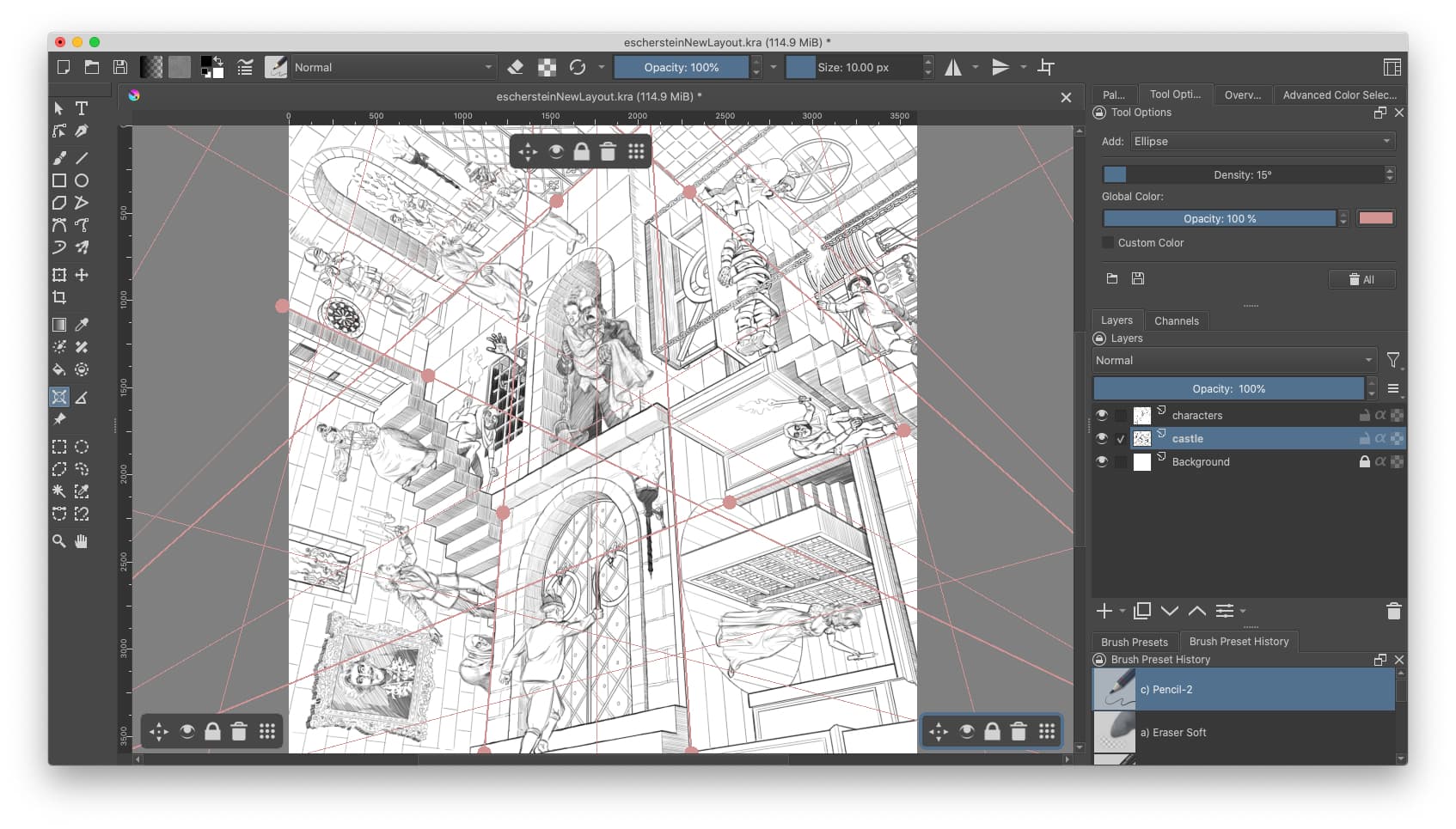
I’ve always loved Krita’s assistants–they’re some of the main things that make it hands-down my favorite draw/paint program.and they’re making the project I’m currently working on orders of magnitude easier.
I’m doing a mashup of Young Frankestein and M.C. Escher’s print, Relativity. The perspective structure of Relativity is based on 3 vanishing points that serve as vertices of an equilateral triangle. The digital 3-point perspective tools I’ve used in other programs can get very tedious to use because they never seem to anticipate the direction I want to draw in very well, so the line I’m trying to draw goes shooting off perpendicularly from the direction I was intending to draw. For this project, I set up 3 Vanishing Point Assistants where they needed to be, dragged their widgets to the edges/corners of the artboard (so I’d know which assistant was which easily) and toggled their visibility on/off as I needed them. Being able to control each vanishing point has really come in handy for this project!