helloo!! i just follow this steps and disable the rotation from the brushes
Looking at the Wavenwater copic marker superbrush in the brush editor, you can see that Size is controlled by a combination of Pressure and Tilt Elevation:
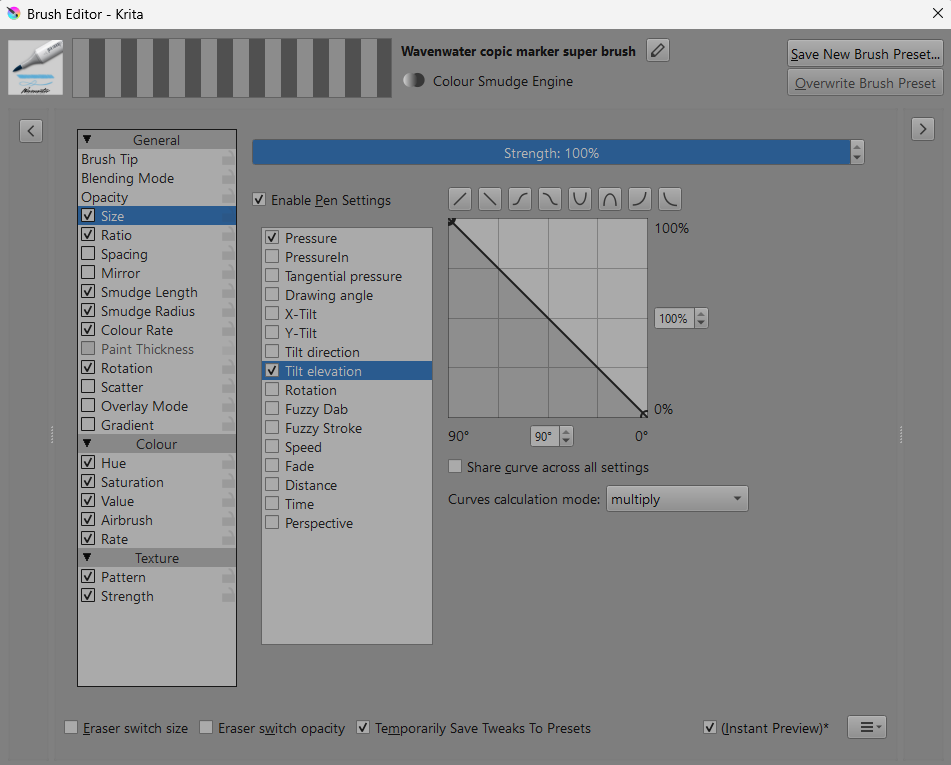
If your stylus has no Tilt output (or you’re using a mouse) the provided Tilt Elevation signal will be zero and so the Size will then be zero.
So, disable (by unticking) the Tilt Elevation control input to have Size only controlled by Pressure:
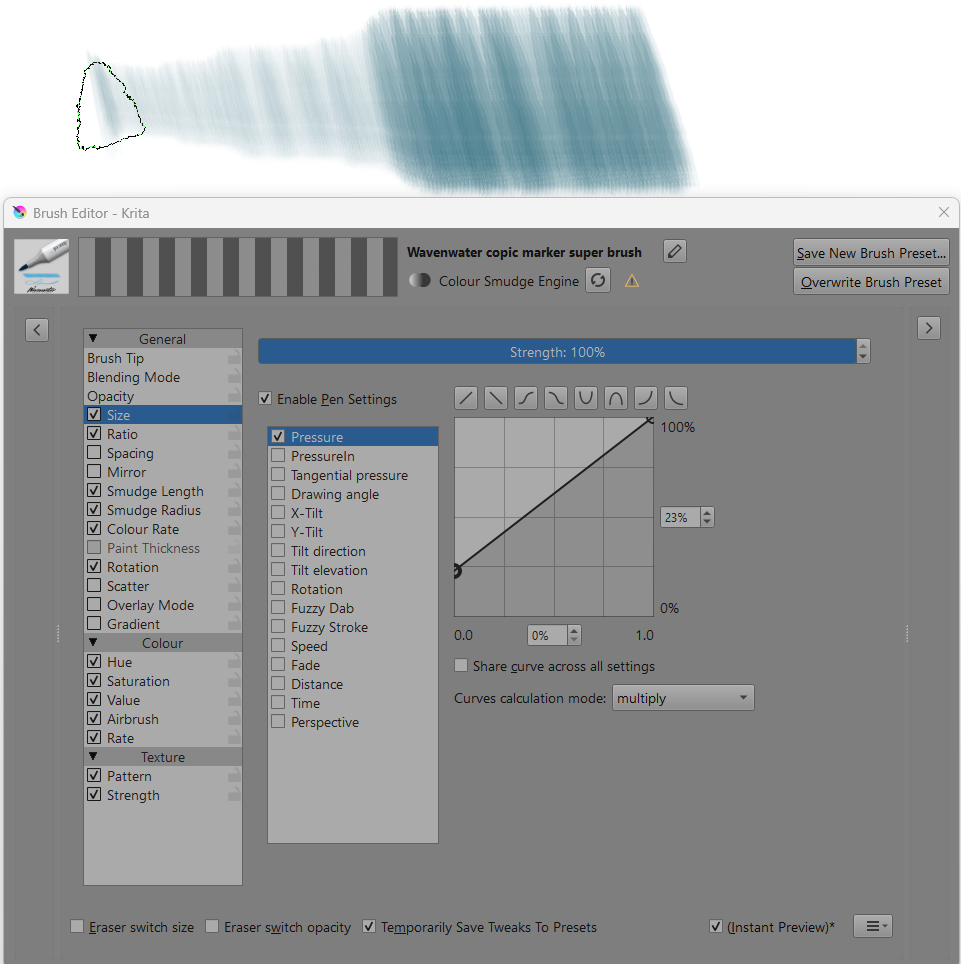
Tilt control is also used for Ratio and Rotation. With those, you can disable Tilt control too.