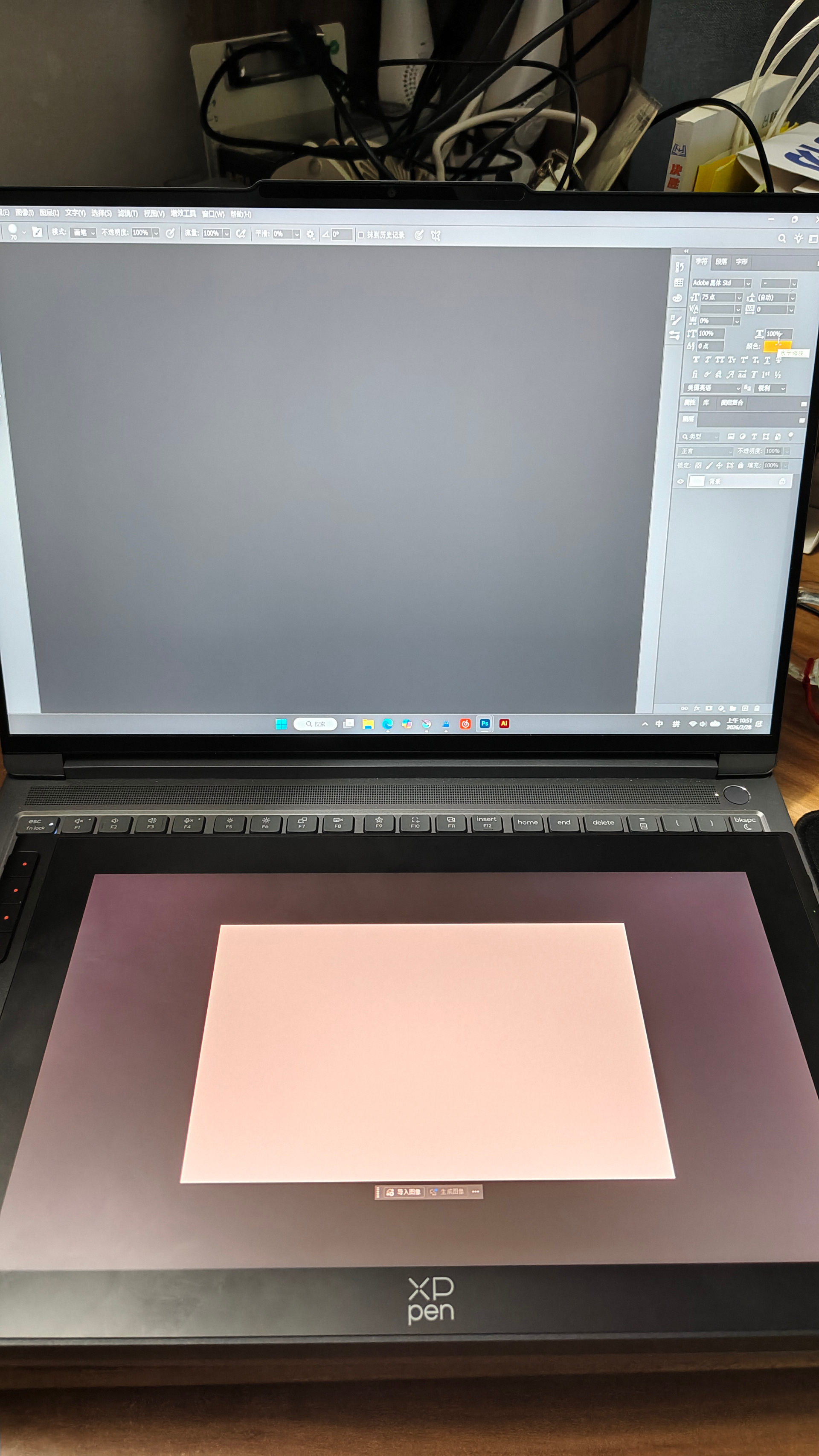
Ps can detach the canvas window and display it in full screen on a graphics tablet. At the same time, the computer screen can normally display the tool interface. However, after Krita detaches the canvas window to the second screen (i.e., the drawing tablet screen) and selects full-screen display, the first screen (i.e., the computer screen) cannot display the tool interface properly. This feature is very important for users who cannot afford large-sized graphics tablets and have to use smaller-sized ones for various reasons.
1 Like
You can already detach pretty much every docker and move them to another screen if you want.
I find that it can but you need to arrange the remaining dockers and possibly add new ones. Any arrangement you make can then be saved as a named custom workspace and will be remembered for the next krita session.
That custom workspace will include any arrangement you make of dockers across two screens but you have to detach the canvas again after a new session, which is easy to do.
I understand. But I mean the separate fullscreen function for the canvas window.
You can understand what I mean through the comparison images of PS and Krita that I sent.
Ps
Krita
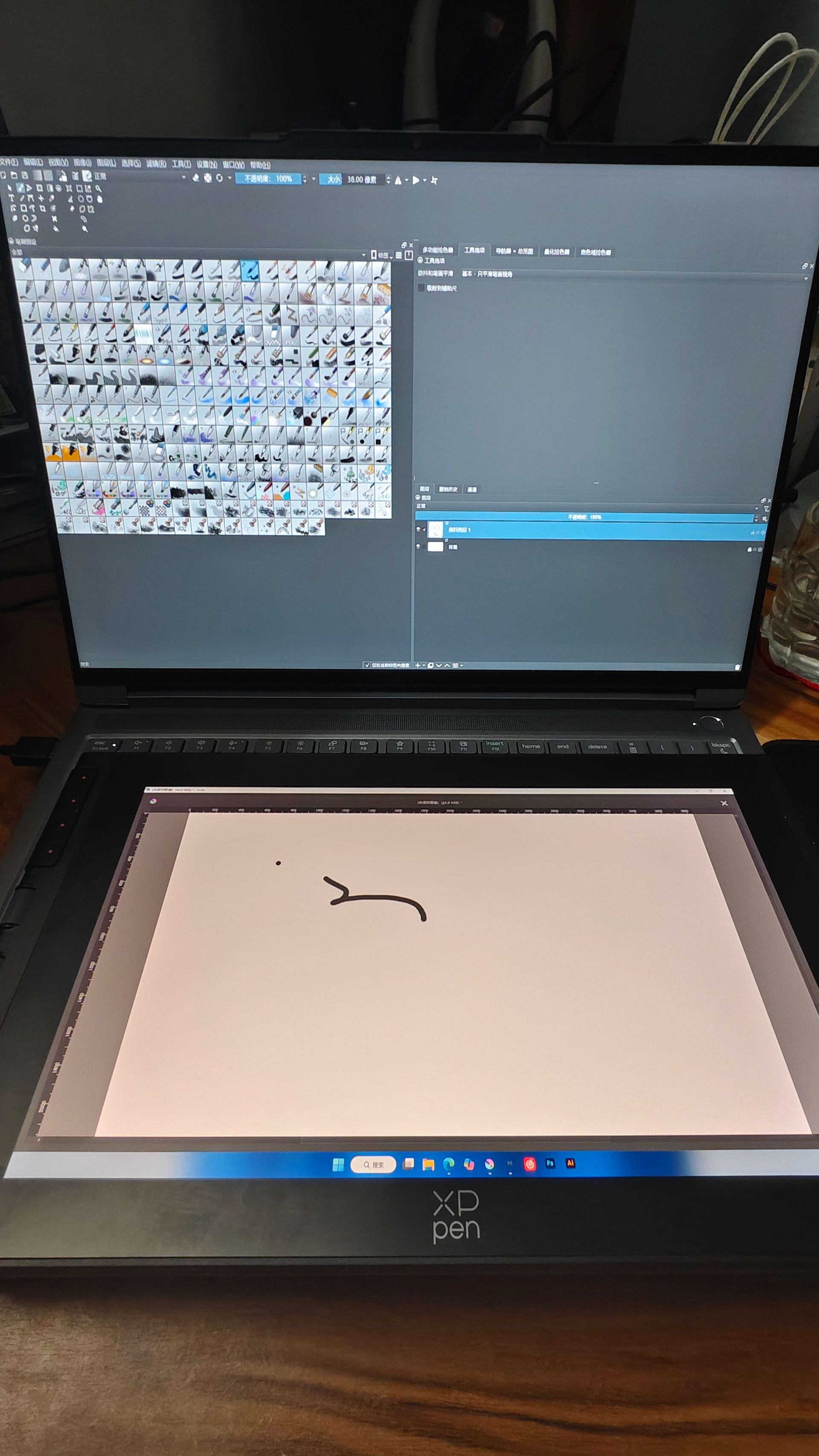
If the current version could do the same as Photoshop, that would be my problem. I know the current version can do drawing, but I hope Krita can become better.
What actually happens when you enable full-screen? You say that “the first screen cannot display the tool interface properly”, but what does that actually mean? When I enable full-screen on Linux, it only full-screens the main window, but that doesn’t seem to be what you’re talking about.
Edit: Or maybe that is what you’re talking about, since I don’t see a task bar on the other screen, which I think Windows always has. In which case this is arguably just a bug.
I believe that @Ayrrora is using View → Detach Canvas and then dragging the detached canvas window to the XP-Pen device to paint there.
It looks like PS does not rearrange its surrounding ‘dockers’ when this is done whereas krita spreads out the existing dockers to fill in the empty space that the detached canvas has left behind.
As I stated in my earlier reply, a custom workspace can be made for this situation where any desired arrangement of dockers (and more dockers) can be used to usefully fill the empty space left by the detached canvas.
(I’m not sure how the tablet stylus is mapped in this situation and it may be that the user switches to a mouse to access the laptop screen that has the main UI on it.)
The task bar is on the XP-Pen screen. That’s a matter of which screen has been set to Primary/Secondary and that is set in the main Windows level options.
You can hide the taskbar to make it ‘popup’ but that’s a different matter.
@Ayrrora Are you doing View → Detach Canvas or are you using View → Full Screen Mode or are you doing something involving Window → New Window or Window → New View?
Thank you for your answers, but my problem isn’t with my laptop screen, but with the canvas on the XP-Pen can’t be displayed in full screen like in Photoshop.
I think I now understand: The detached canvas is not affected by View → Full Screen Mode and it still has its window header bar on it. I don’t know why it does that.
Note: You have the Windows task bar on the XP-Pen screen and that suggests that you need to look at the dual screen settings for Primary ↔ Secondary screen allocation in the Windows system settings.
The photograph of the PS arrangement has the Windows task bar on the laptop screen and I don’t know why this is different from the arrangement when using krita.
I managed to achieve an effect similar to Photoshop by modifying the Windows taskbar settings, and it is now usable, although I still hope for native support.Thank you for your reply and patient answers. I wish Krita continued success.
1 Like
It would be nice if you could document the steps you took, so that others can use your workaround, while waiting for this feature request. Thx
2 Likes