I’m having annoyin “problem” with reference tool. It is working, but I’ve noticed that strange lines—artifacts—appear when moving reference images around the screen. This issue didn’t occur in older versions of Krita. I don’t believe it’s a hardware or graphics driver problem (my PC specs: AMD Ryzen 5 5600, ASUS Dual GeForce RTX 3060 V2 OC 12GB, 32GB RAM at 3200MHz). I’m using Nvidia Studio drivers—how can I resolve this? Is anyone else experiencing the same issue?
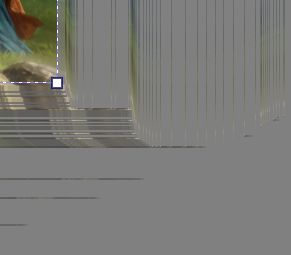
I saw this once on my Android but as soon as my stylus hit the screen to start painting all those lines just disappeared. Is that happening for you, too? The lines disappear?
The lines dissapear while zooming in/out. I’ve had a Radeon GPU recentyly and was having the same problem (i thought it was a problem with GPU drivers), switched to Nvidia - cause Nvidia seems to have more stable drivers, but it didn’t help. The tool works, it is just annoying, specially cause the previous Krita versions worked fine if it comes to reference tool.
+1 same here. I think a lot of strangeness started happening with the v5 series updates. Has anyone looked at the newer V6 pre-alpha versions?
Got curious and tried real quick the latest Krita Next build, apparently it’s all fine there
oh cool that’s encouraging. thanks for checking it out.