so I have been the last 2 days around this and I think I managed to find somewhat the common thread but not quite the reason to what causes it under those conditions.
import krita

n = 0.5
c = Krita.instance().activeWindow().activeView().canvas()
c.setZoomLevel(n)  # The Zom level is set
s = c.zoomLevel()  # Ask what is the Zoom Level to Print it
print(s)
Output
======================================
0.5
Changing the value of “n” causes no issues all is good.
Then go to the Scripter plugin and Run this (same) code.
import krita

n = 0.5
c = Krita.instance().activeWindow().activeView().canvas()
c.setZoomLevel(n)  # The Zom level is set
s = c.zoomLevel()  # Ask what is the Zoom Level to Print it
print(s)
As you can see the output in this case is not 0.5 as I was expecting. Changing the value of “n” does not change there is a disparity and it seems to grow the larger the “n” value is.
I don’t know why it happens but certain images just mess up the zoom but I can’t pin point the reason exactly why. I have a couple of theories but I don’t know which might be right.
Theory:
1 - JPEG’s work good and PNG’s bad.
2 - Something with the Image Ratio
3 - Something with the Image Dimensions. Small image is good and Big image is bad.
I donno if this is something on my side or for being on Windows and if someone else uses these images and runs it feels the same due to site compression or something making it impossible for me to send the bug for testing because I really don’t know the real cause just how to make it happen.
Problem is known, it has already been discussed here
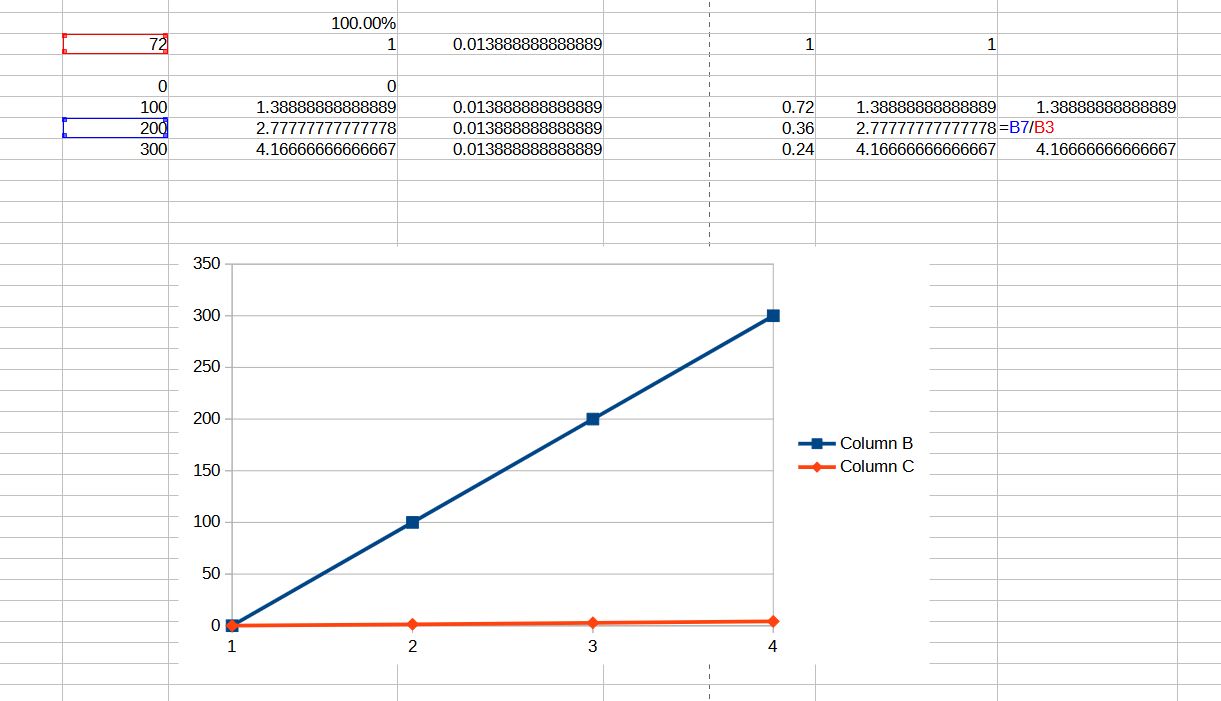
Problem is relative to dpi set on document if I remember (didn’t re-read everything in topic )
Don’t remember if a formal bug has been opened in bugs.kde.org
On my side I currently use some ratio according to document dpi to be able to coherent between setZoomLevel() and zoomLevel() method.
I had so forgotten about this, weird to see me talk with no memory of it lol.
Still I find this so weird to be related to DPI in virtual space. Are not pixels inside Krita all the same size? I kinda imagined they would be. Usually people say it is only relevant for printing.
Let me do some checks to see how to work this out then.
because the disparity happens only one way? The more I think about it the stranger it feels. To me it still feels like a Bug even in the context of DPI+Zoom.
Well considering this thread I did a bug report to try and explain the situation as I think it is still pertinent considering the read and write value scale difference.