Well from what I understand, PS’s clipping group basically takes alpha of one layer to stencil another layer and composite that on top of the projection, without the necessity of a group layer with its own intermediate projection.
But currently we can only access the “top” layer (src) and the projection (dst), so that can’t be done directly…
But maybe with this separation it can be just done in two steps?
Alpha blend modes are not used frequently so the combo can be in the brush editor and hidden on the toolbar. It will be used for advanced blending or just to set once and forget in my opinion. For the erase, can’t you just use the erase mode icon?
In any case if you are on multiply and want to go to erase mode yo will have to select erase in the alpha combo. There is no need to disable the color blend combo. Then if you select “over” you are in over+multiply again. If you want to go from erase + multiply to over + normal, you have to change the 2 combos. But i’m not sure one changes so drastically while painting as tomake this situation so cumbersome.
Don’t forget that there are other audiences of Krita. Some of those that use Krita for other things, and they definitely would use two combos more often than those that only sticks with painting. But, even in those case, my suggestion allows you to avoid changing the two combos as much.
Well my findings about how to emulate the ps blending options suggest that the compositing will have to be made in 2 steps always. Unless there are no tricky options selected in wich case you could optimize the process similar to how krita composes the layer now. In fact you can think of the clipped layers as another “inner effect” like inner shadow for example, the difference being that the clipped layer has its own blending options and effects.
Actually I think it might be the opposite or the same when it comes to how often you would want to use them. From my tests they are crazy useful on rendering stage not only for specialized brushes.
I also use Erase mode very often as a layer blending in a group.
For now I see two camps in Krita user base one is annoyed that most of the settings are hidden deep in the GUI and they wish ways to expose them for easier access and the other camp is overwhelmed by amount of tools.
I’m confused what to do. From what I can tell I’m in first camp as a user hehe
In any case, I think we should redirect the discussion to the original subject because this separation of the modes is just a hypothesis right now that can take time to implement, if it is ever implemented.
But that is an assumption right, some might change the modes more often and some may not. Just like some may use only basic round brush for entire painting. So you see this is not an excuse and was a real concern, this adds more time to change over. And if you encounter this step in between you painting it can break the flow.
I agree that this is not the thread to discuss the bifurcation of. The modes. We can move to different thread for this discussion.
Yes, it is an assumption. The assumption is that when you are painting you won’t change the mode in a way that you need to change the 2 modes so often that it becomes cumbersome. I don’t think people change the blend mode constantly when painting.
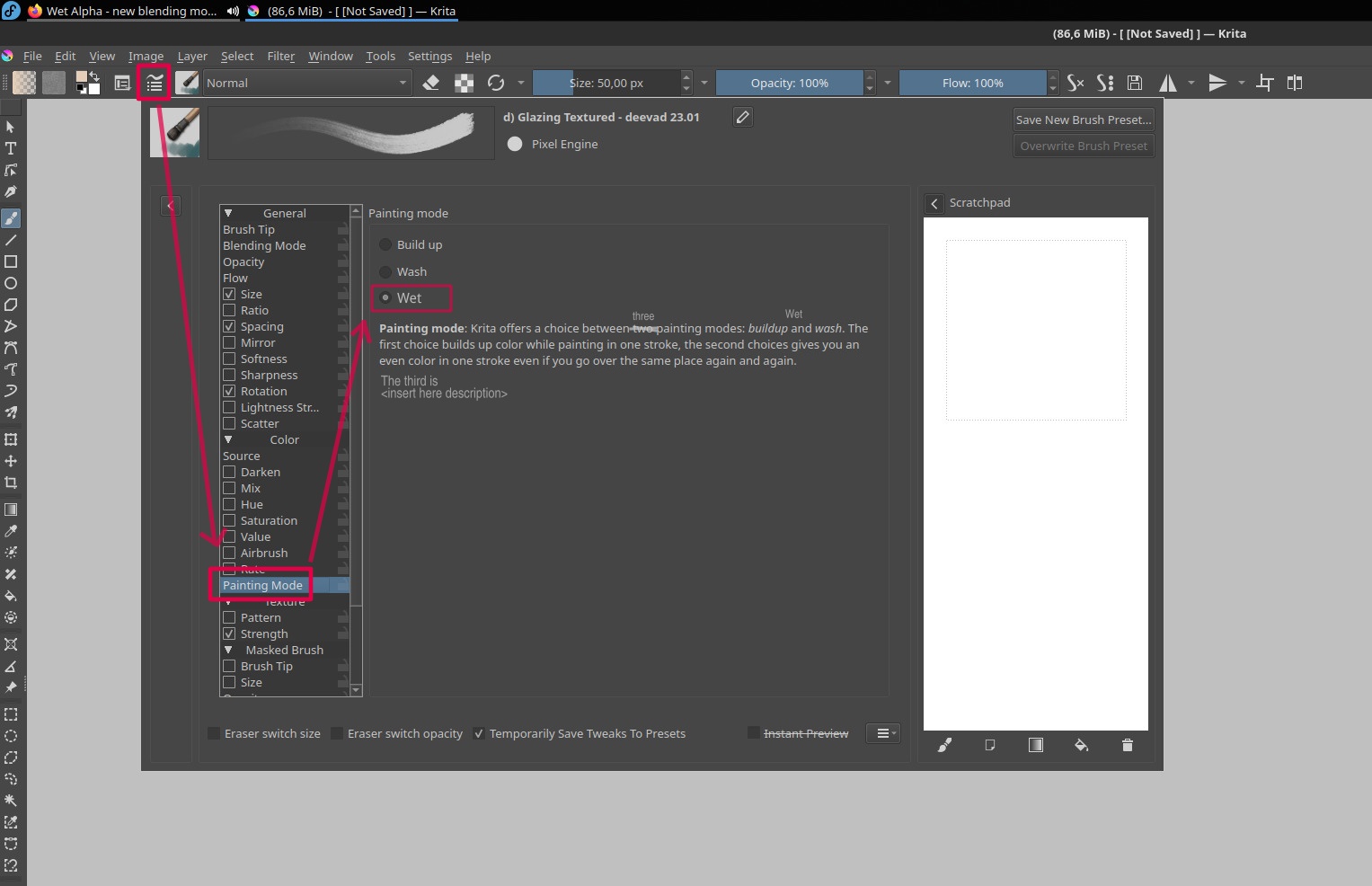
I’m actually thinking that making a new thread won’t matter for this purpose as it seems concluded that wet blending mode is wanted, but we haven’t settled on UI.
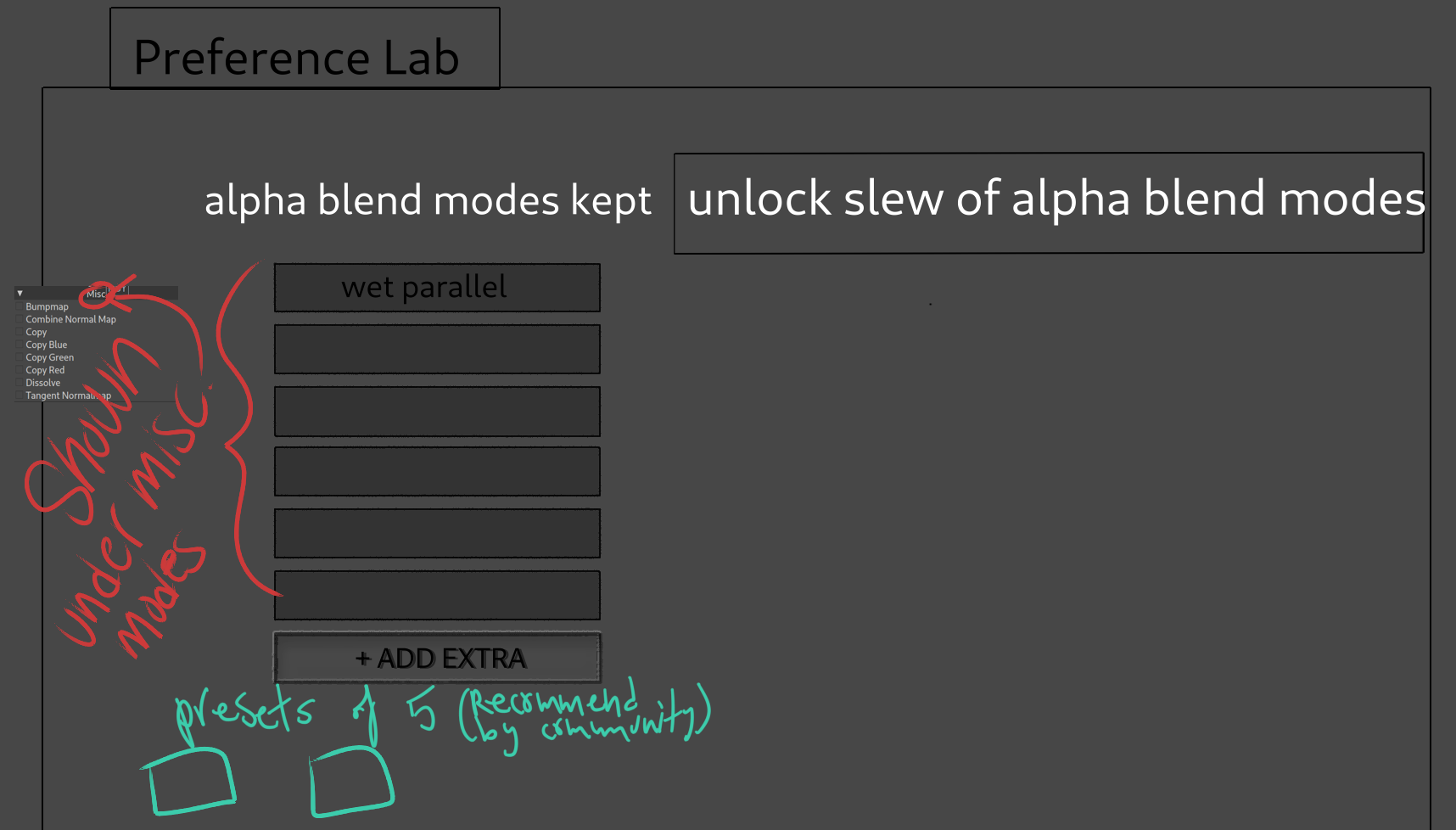
i would put 5 pre selected Wet blend modes under the misc. category. maybe rename it to Misc. & Alphas.
you could change & add more under the preference lab section. There will always be 5 shown under misc.
these 5 can easily be changed by selecting community recommended presets. and store your own presets.
Pressing the unlock slew could maybe give users ability to use the two column method initially shown in SirPigeons mock concept. (where you have one column that shows Over, wet alpha, dry …)
I made a thread discussing this thing recently. The idea of Wet Blending Mode seem accepted, and I don’t think any one is opposed to it. I’d even argue the discussion of wet blending mode is done.
UI/UX wise double dropdowns can be a pain. Anyone familiar with Blender must know that the transform orientation (global, local, normal, etc.) and transform pivot point (3d cursor, individual origins, median point) combinations are a chore, because you usually have to make changes to both if you want to change how you transform objects. That’s why plenty of addon developers combined them to sensible combinations with pie menus and such.
That said, I do think that splitting alpha and colour blending makes it easier to understand what is going on with a particular combination. These long blend mode names can be overwhelming and I often don’t see the difference between one or the other (from the more obscure and hidden/ unchecked ones that all share a similar base name).
Now this got me thinking, wouldn’t it be possible to change the dropdowns to become sliders so you can drag your pen over the button to change the mode? If there are only 4 or 5 options for alpha blending, it makes the switching process much easier (especially if you could type in the first letter as well like you can type in opacity values). So basically, the idea to make the alpha blending into an opacity slider, where each step represents a different blend mode (indicated with a text name change) and arrow buttons for precise one click changes.
You’d be able to click on the arrows to change the mode or drag the pen as well. Typing wouldn’t be the only option. That said, it depends on whether or not Qt is able to do these things as to whether it is actually possible
I am on the expose everything ALWAYS side. Hiding features will hinder new and experienced users alike as everything is scattered and using new users as an excuse is kinda bad as regardless of the combination they will probably be overwhelmed just the same. And being overwhelmed in a 2d application is kinda amazing they are so small.
But understand that the amount of blend modes really is reaching a critical mass and I agree if there is a way to simplify I am all for it and 2 drop-down fields seems good. And I agree people won’t be using the second field that much.
The big problem is with this if anyone that makes a new blend mode would have to make it have combinations with all others too making the list grow even bigger. This is a problem that grows way too much and makes code really hard to manage. If you 10 X 10 you get 100. On one side you would have manage 100 blending modes while on the other you manage 20 options which is what the proposal is about. And I think that is the way to go. I rather have well tended 20 items than ignored 100 items in favour of a couple.
Also the 2 drop down can become a problem right but if you don’t have a problem you can’t solve it your just theory crafting and 2 drop downs seems a very decent start to tackle the situation.
But compatibility with files is meh but with previous brushes is more problematic. What can be done is make a conversion table as to each current blend mode corresponds to the new split combinations. I think a thing like that would work well for a long while as the old versions would not have new blend modes only the split ones.
Sorry for the dumb question, but can someone ELI5 how the math for Wet modes differs from their normal counterparts? I can’t quite dissect the code or the graphed functions. I understand conventional blend modes like Greater and Overlay, but I’m lost on how you’re achieving these looks. Is the key that it’s lerping src.a by dst.a? Are these the only blendmodes that lerp?