Just wondering how everybody goes about creating a sketchbook.
I have one file with many layers, each being a “page” of my sketchbook. Easy to view any page. The whole “book” is available by opening one file. Problem is, file size may become a bit of an issue.
Convert all pics to PNG or maybe JPG and put them into a slideshow. For Windows, you could use a software like IrfanView for this, but there should be more.
I simply put them in folders for year and month with a proper file name, just like every other. I sometimes put multiple sketches in one file while exploring but it makes it harder to find a very specific sketch again in case I need it again later. That’s why I try to have just one work/sketch per file and simply organize them in folders in the file system. I find this the most flexible and convenient for my case. That way I also can easily find them with the file search (at least on my Linux, don’t know if Windows’ search is any good nowadays).
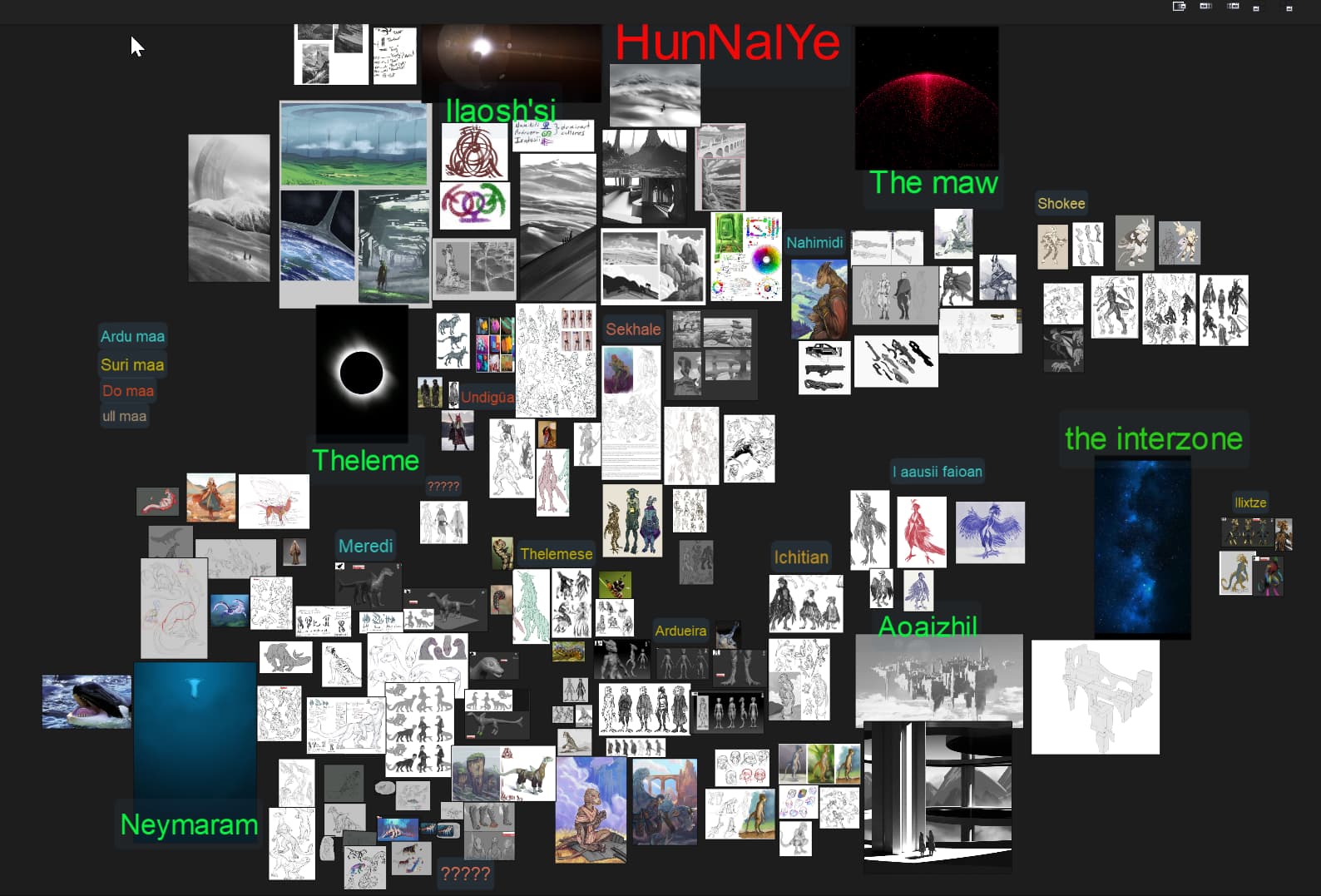
I save the images and load them into large PureRef boards; Set the performance preferences to “cache on disk” so that larger boards have low memory footprint and in the saving and loading options uncheck “embed local images in file” so that the program links the images from my hard drive instead of embedding them to the file.
When I moved to working entirely on a computer I used to miss the documenting aspect of sketchbook or scrapbooks; I searched and asked for a digital analogous to sketchbooks and PureRef ended up taking that utility. It has that quality of being able to organize information for an overview as well as minute stuff such as note taking and drawing on top of images. It supports animated gifs, you can make it transparent and lay it on top of krita to overlay reference. You can make slideshows for timed gesture drawings and quick sketches, I just can’t see myself starting a project without it.
It is very convenient to have a collection of past pureref projects to keep a journal, have pre organized references, or just remember what solution I used in that particular time. I keep a naming convention for my pure ref boards so they are easy to find by keywords.
If it was me would create a folder and save the kra files into a folder and then just let imagine board sort them out or even rename them properly with the given sort. And if the sources are split between various sources create a panel to store their locations and you can see it as a board or a image display or grid too, all of which inside Krita which opening files into Krista and colour selection directly.
I currently an creating a series of concept characters and I have a board to compare all of them side by side with their respective references. It works regardless of my folder structure and I can keep drawing several characters and correcting others to bring them up to speed with the new changes. It is by far better than recent documents, but if you like that it can also replace recent documents. Very rarely I use Kritas welcome screen to actually click on my project files, only if the file is like isolated.
But if you have a very structured thing like pages in a comic book I suggest using project pages. It creates a zip file with a collection of images files inside. When you work on the files inside and hit save it will update the zip file to the new changes. The bigger is your comic the slower is your save as it saves and then compresses but you need a really big amount of images to affect it. But the cool thing about it is the standard document size for the project and default guides. It also has a quicker and more handy export option because it only exports what is in a selection or all if there is none and then resizes it so it is not full resolution so you can share it wherever. And you do it all with less clicks.
Also I should add you can explore the project pages zip files with imagine board too.
What is image board? Searched the Krita manual but no mention of it. Is it a plug in?
@4man1 I am looking at PureRef, seems interesting. Maybe a bit over the top with features I would never use. Multi platform, donation ware, not open source though.
Thanks for the tips.
Ideally I will be able to page through my sketchbook chronologically and see if there was any improvement, trends, fads, or accidental good work. I am totally new to the art world, only started 8 months ago when I bought a Cintiq 16.
Just installed PureRef on my MX Linux desktop. Browse to my newly created sketchbook folder structure, and select a *.kra file. Oops, unsupported file type.
Open Krita, export the file as *.jpg, and it is easily added to PureRef.
As I am unlikely to do more work on these sketches, and the *.jpg files are significantly smaller than the corresponding Krita file, what am I losing by converting?
Cool setup! Layers as pages is smart, but yeah, file size can grow fast. Maybe try saving each page as a separate file in one folder — easier to manage and lighter on your system. Curious how others handle this too!
If I want to use the Pure Ref tool, I have to convert to another file type.
If I select the background and the top layer, copy and paste as a new image, most of them are around 40 megs. Export those as *.jpg, and they are down to 2 megs.
That is more steps than I really want to have to take.
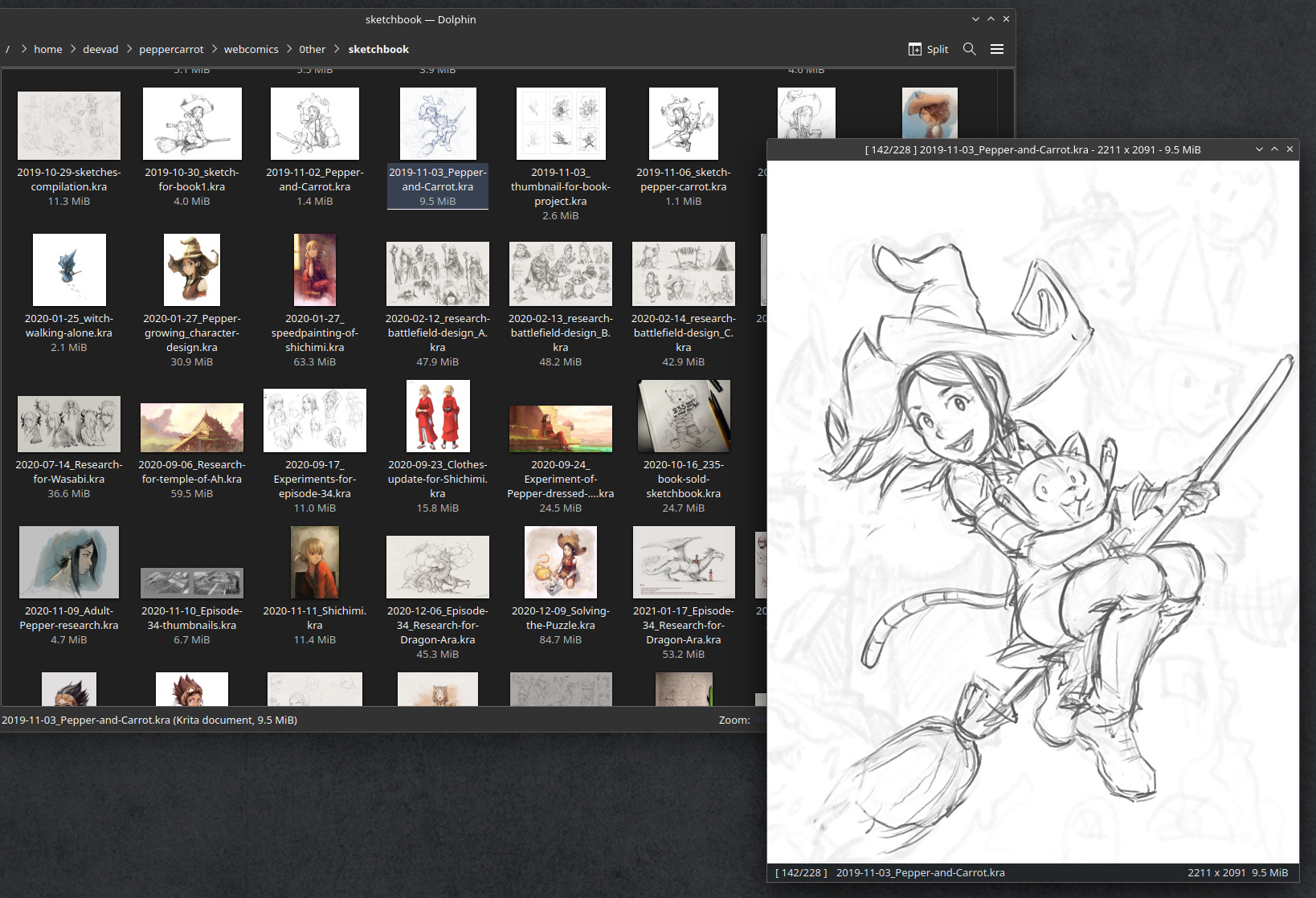
I simply put all my *.kra sketches inside a sketchbook directory. I name them with the ISO date prefix YYYY-MM-DD_ so they are always sorted by date. I also have archives from 2000 to 2010 and from 2010 to 2020 with around 900 files sorted like that into them.
With the thumbnails from Dolphin File Explorer on KDE/Plasma, and the ability to quickly preview *.kra files in qimgv, it’s easy to browse and just look at the art without opening them in Krita to edit them.
personally I only put .jpg’s and .png’s on a pure ref document because I use them to track my progress; So there are a lot of unfinished screenshots from work files; I also tend to avoid putting work files on a journal document because if I make changes to that file, they will be reflected in the journal.
But then again, it is your choice to use the raw work files for journaling or compress them; that really depends on your process and what information is useful to you.
Tried both imagine board and pure ref. Pure ref shows better detail, so I think the extra steps to convert to *.jpg are worth it. It’s not like I’m a prolific artist, or on a deadline. Thanks for the tip.
Now I just need to figure how to get Pure ref to display the file names on demand.