I tried to reproduce this issue. After enabling the layer stroke, I created a new regular layer above it and drew something on it. Then I started working with these two layers, alternately drawing on them and moving their positions. After a while, I was able to trigger the problem.
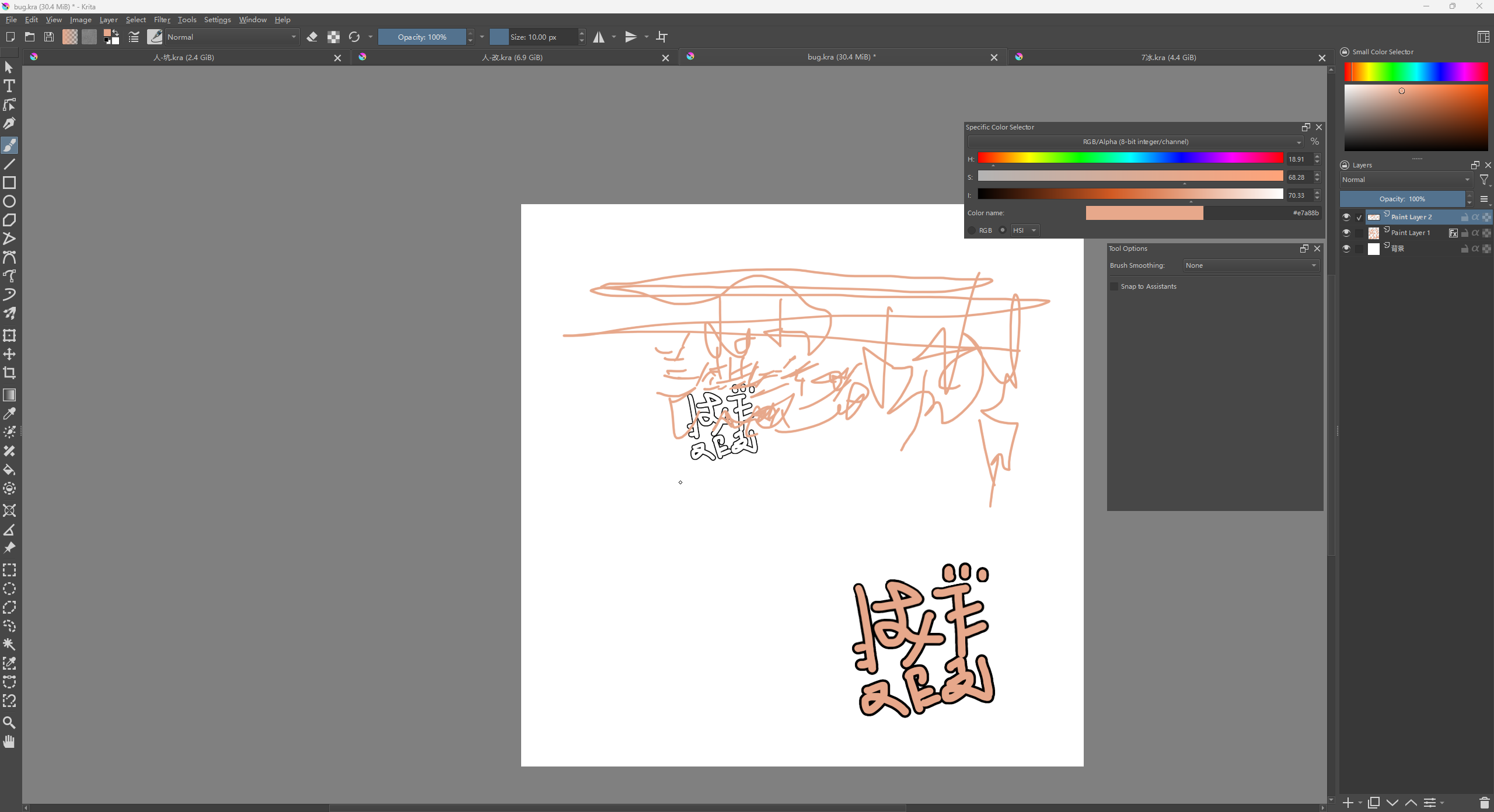
A full screen screenshot showing the layers docker would be useful to help understand this.
Also, you could try turning off visibility of filter layers/masks and any transform masks in an attempt to find out which, if any, might be causing it to happen.
It looks a bit like you painted over in white instead of erasing.
I tested it again and found that as long as both layers contain content, and you alternately move the content within the two layers, the issue can be triggered.
I have successfully reproduced this issue. The steps to reproduce it are quite simple: as long as there is content in both layers (with the stroke function enabled for the bottom layer), and you alternately move the content within these two layers, the problem can be replicated.
That content that looks like white paint was generated by Krita itself. If I move the stroked layer to the top, those elements will disappear, but they can easily reappear.
It’s a canvas artifact that does not form part of the document. i.e. it can be removed by ‘wiping over’ with the moved content box of a layer or by forcing the recompositing of the entire canvas by turning off the visibility of the background layer then turning it back on again.
It is gone after a Save then Close then re-Open.
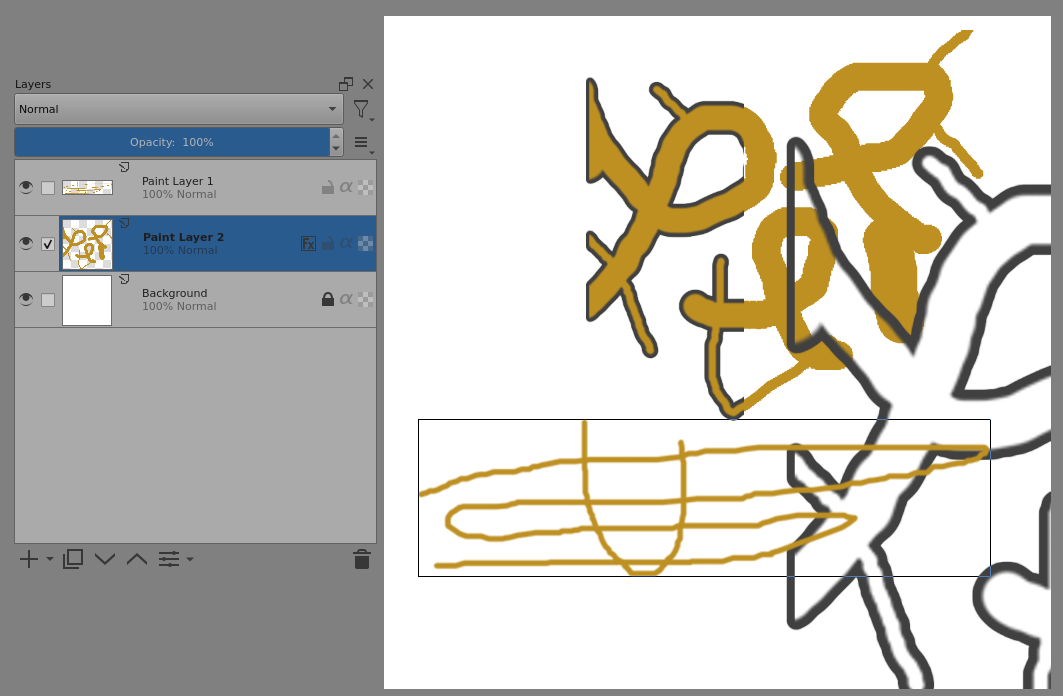
The artifact does not appear if the Canvas Graphics Acceleration is disabled.
It does not appear for image sizes of 1000 x 1000 or less but does appear for image sizes of 2000 x 2000 or more.
It can appear after turning the Fx icon off then on again.
I’ve no idea why any of this happens.
It sounds like a formal bug report is needed at https://bugs.kde.org/
You can include a link to this topic to avoid having to do lots of typing in the bug report.
I really don’t understand how to file this bug report. If possible, could you submit this bug report instead?
Some time ago, I created a template to help with the creation of bug reports. I think you can use it to create your first bug report, because so far it has helped almost everyone:
This means you have just discovered a bug, and therefore you deserve the honor of reporting it on bugs.kde.org.
If you want, then you can report it as a bug via the KDE-Bugtracking System at https://bugs.kde.org/.
To report a bug, you must register at https://bugs.kde.org/ to gain access to the “KDE bug tracking system”, i.e. “KDE’s bug tracker”. Keep in mind that the e-mail address you use there must firstly be existing / valid and secondly that it can be viewed by any visitor to the site. But the likelihood of your address falling into the hands of spammers there seems to be very low, because the address I used to register with them, I’m using exclusively for access to the KDE bug tracking system and have not had a single spam mail in my mailbox in the years I have been registered there.
You can read what a bug report should look like under Reporting Bugs in the Krita manual (the input mask looks slightly different today), or the User Guide on KDE.ORG, which I like less. Please use the drop-down menus to select the software, i.e. Krita, the version number, the operating system and try to narrow everything down as much as possible using the drop-down menus available there.
Here you’ll find the mask to report bugs in Krita, you can open it when you are logged in into your account (if not logged in it will detour you to the start page):
https://bugs.kde.org/enter_bug.cgi?product=krita
It might be a good idea to include the link to this topic in your bug report so that the developers can read your findings here.
And after completing the bug report, i.e. after you have sent it, please publish the link to the bug report here in this topic.

Michelist
This bug report from two years ago seems to be very similar. A simple search found it easily.
The reporting user has not given any information apart from a short description but, on reading, it does seem to be almost the same:
https://bugs.kde.org/show_bug.cgi?id=477557
I suggest that you sign up, log in and then make an additional comment giving a quick summary of what you want to say and then give a link to this topic saying that there is a more detailed description and more information in this topic.
This topic was automatically closed 30 days after the last reply. New replies are no longer allowed.