How do I clear most of the data without affecting my saves brushed/present/workspace/brushgroup
 Hello @ngooiwong and welcome to the forum!
Which version of Krita do you use, and from where did you download your copy of Krita?
Could you please elaborate a bit more exactly where Krita should be growing too large for you?
And would you be so kind as to provide us with a screenshot showing the relationship between the dimensions shown in your photo and the space (apparently) occupied by Krita in the form of paths in your device’s file system? A good file manager would be the tool of choice, e.g. Total Commander.
Here we see an accumulation of measures without a connection to their manifestation in the file system.
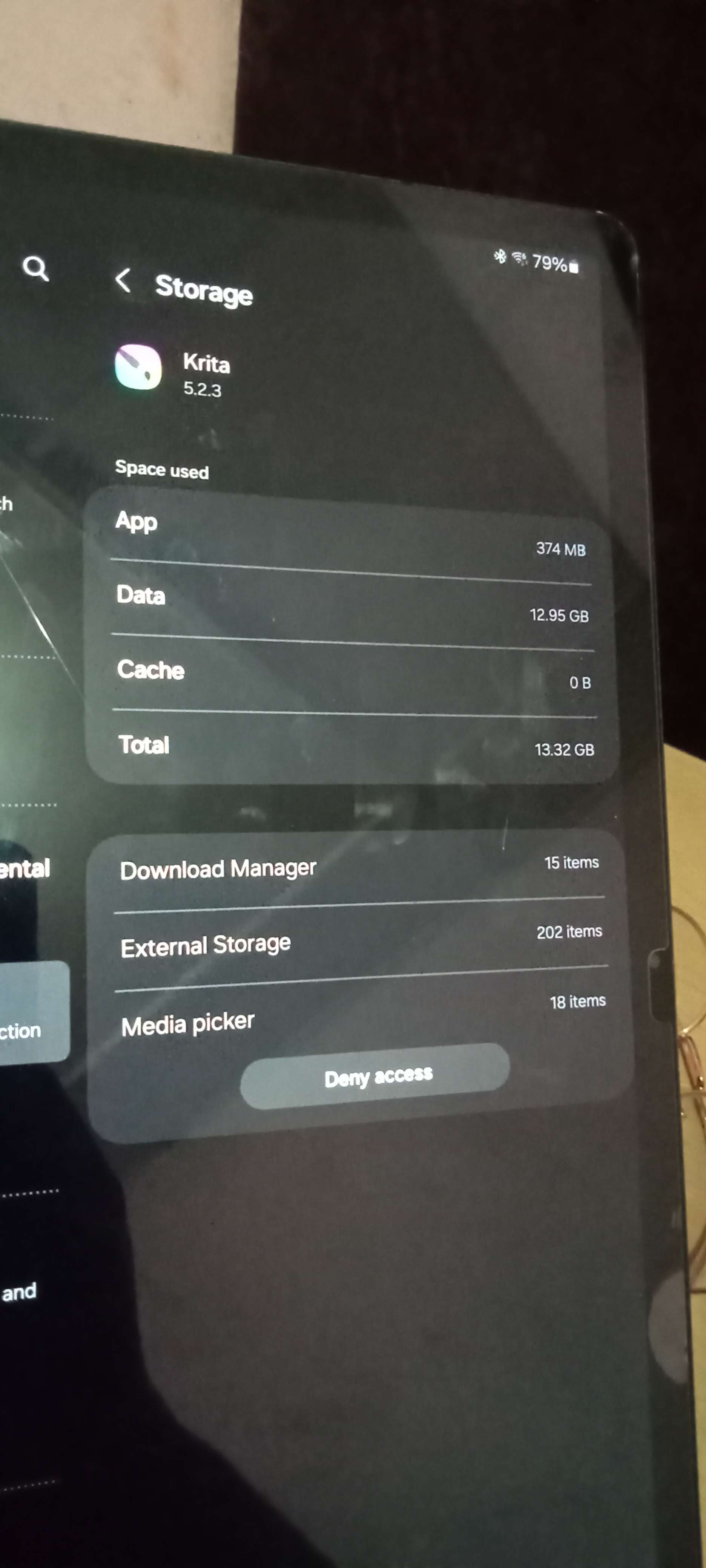
374MB for Krita itself seems okay, those 12GB will probably have to do with your resource folder and the amount of installed resources in form of brush presets, bundles, brush tips, patterns, etc., but could be something different without seeing its source, the folder it stems from.
It is new to me, that Krita should have a download manager, at least this is the first time I’m hearing about that. Also, the media picker is something that is unknown to me in connection with Krita, but maybe I’m just learning something new?
In regard of the external storage (SD-Card, USB-Stick, external HDD/SSD?), I guess you should know what you did save there, Krita usually uses the space of the device it is installed to, so for using external space, you must point Krita to that space to save things in there.
I guess, most of your questions could be answered with screenshots showing the folders where this space is occupied by Krita(, or not), and showing the content of at least the main folders where the files responsible for it are.
By the way, please use screenshots instead of photos, these are much better readable. If you don’t know how to make a screenshot with your device, then please ask Google!
Michelist
3 Likes
Hi Michelist  , thanks for your reply.
I downloaded Krita from the Play Store, and I believe I’m using the latest version.
I’m having difficulty finding the path that is formed on my device, so I don’t know why the data is so big.
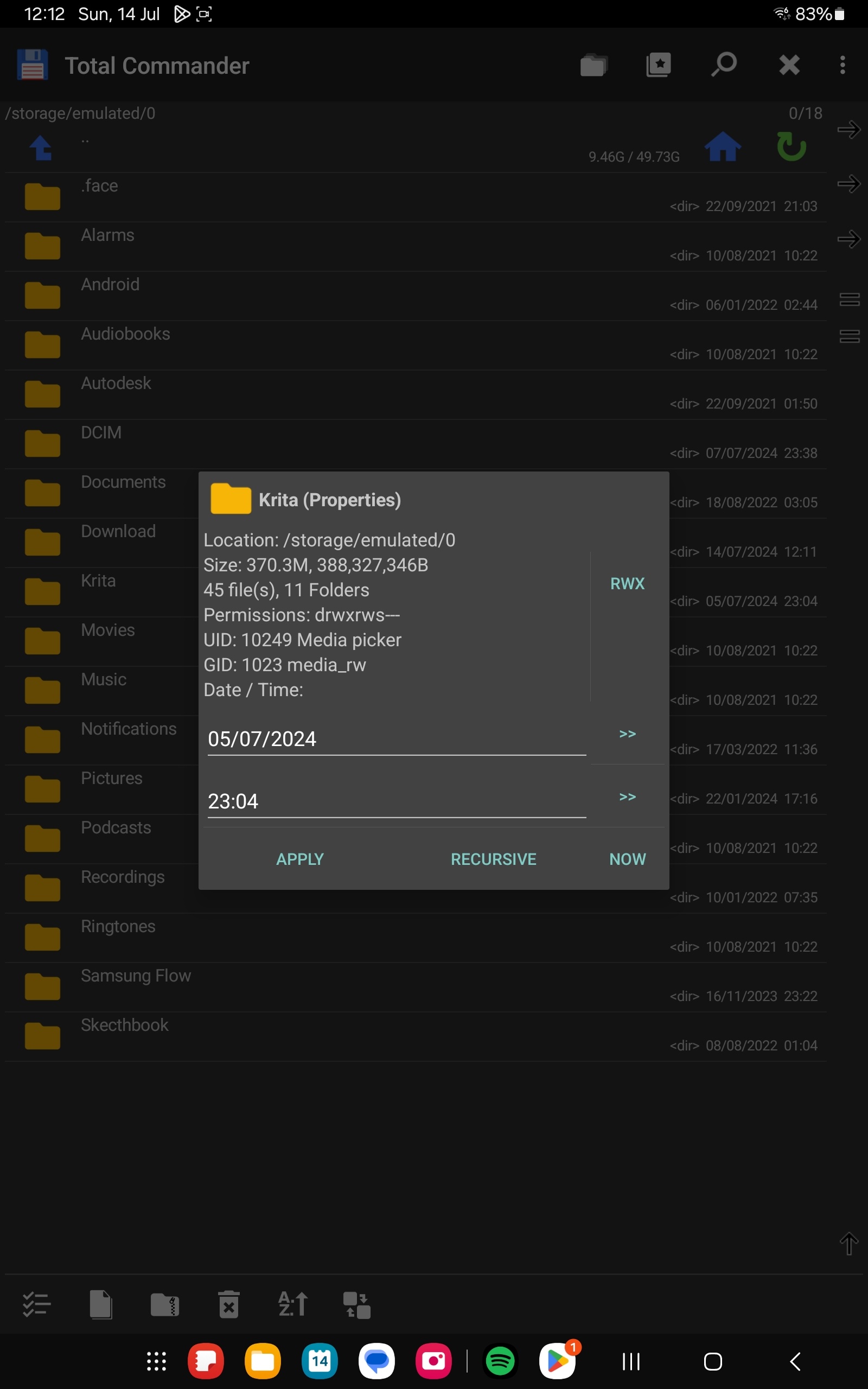
I am unable to access/click the (download manager/media picker/External Storage) that was shown in my previous picture. I can’t find it in the file manager either, and I tried Total Commander but was not able to locate it.
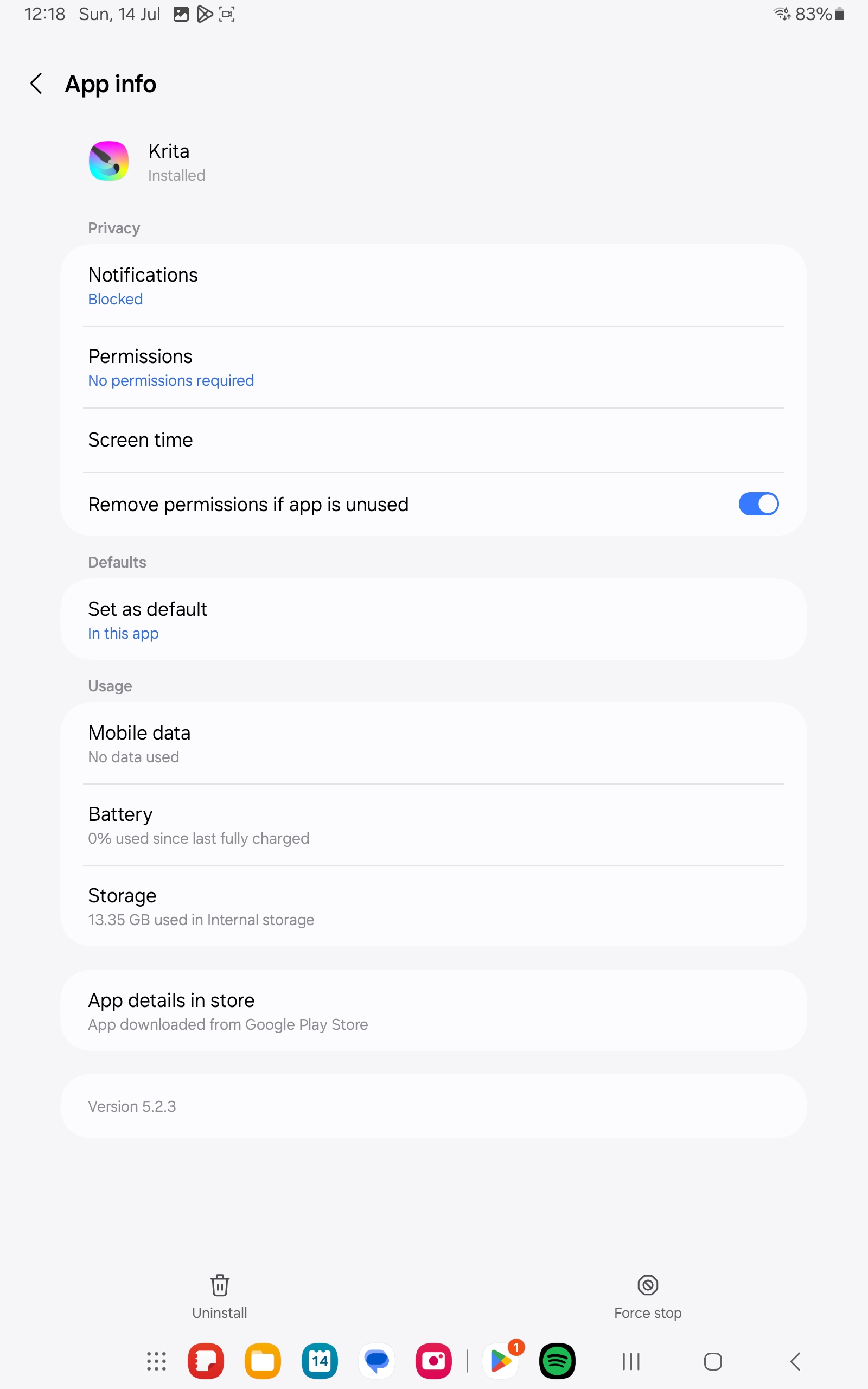
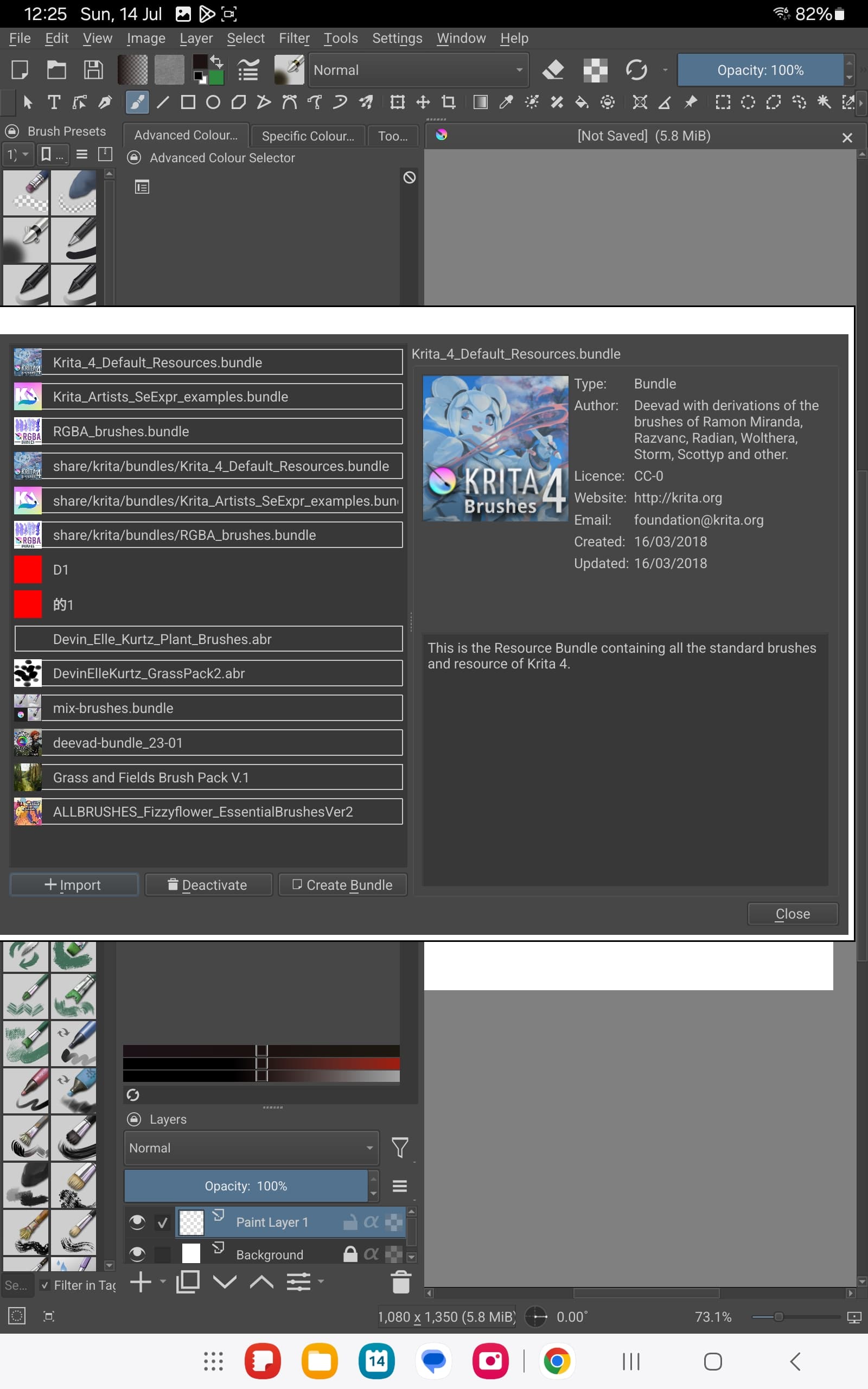
Here, I provide some screenshots of what I can find. I can easily clear the 12GB of data by just clicking “clear data” in the storage settings, but I worry that all my brushes will be gone  .
.
There is also a possibility that my custom brushes are quite big, but I doubt they are 12GB. The documents that I have saved on my device are only 300MB+. I can find and access these files easily.
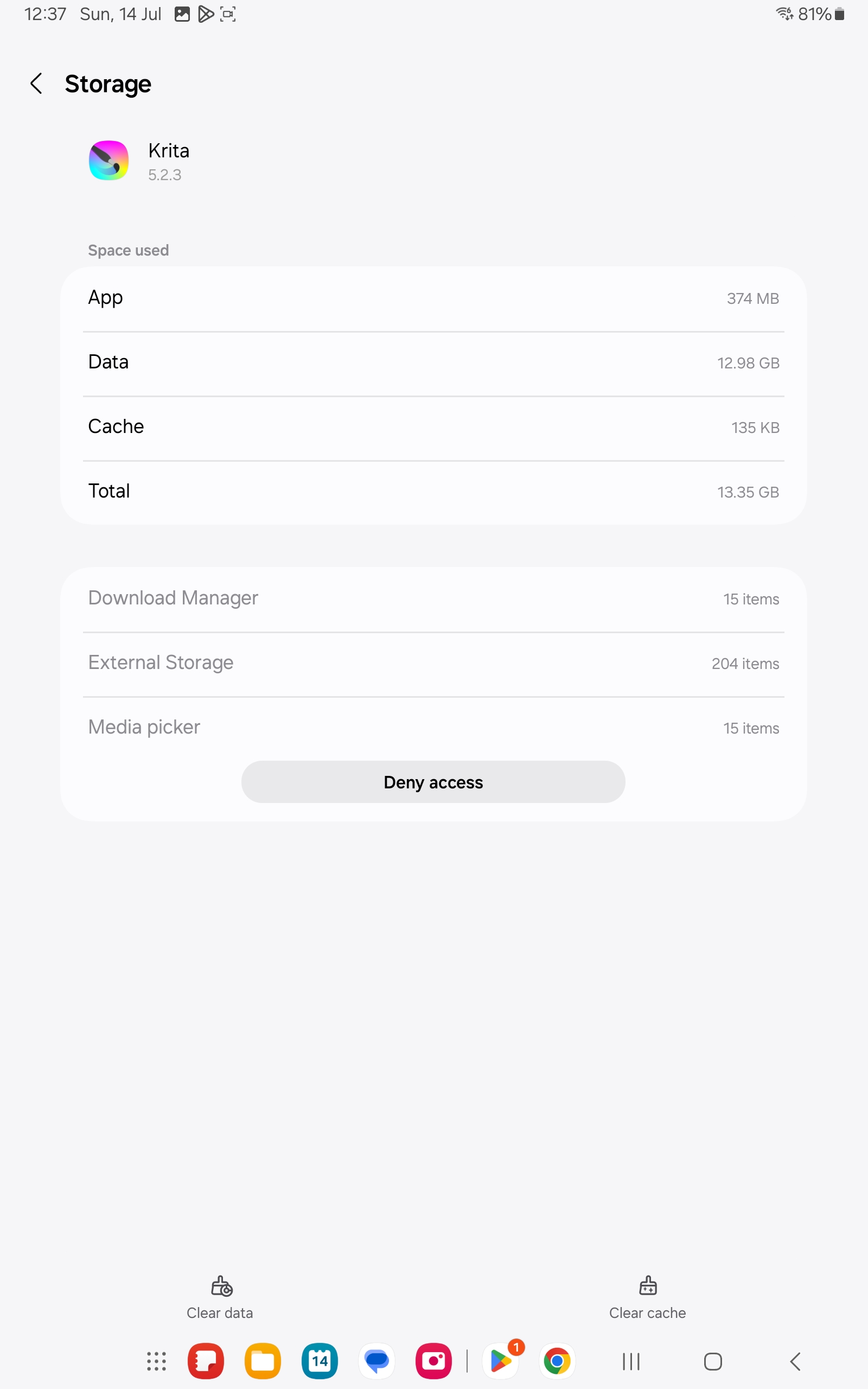
That’s a lot of data to store. Are you using the recorder docker to make time lapse videos?
Your files should be located here:
/storage/emulated/0/Android/data/org.krita/files
3 Likes
Oh i never know krita can do timelapse (i always just used screenrecording to do it)
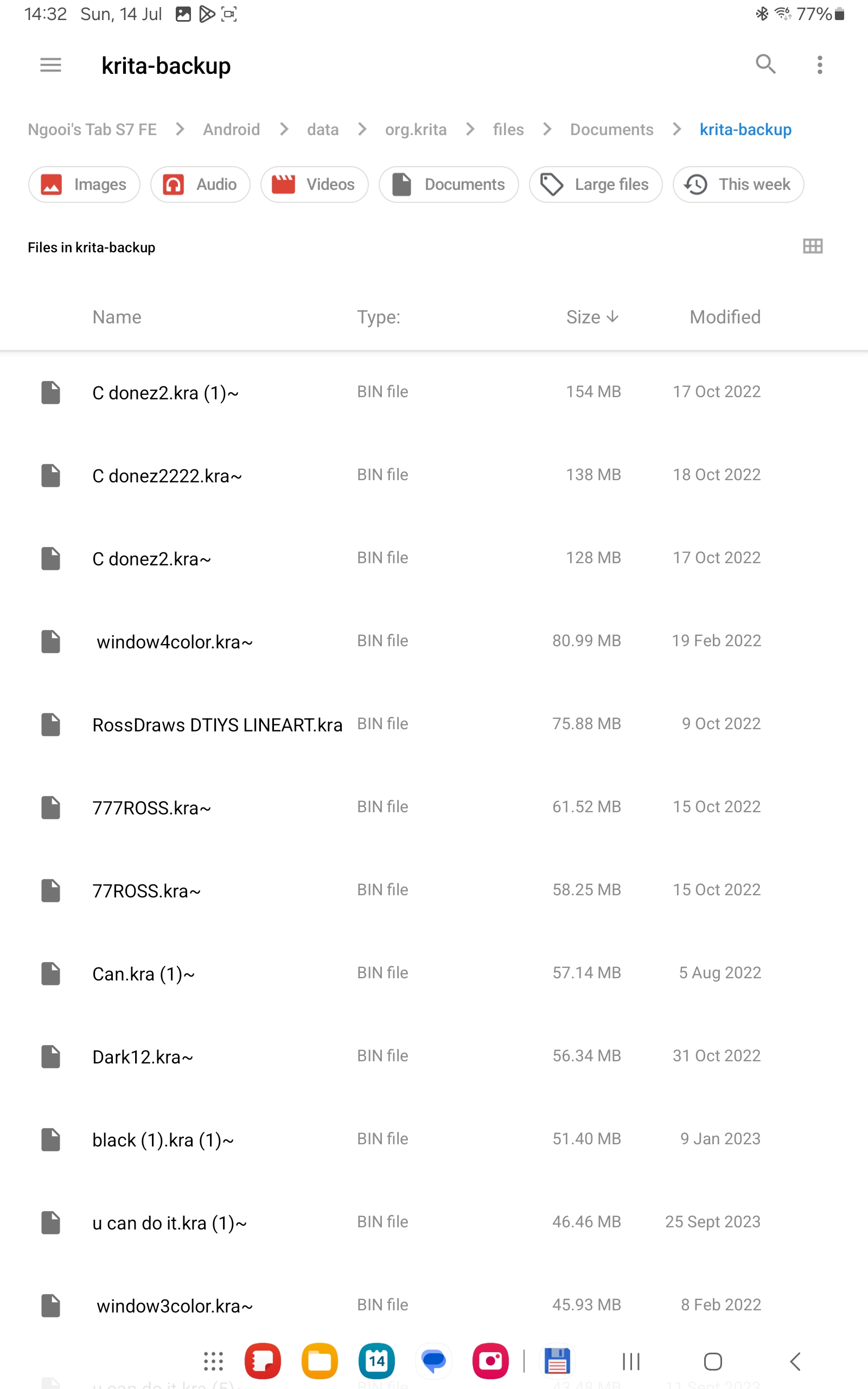
Thanks SOOZ i was able to locate the krita files and i know what the main reason the data was so big.
It was the backup files  got also of old drawing
1 Like
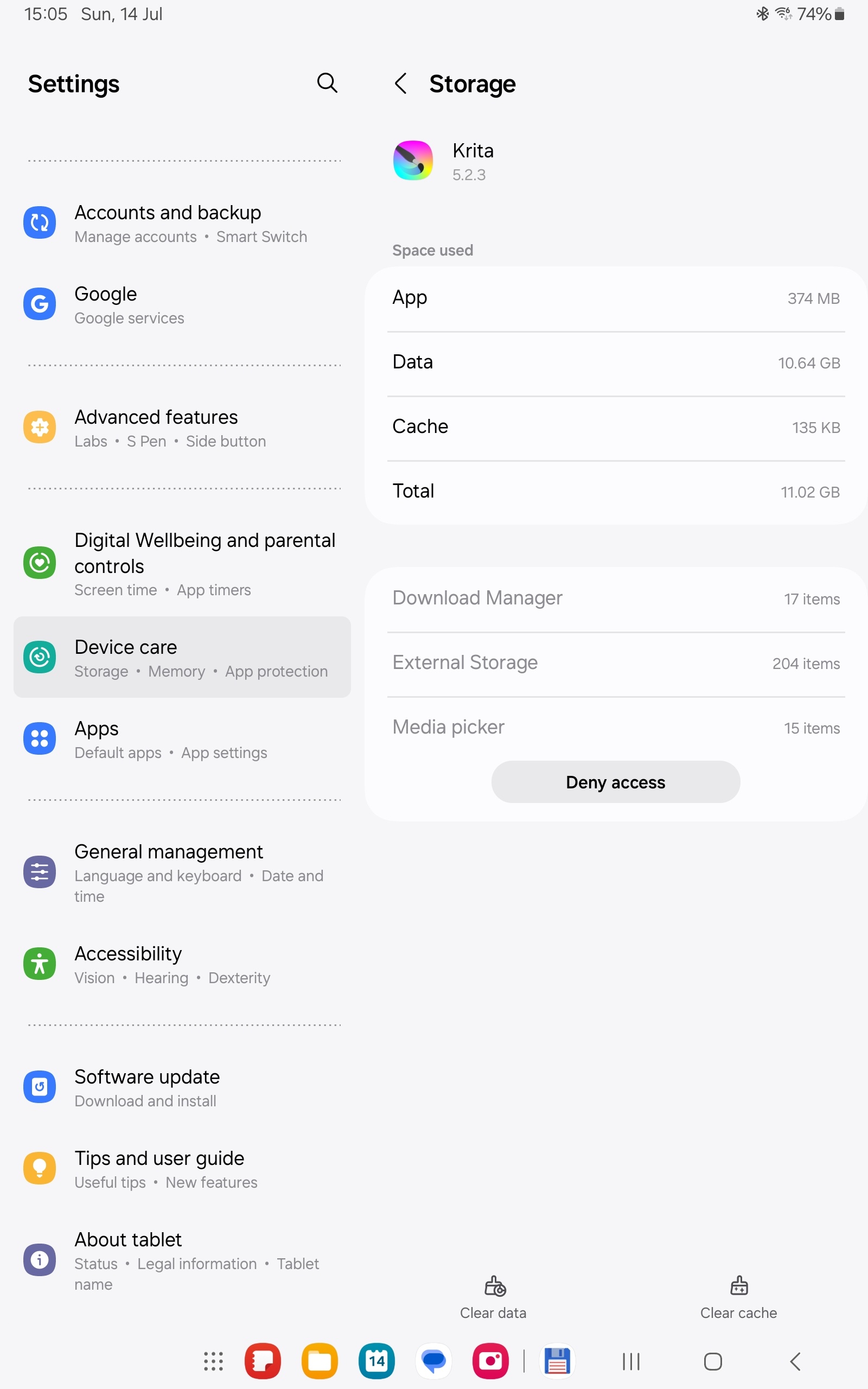
That is still huge. Can you go into Configure Krita, General, File Handling and see where your backups are being stored? I haven’t tried this myself, but you could try to search for all .kra and .kra~ files using Total Commander or Google Files.
1 Like
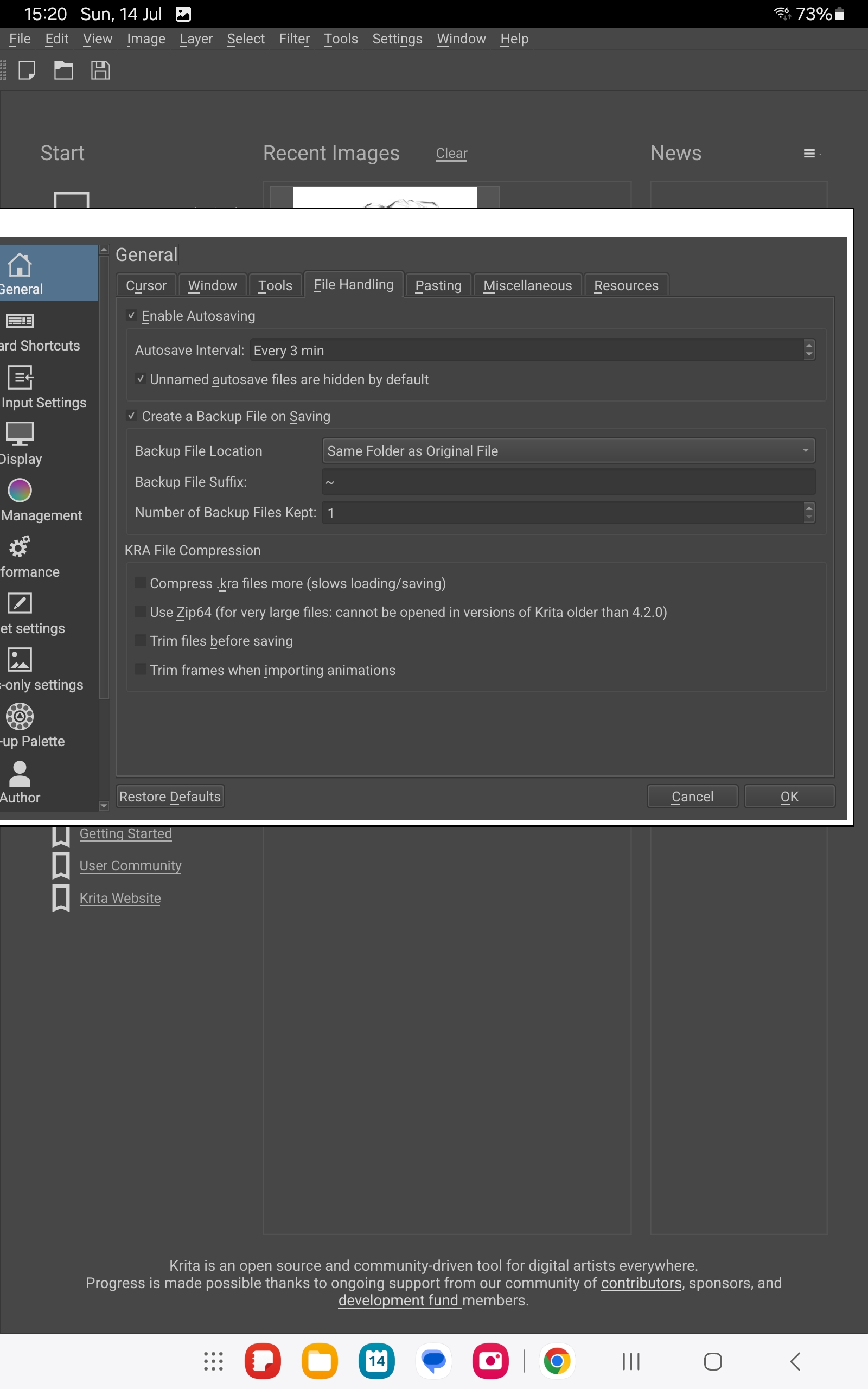
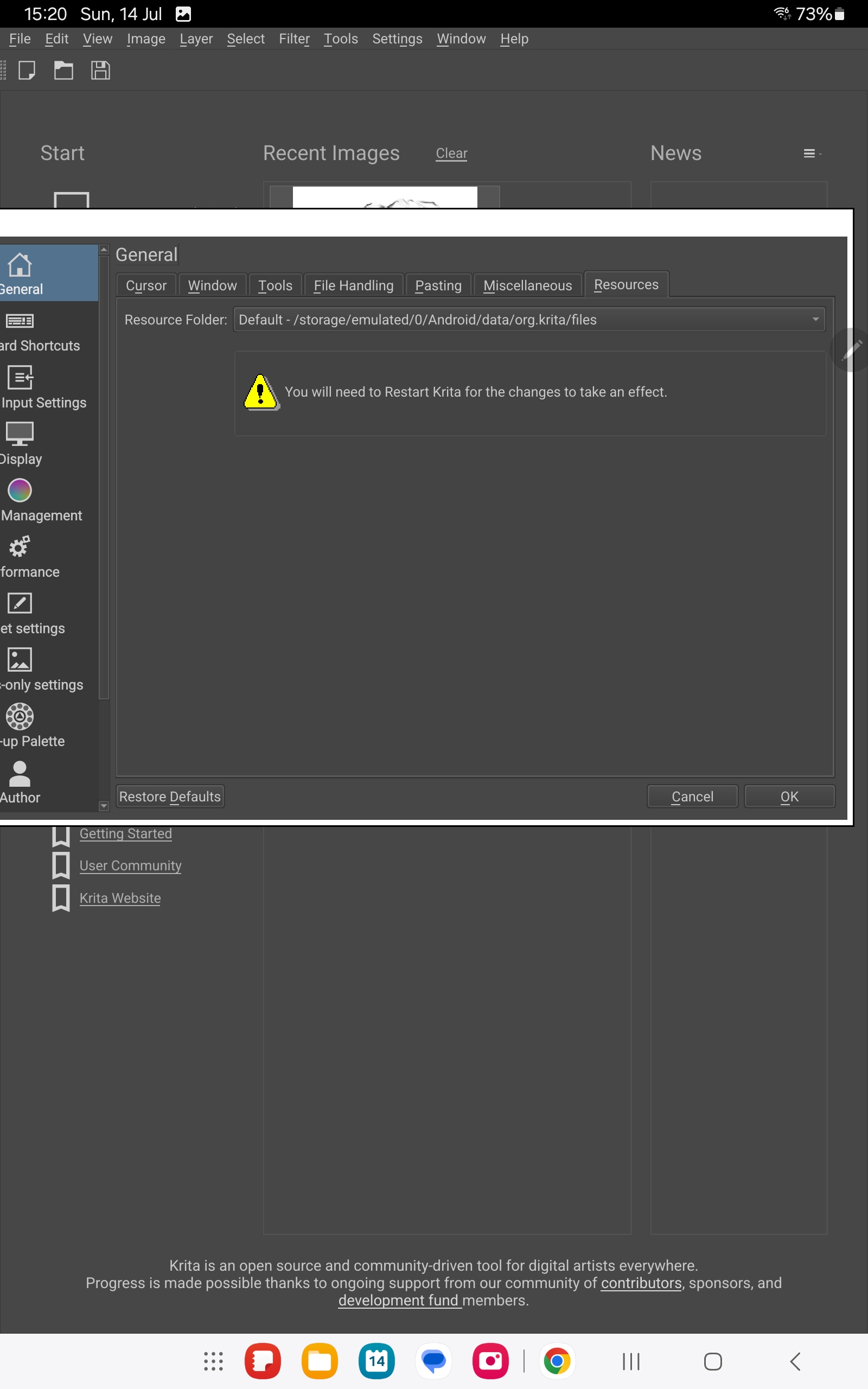
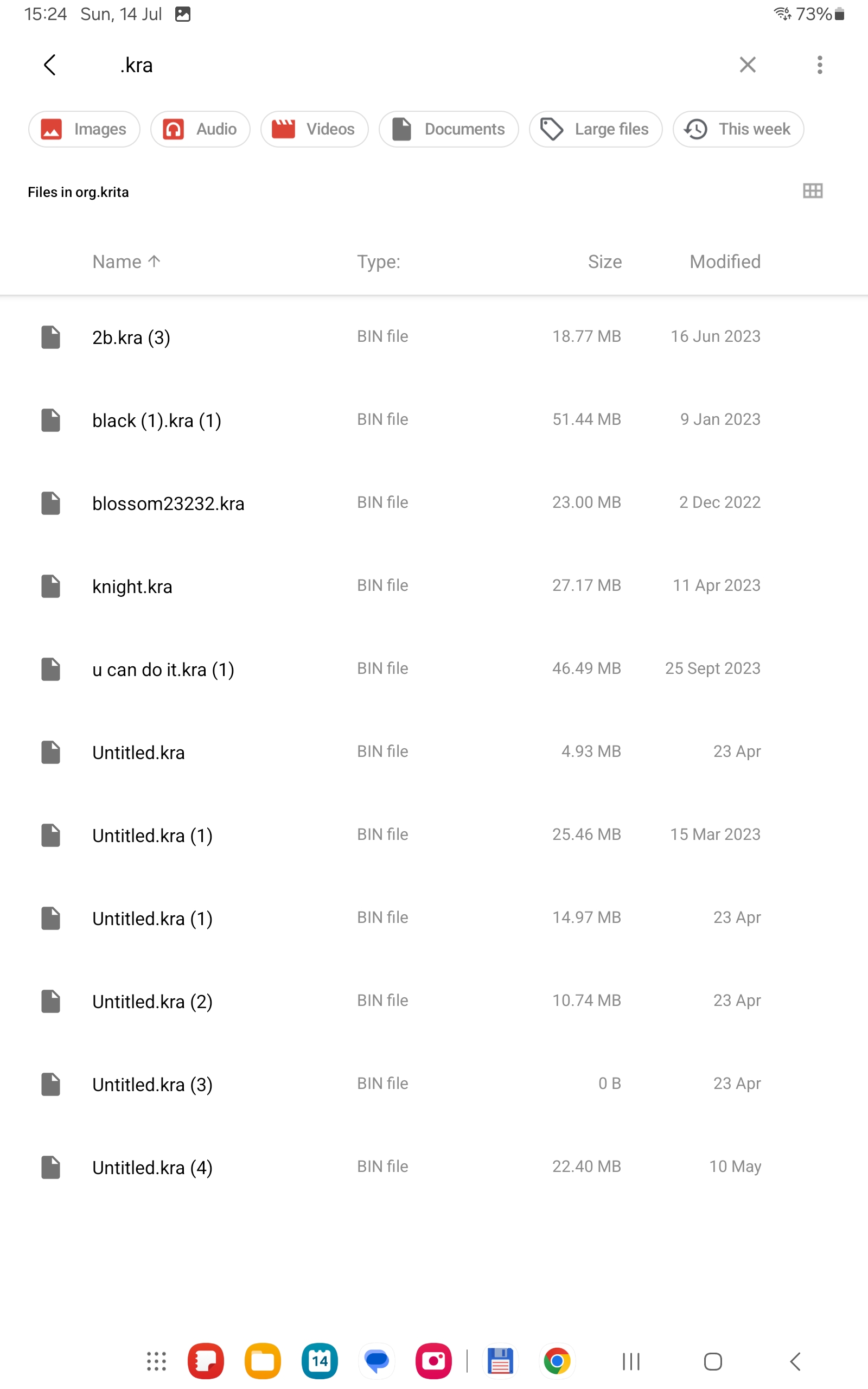
There should also be some .kra~ files somewhere as you do have that backup feature activated.
Update…
The backup files are stored in
org.krita/files/documents/krita-backup
You should see files in there that end in .kra~. Those are your backup files. Probably a lot of them can be deleted.
1 Like
Yes I delete most of the kra~ files but the data still large. I think best option for me now is just used the clear data function on my Android system or uninstall and reinstall or just leave it be.
Worse case scenario is I just need to redownload all the brush  if my storage is too full.
Thanks for all help 
1 Like
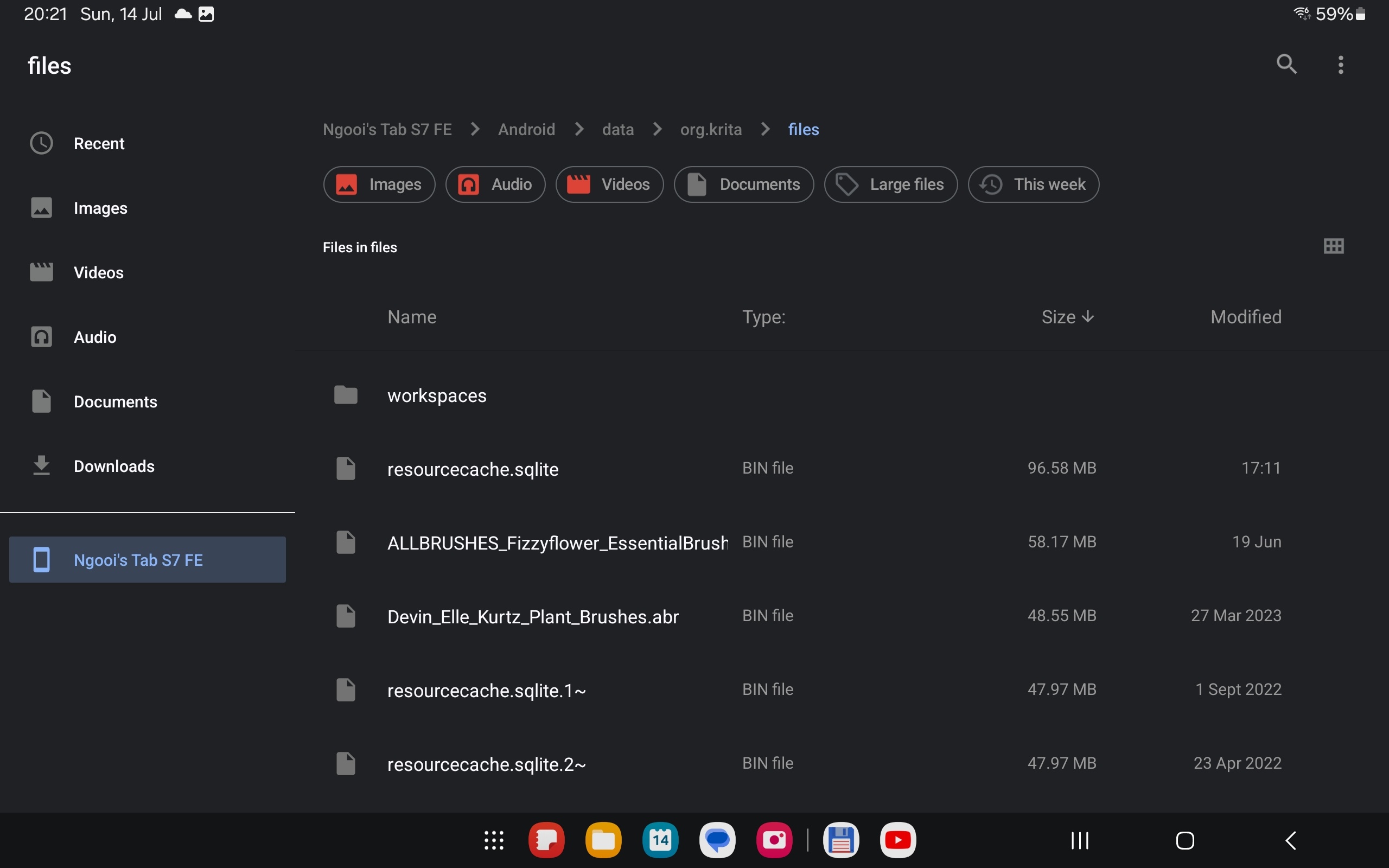
In your folder /storage/emulated/0/Android/data/org.krita/files there should be a file resourcecache.sqlite, how large is this file? And do not delete it!
Michelist
2 Likes
In my case, it was the resources and the amount of installed brush presets, bundles, brush tips, patterns, etc., … I have a lot! It was related to a big swap file probably from older version of krita. (I don’t think that that problem came back for the latest version, did it?  )
)
I backedup the brush bundles and other resources then deleted the app data, from the apps section in the tablet’s settings, and then I reimported the brush bundles that I know I’ll use the most and the app size was then at 533 MB. And yup, it got a bit bigger when I imported more brush bundles. This was on Krita 5.1.1.
2 Likes
With that size of 90MB, you can not have so many extra installed resources, so they do not seem to be the issue, but perhaps the old and obsolete databases plus all the copies of modified brushes and bundles sum up to an enormous amount? But even that seems unlikely, although I don’t know how long you use Krita on that device, over years accumulated this may be possible…
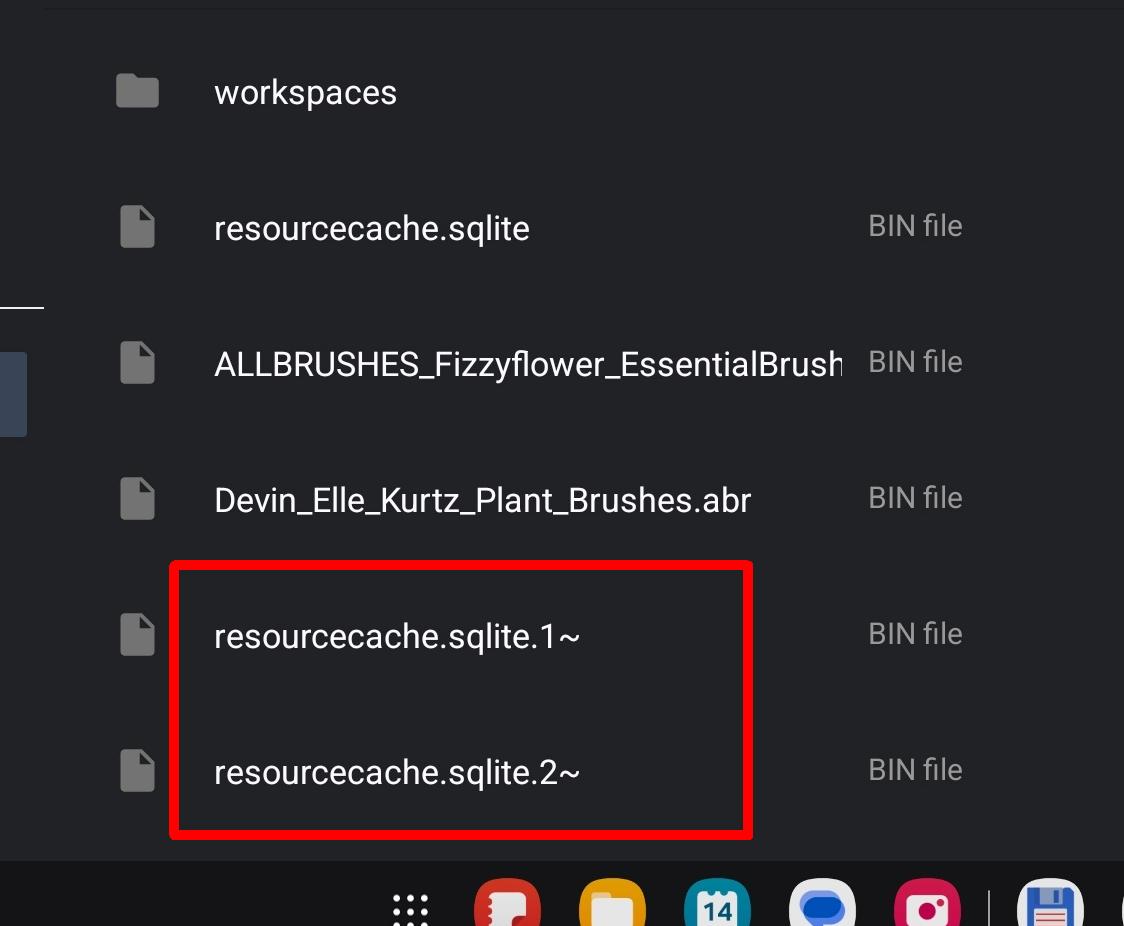
You can safely delete the resourcecache.sqlite.x~ files (those ending with .x~ (how many do you have?)):
With your brush presets, it is a bit more tricky, you may have a situation like this in your folder paintoppresets, this is a screenshot from my Total Commander on Windows in a paintoppresets-folder that I’ve already edited in part in the past, it is only to show you how it could look in your file manager:
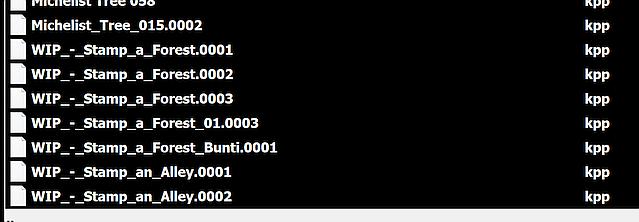
Here it is so that from the following list you can only delete a part of the brushes, at least if you want to preserve the option of going back to the initial state of a brush, if you are fine with holding only the last state you used the brushes in it will get easier:
If you want to preserve the initial state:
WIP_-_Stamp_a_Forest.kpp
WIP_-_Stamp_a_Forest.0001.kpp can be deleted
WIP_-_Stamp_a_Forest.0002.kpp can be deleted
WIP_-_Stamp_a_Forest.0003.kpp

WIP_-_Stamp_a_Forest_Bunti.kpp
WIP_-_Stamp_a_Forest_Bunti.0001.kpp

WIP_-_Stamp_an_Alley.kpp
WIP_-_Stamp_an_Alley.0001.kpp can be deleted
WIP_-_Stamp_an_Alley.0002.kpp
If the initial state is not important for you, you can delete these brushes from the list (hold only the highest counting numbered brush):
WIP_-_Stamp_a_Forest.kpp can be deleted
WIP_-_Stamp_a_Forest.0001.kpp can be deleted
WIP_-_Stamp_a_Forest.0002.kpp can be deleted
WIP_-_Stamp_a_Forest.0003.kpp

WIP_-_Stamp_a_Forest_Bunti.kpp can be deleted
WIP_-_Stamp_a_Forest_Bunti.0001.kpp

WIP_-_Stamp_an_Alley.kpp can be deleted
WIP_-_Stamp_an_Alley.0001.kpp can be deleted
WIP_-_Stamp_an_Alley.0002.kpp
As you can see, every time you save a manipulated resource to disk it gets a numerical extension beginning with .0001 and counting up, you must preserve the highest number to hold the brush in the state it is right now, and if want to be able to return to its source, you need to preserve the one without these extensions.
If you are not sure what to delete, then ask again and better do not delete it!
Michelist
3 Likes
Thanks for your help, but it seems a bit too complicated for me already haha  .
.
Deleting everything and reinstalling all the brushes seems like an easier option.
1 Like
If you are okay with that, why not?
Michelist
2 Likes
This topic was automatically closed 30 days after the last reply. New replies are no longer allowed.