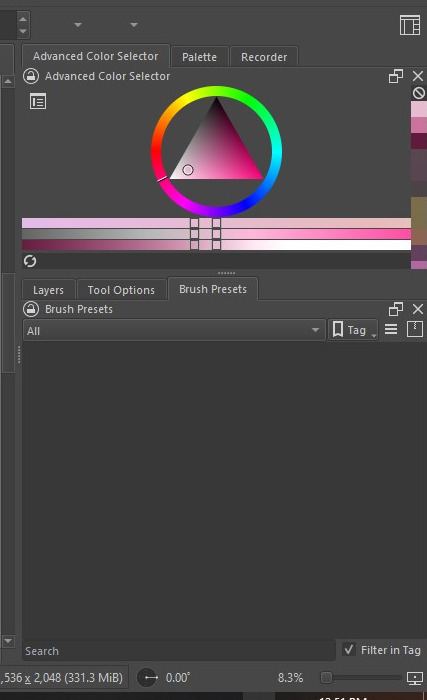
but when I want to activate the presets it doesn’t seem to registers all the brushes. by all meant ALL the preset, even the default krita brush. but i have the bundles in the folder directory.
It seems your resource database is corrupted and has to be recreated. This is a seldom issue but it can happen. For this fix to work, you have to close Krita with the X-button in the upper right corner, because minimizing Krita would not allow the following action, a running Krita locks the database so it could not be deleted/renamed.
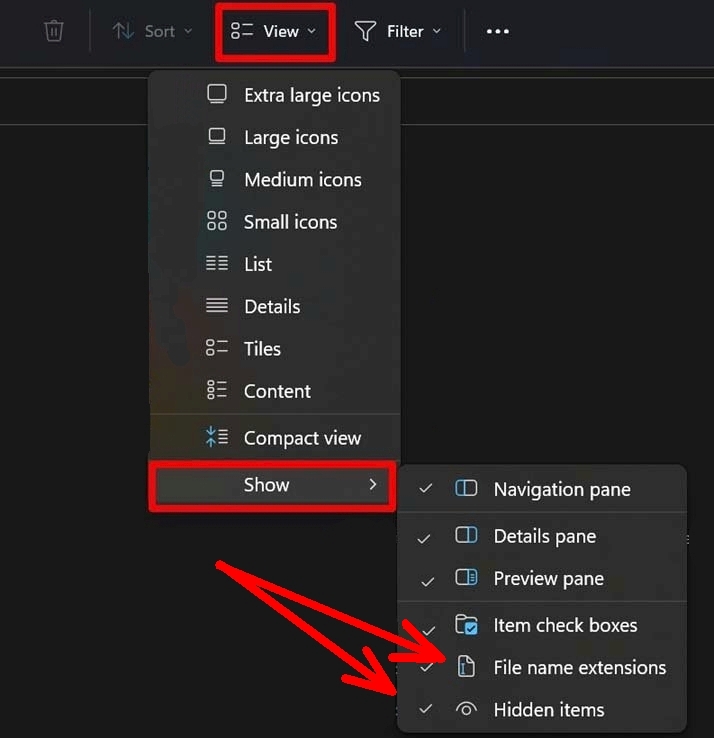
One thing before, you have to set up your Explorer in a way that it can view hidden files and folders as well as hidden file name extensions, if you don’t make these two settings, you are unable to rename a file you have to rename (Windows will revert it back to what Windows believes is correct, which here will be incorrect). To do this you have to set at least the two hooks in Explorer shown in my screenshot:
So, now please open your Explorer and enter %APPDATA%\krita\ into the Explorer address bar (you can simply copy it from here and paste it into your Explorer address bar), then hit your Enter-Key which will open your resource folder in Explorer, and in Krita’s resource folder, scroll down to its very end.
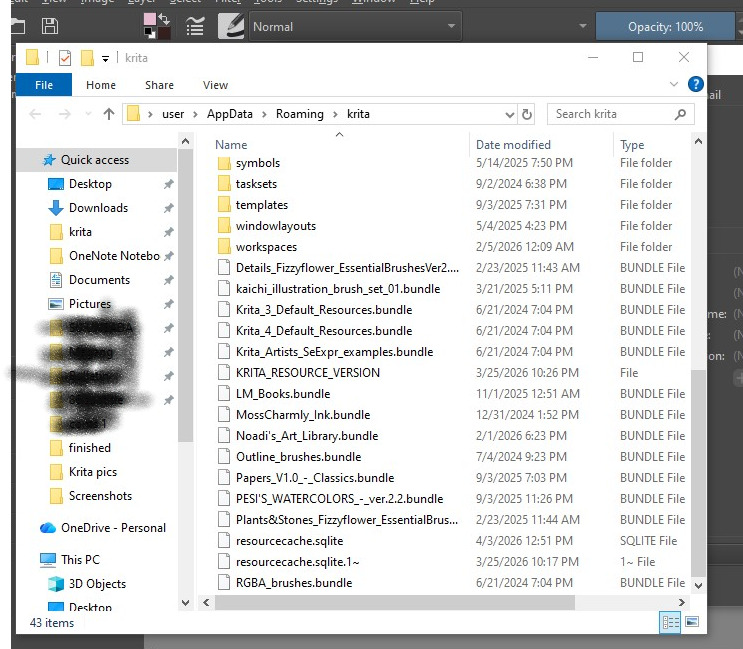
There you should find a file named resourcecache.sqlite, which is the resource database, and you should find the files krita5.xmlgui & KRITA_RESOURCE_VERSION, furthermore you should see the four bundles RGBA_brushes.bundle, Krita_Artists_SeExpr_examples.bundle, Krita_4_Default_Resources.bundle, Krita_3_Default_Resources.bundle plus possibly more bundles imported earlier by yourself.
Please rename your file resourcecache.sqlite into resourcecache.sqlite.old and then start Krita. Does Krita now start up without this error dialog?
If yes, congratulation.
If no, then please report back.
So full update, before your reply I managed to open the Krita folder in the hidden app data folder. I saw the “bundles” folder was empty so I thought I’ll tried to move one of my brush bundle into that folder to see if it made any different.
Apparently, apparently this made Krita recognize all the brush bundles like normal again (like 5 minutes ago). If the brush happened to be gone for the second time then I’ll follow the instructions you written. For now it seems to be back to normal.
Heyo! Sorry for the random question, but what can I do if I can’t find one of the files you mentioned? Because I can’t find the “krita5.xmlgui” file. I have tried a bunch of tutorials but none of them seem to help me fix the “brushes not available” problem. Every time I open Krita this same box show up.
(I have already tried renaming the “resourcecache.sqlite” file, but it just doesn’t work)
The solution provided by Michelist did not work, so I tried what Kiyoko said worked, but there was no “bundles” folder. But I made one with that exact name, moved them all into it, and it worked! So for now, that is a working solution. Not sure why this is an issue, but when trying to import bundles from the community, this is apparently what happens. My first day downloading and using Krita, and I ran into this supposedly “rare” issue, but for now there is a fix and I hope it stays that way, simply posting for anyone else who runs into the no “bundles” folder issue!
UPDATE 1: Ok, I imported a other brush bundle, and it broke again, neither putting them in the bundles folder or leaving them out worked, deleting all the additional brush bundles did not even work. So, I put all the brush bundles I wanted back into the bundles folder, deleted the cache, and also went to %LOCALAPPDATA% and found a file called kritarc and deleted it, and then started up Krita, and it finally is working again.
UPDATE 2: no, it was not a permanent fix either. Reopening Krita caused it again. Inspecting the log, two things are showing, database not open, and driver not loaded, and then fails to load the resources. SQLite driver seems to be the issue. I am going to try downloading Krita portable and see if that works, as someone mentioned it does, and it can exchange files and resources freely with the normal Krita, and may fix the issue.
UPDATE 3: ok, so after installing the portable version it works just fine, I did not have to import or change anything, it found all the same resources, the same projects, etc that the original did. So I am leaving the original on the PC cause I don’t want to deal with messing things around anymore right now, and just working from the portable version. Exactly the same, just a little less convenient that it does not have the desktop shortcut, and that’s about it. Not really an issue. So, this is a real fix, in case anyone needs to know. I’ll update if it ever breaks.
In the folder where the three shortcuts to start the portable version are, you have to open the folder bin. In that folder search for krita.exe that will be your link-target, so if you then create a shortcut on your desktop you have to point to that file and have your shortcut.
With the ‘modern’ resources database management system, the .bundle files are not put into their own folder. I assume that the application still looks inside any bundles folder to give backward compatibility for old installations of krita.
I did this before, but the same issue has shown up, so now I have one .old file and one .sqlite file, do I just repeat this process as many times as needed for Krita to function?
So far the devs have not been able to replicate this problem and they suspect it has something to do with a Windows app or Windows plug-in that only some users have on their systems.
Are you on Windows and can you tell us if you have any plugins running?
In Krita’s settings do the following under Settings > Configure Krita > Display > Canvas Acceleration select Auto (Direct3D 11 via ANGLE) and restart Krita, that should solve your issue.

 Hello