Huhu and a wonderful good evening =)
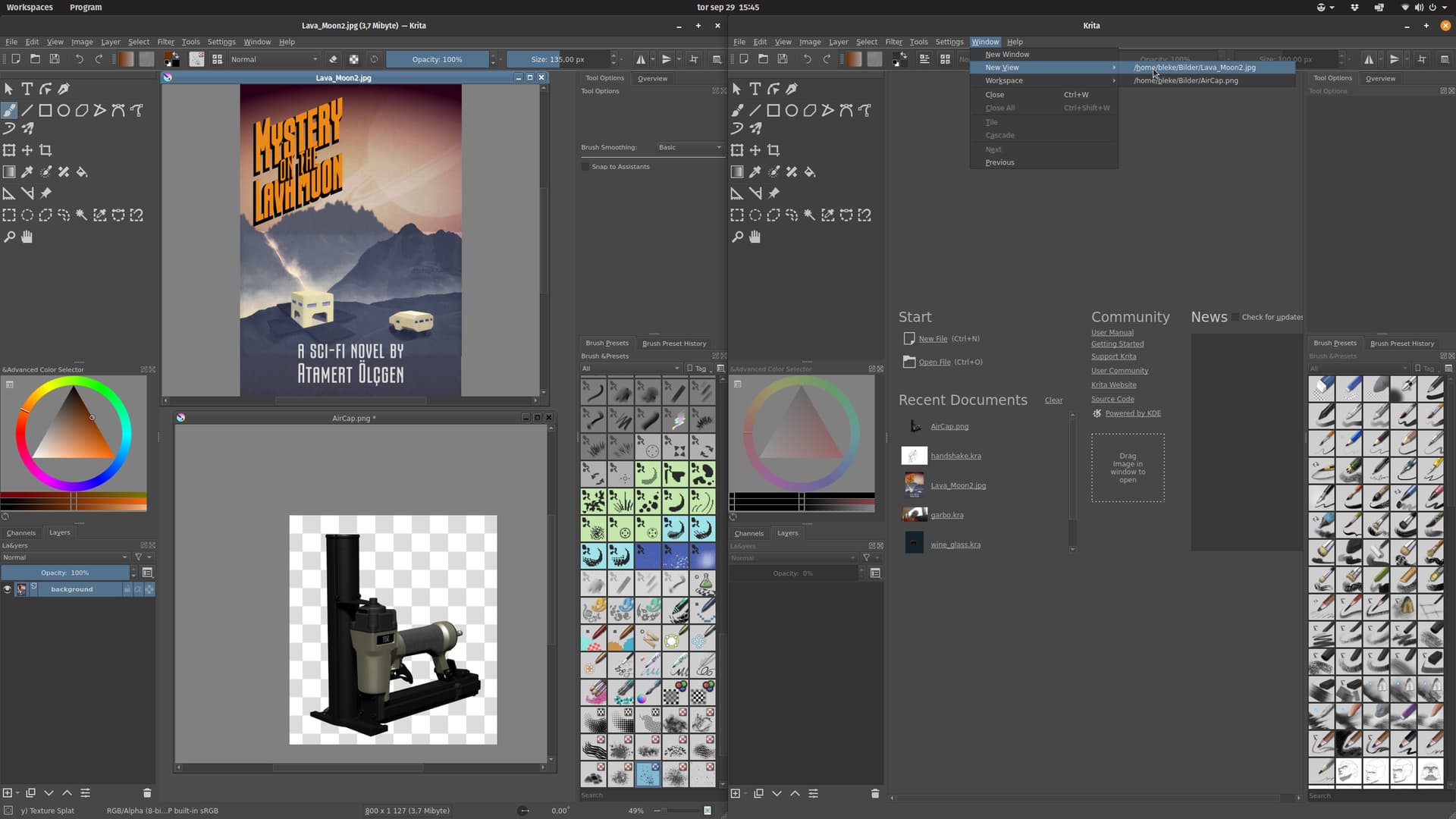
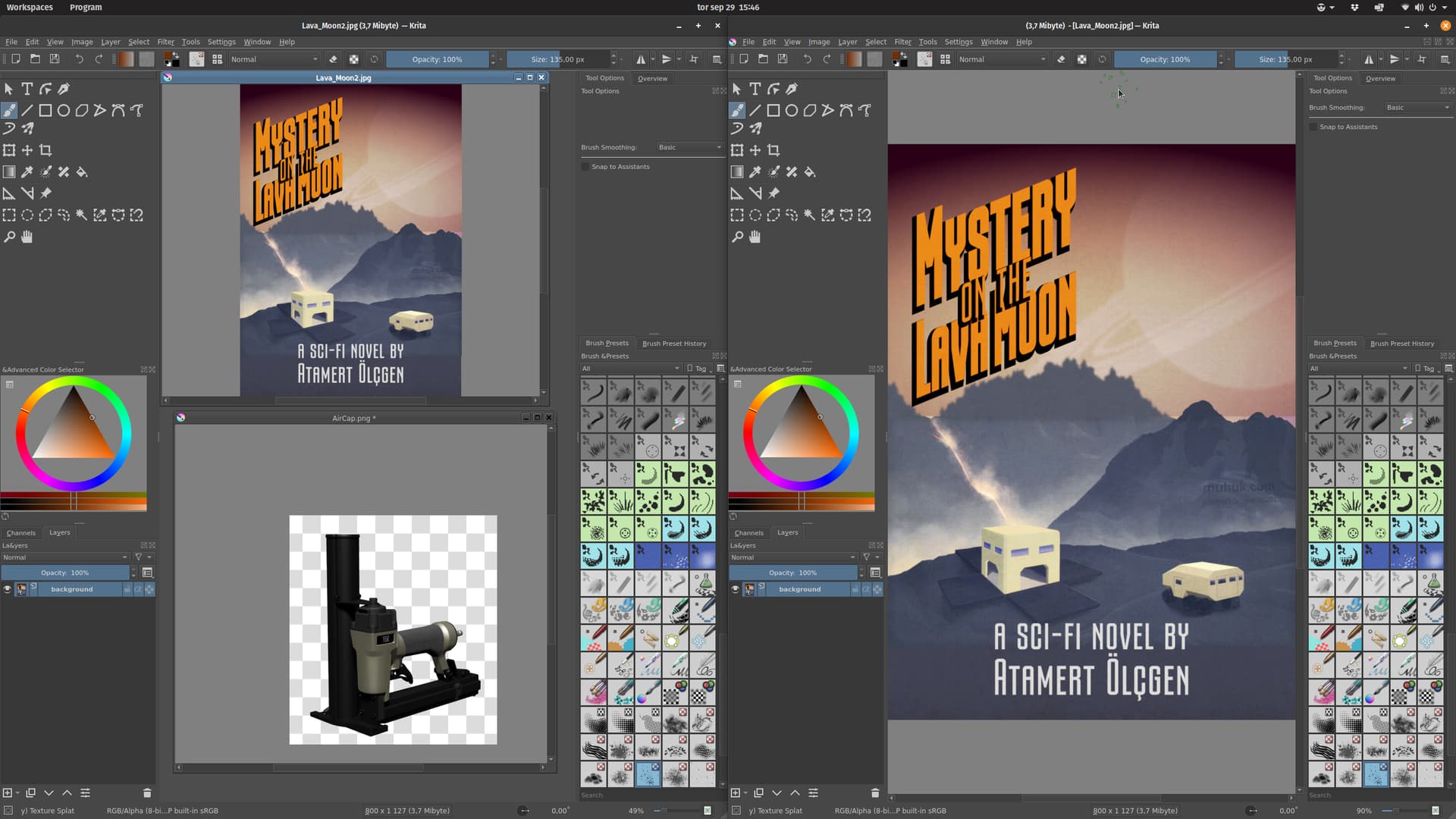
Window - New View
if I want to do this and move the new view to my 2nd monitor, this is not possible.
Is that normal or is there a bug?
Warm greetings
DAB
Huhu and a wonderful good evening =)
Window - New View
if I want to do this and move the new view to my 2nd monitor, this is not possible.
Is that normal or is there a bug?
Warm greetings
DAB
Hi
A screenshot could help to understand the situation, but assuming you’re in subwindows mode:
Grum999
Hi
yes I am in the LOWER WINDOW
it is also displayed in the KRITA MAIN WINDOW
unfortunately I can’t move this WINDOW to the 2nd monitor, it just disappears, it doesn’t show up on the 2nd monitor.
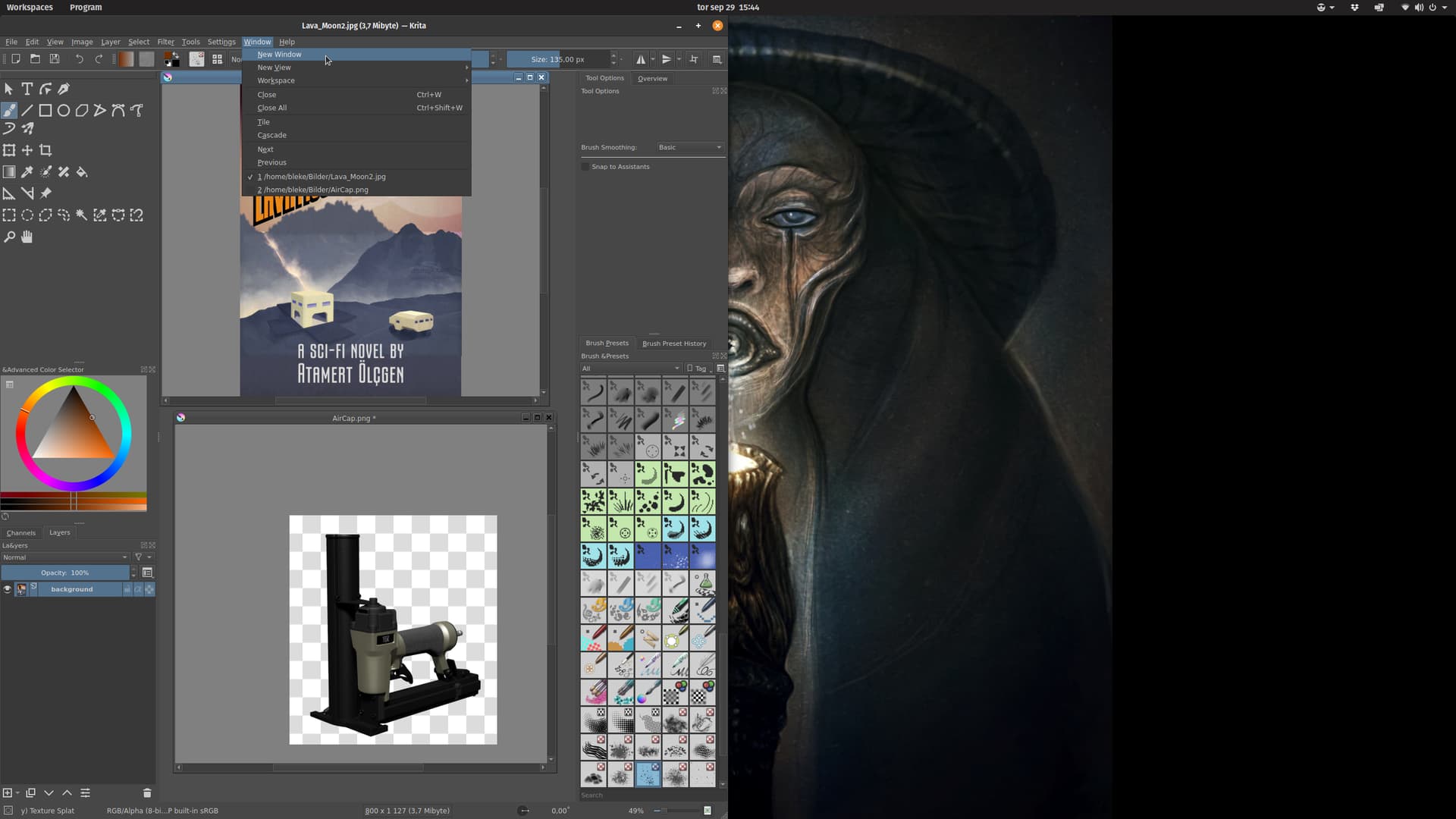
If you create a new window (Window menu New Window), move that new window to the second monitor, and then run the Window New View menu in that new window, you should get a view on the second monitor
Yes, that’s how it works…thank you
very cumbersome =)
Warm greetings
DAB
There is also cockpit mode where you can detach canvas and put it on second monitor, but that will just keep the tool in one monitor not duplicate the view of current document.
@raghukamath
do not quite understand? What do you mean?
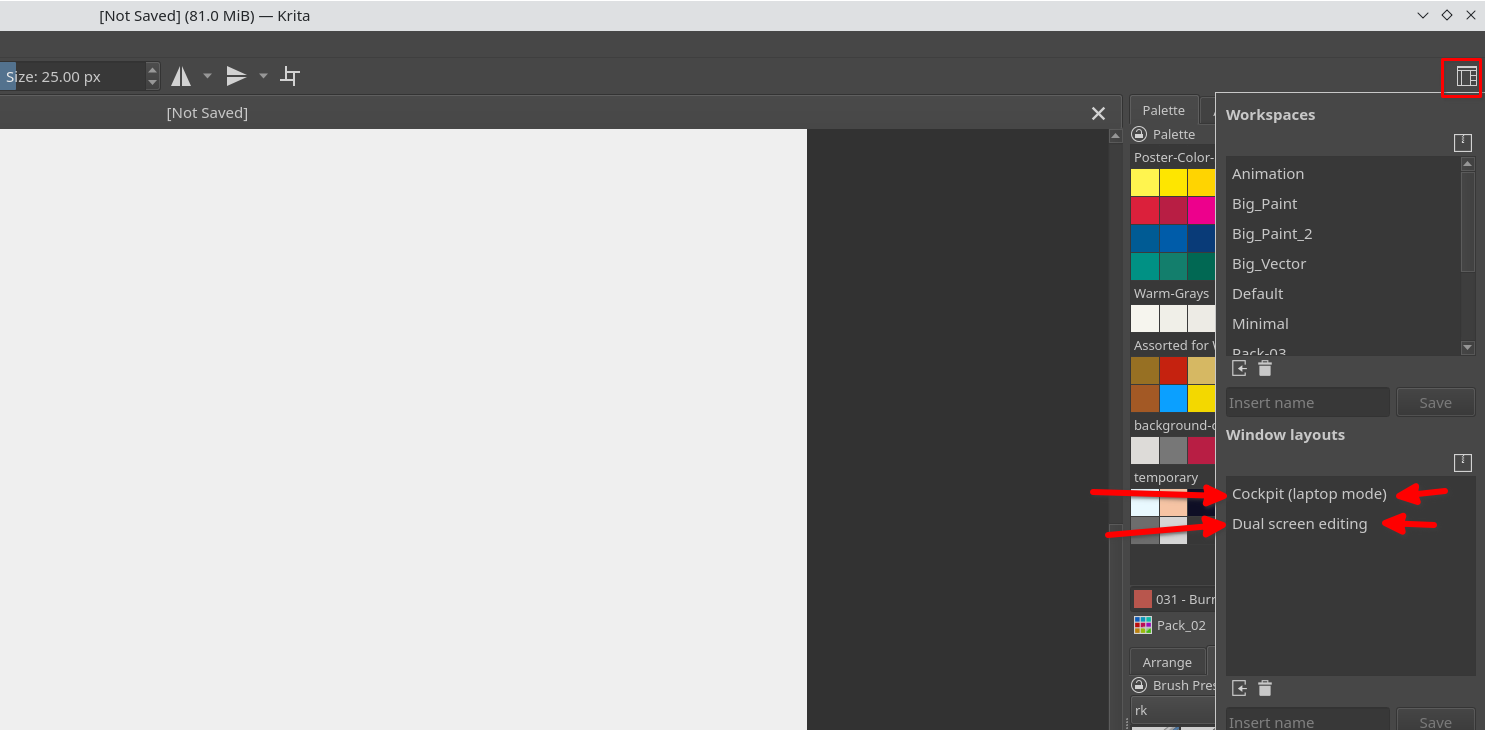
Read the window layout section here - Workspaces — Krita Manual 5.0.0 documentation
And check these options in krita
DAMMM…=(
KRITA crashes when I do this…and all my settings are gone…LOL
Oh!! then this is a bug.
lol^^
the MAIN TOOLBAR cannot be displayed…
the settings are also upside down
Okay, First go to View menu and check if “detached canvas” is unchecked.
After that revert to default workspace. In the top tool bar click on the workspace button and click default.
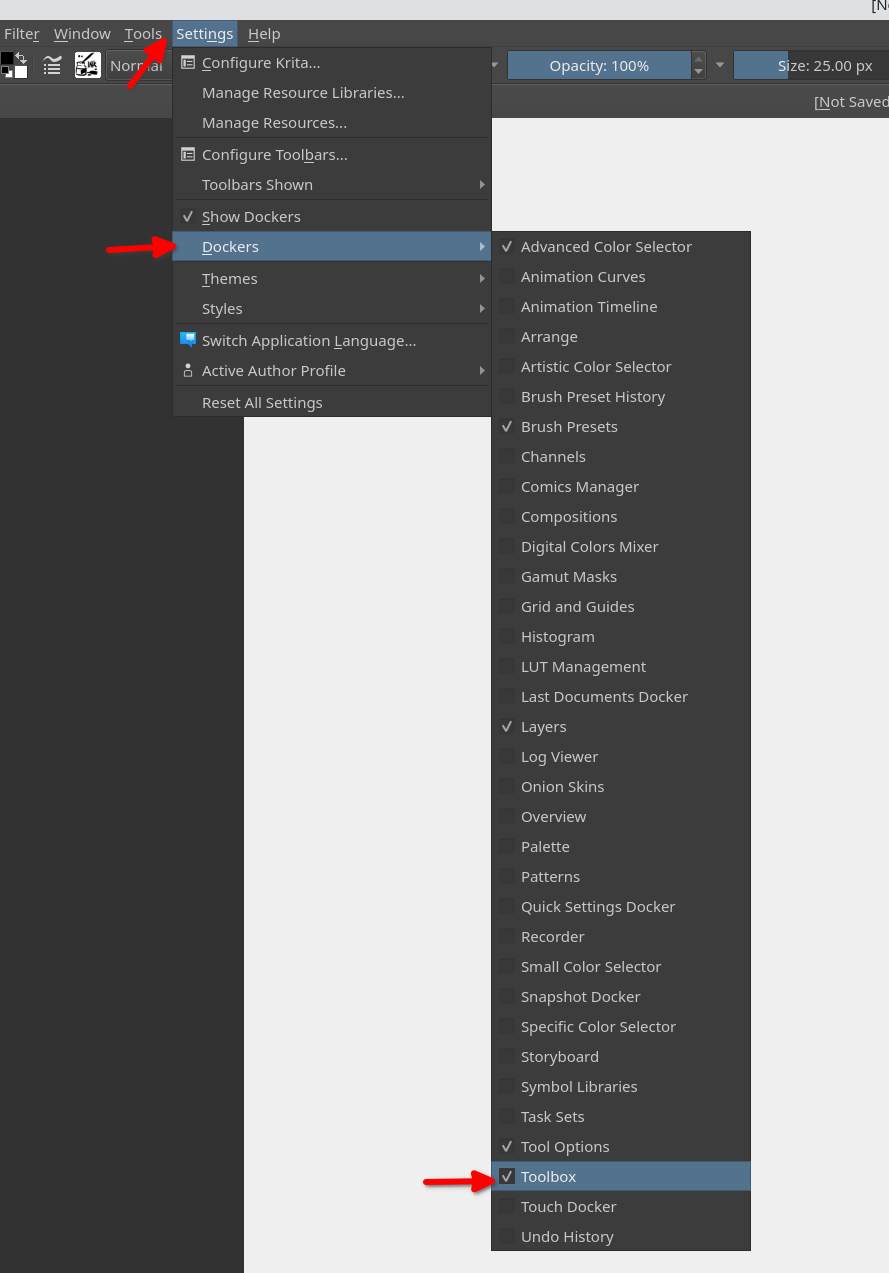
And then if you don’t have the toolbar, do this - Go to Seetings > Docker > and check toolbox
Finally we should report that Krita crashes when you use this option. May I know which option you clicked " Cockpit" or “Dual Screen Editing”
I don’t understand what is the “lower window”?
Just to be sure, we are both talking about windows, not views? 
If I understand the situation, you have 2 main window, but not possible to move these 2 main window on the second screen?
It occurs for all application, or only Krita?
A screenshot of your current desktop, before trying to move the window, could really help.
Grum999
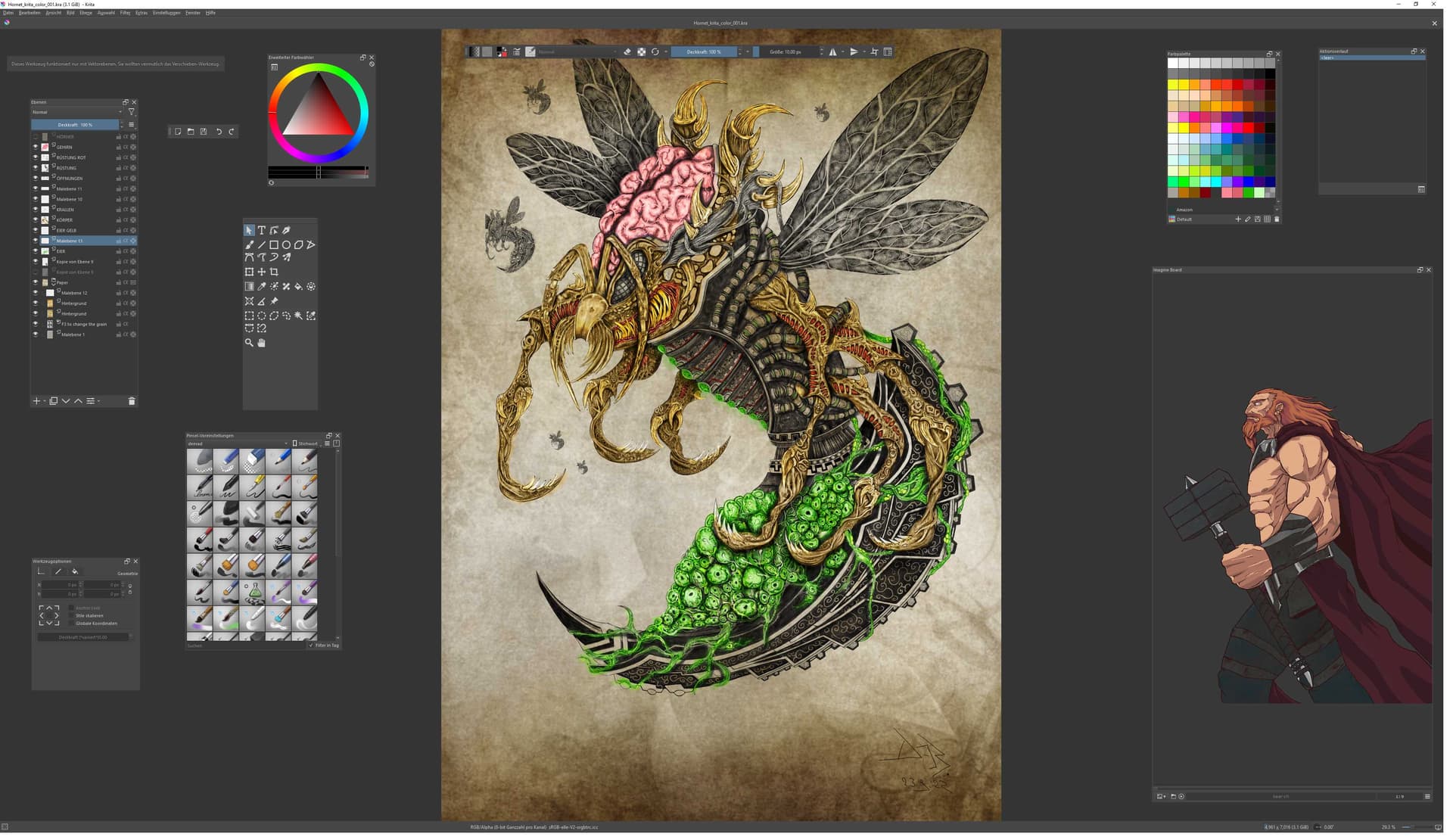
here is my standard view
I’m talking about VIEW
I would like to draw on the tablet and see the picture in full size on the 2nd screen.
When I make new VIEW I have 2 TABS that I can’t move. I need to switch to SUBWINDOW mode. Then I have 2 VIEWS, but I can’t move them to my 2 monitors, when I do that VIEW disappears
when I detach the CANVAS I have the option to move it to the 2nd monitor but I can’t paint on another VIEW because there isn’t one
Ok, if you follow exactly steps I provided, it should work
Create a new window
Move the window
Then create a new view in the new window
Grum999
YEAH!!! that’s right =) thanks 
It’s not clear if the problem has been solved or not… 
Grum999
ah =) yes it was thus solved
it’s a shame that you have to do it that way, but it works =9 thx 
MDI sub-window system is something here (from a computer ui point of view) from years
It was already there with windows 3.1 
SDI sub-window système mode is not available in Krita but I personally don’t like it…
GIMP allows to choose between both mode for example, and clearly I prefer MDI mode
After that’s a personal preference…
Grum999
This mode also has a bug… when using the freehand tool, you only see it on one screen…
I’ll leave that for now^^