I’ve been working on a set of command-line Python scripts to convert other programs’ brush preset formats to Krita’s .kpp brush preset format. Of course, it’s not possible to fully recreate other programs’ brushes in Krita, and this is only a work in progress.
The repository’s readme explains how to use the scripts. It’s possible to output somewhat-usable Krita brushes/bundles from all three formats, but many things are missing or broken. It’s also possible the scripts will fail completely on different versions of brushes than what I tested (if so, send me the error).
There are also scripts to dump settings from all four formats (including .kpp) as text files, in order to investigate their contents. If you know what the brush’s settings are supposed to be or how to replicate that in Krita, feel free to make suggestions!
Found this today and got a photoshop brush I wanted to convert from abr. Was able to get the images out of the abr but I can’t seem to get the txt file to compile. I’m seeing:
Error: Expected 8 more bytes in pattern (at 43366450)
(reading the missing bytes)
Error: Expected 8 more bytes in pattern (at 85105124)
(reading the missing bytes)
Error: Expected 8 more bytes in pattern (at 86274278)
(reading the missing bytes)
Those error messages are something I should change to warnings, it’s just a parsing flaw I worked around instead of fixing properly. It shouldn’t affect the output.
What do you mean by “get the txt file to compile”? If the .txt file exists and isn’t empty, it might be difficult to open in a regular text editor because its encoding is UTF-16-BE. That’s something I overlooked, since I was opening it in a code editor. I’ll see if I can change the output encoding to something more easily opened.
Are you able to output a working .bundle file from your brush?
Edit: Pushed fixes for both of those issues, the output text file will now be normal UTF-8 and those error messages are silenced.
Should I open an issue for the brush I’m trying to work with? Getting this error with abr_to_kpp
python ./procreate_to_kpp_converter/abr_to_kpp.py ~/Downloads/WesGardner-2025.abr --output ~/Documents/Krita/abr
### Brush number 0: ------ SKETCHING -------
no paintop, default to Pixel
Name: ------ SKETCHING -------
Switching brushtip type...
set brush_definition type to png_brush
set brush_definition BrushVersion to 2
Dmtr: 10.0 / 32
set brush_definition scale to 0.3125
set brush_definition angle to 0.0
set brush_definition filename to NOTHING.png
set brush_definition spacing to 0.25
Converting to PressureMirror
Creating PressureMirror with False
Converting to HorizontalMirrorEnabled
Creating HorizontalMirrorEnabled with False
Converting to PressureMirror
set PressureMirror to False
Converting to VerticalMirrorEnabled
Creating VerticalMirrorEnabled with False
Traceback (most recent call last):
  File "/home/user/Documents/code/procreate-to-krita-brush-converter/./procreate_to_kpp_converter/abr_to_kpp.py", line 685, in <module>
    main()
    ~~~~^^
  File "/home/user/Documents/code/procreate-to-krita-brush-converter/./procreate_to_kpp_converter/abr_to_kpp.py", line 92, in main
    converter.convertSettings(i)
    ~~~~~~~~~~~~~~~~~~~~~~~~~^^^
  File "/home/user/Documents/code/procreate-to-krita-brush-converter/./procreate_to_kpp_converter/abr_to_kpp.py", line 329, in convertSettings
    (width, height) = self.parser.brushtipSizes[brushUuid]
                      ~~~~~~~~~~~~~~~~~~~~~~~~~^^^^^^^^^^^
KeyError: 'dd652fdc-34fc-11e2-b3e8-b740a94dac80'
Ok, so I loaded the brushes and I noticed that the brush tips as you said didn’t really load properly, however, I recall when I ran your abr_parser script it actually managed to load the images out of the abr successfully and I’m pretty sure some of them are actually textures for the brush tips.
is there possibly a way to make this work between other formats? i found this while trying to search for a way to turn procreate (.brushset, for the one i have) into clip studio (.sut). this is so close to that, and also the closest thing i’ve seen, but idk if that’s possible with this
It’s not possible with these scripts, they only support outputting .KPP brushes. I don’t intend to support outputting any other format, as it would be significantly more difficult than reading them.
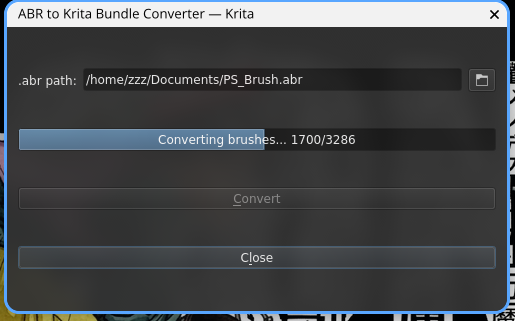
Thank you so much for this project! I forked it and modified it to convert Photoshop .abr files directly into Krita bundles, with a similar GUI that runs inside Krita. Hope it helps someone!
No luck for me - I tried using this, it generates a file that seems to be the correct size, but when imported to Krita it shows as completely empty. Something somewhere is busted, but I have no idea what.
Hi, I designed a plugin that converts Krita’s ABR files into new bundles. Basically, what the plugin does is create a list of equivalences between the values and features of both brush packages.
It was taken down because I made it with Claude, since I don’t know how to program, although I do know how to design. When I proposed it a while ago, I couldn’t manage to put a team together.
If you want, I can send it to you. The list is currently about 30% compatible, but the plugin could potentially achieve around 80–85% compatibility once the list is completed. The rest needs to be done manually. It’s a kind of reverse engineering: you have to create basic Photoshop brushes, changing one characteristic per brush, and then keep progressing from there.
I don’t have any plans to work on this at the moment.
I’d like to point out to those interested in ABR support, someone made a draft MR several months ago to improve ABR support in Krita itself, which seems to be much more thorough than my script:
 Thank you so much for this project! I forked it and modified it to convert Photoshop