I’m wondering if anyone has a brush i could use to give the drawing i’m making a less plastinc look.
If that matters i’m drawing toy chica and want to give her body parts a look like they’re kinda old. Keep in mind my artstyle is actually very simplistic so i jsut want something to make that look less plastic-y
Then I cut out the doll with the ‘Similar Color Selection Tool’ in ‘Add’-Mode (‘Add’-Mode is found in the Tool Options Docker, below the color selector when the ‘Similar Color Selection Tool’ is selected in the Toolbox).
From the same selection, I also created a transparency mask (via right-click on the image layer) by choosing the command ‘Convert’ → ‘Convert to Transparency Mask’.
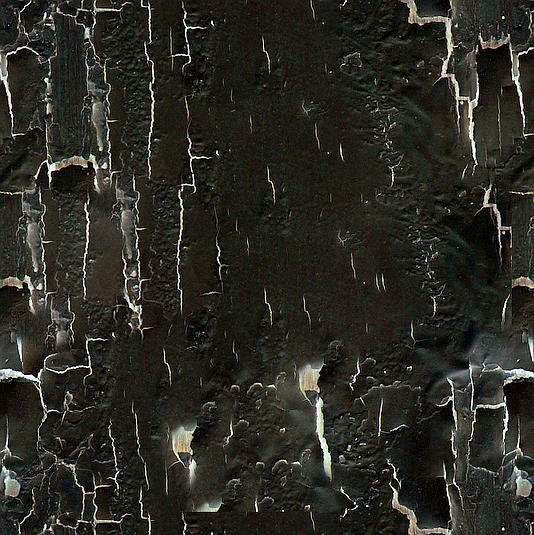
Then, on top of the layer-stack, I opened the overlay image in a fill layer and reduced the transparency of that fill-layer to 30% (You create fill layers by clicking on the downward pointing triangle next to the + sign at the bottom of the layer docker, and then selecting Fill Layer.).
Effort with web search for the image under 5 minutes.
You can download the overlay-pattern which was originally created from “Xara24 - Webdesigner Lab”, converted from the original Photoshop PAT-Format to the Krita-Readable Krita/GIMP-PAT-Format from my cloud. The now defunct “Xara24 - Webdesigner Lab”-website belonging to one of those website-parking companies, currently mimicking to be what Xara24 once was. But to prove that it is not the original, you can visit Xara24’s website at “The Internet Archive”, they host the complete portfolio of resources once offered by Xara24.
You have to unzip the PAT-Files from the archive and can import the PAT-Files in Krita via ‘‘Settings’’ → ‘‘Manage Resources…’’ → ‘‘Import Resources’’.
In the archive, you’ll also find a copy of the (original) page where these patterns were offered the time I downloaded it, as well as the product-picture and the original archive holding the patterns in Photoshop-PAT-Format.
The download is completely free, first choose “Free Download (1MB/s)” and in the following dialog choose the lower option “Slow speed (1MB/s) is fine”. But in case you create an account with them, I’m rewarded with webspace that I use to host resources like these.