Hello everyone, my recent modify of Krita gives a x20 times faster response of both overview and histogram, without changing the result of all unit tests. Here’s the demonstration.
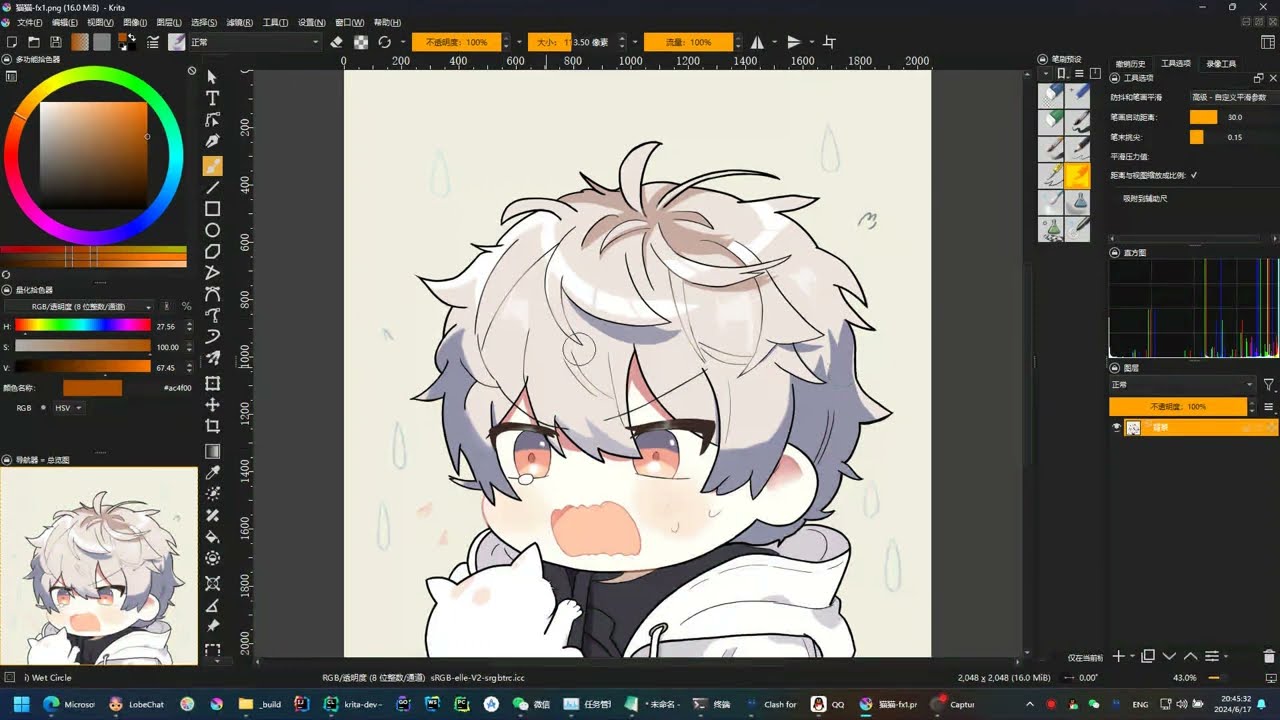
This is my first time to edit code in such a huge project. Could you please help me? Here’s my concern:
I admit this laggy overview window is the part made my most curious of. In fact this is the very reason I give up Krita and turn to Sai2 for a few days during May because Sai2 has a instantaneous overview window  .
.
The Principle of Overview (and Histogram) Update
The current version of Krita got it’s updating overview modified by multi people from a varity of time and it’s quite complex. But I think where I edit makes no sense to me.
See OverviewWidget::registerIdleTask, it 's the start point of everything

This piece of code adds a Idle Task(which means this task will only run when the user finished their stroke aka Idle) to acquire thumbnail image from a fresh new
KisImageThumbnailStrokeStrategy. By there KisImageThumbnailStrokeStrategyBase::initStrokeCallback registers a parallel work of computing thumbnail image, and a final job of resizing it and then immediately announce the fact.
These parts are connected by signals and slots. Following the clue, there should be no latency because the overview regeneration is tied with the stroke(not a long peroid internal refresher, which is my first guess).
The point is in the Idle Task part. The KisIdleWatcher is the class that is responsible for deciding whether the image edit is finished so that thumbnail update can be launched (used indirectly, you need to march twice following the call stack). In all, it sets a internal timer which will regularly call this function:
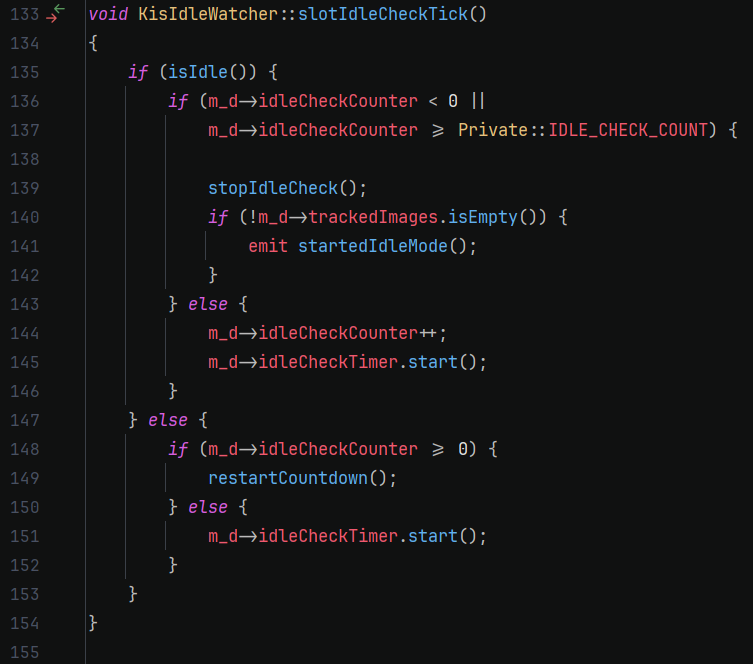
You can see that, if we reach line 141, then it will consider image is idle and trigger thumbnail and histogram. But the condition for a normal Krita usage will need idleCheckCounter to be greater than 4, the current value of IDLE_CHECK_COUNT. And the only way to increase idleCheckCounter is to fall in line 144.
Each time the idleCheckTimer(for overview the timer is 200ms) is started, the counter can only increase by one. Which means that the user needs to wait at least 4*200 = 800ms to see the result. Not to say that the growing procedure can be broken by image update(say, the user draw another stroke) or some internal updates. So cause the overview to be laggy.
So I change the idleCheckTimer to refresh every 10ms and it’s at least 20 times faster than before(40ms compared to 800ms). The change will both apply to overview and histogram because they use the default parameter of delay value.
Performance Concern
I don’t think a regular timer that refreshes every 10ms is a performance bottleneck, 10ms is quite long for a computer and can perform millions of instructions on my computer.
In a peroid of Krita when overview is still using simple strategy, the refresh rate is 150ms. But after this bug fix the minimum refresh rate become a shockingly 800ms and I think it’s not acceptable.
If you indeed think is a performance issue, should I make a option in the setting so that it can be choosed by the user freely? What’s your opinion about this? There is indeed an feature request for this in Krita forum.
Should It be Even Faster?
Now the refreshing rate is quite comfortable for me, considering the best athletes will have a response time of about 120ms, it’s rarely noticable for a refresh that will be done in 40ms.
Why Quadruple Test of Idle Image Detection
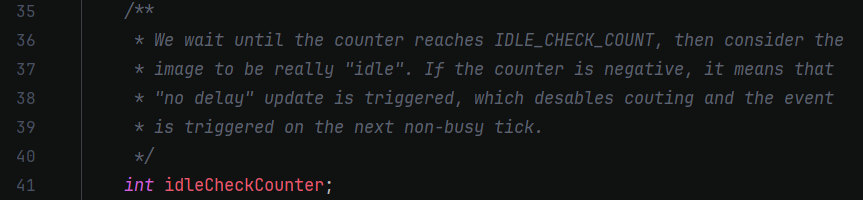
I don’t know why Dmitry Kazakov used a quadruple test of idle image, and left a comment to confirm this quadruple test is needed:
Will it Break anything
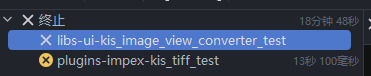
This change will not change the result of any unit test. The Krita master branch d0a1ca38e805ae292154f92f997533eff2e8289e got two tests broken and the same happens to my version when testing on my Windows11 PC.
And I tried the overview process for a large (5000x4000) image and a 1000px wide wet brush, the overview does show up instantaneously even the stroke is a bit laggy.
So I think this should work. But is it normal to have Krita master branch doesn’t pass all unit test on Windows platform?
About Pull Request
This is my first time editing such a huge project and I didn’t get the meaning of every single line of code. But I think that is good enough for me to keep this modification because that works. I wonder if such a small change can have a pull request so I don’t have to perform the same modification and build Krita every time?
Thanks for your patience to read till the end! 
 And not possible to use when using a non-tab Krita window management.