Type of device* :XPPEN
Brand and version of the device: ARTIST PRO 22 Gen2
System** : LINUX MINT 22.2
*display tablet
Linux Mint 22.2
The scroll wheels on both my old Artist 24 and new Artist 22 Pro Gen 2 refuse to let me zoom in both directions.
I have already seen a post solving this for another user through reassigning the shortcuts, however, the XPPen software does not allow me to paste shoirtcut combinations, and my Latin America keyboard does not support “=” as a single key, but only as “shift+=” which does not work.
Assigning alternate shortcuts has not worked for me, tried combinations of +/-, ctrl++/ctrl± to no use-
Under Linux, it is said that the drivers from opentabletdriver.net are far superior over those from XP-Pen, if the tablet is on the list of supported tablets.
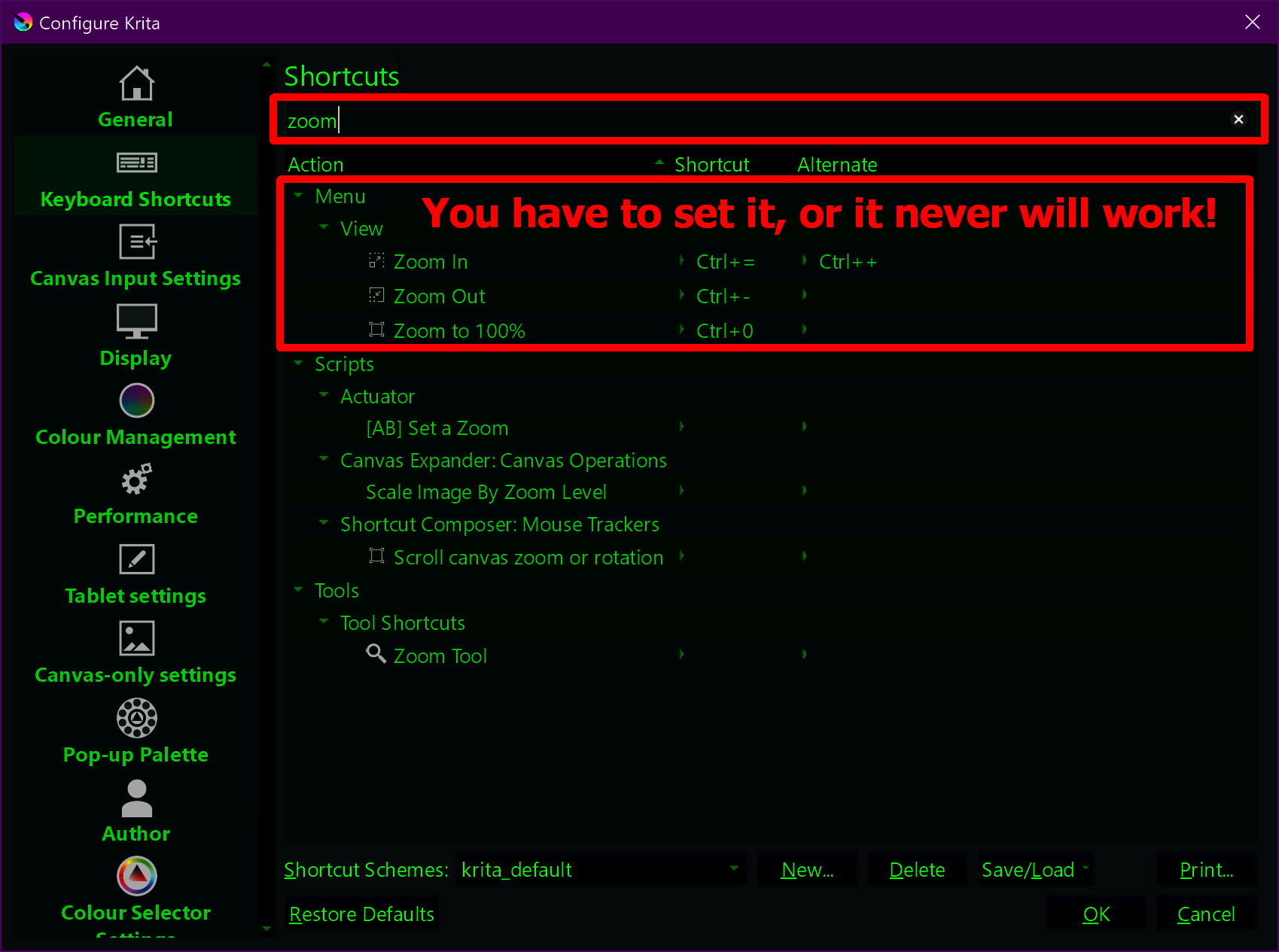
You don’t only have the ability to assign shortcuts in your tablet driver but also in Krita, so it may be a way to work around the shortcomings of your so-called driver from XP-Pen to adapt the shortcuts under Settings → Configure Krita → Keyboard Shortcuts and also under Settings → Configure Krita → Canvas Input Settings, if your tablets do not belong to those supported by OTD. But OTD supports more than quite a few tablets.
My approach originally was to change the tablet shortcuts to match the Krita ones, and then when that didn´t pan out on change them in Krita in both keyboard shortcuts and canvas input, to no avail.
Installed OTD, will try it but I’m cautious because this is my work setup and I can´t really afford to lose an afternoon tweaking stuff.
I can hit + or - on my numpad and the image zooms out reliably. If I assign those hotkeys directly to the roller, only the + works. I’m going nuts here
You must assign the scroll wheel settings in Krita under Settings → Configure Krita → Keyboard Shortcuts, there is no other way for the scroll wheel to work on your tablets. There was a change in Krita for a reason unknown to me that makes this mandatory, if you don’t set it, it won’t work.
nod already had it set thus, didn’t work!
BUT!
I solved it by changing the keyboard language to english!
Sadly it means I have to remember to click and change it if I-m going to be typing in spanish but seriously it could be worse. Thank you for the help!
 Hello
Hello