Hi, I am working on a SeExpr scripts bundle. I’m going to make several grids, I already have standard grid (define the grid by pixels), divided grid (by default: “rule of thirds” grid, but it doesn’t need to be divided into three sections), phi grid (“rule of thirds” but with the golden ratio), and I recently coded the 3-point perspective grid as well.
However it’s not really as straight-forward as other grids, hence I’m writing this thread to get some feedback from other users.

This image above was created in Krita using three Fill Layers with those scripts attached with some different configurations. I used Multiply method there.
Instruction of installation
You need to use Krita Plus and download my script from: https://drive.google.com/file/d/1TWGpsVkz_rpJtYDzcfPye-yfgSRukzlJ/view?usp=sharing
See detailed instruction
- Download Krita 4.4.0-beta2 from the website (404 Page not found | Krita):
- Windows: (get the .zip file, unzip, double-click on
kritathere) - Linux: (get the *.appimage file with krita in it)
- Windows: (get the .zip file, unzip, double-click on
- Create a new document.
- Add a Fill Layer using the little arrow next to the [+] button in the Layers docker.
- Select SeExpr.
- Press the button with folder icon. It has a tooltips that says “Import resource”.
- Find the script you downloaded. It’s probably in the Downloads folder. Then select it in the scripts choice area. (It has an ugly white + strokes icon).
- Go to the
Scripttab and change settings until you’re satisfied.
Instruction of usage
General tips:
- You can drag the divider and hide the script area completely.
- For all options you can write down a value that has decimal places (
0.1) or value outside of the range (for example default range forstartandendare to5000, but if your canvas is bigger, you can make this value bigger as well… although, I worry about the performance )
) - It works best with a filter mask with Color to Alpha filter, or maybe instead of the mask, you can use Multiply blending mode on the layer. The Fill Layer is always opaque by default.
- You can convert it to a paint layer easily afterwards.
- options
fast,startandendaffect performance!
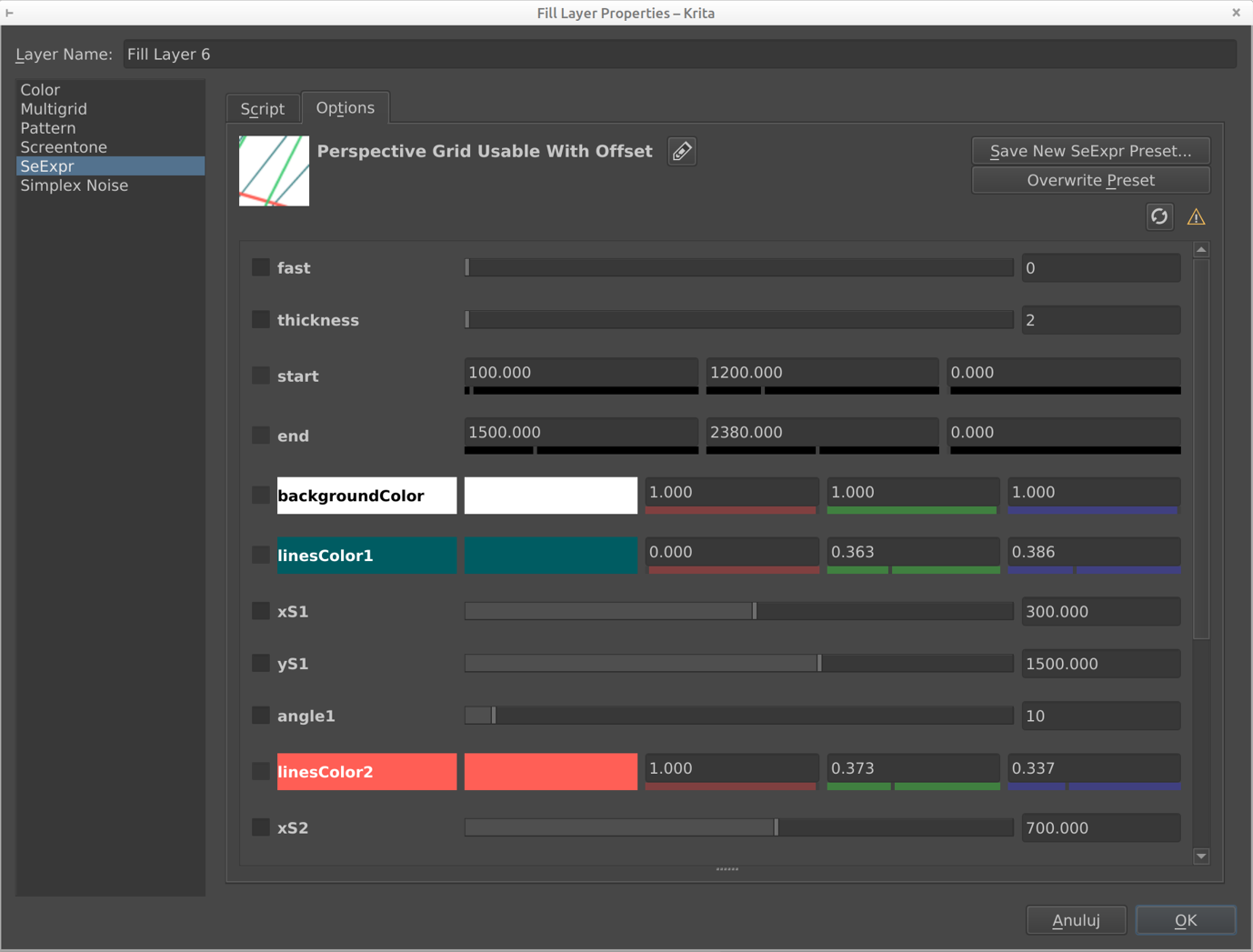
Every option explained (+ tips!):
Click here to unwind
Common options
fast- you can choose an algorithm:- fast (1) will be faster, but the width of the line will vary.
- slow (0) will have consistent lines width, but is much slower.
- TIP: Keep it on
1, then switch to0when you’re satisfied with the perspective
thickness- in both algorithm it has a bit different interpretation, but generally it makes lines thicker or thinner.- TIP - you can actually write values like
0.5there.
- TIP - you can actually write values like
startandend- define the area covered by the grid.- the first number is
x, the second one isy, and the third one doesn’t do anything - for example if you have a canvas 1000x1000 and you want the grid to have 100 pixels margin, you can put it in like that:
start [100, 100, 0]andend [900, 900, 0](note: that’s because 900 = 1000 - 100 ) - TIP - it affects the performance: the smaller it is, the faster the algorithm gets
- you can also paint with black on the Fill Layer itself, but it won’t affect the performance. Still, nice for when your comic panels are not rectangular

- the first number is
backgroundColor- color of the background. It cannot be made transparent, sorry that’s a SeExpr limitation.
Options for every vanishing point:
color#- color of the linesxS#-xlocation of the # vanishing point- TIP for the slow algorithm, for pixel art, for now I’d suggest using values like
10.5,100.5, always with0.5at the end. For normal-sized pictures it won’t make much difference.
- TIP for the slow algorithm, for pixel art, for now I’d suggest using values like
yS#-ylocation of the # vanishing pointangle#- angle between lines for the vanishing point- TIP - you can add decimal places here too!
My questions
- Is it usable at all? Isn’t the performance, or setup too much of a drag?
- if you look closely, I have two different ways of defining X and Y:
- a vector of three, that only two numbers out of three are used (
startandend) - defining both separately (
xS1andyS1etc.)
which one is better? the second one means lots of options… (I cannot do two-values vector)
- a vector of three, that only two numbers out of three are used (
- any other thoughts you have about it?