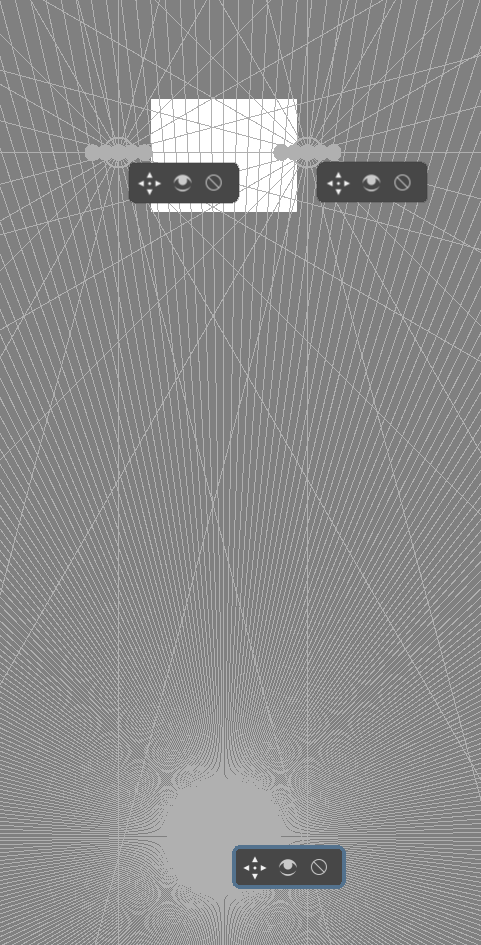
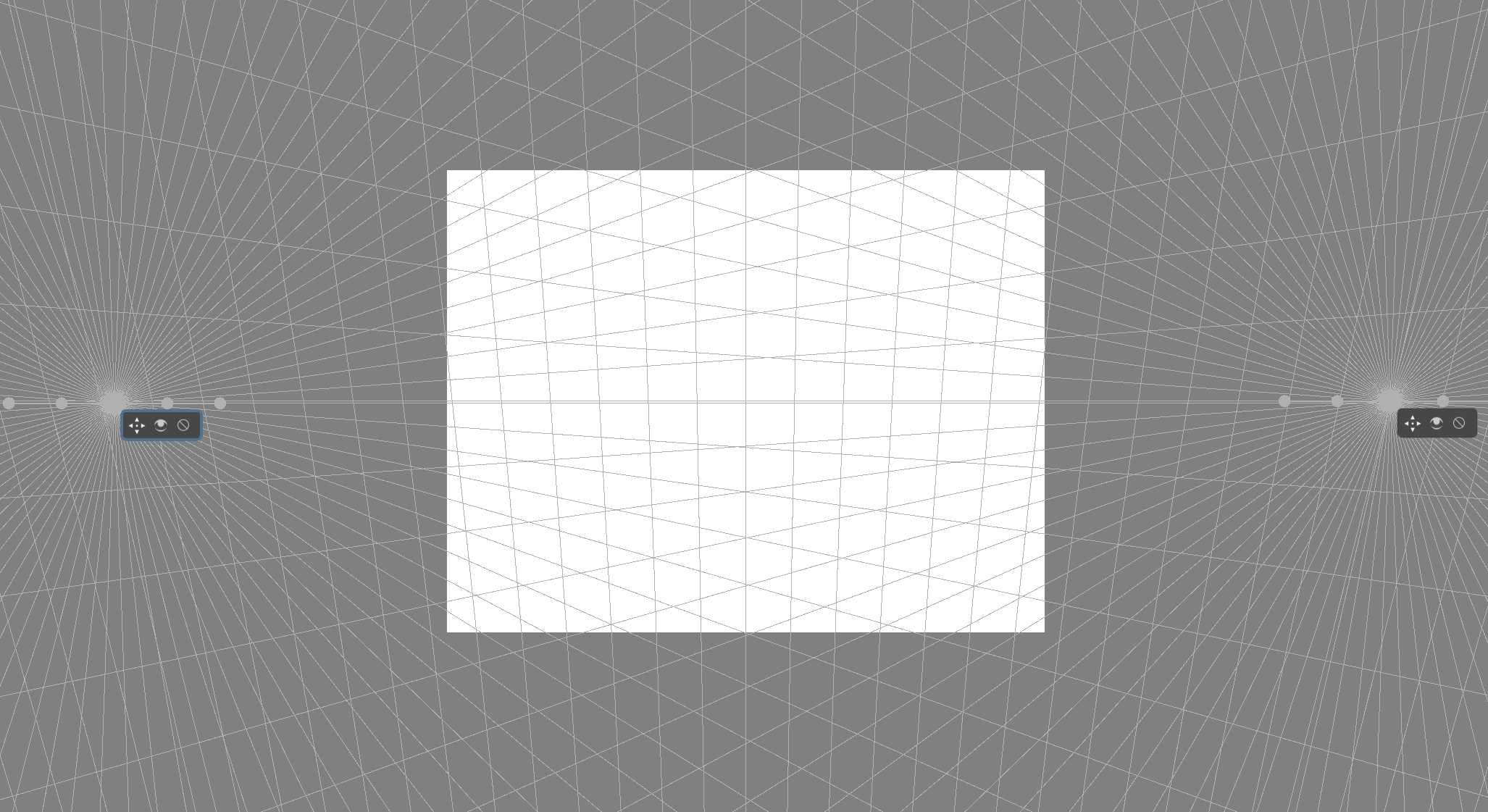
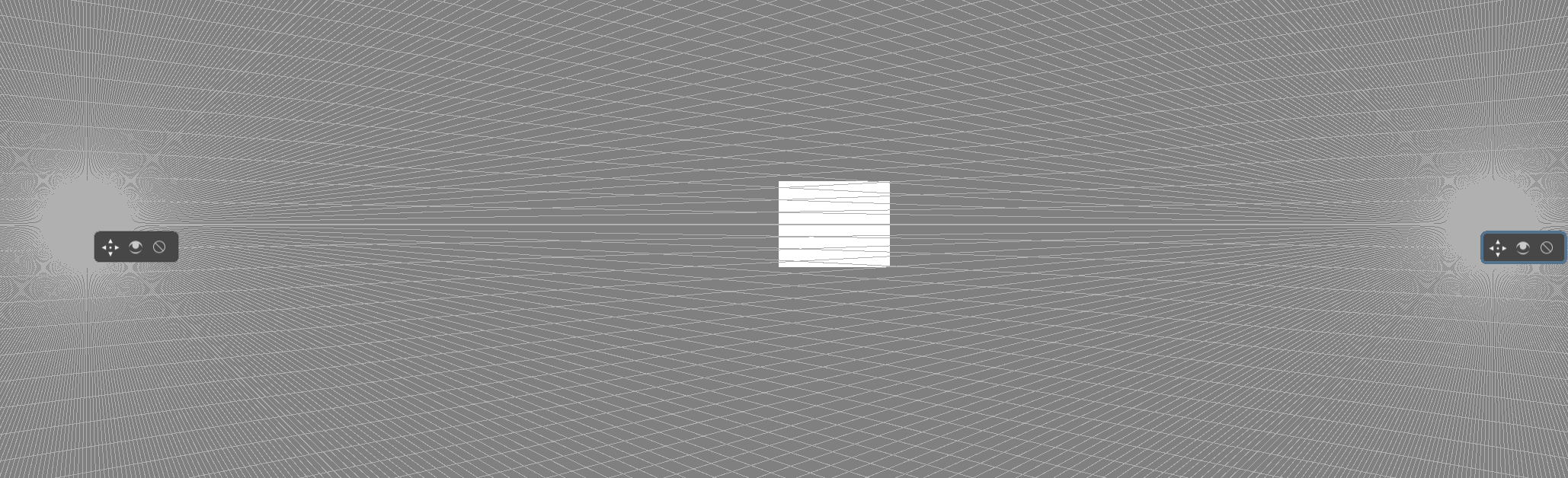
A 2-point perspective assistant tool?

Hi all !

I would like to draw perfect squares and cubes with krita,
since there are basic bricks in a composition.

Within a 2-point perspective, I’ve tried to use assistant tools:
its easy to draw rectangles and bricks with it, see e.g.
https://www.youtube.com/watch?v=LN_JGs5o-bc
but when we are looking for a square or a cube, I founded these assistant much
more limited.

I’ve tried the krita “ellipse trick” described in the video:
https://www.youtube.com/watch?v=Zc7xatDNc4A
but the squares and cubes are not exact, due to the empirical
adjustment of the ellipses.
See the discussion just after the video: a guy wrote:
“I’m afraid this method is not correct”
and I agree with him.

A much rigorous approach is described in
http://www.architecturerevived.com/how-to-draw-a-perfect-cube-in-perspective
but I do not find an easy way to apply it with krita:
it requires measuring lengths and reporting them.
I could be done by e.g. drawing a circle (not an ellipse…) with a prescribed center,
but its not easy with krita (I founded not possibility to lock the ellipse aspect ratio
and set the center simultaneously).

=> Do you have some ideas for drawing perfect squares and cubes with krita ?

2 Likes

I might be wrong, but I have only heard of the “rigorous approach” you mention to draw perfect cubes in 2D. I think that approach is too time consuming, so almost better to just eyeball it.

The way I would do it is to use a 3D software! A 3D program like Blender lets you add cubes, move the camera, and move them in space the way you want. Then you can use that as guides!

Step 1: Make your guides and boxes in Blender, make a composition that you want to work it
Step 2: Screenshot or render it and put it into Krita! If you want you can even use the Assistant Tool and make guides from the Blender Reference.

If you need to change something, just edit your 3D scene, and import a new guide into Krita.

A lot of great artists use 3D screenshots/renders as a base for illustration. This would probably be the easiest and most efficient way. And it’s not cheating! Artists should use all the tools they have at their disposal to create great things! :blush:

Here is some examples from a professional artist, Sergey Musin (scroll down to see his 3D bases)
https://www.artstation.com/artwork/qg9Q2
https://www.artstation.com/artwork/0qgO5

Blender is a free and open source tool with TONS of fantastic free tutorials, I highly recommend it! :grin:

Many thanks to your suggestions.
I am a newbie with krita: I just try to clearly understand how it works
and use it in the best way.

Yes, blender is really an amazing tool!
For a complex scenes, its the ideal approach.
For some scene with medium complexity,
a blender+krita import is perhaps a little bit too much,
with some heavy manipulations.
Indeed, in that case, we also could eyeball it, but perhaps another solution
could be be possible, both faster and better.

In krita, the actual perspective assistant tool already provides
the 1-point perspective:
just have to choose one point, then all is done.
Its simple, easy, ideal.

The actual krita trick for a 2-point perspective is a combination
of two vanishing points and a vertical rule:
to the best I was able to understand, this trick is not able to help us
for drawing a clean perspective.
For instance all the following krita 2-point perspective demos present some mistakes:

=> Why not a 2-point perspective assistant in krita ?

The 2-point perspective is very common in many compositions.

We would just have to choose two point, then all is done.
Indeed, the third direction would be given as orthogonal
to the two-point segment.
This 2-point perspective assistant tool could provide a regular tiling,
similarly to the 1-point perspective tool.
And then, drawing a perfect cube would be easier
than importing from blender.
Better and faster than eyeball it.
Could be both easy, fast and exact.
Krita is a fantastic drawing and painting tool: it would be really nice
to have such an assistant in it.

Indeed, we also could imagine similarly a 3-point perspective assistant tool:
despite this perspective is less common, it could also be useful.

What do you think about ?

It is understandable not wanting to jump into a whole other program, all programs takes time to learn, so I fully understand that!

Hmm, the current "place 2-3 vanishing points trick should work. Maybe the church example went kinda weird because she added a fourth? Or simply had the vanishing points so close that it looked super distorted! Maybe you get something more similar to what you want if you get less distortion?
Here is how I would set up a 3 point perspective:
If you place 3 of them, like this:


(or put the one on the bottom on top if you want to look UP at the subject) you will get 3 point perspective with a nicer amount of distortion.

The further the one on the sides are apart, the less distortion the perspective will have! So you might want to try to have them further outside the canvas!
It might even look like this:

The “Density” option allows the points to have more visual help lines, this is especially useful for the bottom/top one for 3 point perspective and side points that are far away.

Edit: I think I understand better what you mean now: Yeah, it would be nice to see automatic tiles! Maybe a feauture request? Maybe you can place the “Perspective planes” on top of the guides you make with the vanishing points?

1 Like

Hi Rakurri,

Many thanks, Rakurri, for all yours response.
Yes, it would be nice to see automatic tiles and the best is
continue this thread of discussion as a “feature request”:
I have modified also the title of this discussion.

For instance, the church example
https://www.youtube.com/watch?v=OhEv2pw3EuI&feature=youtu.be
contains mistakes because, on the left, the widths and distances
between the flying buttresses are not reduced correctly.

While such a repetitive computation of the reductions could
be complex and boring for a painter, it is not a so complex for a computer ! :wink:
So, we could avoid many of such mistakes with krita.

A new krita “2-point perspective” assistant showing these tiles
and these reduction would permit do avoid such a mistake.

Actually, when using two "vanishing points, the apparent tiles
are rectangles with varying ratios, not squares, and here is the origin
of the mistake.
Indeed, the present krita “vanishing point” assistant bases on a
regular decomposition of angles around the vanishing point.

Similarly, a 3-point perspective assistant would be very nice.

1 Like

Erm, from all I know about perspective projection, linear perspective is 1. Something that doesn’t exist in real life, 2. Therefore there is no canonical way to depict a square inside linear perspective. Like, I cannot think of a single method of perspective projection that I know that I cannot break to make the image look distorted.

If there is, I want to see pictures and maths, not poetic descriptions of it.

Erm, from all I know about perspective projection, linear perspective is 1. Something that doesn’t exist in real life,

Correct.

  1. Therefore there is no canonical way to depict a square inside linear perspective.

Not so correct. Of course there is a canonical way to depict a square/cube in linear perspective. This is canonical way is what we call “linear projection”. Linear perspective isn’t the canonical way to simulate what human eyes see, as you stated.

If you want the technical details you can find them here. Or in any 3D software, actually.

1 Like

To be honest, I don’t think it’s the correct solution to add more and more complicated assistant tools. The all-in-one solution would be an actual 3D layer, just like what Photoshop and CPS have.

Obviously I’m not talking about the full 3D software like modeling or rigging, but a very primitive 3D environment: you can change the parameters of the camera, import 3D models, move them around and rotate/scale them. And it should work like a layer so you can trace and paint over it.
It’s still a lot of work, but it would solve all the 3D related issues.

For me, the “correct” approach to draw 3D objects with 100% precision isn’t to memorize all the 2D perspective tricks (like how to draw a perfect cube, how to duplicate an angle, how to split a circle in 8 sections, etc. People who learned technical drawing all know how much hassle it is), but to build a scene with actual 3D software like Blender and trace over it. If you don’t need that level of precision you should just eye-ball it.

This is illegal and not allowed here. Please don’t link websites which promote piracy. This is your first warning. Repeated warnings may lead to suspension of account.

Please remove links to websites and rephrase your comment

1 Like

… I see that what the actual problem is, is that I made a pencil error on the church, and therefore it has been deemed the existing tools are wrong. I am very glad I stopped making youtube videos.

I kinda agree with @Y.H.Lai, getting a 3d model might be better here, especially if someone wants precision, because whatever method you come up with for 2d, pencil errors will remain.

I am also somewhat lost why you are doing all of these complex things and not just doing perspective projection from an orthographic view instead. Similarly, the perspective transform in the free transform tool can be used to transform 2d things quite quickly.

1 Like

Hi guys !

Hey, @wolthera, I understand that asking for a new feature should bases on clear and robust arguments. I’m also a software maintainer of a scientific computational library (for applied maths, ot for drawing!), so I understand well your request.

Here, I try to explain clearly the situation, with pictures and not too much maths, just the minimal geometry needed. I start by the motivations, the actual situation of krita

1] The importance of geometric shapes

Cézanne said (in French): “Les enfants, tout le problème consiste à rammener la forme des
objets à celle d’un cube, d’un cylindre ou d’une sphère !”

and I propose here an English translation: “My childrens, all the staff is to reduce the shape of
objects to those of a cube, a cylinder or a sphere!”

Squares and cubes, represented in perspective, play a fundamental part in compositions.
Then come circles, that become ellipses, and finally, details and light are added.

2] Krita assistant tool is insufficient for perspective

Krita assistant tool provides “perspective”, “vanishing point” and “ellipse”. But these tools are insufficient and painters/users are perhaps too much confident and could do some mistakes. As I will show here, the correct computation of exact squares and cubes in perspective require some long and repetitive geometric computations. Since this is boring for most painters, they prefer to eyeball it: some times it appears wright, some times its clearly wrong. A computer could easily perform these repetitive computations: here is my suggestion, since actually krita do not provide an assistant for obtaining the square and cube shapes in perspective.

3] Perspectives: 1, 2 and 3 points

Here come some technical materials: maths, and especially geometry. For an excellent introduction, I suggest to read chapter 1 of:

Chelsea, D. , Perspective in action, Watson-Guptill, 2017

See also the wikipedia page Perspective (graphical) - Wikipedia
For simplicity, I consider here only the linear perspectives: nonlinear 3D->2D projections, such as fisheyes, share at least the same difficulties, plus others.

The main difficulties are:

  • reporting lengths from one direction to the other
  • reducing lengths in depth

The edges of a square or a cube should have correct length, and an alignment of squares or cubes should decrease in the right way. For instance, bricks in the wall and windows in the building should have correct aspect ratio and reduce in the right way.

4] 1-point perspective with krita

For 1-point perspective, krita assistant tool could be used with a reasonable amount of complexity.
A tutorial about this can be founded at https://www.youtube.com/watch?v=shGV4sH8xbw starting at time 3’26’’ for the perspective, and here is a krita screenshot:

Of course, things could be improved in krita, some repetitive operations, such as the adjustment of the vanishing point for the vertical panel with those for the horizontal could be automated, simplified, but the assistant tool is already fully operational for the 1-point perspective.

5] 2-point perspective with krita

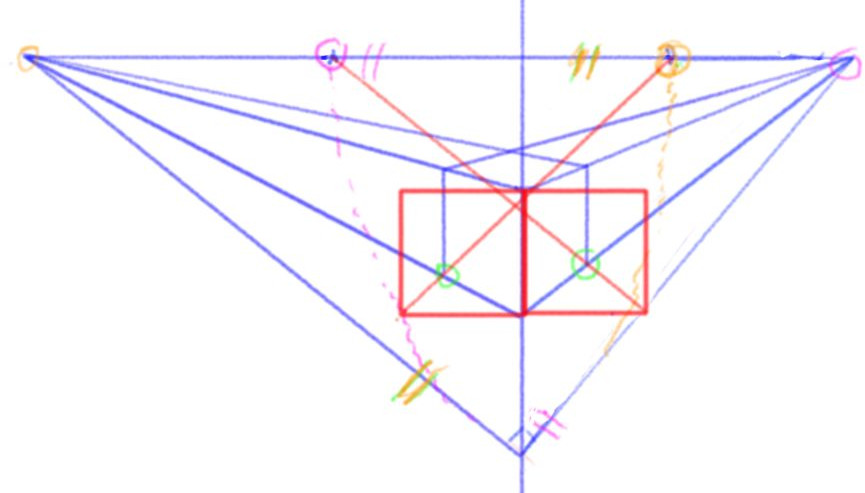
For 2-point perspective, things are more contrasted with krita, as we already observed with the church demo. Moreover, the krita video tutorial on a 2-point perspective https://www.youtube.com/watch?v=Zc7xatDNc4A introduced a controversed method, as pointed out in the discussion after the video, and the result is finally inacurate. The right way to do that has been explained in many textbooks, e.g. again:

Chelsea, D., Perspective in action,Watson-Guptill, 2017

or on the web at http://www.architecturerevived.com/how-to-draw-a-perfect-cube-in-perspective. Here is a visual explanation of the method:

Clearly, things are quite complex and many non-trivial operations should be repeated each time we need to report lengths from one direction to the other. Moreover, it’s not easy with krita to report lengths from one direction to the other, as with a compass.

  • We could use the “measure tool”, but the guide and its value are removed when we start to draw…
  • We could draw a circle, for reporting lengths, but circle cannot be specified by center and radius in krita. The “concentic ellipse” assistant tool do not allow to fix the radius ratio to 1.

Ideally, Krita could do all these repetitive operations automatically: it is the main interest of using a computer aid drawing tool. Actually, painters prefer to eyeball it, at the risk to be wrong.

The 3-point perspective case is similar, with some few additional complexities. So are also more complex nonlinear perspectives, such as fisheyes. Nevertheless, in all cases, things could be automated, in a way for the painter/user to draw easily correct perspectives.

Note on image credit: all images are produced by @pirogh

Oups, sorry @raghukamath, its now fixed.

1 Like

Are other images not copyrighted?

Also the author of the video, that you took screenshot of and made annotation, said that it is an error so it might good to remove that, you are using that error to justify as shortcoming in Krita which is not true in my opinion

@wolthera
… I see that what the actual problem is, is that I made a pencil error on the church, and therefore it has been deemed the existing tools are wrong. I am very glad I stopped making youtube videos.

Hi @wolthera, don’t worry about this comment: I founded all your videos very useful and meticulous!
Especially the church video https://www.youtube.com/watch?v=OhEv2pw3EuI&feature=youtu.be
In addition to be very educational, it presently allows us to have this discussion on a possible way to improve krita. I’m very sorry about your comment. As I already wrote, I do not try to be nasty or hurtful, krita is a fantastic tool, I love it, and I just try to suggest a possible path to improve it. So, as suggestd by @raghukamath, I’ve edited and droped the comment about your church video.

This is what I read from @pirogh:

Especially painter/users are perhaps too much confident and do some mistake

So, I’m wondering why to illustrate a painter mistake, confirmed by author of the video, it’s not allowed to use the video illustrate the mistake… :thinking:
(except if author explicitely ask to not made reference to the video)

Maybe -as my english is not so good- I don’t understand very well, but for what I read, @pirogh doesn’t tell that Krita’s perspective assistant tools are wrong, he just ask if it can be improved to help user to define a correct size in a perspective… (to help to solve problems like this but with 2 or 3 vanishing point and in an easier way)

This is a thing that I confirm that could be very useful, but @pirogh I’m not able to understand how from a pure 2D plane, you can implement an algorithm that is able to understand a 3D scene [that doesn’t exists] and understand what the painter really want to draw…
Do you have an example of other drawing/painting tool with a functionality like this, and how it can be used?

Grum999

1 Like

For example, I only used the vanishing point assistant (3 vanishing point) to draw my Buli-Kong!

Assistant were really helpful and without them, I just not be able to draw all the building.
But it was very difficult to be able to draw all the windows and keep right proportions in the perspective, it took me hours and hours…
Something that can help to keep the right proportion in the perspective would be really great.

Maybe it already exists and I was not able to find/understood it, but hope this example can help to illustrate the asked feature.

Grum999

1 Like

Yes it bothered the author hence I asked to remove it. I have not removed or requested to remove the rest of the comments.

Hope it is clear now, we can talk in private messages to clear things out as it will be counter productive to discuss it here in this topic.

P.S the original comment also had some links to websites which are desirable so i have also asked to remove those links

After reading the thread, I feel that you want to draw shapes in 3d space like you would draw it normally.Like if you draw rectangle it should snap to the perspective plane.

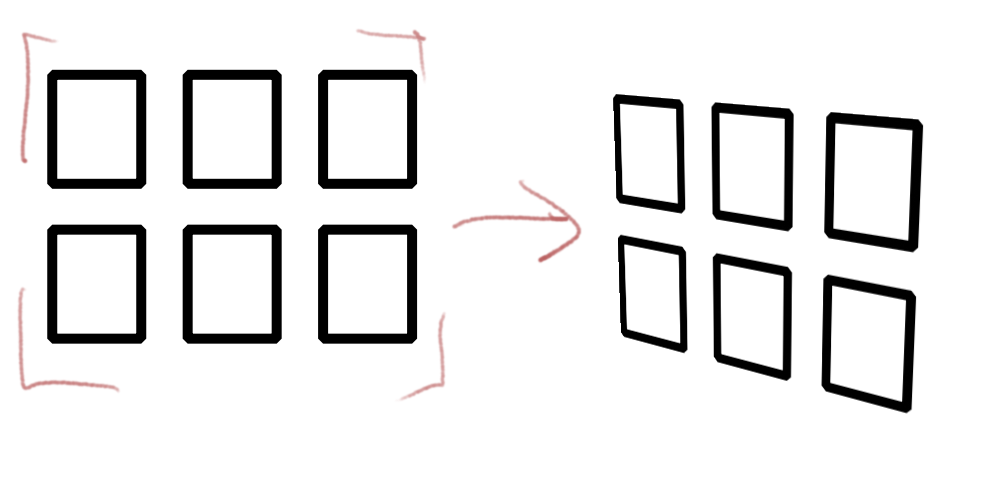
Regarding your problem of calculating the distortion and perfecting the length and breadth of the shapes, for example the window panes in the building need to be equidistant and or same dimension but in correct perspective plane - here is what I would do, I would draw the design or shapes in flat view, like how it will look in front view without any perspective, merge that layer and then transform this entire face to the final perspective plane. I would use transform mask too so that i can draw or change it later.

1 Like

Yes, this is the method I finally used for my drawing.

But an assistant tool that help to do this directly would be a great functionality.

But, as I said, I’m not able to understand how from a pure 2D plane, you can implement an algorithm that is able to understand a 3D scene [that doesn’t exists] and understand what the painter really want to draw…
Not sure about how user interface to implement this looks like :thinking:

Grum999

@pirogh I understand your concerns and partially share them, although not really for a perfect square but judging the depth etc. is kinda difficult, yes.

This image shows it nicely, just the request is to be able to draw it well from the very beginning.

@pirogh it would be good if you read this manual page: Developing Features — Krita Manual 5.2.0 documentation and try to make a mockup of UX of this possible tool or feature. Like, how it should behave etc. Preferably with images - they are often very useful to show things one forgets to write about or one thinks are obvious.

2 Likes